Specs are compiled from manufacturer listings and verified buyer reviews and can change over time — please confirm the key details on the product page before buying.
If your Zigbee sensors and smart plugs keep dropping off Alexa, the problem is usually not Alexa itself — it is which hub sits between them. A Zigbee hub (a small box that acts as the coordinator your Zigbee devices report to) decides whether voice commands fire instantly or fail halfway through a routine. The picks below all work with Amazon Alexa, but they split hard on one thing: how many devices they accept and whether they will talk to the brands you already own.
This guide is built by comparing the manufacturers’ published specifications and the patterns across verified customer reviews, so you get each pick’s real strengths and trade-offs instead of marketing spin.
Some hubs on this list run entirely on your home network, while others lean on a cloud account and a phone app. That single difference explains most of the frustration buyers report, and it is the fastest way to tell which of these belongs in your house. Below you will find a clear, plain-English breakdown of the zigbee hub for alexa options that suit real homes.
Top Picks


How To Choose The Best Zigbee Hub for Alexa
The mistake almost every first-time buyer makes is assuming “works with Alexa” means the same thing on every hub. On some, Alexa can only switch things on and off. On others, Alexa can read sensor states and trigger whole routines. Read the compatibility line on each box before anything else, then work down to device count and protocol.
Check the brand lock before the spec sheet
A lot of affordable Zigbee hubs are built for one app ecosystem and accept only that app’s devices. If the listing says it supports Tuya or Smart Life devices only, your older Aqara or Hue sensors will not join it — no matter how many devices the hub claims to hold. Match the hub to the brand family of the sensors you already own, or plan to buy sensors from that same family.
Count your devices, then double it
Hubs advertise a maximum device count, and that ceiling is the number you will hit months later when a sale tempts you into buying more plugs. A hub that accepts 32 devices is workable for a small flat. A hub that accepts 128 devices leaves room for years of additions. Write down how many Zigbee devices you plan to add, then pick a ceiling well above it.
Decide if you want local or cloud
Local control means the hub runs routines on its own hardware, so your lights still switch on when the internet drops. Cloud control depends on a server and an account. Local hubs usually cost more and ask more of you at setup. Cloud hubs are quicker to start but go quiet when the connection does.
Match the protocol to your sensors
Zigbee is one wireless language. Thread is another. Matter is the newer shared standard that lets a hub pass devices through to Alexa, Google Home, and Apple Home. A hub that only speaks Zigbee can still pass its devices to Alexa through the app, but a hub with Matter bridging makes that handoff cleaner and more capable.
Side-by-Side Comparison
| Model | Best For | Max Devices | Protocols | Weight | Amazon |
|---|---|---|---|---|---|
| Philips Hue Bridge★ Best Overall | Homes already running Hue bulbs | 50 lights and accessories | Zigbee, Matter | 8.3 ounces | Amazon |
| Smart Multi-Mode GatewayMost Devices | Budget builds on the Tuya app | 128 devices | Zigbee 3.0, Bluetooth mesh | 1.76 ounces | Amazon |
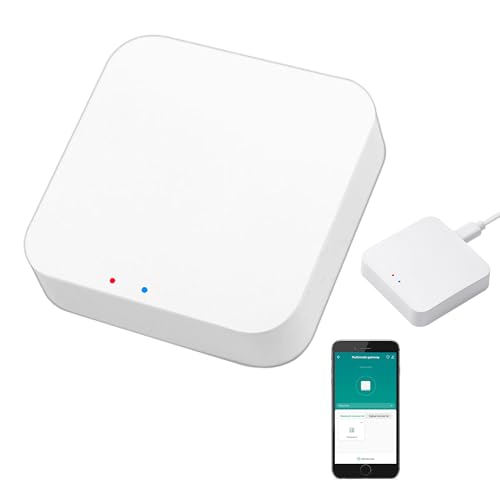
| Zecamin ZigBee Hub WiFi & BluetoothEasiest Setup | No-cable plug-in setup | — | Zigbee, Bluetooth mesh, Wi-Fi | — | Amazon |
| THIRDREALITY Smart Hub Gen2 Plus | USB-A powered corners | 32 devices | Zigbee 3.0 | 1.76 ounces | Amazon |
| SONOFF Bridge Max | Local control without cloud | — | Zigbee, Wi-Fi, Ethernet, Matter Bridge | 2.88 ounces | Amazon |
| Aqara Smart Hub M200 | Aqara sensors with Matter | 40 Aqara Zigbee devices | Zigbee, Wi-Fi, IR, Thread, Matter | 4.6 ounces | Amazon |
| Homey Pro mini | Multi-brand homes, no subscription | — | Zigbee, Matter, Thread, Ethernet | — | Amazon |
| Hubitat Elevation C-8 Pro | Large homes needing antenna range | 1,000+ devices | Zigbee 3.0, Z-Wave, Matter, Bluetooth | 2.56 ounces | Amazon |
| Homey Pro | Whole-home protocol coverage | — | Zigbee, Z-Wave Plus, Wi-Fi, BLE, IR, Matter, Thread | — | Amazon |
Detailed Reviews
1. Philips Hue Bridge
Our pick — 4.5+★ from 11,000+ verified ratings; the strongest balance of quality and price.
The hub that keeps your lights on when the internet quits.
Here is the one spec that decides the Hue Bridge for most people: it holds up to 50 lights and accessories. That is a full-house lighting plan — hallway, kitchen, three bedrooms, and still space for a motion sensor or two. The bridge talks to those bulbs over Zigbee (the low-power wireless language Hue bulbs use) rather than your Wi-Fi, so your streaming and video calls do not get squeezed every time a light changes colour.
What wins people over is the stability. Hue lights keep working when your Wi-Fi goes down, which is the whole reason to own a bridge instead of pairing bulbs straight to your router. It also earns its keep on the control side — rooms, scenes, and groups of lights can all be driven separately, which is the difference between “all lights on” and a proper evening scene. It carries a 4.5+ star average across 11,000+ ratings, the largest review base of any hub here.
The honest catch is the ecosystem lock and the older-hardware line. The bridge works nicely with Alexa and HomeKit, but it does not work with Hue Gen 1 lights, so anyone upgrading from the very first Hue starter kit needs to know that before buying. At 8.3 ounces it is also far heavier than the 1.76-ounce Smart Multi-Mode Gateway — because it is a proper powered box with a LAN cable and adapter in the box, not a dongle.
What makes it the safe pick
- Holds up to 50 lights and accessories on one bridge
- Zigbee connection keeps the load off your Wi-Fi network
- Lights keep responding when your internet drops
- Matter-compatible, so it passes lights through to other smart home systems
Where it asks you to commit
- Only useful if you are buying into Hue bulbs and accessories
- Does not work with Hue Gen 1 lights
- Heavier at 8.3 ounces and needs its own power adapter
Go here if: your house runs or will run Hue bulbs and you want lighting control that survives an internet outage.
Pass if: you want one hub to manage door sensors, plugs, and lights from several different brands.
2. Smart Multi-Mode Gateway
A tiny puck that swallows 128 sensors without a router upgrade.
Compare it against the THIRDREALITY Smart Hub Gen2 Plus above and the numbers are blunt: this gateway holds 128 devices where that one holds 32. If you have already been burned by a hub that ran out of slots, that ceiling alone is the argument. It runs Zigbee 3.0 and Bluetooth mesh (a second low-power wireless standard for sensors and locks) on one gateway, so you do not need a separate bridge for a Bluetooth door lock and a Zigbee motion sensor.
At 1.76 ounces and just 1.93 x 1.93 x 0.51 inches, it sits on a shelf or behind a TV without anyone noticing. Functionality is the thing that gets praised most here — pairing a Bluetooth door lock and Wi-Fi gear to the same app comes up again and again as the moment it proves itself. Ask Alexa to switch a plug or trip a Finger Bot and it responds through the Smart Life app, which is the same app you use for setup.
The trade-off you have to accept up front is the app lock. It supports Tuya and Smart Life devices only, so a Hue bulb or an Aqara sensor will not join it. Connectivity experiences also split down the middle — some setups run perfectly, others fight the 2.4GHz band. Put it close to your router and give it a clear run to your sensors.
Why it punches above its size: 128 device slots and two radio protocols in a 1.76-ounce body is a lot of headroom for the money. Energy monitoring and group control live in the app, and device linkage lets a Zigbee sensor trigger a Bluetooth device — something single-protocol hubs simply cannot do.
The right call when: you are building a Tuya or Smart Life setup and expect the device count to climb.
Think twice if: your existing sensors come from Hue, Aqara, or another non-Tuya brand.
3. ZigBee Hub WiFi & Bluetooth Dual Mode Gateway
Plug it in, open the app, and you are done in minutes.
No network cable is the headline here. You power this gateway on, connect it through the Smart Life or Tuya Smart app, and it is running within minutes — which makes it the friendly option for a rented flat where you cannot run cable through a wall. It speaks Zigbee and Bluetooth mesh, and it also handles Wi-Fi devices, so a mixed bag of plugs, sensors, and a Wi-Fi camera can all sit under one control screen.
One hard limit to understand before you buy: it only works with Tuya protocol products. A bulb, door lock, or blind that does not use Tuya will not pair with it, and the listing says this plainly. Check that every device you plan to add is compatible with the Tuya Smart or Smart Life app first. Get that right and the rest is smooth — voice control works through Alexa Echo and Google Assistant, and group control plus device reset all live in the same app.
The catch is the Wi-Fi band. This hub must sit on the 2.4GHz frequency band, not the 5GHz one, which is the single most common reason a new owner cannot get it to connect. If your router splits the two bands into separate names, join the 2.4GHz one and it behaves.
Choose it for: a fast, cable-free install when every device you own is Tuya-based.
Look elsewhere if: you need wired Ethernet for a rock-solid connection, or you own non-Tuya sensors.
4. THIRDREALITY Smart Hub Gen2 Plus

Smaller than a deck of cards and powered straight from a USB port.
This one solves a very specific problem: where to put a hub when every socket is taken. It uses a USB-A connector for power (the flat rectangular plug your phone charger uses), so any spare USB port on a router, TV, or wall adapter will run it — no charging cable needed. And it is genuinely mini. Its 3.25 x 1.7 x 0.5 inch body is one of the smallest on this list, and it weighs 1.76 ounces, the same as the Smart Multi-Mode Gateway.
Reach and device count both take a step up from the previous generation. It connects up to 32 devices, and the maximum connection distance stretches to 50m in open space. Groups, countdown timers, and N-way switches (a setup where several switches control the same light) all run through the Third Reality app, and remote monitoring means you can check your home from anywhere.
The honest limit is two-fold. It works with THIRDREALITY ZigBee devices, so treat it as a brand-specific hub, and it only supports 2.4GHz Wi-Fi. Reliability is the trait that earns the most goodwill — it plays nicely with Third Reality plugs and Alexa. Connectivity is the rougher edge, with a share of setups struggling to hold a link, so give it clear space rather than burying it behind a cabinet.
One-line read: the pick for someone already in the Third Reality family who wants a hub that hides behind the TV.
Best fit: a small setup of Third Reality sensors and plugs where space and sockets are tight.
Not for: a house that needs more than 32 devices or a hub that accepts other brands.
5. SONOFF Bridge Max Smart Home Hub (Bridge-M)

Run the whole bridge from a browser on your own network.
Most hubs on this page make you install an app and sign into a cloud account before anything works. This one skips that step entirely. You open its local web console from your own network, and every setting is managed from there — no app download, no cloud dependency. Bridge Zigbee, BTHome, and eWeLink devices over to Matter platforms like Alexa, Google Home, and Apple Home, and each ecosystem sees them without you juggling three apps.
It also doubles as a security setup. Pair Zigbee sensors with it and the built-in 90 dB alarm (a loud siren-level alert) trips alongside instant mobile notifications when intrusion is detected. Home Assistant users get a clean path too — Zigbee devices integrate over MQTT, or you can bridge Home Assistant devices out to Matter-compatible platforms. It connects over Wi-Fi, Ethernet, or Zigbee, and the Ethernet port means a wired link when you want one.
There is a limit worth reading carefully before you buy. This is a Matter Bridge, not a Matter Controller — it passes compatible non-Matter devices out to Matter platforms, but it cannot add Matter devices into your home directly. If you were hoping to pull a Matter plug into it as a host, that is not what this box does.
Where it earns the premium
- Local web console means no app and no cloud account
- Bridges Zigbee, BTHome, and eWeLink devices to Matter platforms including Alexa
- 90 dB built-in alarm for sensor-triggered security alerts
- Works with Home Assistant over MQTT
- Ethernet and Wi-Fi both on board
Know this going in
- Matter Bridge only — it cannot act as a Matter Controller
- The browser-based setup is less hand-held than a phone app
Reach for it if: you want your Zigbee devices bridged into Alexa and Home Assistant without a cloud account in the middle.
Skip if: you need a hub that also hosts Matter devices as a controller.
6. Aqara Smart Hub M200
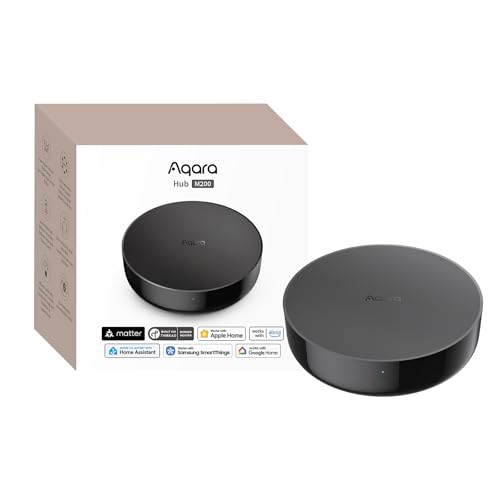
Four jobs in one box: hub, Matter controller, Thread router, IR blaster.
For an Aqara household, this units a lot of separate boxes into one. It holds up to 40 Aqara Zigbee devices and 40 Thread devices, acts as a Matter Controller and Thread Border Router (the router part that gives Thread sensors a network to join), and bridges Aqara-exclusive features out to Home Assistant, Apple HomeKit, Alexa, and Google Home. If you have been running an older Aqara hub and want Alexa to see your sensors, this is the natural upgrade.
The 360° IR blaster is the sleeper feature. It does not just fire commands at your air conditioner — it detects when you use the original remote and updates its status to match. Paired with an Aqara Temperature and Humidity Sensor, it can act as an AC thermostat so your cooling automations respond to real room conditions. Power is flexible too: dual-band Wi-Fi on 2.4 and 5GHz with WPA3 security, Power over Ethernet (power and data down one cable), and a USB-C port that accepts a mini-UPS or power bank to keep automations alive through a brief outage.
The one clause you must read twice is the Zigbee list. It supports Aqara Zigbee devices only — no third-party Zigbee sensors. That is the whole decision right there. If your sensors are Aqara, this is a strong multi-protocol centre. If they are not, it will not host them. Setup and connectivity also split opinion, with some buyers finding pairing easy and others hitting snags with Google Home and SmartThings.
What the price buys: local automation that keeps running without Wi-Fi or cloud for Zigbee and Matter devices, plus a built-in speaker for doorbell chimes, alarms, and custom audio messages. Cloud push notifications still need a connection, but the routines themselves live on the hub.
Pick it when: you are all-in on Aqara sensors and want Alexa, HomeKit, and Thread handled by a single powered box.
Rule it out if: you need a hub that opens its arms to Zigbee sensors from other brands.
7. Homey Pro mini
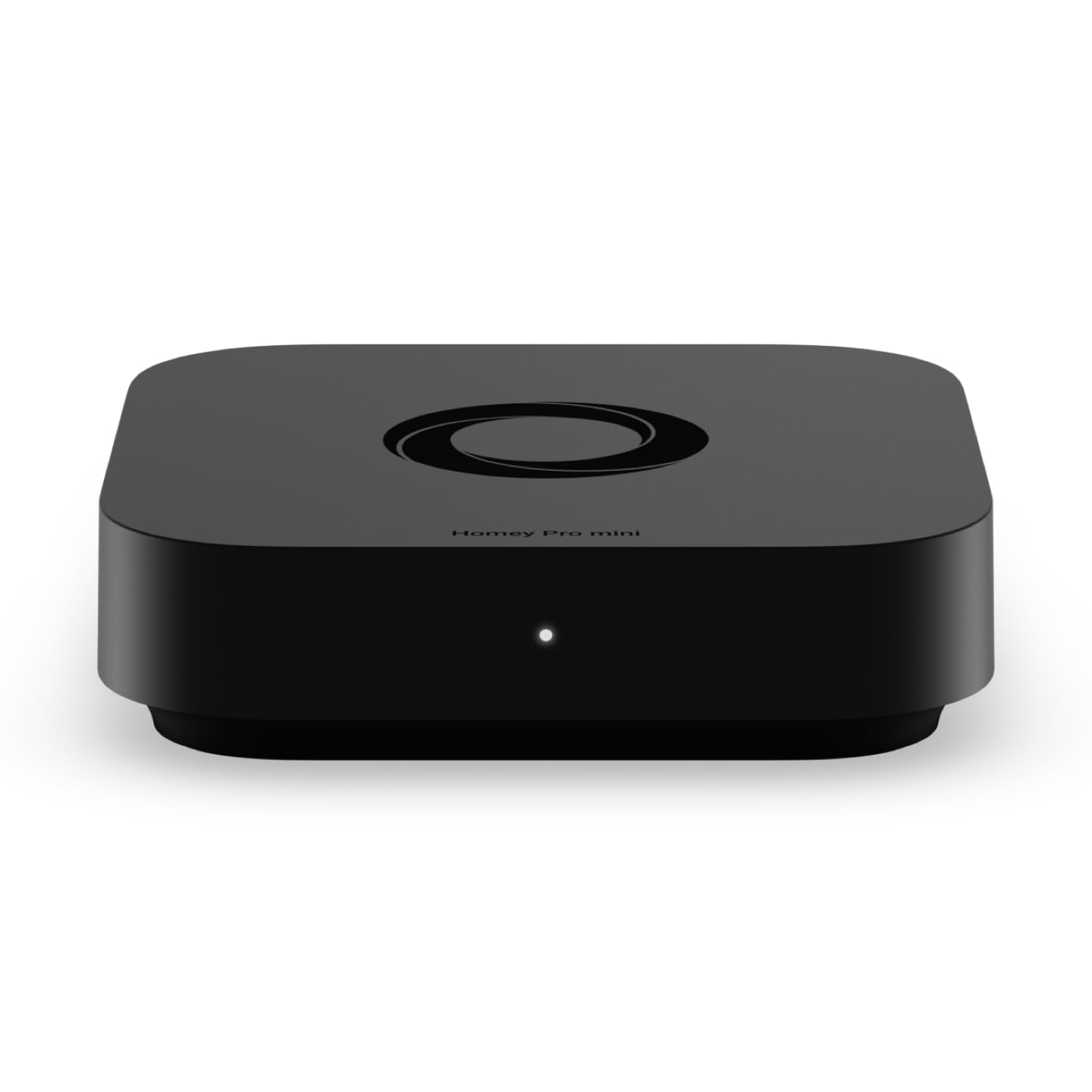
The multi-brand peacemaker for a house full of mismatched gadgets.
If your home is a mix of Sonos, Philips Hue, Ecobee, LG, Yale, Govee, and TP-Link gear, this is the pick built for that reality. Homey Pro mini works with 1000+ brands, and because Homey Apps cover both official and community-built integrations, the list keeps growing. Zigbee, Matter, Thread, and Ethernet come on board from the start. Want Z-Wave, Bluetooth, or Infrared as well? Those arrive when you add the Homey Bridge, which is sold separately.
All of it runs locally, which is the material difference on this page. Your data processing happens on the hub, automations survive an internet outage, and you get real-time alerts plus energy monitoring in one place. The Homey Flow builder is where owners spend their time — switch off every device with one tap, play music when you walk in, build longer multi-step routines in the desktop app. Recommendation and ease of use are the two things that come up most, and for good reason: it is the rare hub that does not ask you to abandon the brands you already bought into.
No subscription is the part that separates it from cloud-based rivals. Remote access and voice assistant integrations for Alexa, Google Assistant, and Siri are included rather than rented by the month. Device compatibility is the one area that draws mixed reports — a brand on the list is not a guarantee every model within it pairs cleanly, so check the specific model on the Homey website first.
Where it shines: a gadget-heavy home that has outgrown single-brand hubs and wants local control plus a clean Alexa handoff.
Keep in mind: Z-Wave, Bluetooth, and Infrared need the Homey Bridge add-on, so factor that into your plan.
8. Hubitat Elevation C-8 Pro
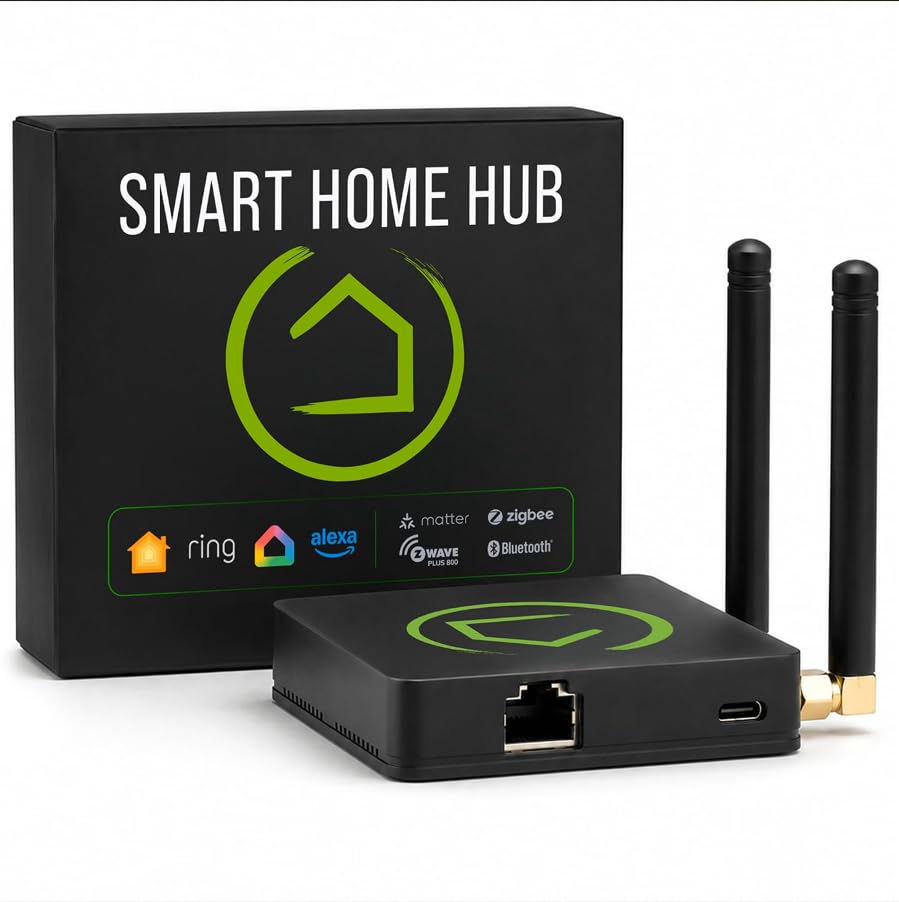
Two external antennas for the house that eats Zigbee signal.
Dedicated antennas are the reason this one exists. One handles Z-Wave, the other handles Zigbee, and together they extend reach in a larger home or a device-dense build where signal consistency matters more than anything else. A single hub covers Matter 1.5, Z-Wave 800 Series with Long Range, Zigbee 3.0, and Bluetooth, so the sensors you already own do not need extra bridges or adapters to get connected. It reaches 1,000+ devices across 100+ brands.
Everything runs on the hub itself rather than on remote servers. Lights, locks, thermostats, and routines keep firing even when the internet drops, and device data stays at home. Rule Machine is the deep end — multi-condition logic across lighting scenes, geofenced arrivals, layered security responses, and whole-home scheduling. The AI-assisted routine builder suggests automations based on what you have connected, so you do not need to write anything to get started. Alexa, Google Home, and Apple HomeKit all connect, and Ring camera integration adds a security layer.
Here is the fair warning: this is a tinkerer’s hub. The setup is documented step by step and the online community is active, but the C-8 Pro rewards someone who enjoys building rules and writing custom drivers. If you want a hub you set up once and never think about, the friendlier Homey Pro mini ahead of it fits that job better.
The value angle: no recurring subscription for the full platform, and continuous platform updates since 2018 have widened compatibility without needing new hardware. Custom apps, drivers, and automation blueprints shared by the community keep extending what the box can do long after you unbox it.
For the builder: a large, device-heavy home where Zigbee and Z-Wave reach plus deep automation logic matter.
Not the easy route: expect real setup time before your routines run the way you want.
9. Homey Pro (2026)
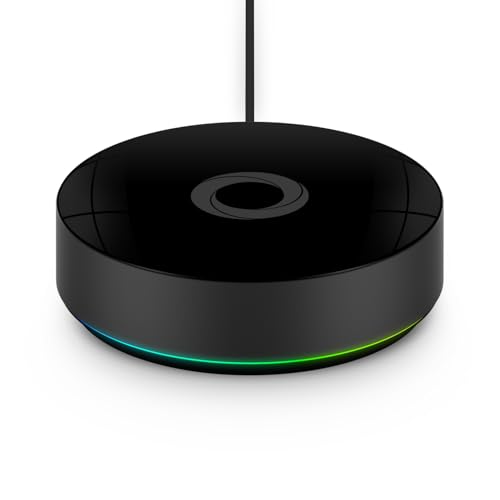
Seven wireless technologies, one box, nothing running through a server farm.
The count is the sales pitch: Wi-Fi, Zigbee, Z-Wave Plus, Infrared, BLE, Matter, and Thread, all in a single local-first hub. That spread is broader than anything else on this list, and it means one box can pull in your Zigbee sensors, a Z-Wave lock, an infrared air conditioner, and a Thread sensor at the same time. Nothing has to go through an add-on bridge the way it does with the Homey Pro mini.
The brand list is enormous — over 70,000 devices from more than 2,000 brands, spanning Sonos, Philips Hue, Kwikset, Govee, Aqara, iRobot, Ecobee, Spotify Connect, IKEA, Yale, LG, Dyson, Withings, Shelly, Somfy, and more. Thanks to the open platform, official and community-built Homey Apps keep adding to that pool. This generation doubles the RAM of the previous model, so you can add more devices without the hub feeling thin. Processing happens on the box itself and your data is stored on Homey Pro, which keeps cloud dependency to a minimum.
Homey Flow is the glue. Create flows in the phone app or build advanced ones in the web app — switch the whole house off with one button, play music when you arrive home, schedule usage around solar generation to trim the energy bill. Alexa, Siri, and Google Home are all in the mix. The real question is whether your setup needs seven radios. For a small Zigbee-only home, the price is hard to justify — the lighter picks above do the same core job for a fraction of the money.
The case for going big
- Zigbee, Z-Wave Plus, Wi-Fi, BLE, Infrared, Matter, and Thread in one hub
- Over 70,000 supported devices across 2,000+ brands
- Local processing with data stored on the device itself
- Doubled RAM over the previous generation for more devices
- Works with Siri, Alexa, and Google Home
Who should hold back
- Far more capability than a Zigbee-only home will ever use
- Flows take some learning before they run the way you picture
The fit: a whole-home build mixing Zigbee, Z-Wave, and Thread gear where one premium hub should replace every bridge.
Overkill if: every sensor in your house is Zigbee and Alexa is the only voice assistant you use.
Know the Specs
Device Limits and Why They Matter
The maximum device count is how many sensors, plugs, and switches a hub can hold at once. A hub capped at 32 devices works for a small flat, but the ceiling arrives fast once you add motion sensors and smart plugs. A hub that accepts 128 devices leaves room for expansion without a second box. Check the count before you buy, not after.
Zigbee, Thread, and Matter Explained
Zigbee and Thread are both low-power wireless languages that sensors use to talk to a hub. Matter is a newer shared standard that lets a hub pass those devices cleanly to Alexa, Google Home, or Apple Home. A hub with Matter bridging hands devices over without special workarounds. A hub without it still reaches Alexa through its own app, but with fewer features visible.
Local versus Cloud Control
Local control means routines run on the hub’s own hardware, so lights and locks still respond when the internet drops. Cloud control depends on a server and an account, and goes quiet when the connection does. Most of the premium picks here run locally. The budget-friendly cloud options start faster but rely on a live connection.
The 2.4GHz Band Rule
Almost every hub here connects to your home network over the 2.4GHz Wi-Fi band, not the 5GHz one. If your router gives the two bands separate names, join the 2.4GHz network during setup or the hub will not appear in the app. Many connection complaints trace back to this single detail.
Common Questions
Will a Zigbee hub work with my existing Alexa devices?
Do I need a Zigbee hub if I already have an Echo speaker with a built-in hub?
Can I run two different Zigbee hubs in the same house?
What is the difference between Zigbee and Matter on these hubs?
How many Zigbee devices can one hub handle before it starts dropping?
Does the Philips Hue Bridge work with non-Hue Zigbee devices?
Will these hubs keep working when the internet goes down?
Why does my new hub say only 2.4GHz Wi-Fi is supported?
Should I buy a hub that needs no Ethernet cable?
Is a more expensive hub genuinely worth it for a small home?
The Bottom Line
For most people building around Alexa, the zigbee hub for alexa winner is the Philips Hue Bridge because it keeps lights responding through an internet outage and handles up to 50 lights and accessories on a connection that stays off your Wi-Fi. If you want the most device slots for the money, grab the Smart Multi-Mode Gateway and its 128-device ceiling. And for a mixed-brand house that needs Zigbee plus Z-Wave plus Thread without a monthly fee, the Homey Pro mini is the one to reach for.
One last note on picking: the Hue Bridge carries the loudest following of the group, which tells you how many buyers settle on it and stay. Just be honest with yourself about whether your home is a Hue-only lighting setup or a multi-brand jumble — that one answer narrows this list to a single pick faster than any spec sheet.
How we choose
We do not accept paid placement. Every pick is matched to a real buyer and a real use-case; we do not hands-on test units.
Sources
Specifications: manufacturer listings and product documentation. Review insights: verified customer reviews, as of November 2026. Pricing: not shown on this page (it changes often); check the current price via the retailer link.
As an Amazon Associate, Tactical Gear Guy earns from qualifying purchases. This does not affect which products we feature.