Specs are compiled from manufacturer listings and verified buyer reviews and can change over time — please confirm the key details on the product page before buying.
You do not need the most expensive tower on the shelf to run World of Warcraft well — you need the right balance of processor speed, dedicated graphics memory, and enough RAM to survive a 25-player raid without your frame rate collapsing. The short answer: a machine with a dedicated graphics card (a separate video chip, not one built into the processor) and at least 16GB of RAM will carry you through questing, dungeon runs, and most raids comfortably. Everything above that buys you smoother city crowds, faster load screens, and headroom for streaming or running addons on the side.
This guide is built by comparing the manufacturers’ published specifications and the patterns across verified customer reviews, so you get each pick’s real strengths and trade-offs instead of marketing spin.
The picks below are sorted by what actually matters in Azeroth: core count, graphics memory, and memory capacity. Every specification here is pulled straight from the listing, so you can weigh a 20-core i7 against a 6-core Ryzen without guessing which machine will hold up on raid night, which is exactly what separates a good world of warcraft computer from a tower that stutters the moment the pull timer starts.
Top Picks
How To Choose The Best World of Warcraft Computer
World of Warcraft is an old engine that leans hard on a single fast processor core, then leans on your graphics card the moment a raid group stacks up and spell effects fill the screen. That combination is why a tower with a fast CPU and a modest dedicated GPU often beats a slower CPU with a monster card. Buy for the frame dips in a 25-player pull, not the benchmark peak.
Dedicated graphics is the non-negotiable
A dedicated graphics card (a separate chip with its own video memory, listed in gigabytes) is what keeps your frames steady when forty players and their spell effects land on one spot. Integrated graphics share system memory and choke on that load. Every pick here carries a real card — the GTX 1660 SUPER, the RTX 3050, the RTX 5060, the 5060 Ti, or the RTX 5070 — so check the graphics memory figure (6GB, 8GB, or 12GB) against the resolution you plan to play at.
Core count and clock speed for raid nights
Clock speed, measured in GHz, is how fast each core works; core count is how many jobs run side by side. WoW rewards the clock more than the count, so a 5.4 GHz processor keeps the game thread snappy while spare cores handle Discord, your browser, and addons. More cores help mostly if you stream or record while you play.
RAM and storage you will not outgrow
16GB of RAM is the working floor for a smooth raid with addons loaded; 32GB gives you breathing room for streaming, video editing, or thirty browser tabs between pulls. For storage, an NVMe SSD (a fast solid-state drive that plugs straight into the board) shortens load screens and zone transitions. A 1TB drive holds the game plus a healthy library; 2TB saves you from uninstalling anything.
Side-by-Side Comparison
| Model | Best For | Graphics Card | RAM | CPU Speed | Amazon |
|---|---|---|---|---|---|
| HP OMEN 40L (Ryzen 7 5700X)★ Best Overall | Balanced raid machine | GTX 1660 SUPER, 6GB | 16GB DDR4 | 4.6 GHz | Amazon |
| ZYNEEX Prebuilt (Ryzen 5 5500)Budget Entry | Budget 1080p start | RTX 3050, 6GB | 16GB DDR4 3200MHz | 4.2 GHz | Amazon |
| CyberPowerPC (i5-14400F)Top Performer | Value RTX 5060 build | RTX 5060, 8GB | 16GB DDR5 | 2.5 GHz base | Amazon |
| Skytech Archangel (i5 14400F) | White-case 1080p build | RTX 5060, 8GB | 16GB DDR5 6000 | 4.7 GHz turbo | Amazon |
| YAWYORE Gaming PC (Ryzen 7 5700X) | Memory-heavy multitasking | RTX 5060, 8GB GDDR7 | 32GB DDR4 | 4.6 GHz | Amazon |
| HP OMEN 40L (i7-14700F) | Streaming and raids | Dedicated, 6GB | 32GB DDR5 | 5.3 GHz | Amazon |
| CyberPowerPC (Ryzen 7 8700F) | Ti-tier graphics value | RTX 5060 Ti, 8GB | 16GB DDR5 | 4.1 GHz | Amazon |
| Skytech Crystal (Ryzen 7 5700) | 32GB on a budget | RTX 5060, 8GB GDDR7 | 32GB DDR4 3200 | 4.6 GHz turbo | Amazon |
| Alienware Aurora (RTX 5060 Ti) | Quiet, compact gaming | RTX 5060 Ti | — | 5.5 GHz | Amazon |
| Alienware Aurora (RTX 5070) | High-refresh 1440p | RTX 5070 | — | 5.3 GHz | Amazon |
| MSI Codex Z2 (R7-8700F) | Storage and GPU power | RTX 5070, 12GB | 32GB DDR5 | 5.0 GHz | Amazon |
Detailed Reviews
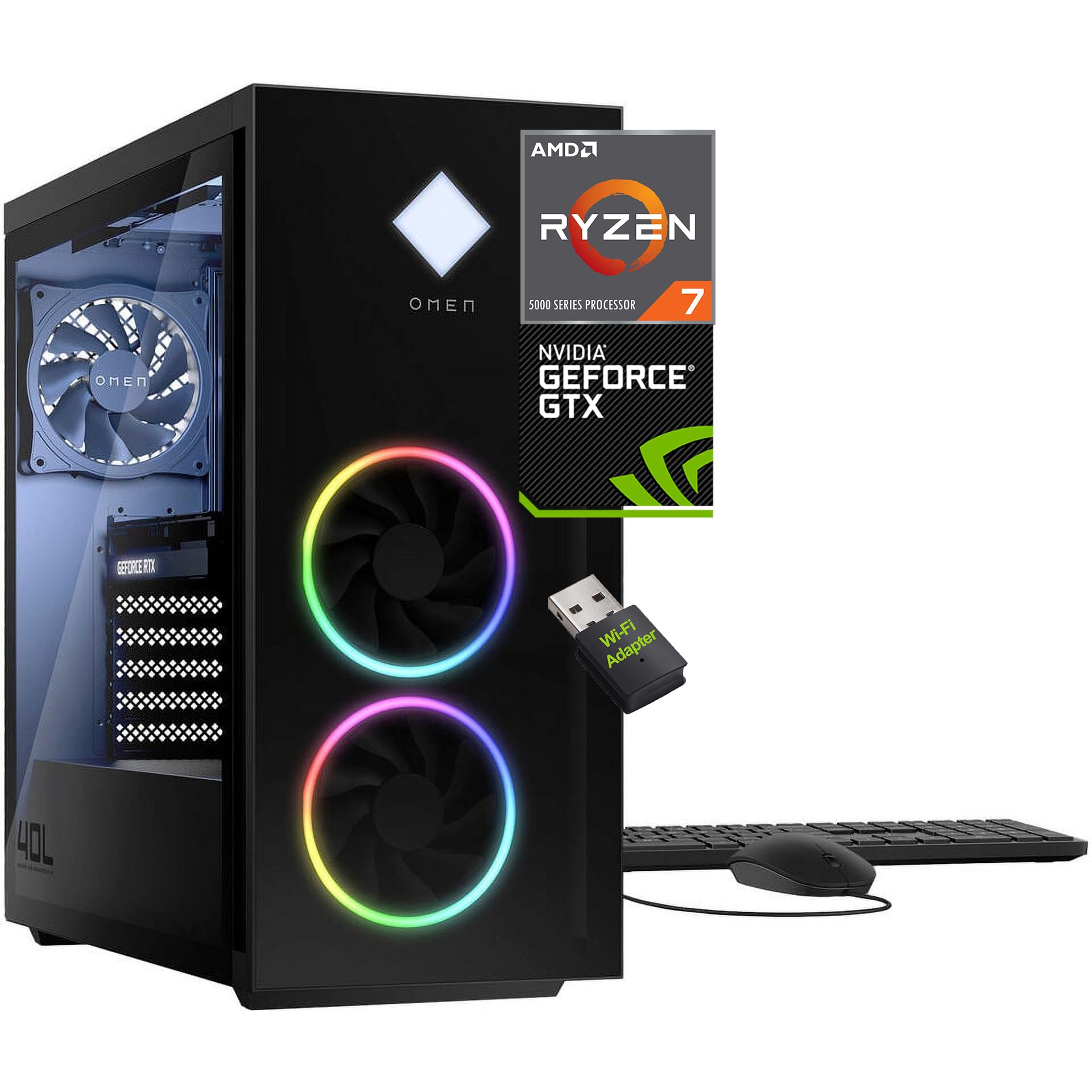
1. HP OMEN 40L Gaming Desktop PC
Our pick — 4.5+★ from 400+ verified ratings; the strongest balance of quality and price.
Eight cores at 4.6 GHz, a real graphics card, and a case you can open without a screwdriver.
The OMEN 40L is the pick that covers the widest spread of WoW play without asking you to overpay. Its AMD Ryzen 7 5700X runs 8 cores and 16 threads up to 4.60GHz with 32MB of cache, which is more than enough headroom to keep the game thread fast while Discord, a browser, and your addon stack share the rest. Compare that to the ZYNEEX entry a few spots down: this OMEN carries 32 MB of cache against that machine’s 16 MB, and the CPU clocks 4.6 GHz against 4.2 GHz — both figures that show up as steadier frames when a raid group stacks up.
The GeForce GTX 1660 SUPER is a dedicated card with 6GB of GDDR6 video memory, and it connects over DVI, HDMI, or DisplayPort so a second monitor for maps and WeakAuras is genuinely easy. The 16GB of DDR4 RAM and 1TB PCIe NVMe M.2 SSD mean zone transitions and login screens clear quickly. Cooling comes from an active fan-sink setup with 4-pin fan control, and the tool-less chassis is the detail that keeps this tower relevant — swapping a drive or adding memory later takes minutes, not a trip to a shop.
What wins people over is the value-to-power ratio: this is the crowd favorite here with 4.5+ stars across 400+ ratings, and it delivers the same 8-core Ryzen 7 platform as machines asking noticeably more. The catch is the graphics card — the GTX 1660 SUPER is a previous-generation part, so it handles 1080p comfortably but will not stretch to high-refresh 1440p the way the RTX 5070 options do. Bundled WiFi adapter, keyboard, and mouse mean the tower is playable the day it lands.
What this machine gives you
- 8 cores and 16 threads up to 4.60GHz with 32MB cache for smooth raid frames
- Tool-less chassis makes future RAM and drive upgrades a quick job
- 1TB PCIe NVMe M.2 SSD cuts load screens and zone transitions
- Multiple video outputs for a second monitor
Where it holds back
- GTX 1660 SUPER with 6GB is a previous-generation card — strong at 1080p, not a 1440p high-refresh part
- Memory is DDR4 rather than the newer DDR5
The sensible default: Buy this if you want a proven 8-core tower that handles raids, dungeons, and streaming without fuss, and you plan to upgrade parts yourself over time.
Look upward instead if: You already run a 1440p high-refresh monitor and want the card to match it — the RTX 5070 builds further down are the better fit.
2. Prebuilt Gaming Desktop PC
The cheapest tower here that still ships a real ray-tracing card and a full 1TB of fast storage.
If you are starting fresh in Azeroth and want the lowest entry point that still counts as a gaming machine, this ZYNEEX build is the one to look at. The AMD Ryzen 5 5500 runs 6 cores and 12 threads up to 4.2GHz, paired with a GeForce RTX 3050 with 6GB of GDDR6 memory. That combination handles 1080p questing and dungeons well, and the RTX 3050 adds ray tracing if you like the lighting touches switched on. The 16GB of DDR4 at 3200MHz keeps addons and a browser open without swapping, and the 1TB NVMe SSD holds the game plus a long library of alts and other titles.
The number that sells this machine is performance per dollar — it is the most-praised quality in its reviews by a wide margin. Owners also single out how painless the first boot is, with Windows 11 installation rolling through on its own. An ARGB air cooling setup with multiple fans keeps things steady and quiet through long sessions, and built-in Wi-Fi plus HDMI and DisplayPort outputs mean you can plug in a monitor and go.
Here is the honest limit: the Ryzen 5 5500 sits below the 8-core Ryzen 7 chips on this list, so a packed 25-player raid with heavy spell effects is where you will notice the gap first. This is a starter tower, not a long-term 1440p machine. For leveling, dungeons, and casual raiding at 1080p, though, it does the job at the friendliest entry point in this lineup.
The plain verdict: A genuine gaming card, 16GB of RAM, and 1TB of NVMe storage at the lowest entry point here — a clean first tower for someone who wants to play now and upgrade later.
Who it is not for: Serious raiders chasing high frame rates at 1440p should step up to the 8-core, RTX 5060 builds instead.
Reach for this if: You are buying your first WoW machine and want smooth 1080p play without stretching the budget.
Pass it by if: You already run a busy raid guild and need the extra cores and newer graphics silicon.
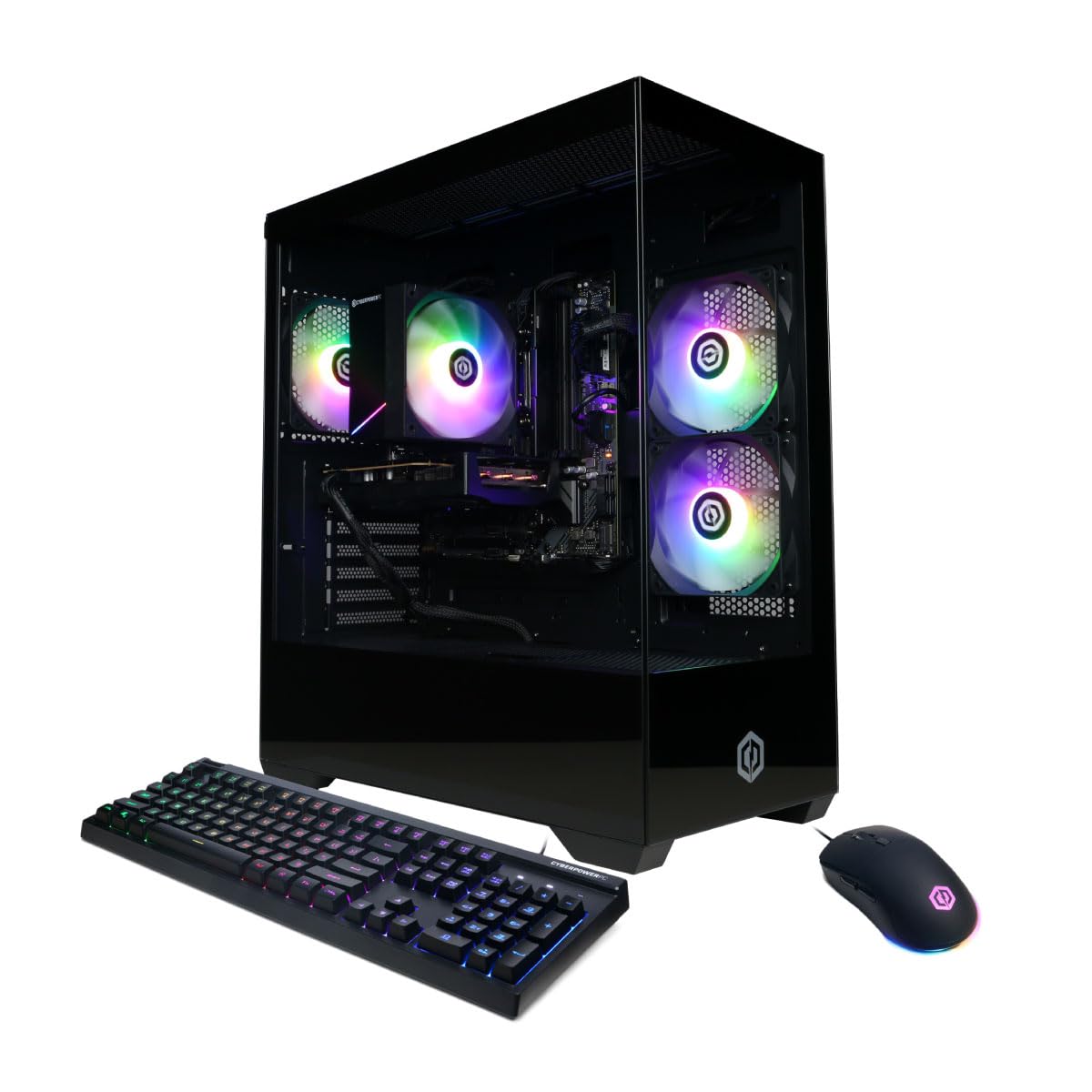
3. CyberPowerPC Gaming PC, Intel Core i5-14400F, GeForce RTX 5060 8GB
A newer-generation card, DDR5 memory, and WiFi 6 in a tower that punches above its tier.
The interesting move here is the graphics card: a GeForce RTX 5060 with 8GB of GDDR7 memory, which is a full generation newer than the GTX 1660 SUPER in the OMEN above and carries more video memory than its 6GB. For WoW that shows up as more comfortable headroom when spell effects fill the screen and you want to push past 1080p. The Intel Core i5-14400F brings 10 cores to handle the game thread plus your background apps, and 16GB of DDR5 memory puts you on the newer memory standard rather than DDR4.
Around the case you get a 1TB PCIe 4.0 NVMe SSD, WiFi 6, Bluetooth 5.3, 2 x USB-A 3.2 ports, 6 x USB-A 2.0 ports, and 7.1 channel audio. The tempered glass side panel with custom RGB lighting gives it a look that matches a gaming-room setup. A one-year parts and labor warranty with free lifetime tech support is the kind of backup that matters on a big purchase. Owners rate the performance here highest, with value and the RGB looks close behind.
The trade-off is the clock speed: the listing quotes a 2.5GHz base for this processor, which is lower than the 4.6 GHz and 4.7 GHz turbo figures on the Ryzen and Skytech builds here. In practice the i5-14400F boosts well beyond base, but if you are comparing spec sheets line by line, the base clock reads modestly. Set that against a brand-new graphics card and DDR5 memory, and the balance still tips toward this tower for a modern 1080p build.
Why it earns its spot: An RTX 5060 with 8GB of GDDR7 plus DDR5 memory and WiFi 6 is genuinely current hardware, and the RGB glass case looks the part on a desk.
The thing to weigh: The listed 2.5GHz base clock trails the higher turbo figures on rival chips, so check real-world boost behavior rather than judging on base alone.
Best fit for: Players who want the newest graphics generation and DDR5 memory without jumping into the premium tier.
Think twice if: You are chasing the highest raw clock numbers on paper and want the turbo figure printed on the box.
4. Skytech Gaming PC Desktop, Intel i5 14400F, RTX 5060, 16GB RAM, 1TB SSD
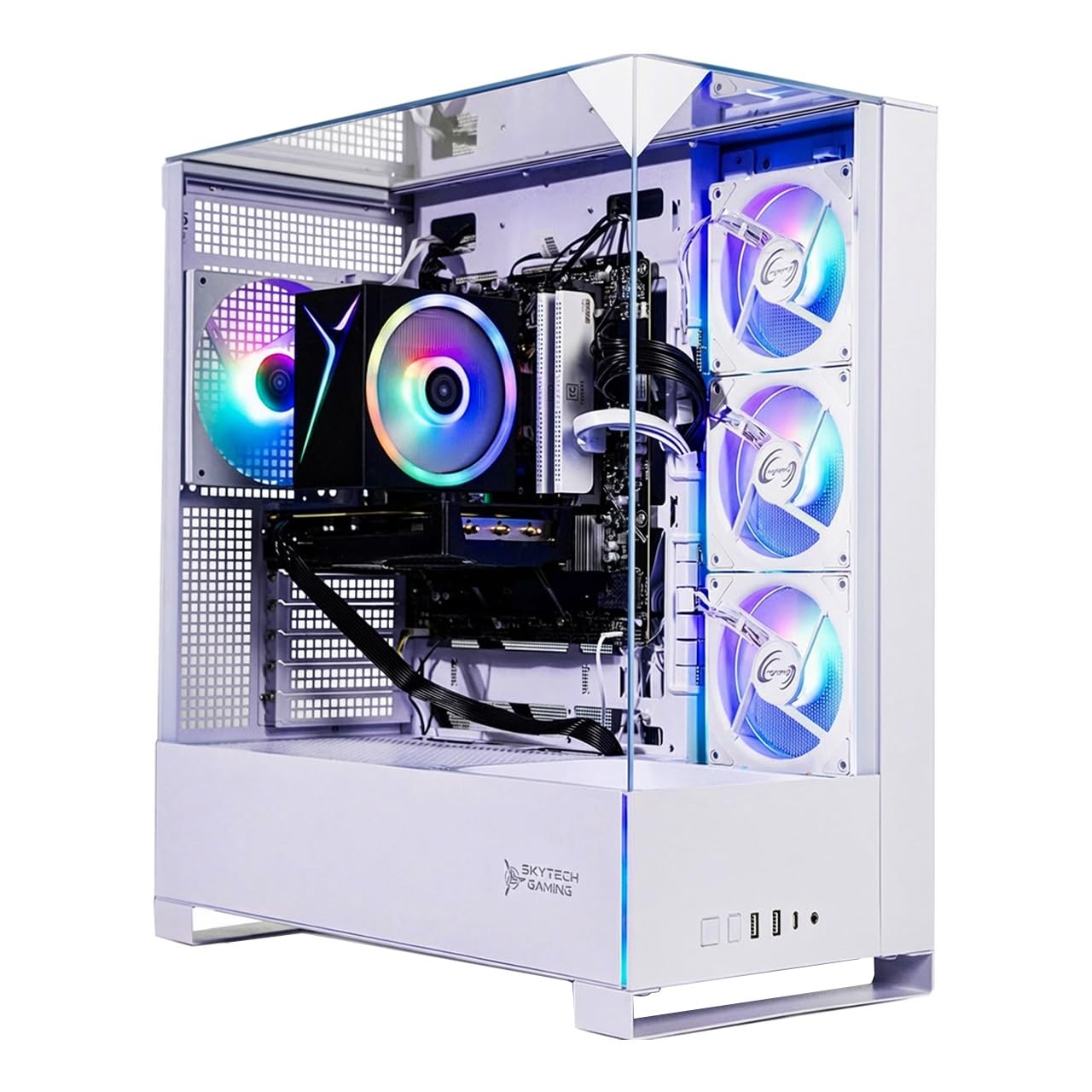
A white Archangel case with the fastest turbo clock and the newest memory on this list.
Skytech names World of Warcraft directly in its own game list, which is a small but real signal that this tower was specced with MMO crowds in mind. The Intel Core i5 14400F climbs to 4.7GHz on turbo — the highest turbo figure among the mid-range builds here — and pairs with a GeForce RTX 5060 carrying 8GB of GDDR7 memory. Add 16GB of DDR5 RAM clocked at 6000 with a heat spreader, and you have a machine that keeps pace with dense raid fights and loads zones fast off the 1TB NVMe M.2 SSD.
The white Skytech Archangel 5 case with tempered glass and ARGB fans is the cosmetic hook — it is the only white build in this group, and it will not disappear into a dark corner the way a black tower does. A high-performance air cooler handles thermals, and the listing states the machine targets detailed 1080p resolution at smooth 60+ FPS across titles including World of Warcraft. You get a free gaming keyboard and mouse plus graphics outputs for HDMI and DisplayPort, with the note that additional ports may vary by card brand.
The honest follow-up question is stock: the listing says the graphics card brand may vary, so what arrives can differ from the photo. The 4.7GHz turbo is a strong number, but the base sits at 2.5GHz like the CyberPowerPC above, so raw clock comparisons need to account for boost behavior. If the white aesthetic and the DDR5-6000 memory appeal to you, this is a clean choice at the mid-range level.
Standout traits
- 4.7GHz turbo is the fastest in the mid-range group
- 16GB DDR5 RAM at 6000 with heat spreader
- Distinct white Archangel 5 tempered-glass case
- 1TB NVMe M.2 SSD with air cooling and ARGB fans
Worth knowing
- Graphics card brand may vary from what is pictured
- Base clock of 2.5GHz reads modest against the turbo figure
Pick this when: A white desk build and fast DDR5-6000 memory matter as much to you as frame rates.
Skip the white finish if: You would rather know the exact graphics card brand before it ships.
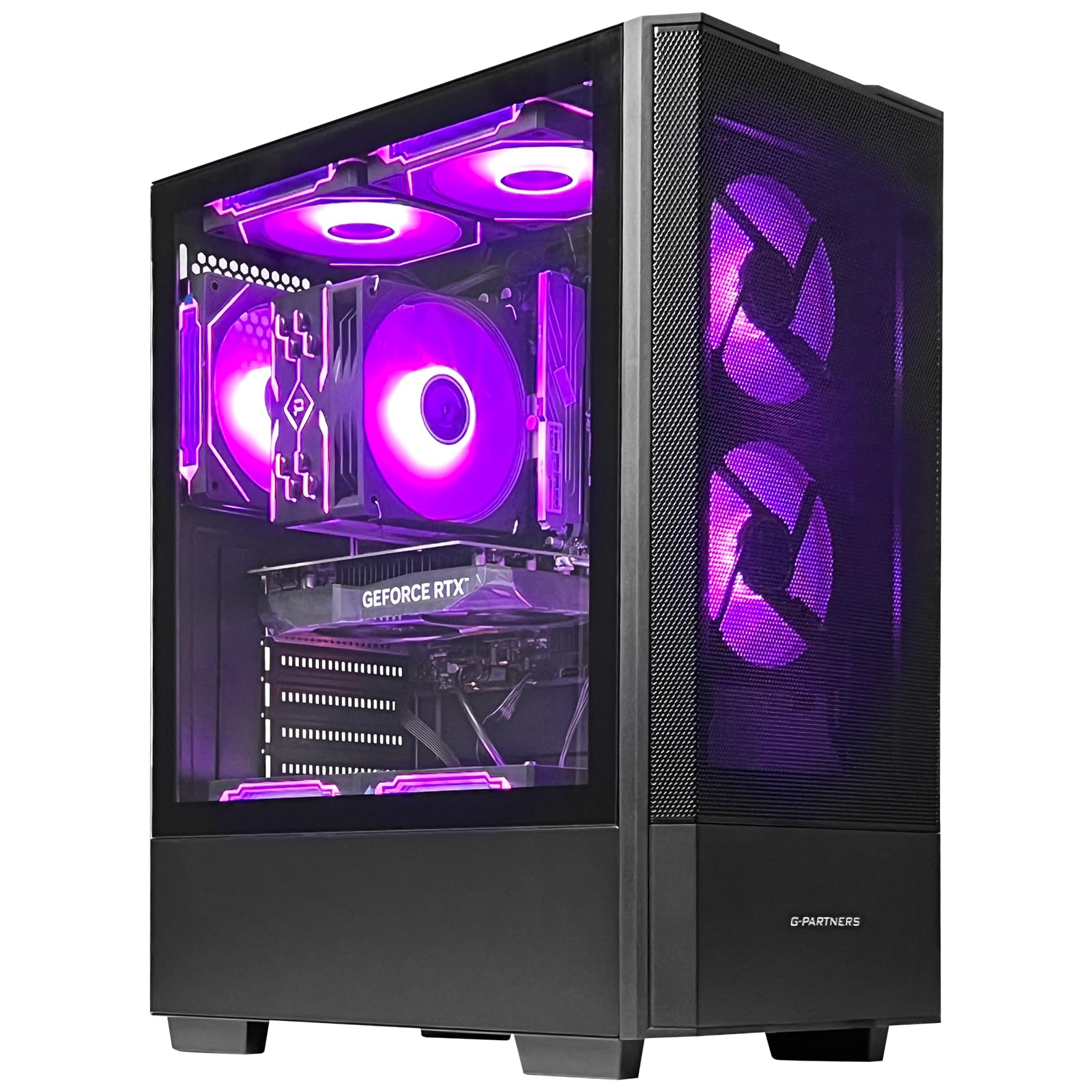
5. Gaming PC
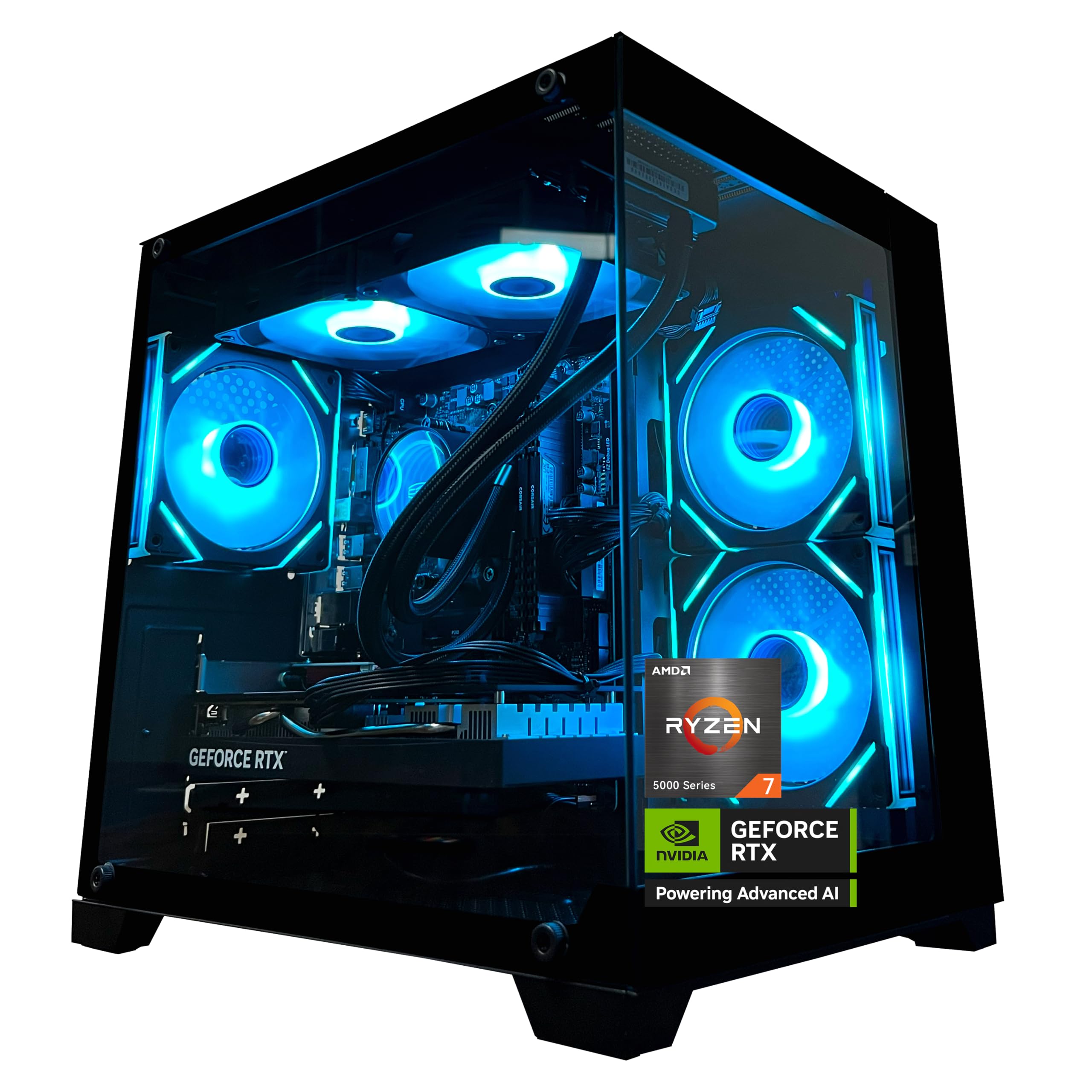
Double the memory of most rivals, an 8-core Ryzen, and a modern RTX 5060 in one tower.
This is the build for the player who streams their raids or runs a browser, Discord, and a dozen addons all at once. The AMD Ryzen 7 5700X delivers 8 cores and 16 threads up to 4.6GHz on an MSI B550M-A PRO motherboard, and 32GB of DDR4 at 3200MHz in a 16GB x 2 configuration gives you the room that most mid-range towers do not. That is double the 16GB on the HP OMEN above, a gap that matters once you stack recording software on top of the game.
The GeForce RTX 5060 with 8GB of GDDR7 supports DLSS 4 multi-frame generation, ray tracing, and Reflex 2 latency optimization — the features that line up with a card designed for current-gen titles at 1080p. A 650W 80 Plus Bronze power supply covers the load with an efficiency certification, and built-in WiFi and Bluetooth handle peripherals and networking without a dongle. Owners rate performance highest, with value, speed, design, and ease of setup all landing as praised traits; a liquid cooler with ARGB fans and a remote control adds the RGB look.
One detail to flag before you order: the chassis ships with shock-absorbing foam for safe transit, and the listing says plainly to remove it on receipt before use. That is a two-minute step, but skipping it will cook a tower that was meant to keep its parts safe. Beyond that, the 32GB of memory and 8-core processor make this the smoother choice for anyone who multitasks hard while playing.
The buyer this suits: Streamers and heavy multitaskers who want 32GB of memory and a modern RTX 5060 without moving into the premium tier.
Do not forget: Pull the shipping foam out of the case before you power it on.
Right for: Raids with a stream running and a browser open on the side.
Wrong for: Anyone who wants DDR5 memory — this one is DDR4 despite the generous 32GB.
6. HP OMEN 40L Gaming Desktop
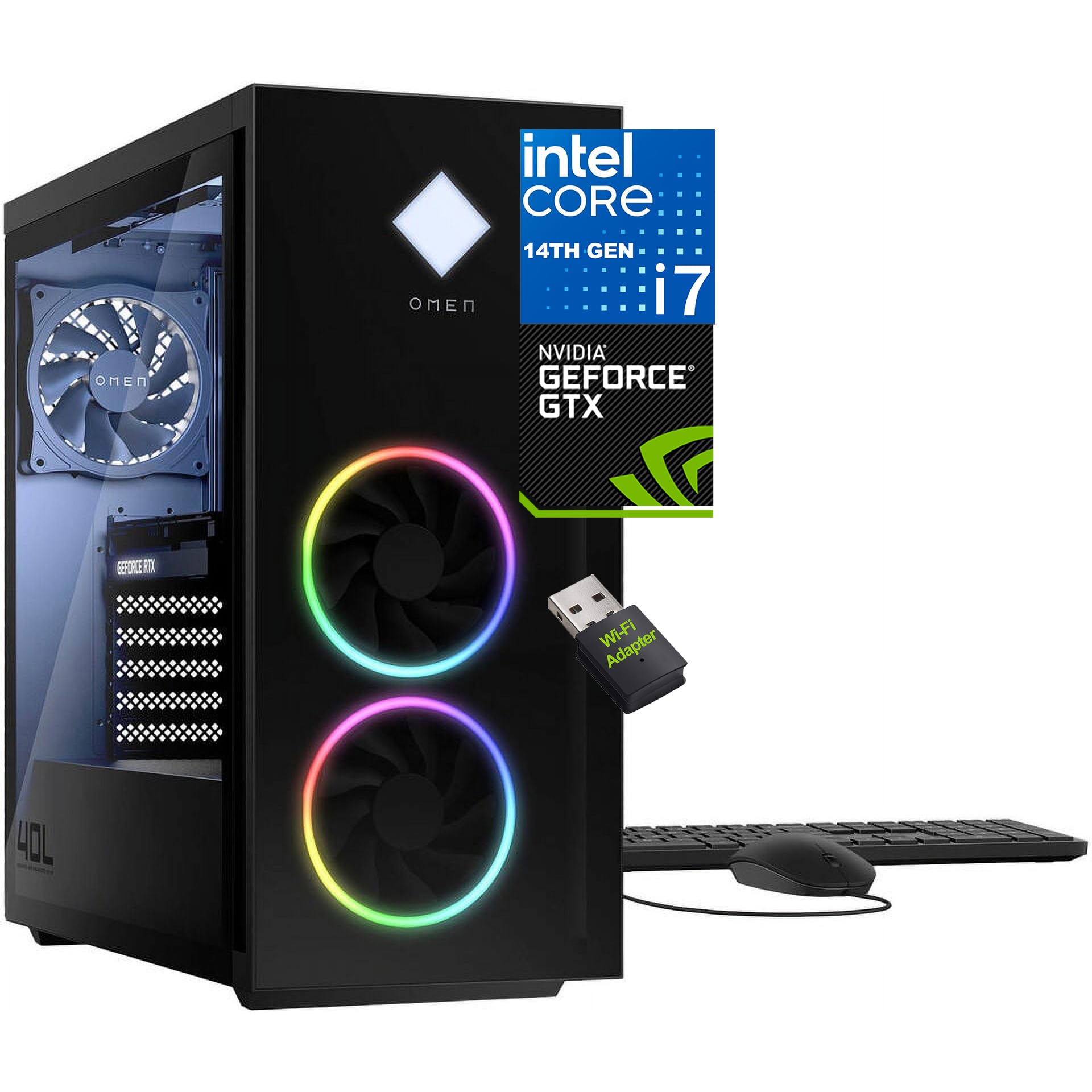
Twenty cores, 32GB of the newest memory, and enough ports to build a full battle station.
If the philosophy is “buy once, budget for years,” this second OMEN is the strongest example here. The Intel Core i7-14700F packs 20 cores and 28 threads with turbo speeds up to 5.3 GHz and 33 MB of L3 cache — a big step up from the 16 MB cache on the ZYNEEX entry, and the most cache in the mid-range group. Pair it with 32GB of DDR5 memory and you have a tower that will not blink at a raid group, a 4K video render, or thirty browser tabs. The 1TB PCIe Gen4 NVMe TLC M.2 SSD boots Windows 11 fast and clears zone loads in seconds.
Connectivity is where this machine separates itself from the pack. The rear gives you 6 x USB 3.2 Gen 2 Type-A ports at 10 Gbps, 2 x USB 3.2 Gen 1 Type-C ports, RJ-45 Gigabit Ethernet, and 3 audio ports feeding 5.1 surround sound through DTS:X Ultra via OMEN Audio Control. The active fan-sink cooler with 4-pin fan control keeps temps in line over long sessions, and the tempered black glass front pairs with a paint-finish top and sides for a look that reads premium rather than flashy.
The one thing to line up before you buy is the graphics card. The listing markets 20-core power and DDR5 memory loudly but gives only a dedicated 6GB figure for the GPU, without a model name — so your ray-tracing and high-refresh ambitions depend on what card ships. Treat this as a processing and multitasking powerhouse first, and confirm the graphics silicon if raw frame-chasing at high resolution is your priority. The chassis side cover lock is a nice touch for keeping your investment secure.
Where it dominates: 20 cores, 28 threads, 5.3 GHz turbo, and 32GB of DDR5 make it the multitasking king of the mid-range.
The one thing to verify: The graphics card is listed only as a dedicated 6GB part with no model name, so confirm the exact GPU if high-resolution frames matter to you.
Made for: Players who stream, edit video, and raid on the same machine and want the strongest processor in this group.
Not the pick if: You need a named, current-generation graphics card spelled out before you commit.
7. CyberPowerPC Gaming PC, AMD Ryzen 7 8700F, GeForce RTX 5060 Ti 8GB

The step-up card of the bunch, with more USB-C on the back panel than anything else here.
When the frame dips in a crowded raid are the thing that bothers you, stepping to a Ti card is the move that pays off. This CyberPowerPC runs a GeForce RTX 5060 Ti with 8GB of GDDR7 memory, which carries 8 GB of video memory against the 6 GB in the OMEN 40L above — a 33% jump that buys more room at higher resolutions and heavier spell effects. The AMD Ryzen 7 8700F drives 8 cores from a 4.1GHz base, paired with 16GB of DDR5 and a 1TB PCIe 4.0 NVMe SSD on an AMD B850 chipset.
The port count is generous even for a premium tower: 2 x USB-C 3.2, 4 x USB-A 3.2, 2 x USB-A 2.0, plus 1 x LAN, WiFi 6, Bluetooth 5.3, and 7.1 channel audio. A tempered glass side panel with custom RGB lighting, a keyboard and mouse, and a one-year parts and labor warranty with free lifetime tech support round it out. The reviews paint a consistent picture — it runs high-end games without stutter, feels built to last, and reads as strong money for what it delivers.
The honest caveat is the CPU frequency: the Ryzen 7 8700F is listed at a 4.1GHz base, which trails the 4.6 GHz and 4.7 GHz turbo figures on several cheaper builds above. In a game as CPU-sensitive as WoW, that is worth knowing — but the newer Ti graphics card and DDR5 memory often give you more real-world smoothness than a higher clock would on an older card. If your priority is the best graphics silicon at this price, this is your tower.
Why it stands out
- RTX 5060 Ti with 8GB GDDR7 outpaces 6GB cards at higher resolution
- Plenty of USB-C and USB-A ports for peripherals and a capture card
- DDR5 memory and a 1TB PCIe 4.0 NVMe SSD
- Built-to-last reputation and strong value in owner feedback
Worth a second look
- 4.1GHz base clock sits below the higher-turbo builds in this group
- 16GB of RAM is fine for raiding but not generous for heavy streaming
The graphics-first choice: Best for players who prioritize a Ti-class card and fast ports over the highest clock figure.
Consider elsewhere if: You plan to stream heavily on the same box and want more than 16GB of memory out of the gate.
8. Skytech Gaming PC Desktop, Ryzen 7 5700, RTX 5060, 32GB RAM, 1TB SSD
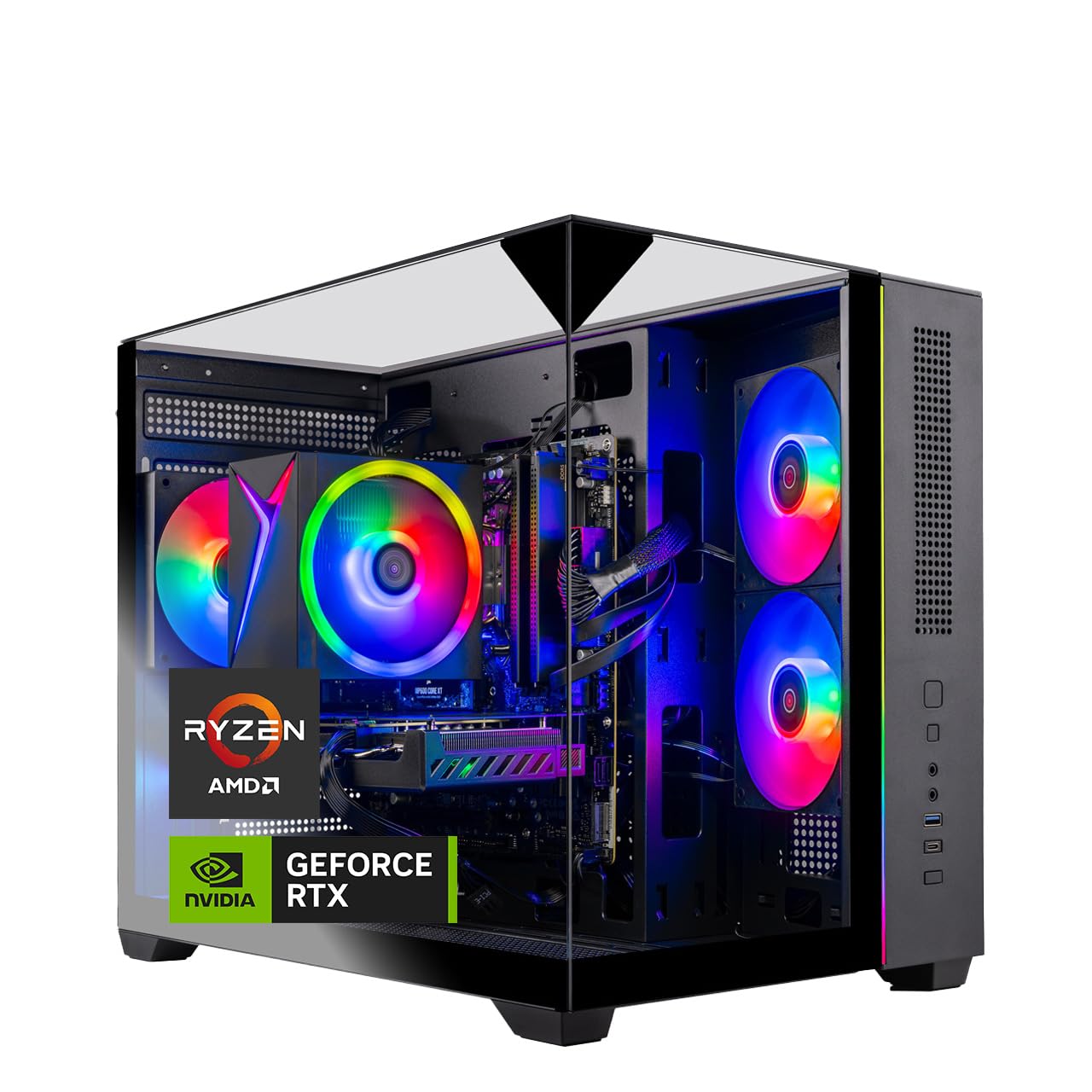
Thirty-two gigabytes of memory and an RTX 5060 packed into a triple-glass showpiece case.
Two features jump out here: 32GB of DDR4 at 3200MHz and a GeForce RTX 5060 with 8GB of GDDR7 memory, both in a Skytech Crystal case with triple tempered glass. Add the AMD Ryzen 7 5700 running 3.7GHz base to 4.6GHz turbo and you have a machine that keeps frame rates steady across dungeons and raids while keeping memory headroom for streaming or a heavy addon load. The 1TB NVMe M.2 SSD, described as up to 30x faster than a traditional HDD, handles load times and zone transitions.
Skytech also lists World of Warcraft directly among the games this tower is built to run at detailed 1080p and smooth 60+ FPS, alongside the usual AAA catalog. An air cooler with ARGB fans, 802.11 AC WiFi, a free gaming keyboard and mouse, and HDMI plus DisplayPort outputs cover the basics without extra shopping. In the owner feedback, performance is the most-praised trait and value follows close behind; the power delivery draws a genuinely split reaction, with plenty of praise for boots that work perfectly and a handful of complaints about units that would not power on.
Sized honestly: most buyers get a tower that fires up and stays smooth, and the mixed power reports read as the occasional shipping or quality slip rather than a pattern that should stop you. What matters more day to day is that 32GB of RAM at this level is rare, and the triple-glass case is a real conversation piece on a desk. If you want 32GB of memory headroom without jumping a full tier up, this is one of the better-value routes to it.
The value read: 32GB of DDR4 and an RTX 5060 with 8GB of GDDR7 at a memory-heavy spec that usually costs more elsewhere in this group.
The fair warning: Power-on issues show up often enough to make a careful first-boot check worthwhile.
Built for: Buyers who want 32GB from the start and a case that shows off the parts inside.
Not the safest bet if: You want the least possible risk of a return — check it powers up the day it lands.
9. Alienware Gaming Desktop
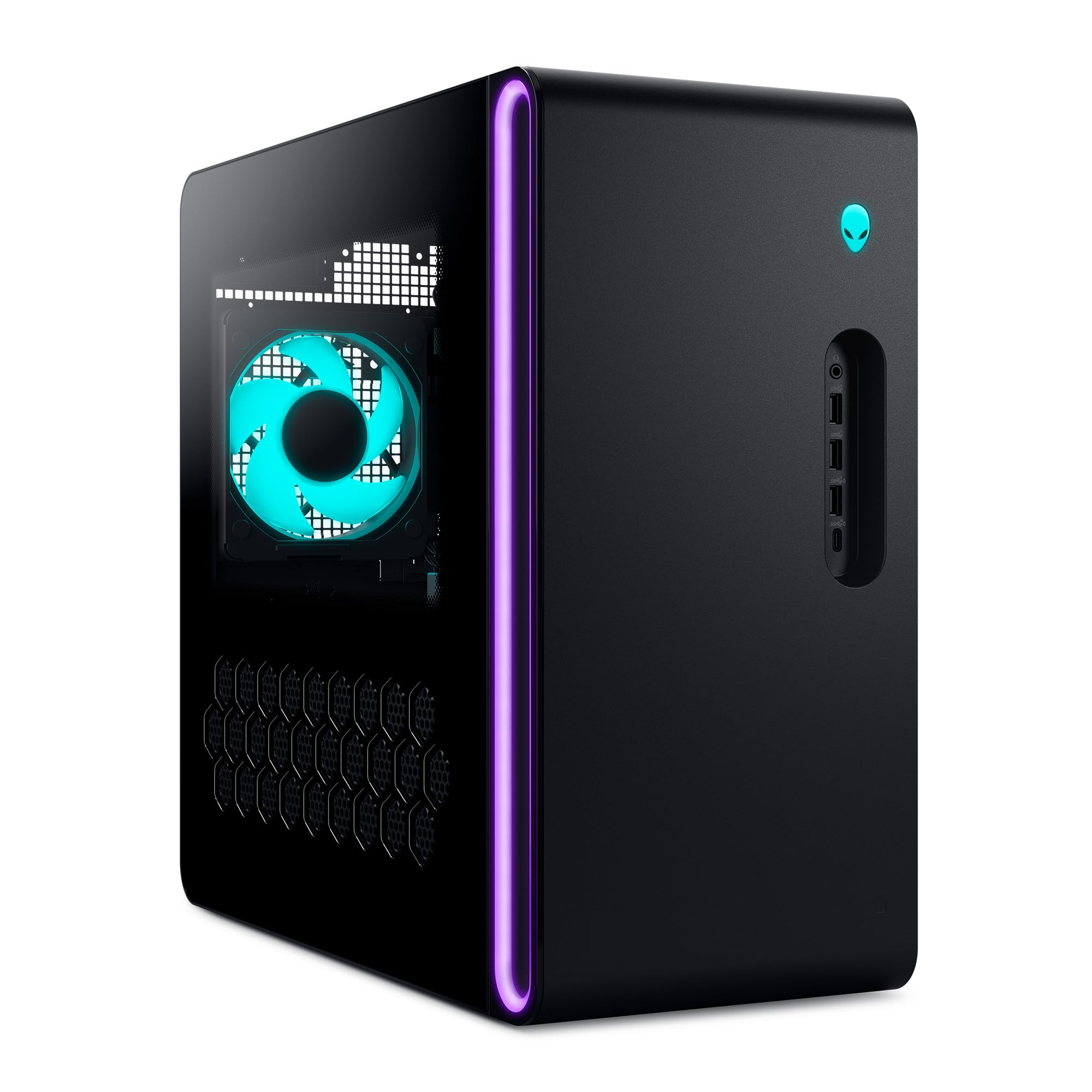
A 5.5 GHz Intel core, a Ti-class card, and a chassis that stays hushed under load.
The headline number on this Alienware is the clock: the Intel Core Ultra 7 265F reaches 5.5 GHz, the highest turbo figure anywhere in this lineup. That is the spec that matters most for WoW’s single-threaded raid performance, and it pairs with a GeForce RTX 5060 Ti built on NVIDIA Blackwell architecture for the graphics side. A matte basalt black chassis with customizable AlienFX lighting zones and stadium lighting gives it a distinctive look on the desk.
Alienware Command Center software is the layer that ties it together — you edit AlienFX lighting across the ecosystem, pick performance modes across distinct power states, and save custom gaming profiles per title. Dell’s 1 Year Onsite Service adds a genuine convenience: if a covered hardware issue cannot be fixed remotely, a technician comes to your home or office. Owners describe games running beautifully, the setup as easy, and the machine as appealing to look at and quiet in operation.
The trade-off worth naming is the RAM, which the listing does not spell out at a usable size, so confirm the memory capacity before you buy if 32GB is your target. The 66 MB cache figure on the processor does give it more headroom than the 33 MB and 32 MB chips above, though — so the processing side is strong. If you value a quieter tower, a high-clocked Intel core, and Dell’s onsite support, this is a considered premium pick.
The case for it
- 5.5 GHz turbo, the fastest clock in this group
- RTX 5060 Ti on Blackwell architecture
- Quiet operation and easy setup in owner feedback
- 1 Year Onsite Service with in-home technician visits
The honest notes
- RAM capacity is not clearly stated in the listing — confirm before ordering
- No display included in the box
Right for: Players who want the highest clock speed and quiet operation with onsite service backup.
Check first: The RAM figure, before you commit — the listing withholds it.
10. Alienware Aurora Gaming Desktop

A 5070-class card and a 5.3 GHz Ultra core for players pushing past 1080p.
The jump from the 5060 Ti to the GeForce RTX 5070 is the move that opens up higher-resolution play. This Alienware pairs that Blackwell-based card with an Intel Core Ultra 7 265F reaching 5.3 GHz and 66 MB of cache — a combination that gives you both a sharp game thread for WoW and a graphics card with the muscle to hold frames when a raid group stacks up. Alienware Command Center lets you set performance modes and custom profiles per title, and the matte basalt black chassis carries the same AlienFX lighting zones and stadium lighting as its sibling above.
The case design prioritizes quiet: reviews describe the machine running cool and staying hushed under load, which matters over a three-hour raid night. Dell’s 1 Year Onsite Service adds home or office technician visits if a covered issue resists remote fixes, and a keyboard and mouse are bundled. Owners talk up the performance first, with value and appearance following close behind; storage is where opinions split, with some wishing for more room and more RAM slots.
There is one gap to weigh honestly: the listing itself notes that some buyers found the specification description inaccurate, so confirm what memory and storage configuration actually ships rather than trusting the headline. The 5070 card and 5.3 GHz processor are the real story, and they place this tower squarely in high-refresh territory. If you want a quiet, cool-running premium tower with a heavyweight GPU, it is a strong candidate.
The upgrade that matters: The RTX 5070 is a clear step above the 5060 Ti, and 5.3 GHz keeps WoW’s raid thread fast.
Do your homework: The listing description has drawn accuracy complaints, so confirm the exact memory and storage before you buy.
Buy it for: High-refresh gaming with a quiet, cool-running premium chassis.
Verify before ordering: The exact RAM and storage configuration, given the description-accuracy complaints.
11. msi Codex Z2 Gaming Desktop

A 12GB RTX 5070 and 2TB of storage make this the biggest-spec machine in the lineup.
On paper alone, this MSI towers over the rest. The NVIDIA GeForce RTX 5070 carries 12GB of graphics memory — the most of any card here — and rides NVIDIA’s Blackwell architecture for a substantial generational lift in both rasterization and ray tracing. Team that with 32GB of DDR5 memory, a 2TB SSD, and an AMD Ryzen 7 8700F running 8 cores and 16 threads up to 5.0 GHz, and you have the machine built for a fully loaded WoW install with room to spare. The 12GB of video memory is what keeps texture-heavy zones and heavy spell effects comfortable past 1080p, and the 2TB drive means you never uninstall a game to make room for the next patch.
Cooling is handled with intent: an ARGB fan air cooler plus four system cooling fans — three up front pulling cool air in, one in the rear pushing heat out. Press the MSI LED button to cycle the built-in RGB lighting, or fine-tune it in MSI Center software. The Windows 11 Home install keeps setup simple, and the reviews lean heavily positive on performance and value, with game performance, quiet operation, and setup all drawing praise too.
Now the honest part. Dependability is the one place reviews split most, with some reporting a unit that failed after just four days of use. That is the trade-off you weigh against a 12GB card, 32GB of DDR5, and a 2TB SSD in one package. If raw specs per machine are what you are after, this delivers more of them than anything else on the page — just be prepared to exercise the warranty if a bad unit shows up.
The big draws
- RTX 5070 with 12GB — the most graphics memory on this list
- 32GB of DDR5 memory plus a 2TB SSD for a full library
- Four cooling fans with an ARGB air cooler
- 8-core Ryzen 7 8700F boosting to 5.0 GHz
The honest reservations
- Dependability drew mixed feedback, including a unit that failed after four days
- The highest spec sheet here comes with the highest expectations to live up to
Choose this for: The most graphics memory and storage in a single tower, with 32GB of DDR5 to match.
Go in with eyes open if: You want the surest reliability record — this one has a mixed dependability signal worth weighing.
Know the Specs
Graphics card memory (in GB)
The video memory on a dedicated card is the number that decides whether your frames hold up when a raid group fills the screen with spell effects. A card with 6GB is a solid 1080p option; 8GB gives you more room; 12GB pushes comfortably past 1080p into higher resolutions. The card model matters too — an RTX 5060 Ti or 5070 is a newer generation than a GTX 1660 SUPER, and newer cards support features like ray tracing and frame generation that older ones cannot.
CPU cores, threads, and clock speed
Clock speed in GHz is how fast each core works; cores and threads are how many jobs the processor handles at once. WoW leans hardest on a single fast core for its game thread, so a high turbo clock keeps raids snappy. Extra cores pick up the slack for Discord, a browser, recording software, and addons — which is why an 8-core or 20-core chip helps multitaskers while a 6-core gives you a good-value starting point.
RAM capacity
16GB is the working floor for smooth raids with addons loaded. 32GB gives you breathing room for streaming, video editing, or running a browser on a second monitor without the game stuttering. Memory generation matters less than capacity for WoW — DDR5 is newer, but 32GB of DDR4 will serve you better than 16GB of DDR5 in a crowded raid.
SSD and power supply
An NVMe SSD plugs straight into the board and shortens load screens; 1TB holds the game plus a good library, 2TB lets you stop uninstalling. The power supply, measured in watts, sets how much headroom you have for a future graphics card upgrade — a 600W or 650W unit covers most current cards, while an 80 Plus Bronze rating signals a basic efficiency certification.
Common Questions
What specs actually matter most for running World of Warcraft smoothly?
Is 16GB of RAM enough for raids and addons?
Do I need a newer RTX card or can I get by with a GTX 1660 SUPER?
How much storage do I need for a World of Warcraft install plus other games?
Will a DDR5 tower actually play WoW better than a DDR4 one?
Can I upgrade a prebuilt tower later as my needs grow?
Is a 6-core Ryzen 5 enough or should I step up to an 8-core Ryzen 7?
What does the Ti label on an RTX 5060 Ti mean compared with a base 5060?
Do these towers come with a monitor and keyboard or will I need to buy extras?
How do I keep a new gaming tower cool during long raid sessions?
The Bottom Line
The strongest all-around pick for a world of warcraft computer is the HP OMEN 40L with the Ryzen 7 5700X, because it pairs an 8-core processor, a dedicated graphics card, and a tool-less chassis that stays upgradeable for years — and it holds 4.5+ stars across 400+ ratings as the crowd favorite here. If streaming and heavy multitasking are your world, the OMEN 40L with the 20-core i7-14700F and 32GB DDR5 brings the most processing muscle in the mid-range. And for the player who wants the most graphics memory and storage in a single tower, the MSI Codex Z2 with the RTX 5070 and 2TB SSD is the one to reach for. Whichever you choose, match the graphics memory and RAM to the resolution and workload you actually play at, and a well-chosen tower will carry you through many expansions.
How we choose
We do not accept paid placement. Every pick is matched to a real buyer and a real use-case; we do not hands-on test units.
Sources
Specifications: manufacturer listings and product documentation. Review insights: verified customer reviews, as of November 2026. Pricing: not shown on this page (it changes often); check the current price via the retailer link.
As an Amazon Associate, Tactical Gear Guy earns from qualifying purchases. This does not affect which products we feature.