Specs are compiled from manufacturer listings and verified buyer reviews and can change over time — please confirm the key details on the product page before buying.
You want a screen that feels like a notepad, not a browser. The short answer: choose an e-ink writing tablet by the display size, the pen input, and the storage you actually need — then ignore the app-store hype. A good one converts handwriting to text, sorts notes into folders, and stays readable in daylight. A bad one adds lag to every stroke and drains its battery while you are still mid-sentence.
This guide is built by comparing the manufacturers’ published specifications and the patterns across verified customer reviews, so you get each pick’s real strengths and trade-offs instead of marketing spin.
Nine picks follow, sorted from mid-range workhorses to premium models. Each one lists its exact panel, pen, and storage numbers in plain English. The right writing paper tablet depends on matching pen feel and screen size to how you actually take notes each day.
Top Picks


How To Choose The Best Writing Paper Tablet
A paper tablet is a single-purpose device: a monochrome (or color) e-ink screen you write on with a stylus. The point is a screen that does one job. There is no app store scrolling, no pop-up notifications, and no video — just notes, PDFs, and books. The trade-off is that e-ink refreshes slower than an LCD, so the writing surface and pen response matter more than raw processor speed.
Start with screen size, not brand
Smaller panels around 7 inches fit in one hand and slip into a bag, which suits reading and short annotations. Larger 10.3-inch and 11-inch panels give you a full page of handwriting without zooming, which is what most people want for meeting notes and document markup. Pick the size that matches the page you write on now, then check the thickness and weight.
Check the pen: pressure levels and charging
The stylus decides how the tablet feels in your hand. Higher pressure levels (a count of how finely the screen measures your stroke) give you finer control over line weight. Some pens need no charging, some are sold separately, and some use an active stylus that pairs over Bluetooth. Confirm the stylus is included before you buy, because a tablet without its pen is a reader, not a notepad.
Storage, battery, and the front light
Notes and PDFs are small files, so storage mostly matters if you load large document libraries or audio. Battery life is measured in weeks for most e-ink tablets, far longer than an LCD tablet. A front light — a built-in glow layer over the panel — lets you read in bed or a dim room, which is worth having if you write at night.
Side-by-Side Comparison
| Model | Best For | Display | Storage / RAM | Stylus | Amazon |
|---|---|---|---|---|---|
| reMarkable 2 with Marker Plus★ Best Overall | Distraction-free writing | 10.3″ monochrome | — | Marker Plus with eraser | Amazon |
| Ocean 7″ E-Ink ReaderPocket Paper | Reading plus light notes | 7″ E Ink | 64GB / 4GB | Sold separately | Amazon |
| BOOX Go Color 7 Gen IIBest Color Screen | Color reading plus notes | 7″ Kaleido 3 (4096 colors) | 64GB / 4GB | Active Stylus sold separately | Amazon |
| Like-New Kindle Scribe (32GB) | Budget 10.2″ note-taking | 10.2″ glare-free, 300 ppi | 32GB / — | Premium Pen included | Amazon |
| Penstar eNote 2 | Large storage and AI notes | 10.3″ 2480×1860 (300 ppi) | 128GB / 4GB | 8,192 pressure levels, no charge | Amazon |
| BOOX Go 10.3 Gen II Lumi | Crisp monochrome reading | 10.3″ 2480×1860 (300 ppi) | 64GB / 4GB | InkSense Plus, 4,096 levels | Amazon |
| reMarkable Paper Pure | Focused premium writing | 10.3″ 3rd-gen monochrome | — | Marker included | Amazon |
| Kindle Scribe 32GB (11″) | Big-screen writing and docs | 11″ glare-free, front light | 32GB / — | Pen included, no charging | Amazon |
| iflytek AINOTE 2 | Meeting transcription | 10.65″ front light-free E-Ink | — / 4,000 mAh battery | Stylus support | Amazon |
Detailed Reviews
1. reMarkable 2 with Marker Plus and Basalt Book Folio
Our pick — 4.5+★ from 750+ verified ratings; the strongest balance of quality and price.
A 4.7 mm slab you can write on for two weeks without hunting for a charger.
If you want the closest thing to a real notepad on a screen, this is the pick to beat. The 10.3-inch monochrome display is designed for handwriting, and the Marker Plus hides a built-in eraser in the pen so you can rub out a mistake without opening a menu. At 4.7 mm thick it slides into a bag like a thin binder, and the gray polymer weave folio stands up to daily commutes.
The single-purpose screen is the whole point here. There is no app store, no notifications, and no social media — so the only thing on offer is your notes, PDFs, and reading. You can sort notes into folders and tags, write directly on PDFs, and convert handwriting to typed text. Battery life runs to two weeks, which is why it stays in the bag instead of on the charger.
The honest catch is the Connect subscription. Cloud sync across your phone and laptop requires a Connect subscription after the initial 100-day free trial, so keep that in mind if you live on other devices. Some buyers also find the value equation worth questioning at this premium tier, and the black-and-white panel cannot show color PDFs the way an LCD can. As a straight paper replacement, though, it is the most polished of the bunch.
Where it earns its keep
- 10.3-inch monochrome display built for pen-on-paper writing
- Marker Plus with built-in eraser, plus 9 spare tips in the box
- Up to 2 weeks of battery life with no pop-ups to drain you
- Folder and tag organization, with handwriting-to-text conversion
What to plan around
- Cross-device sync sits behind the Connect subscription after the trial
- No color and no app store, which is by design
- Premium pricing at this tier
The right match: writers and students who want a focused notebook and can accept a subscription for cloud sync across devices.
Look elsewhere if: you need color documents or a personal calendar app on the same panel.
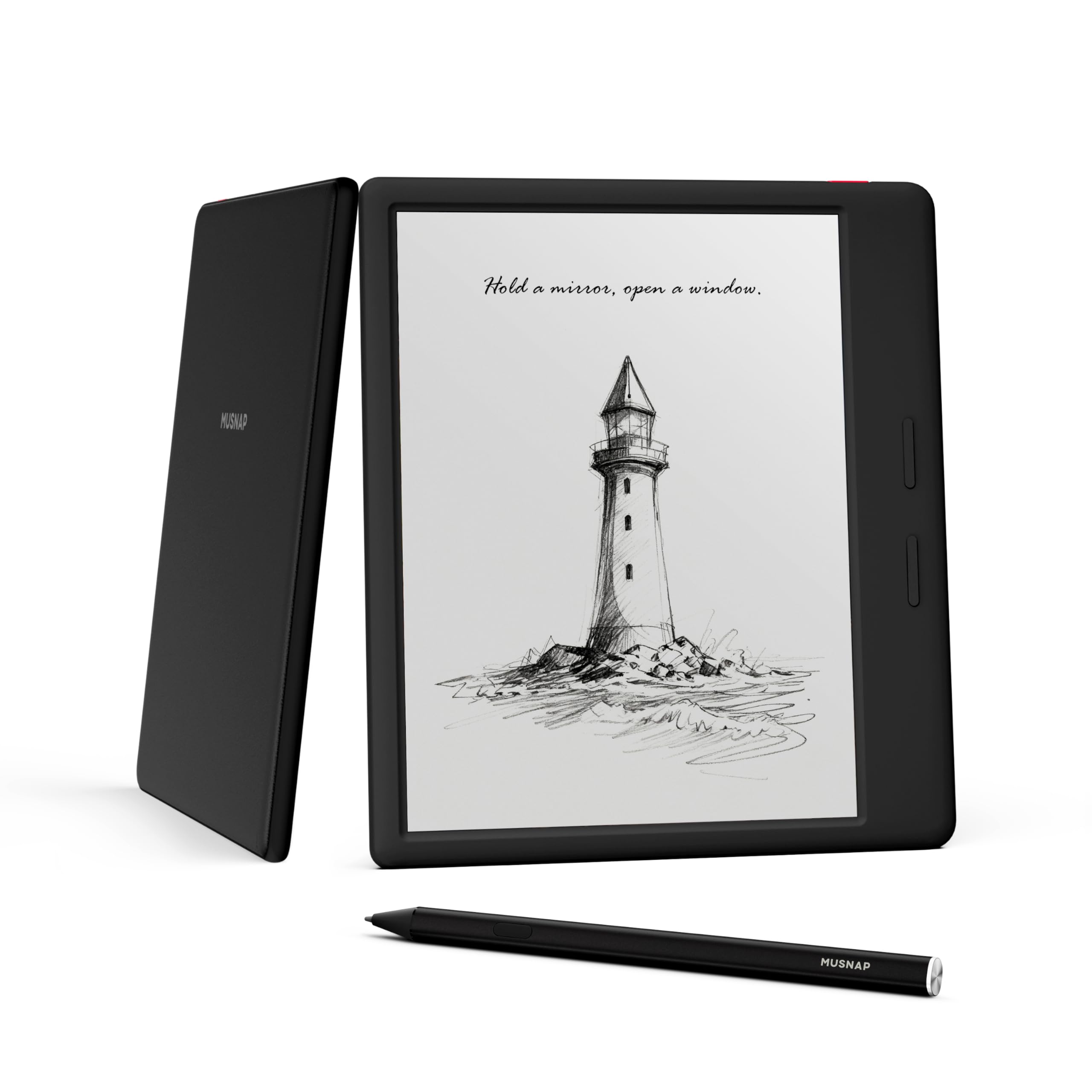
2. Ocean 64GB+4GB 7″ eBook Reader with Handwriting
The seven-inch one that thinks fast and stores a whole library.
Buyers here rave about speed first: the Octa-core processor at 2.2GHz plus 4GB of RAM makes page turns and app switching feel responsive for a 7-incher. The 7-inch E Ink display is glare-free and snaps to the touch, with brightness and color temperature adjustment that help with comics, manga, and magazines. It is the kind of panel you can read outdoors on a lunch break.
The one that turns the heads of readers who compare against BOOX is price to performance. Owners say it beats the Boox Go 7 for the money, and the responsive buttons feel clicky in hand. It supports handwriting through a separately sold Musnap stylus, and the 64GB of storage holds a big document and book library. That is double the storage of the 32GB Kindle Scribe, so you have more room for PDFs before you start deleting.
The honest trade-off is battery life, which splits owners: some call it outstanding, others call it terrible. If you write and read all day without a charger nearby, that is the one variable to watch. The screen too gets mixed notes, with some praising resolution and others finding it dull. For everyday reading with a side of notes at a mid-range ask, the speed wins more people than it loses.
Fast page turns, real trade-off: the 2.2GHz octa-core chip and 4GB of RAM keep everything snappy, but results on the 7-inch E Ink panel are split. Some love the brightness control; some want more contrast.
Pick it for: commuting readers who want a pocketable 7-inch screen, 64GB of storage, and a fast interface for the mid-range tier.
Think twice if: battery runtime tops your list, because owner reports diverge sharply on that point.
3. BOOX Tablet Go Color 7 Gen II E Ink Tablet
The color e-ink panel that turns comic pages and magazine spreads into something you actually want to read.
Color is the headline. The 7-inch Kaleido 3 screen shows 4096 colors, with a 1680 x 1264 resolution that lands at 300 ppi in black and white and 150 ppi in color. That means text stays crisp while charts, highlighted PDFs, and manga pages keep their tint. The Octa-core chip, 4GB of RAM, and 64GB of storage run Android 13, so third-party apps load and the 64GB gives you room for a large color library.
Around the edges, the design is built for one-hand use. It weighs about 195 g and measures 6.4 mm thick, with page-turn buttons, a microSD card slot, and a G-sensor that rotates the screen when you flip it. You also get front light with warm and cold temperature control, plus Wi-Fi and Bluetooth 5.1.
One thing to know before you order: the Active Stylus InkSense is not in the box, so factor in buying it separately, and the screen cannot use an EMR stylus. Color e-ink is also inherently darker than an LCD, so the white background looks grayer; turning up the front light solves most of it. As a writing-first device it is a compromise — as a color reader that can take notes, it is the standout of the entry-level color crowd.
The color bargain: 4096 colors at 150 ppi is a rare find at this mid-range tier, and 300 ppi in black and white keeps the words sharp.
The extortionate detail: the stylus is sold separately, so your writing setup needs one more purchase before it works.
Suits the reader first: comic fans and PDF annotators who want color at a mid-range tier and don’t mind adding a pen later.
Not for the pure writer: if you mainly handwrite, a monochrome 10.3-inch panel gives you a bigger page and a softer surface.
4. Like-New Amazon Kindle Scribe (32GB)

A 10.2-inch writing slate that arrives restored and costs less than the big-screen models.
This is the pragmatic pick for someone who wants a large writing surface without paying the premium tier. The 10.2-inch glare-free, 300 ppi front-lit display gives you room for a full page of notes, and it reads clearly in any light. The refurb process means it is tested and certified to work like new, with the same limited warranty as a new device, though it may arrive in a plain Amazon box.
On the desk, the Premium Pen never needs charging or setup — you pick it up and write. A built-in AI notebook feature turns messy handwriting into readable font and summarizes your notes, while Active Canvas lets you write in a book’s margins and lets the text shift to make room. With 32GB of storage you have space for documents and books, though it is half the 64GB you get on the BOOX Go Color 7.
The honest downside is pen responsiveness, the most criticized trait here — some strokes lag behind the paper feel. Battery life and usability draw mixed notes too, mostly from people pushing heavy documents. For note-taking and reading at a mid-range tier, it remains the most affordable path to a big Kindle-style writing screen.
What works
- 10.2-inch 300 ppi glare-free display with a front light
- Premium Pen writes without charging or pairing
- AI tools summarize notes and convert handwriting to text
- Refurbished and certified with the same limited warranty as new
What to know
- 32GB of storage is modest for heavy PDF libraries
- Responsiveness draws more criticism than anything else
- Refurbished units may ship in generic packaging
Built for: cost-conscious note-takers who want a large Kindle screen and are happy with a certified refurb.
Skip the scroll: if you need color or a genuinely lightning pen response, look at the 11-inch Kindle Scribe or the premium monochrome options.
5. Penstar eNote 2 E-Ink Digital Notebook
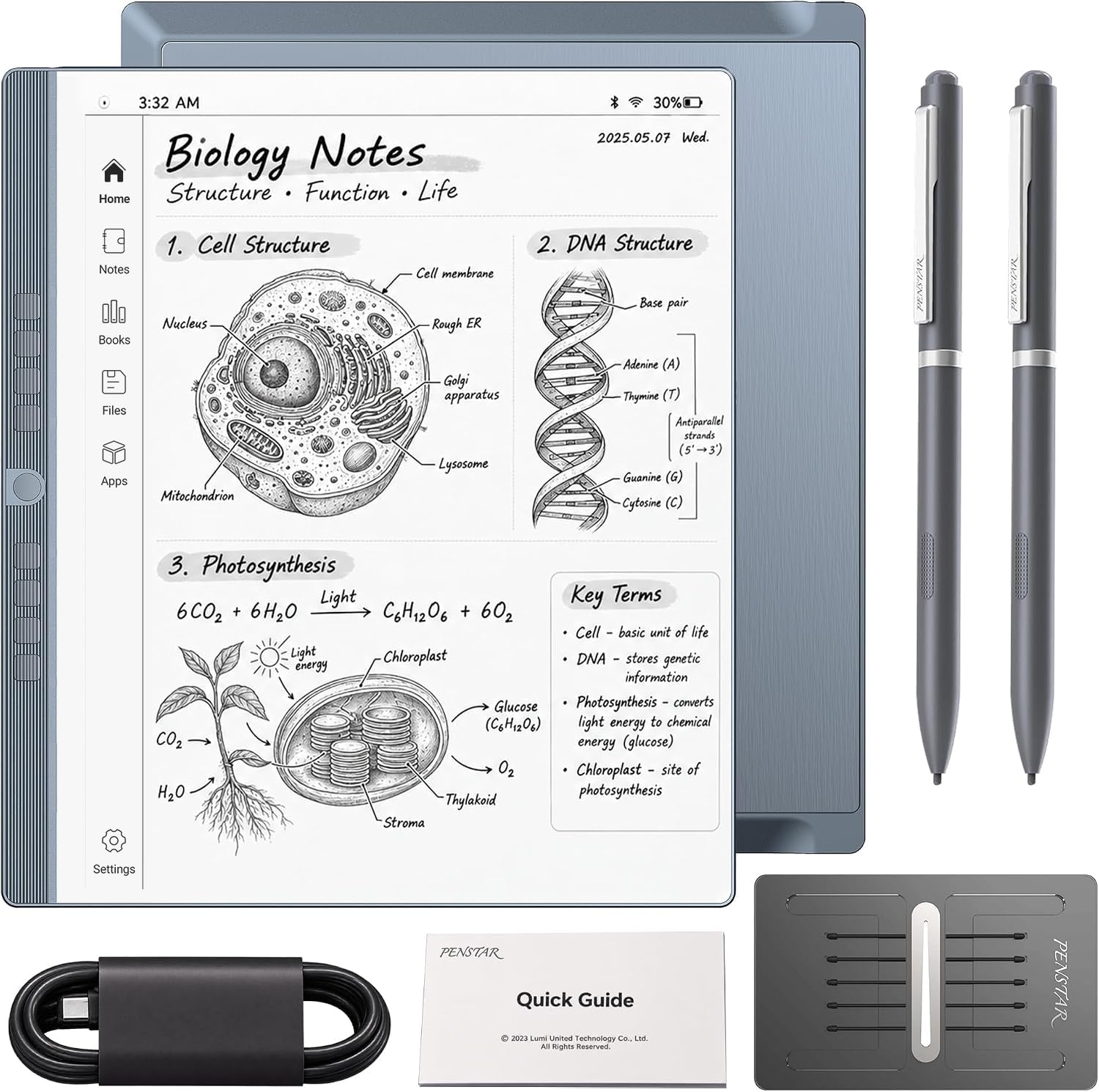
128GB of room and 8,192 pressure levels make this the workhorse for heavy note-takers.
The 10.3-inch HD screen is 2480 x 1860 at 300 ppi, and the 128GB of storage is four times what the Kindle Scribe offers, so your PDFs and document archives stay on-device. The bundled stylus delivers 8,192 levels of pressure sensitivity without needing a charge, and the eNote uses an updated anti-lag layer so the ink lands close to the pen tip. Two pens come in the box, each with spare nibs inside, plus a leather folio with a pen position and a 10-piece nib kit.
Where it earns its spot is organization. You can split the screen and read a book while taking notes on a second page, and real-time AI voice-to-text turns speech into text. It also converts handwriting to typed text and sorts things into folders and tags. There is a built-in microphone and four speakers, plus an Octa-core chip, 4GB of RAM, and a 6500mAh battery rated up to 4 weeks of use.
The mixed part is the pen and lag: some report pens that do not work and slower responsiveness than expected. Most of that sounds like setup specifics, but it is worth a quick test in the first couple of days. This is the pick with the most raw capability of the premium-and-up group, if you are willing to learn its shortcuts.
Capacity champion: 128GB against 64GB on the BOOX Go 10.3 and 32GB on the Scribe — a genuinely bigger archive without a subscription.
First-week check: confirm the pen connects and test latency on a document-heavy screen before you lean on it for a meeting.
Right for: heavy document annotators and meeting-takers who want the most storage in the lineup plus a pressure-sensitive pen in the box.
Choose another if: you are put off by a slightly steeper learning curve on the shortcut buttons.
6. BOOX Tablet Go 10.3 Gen II Lumi
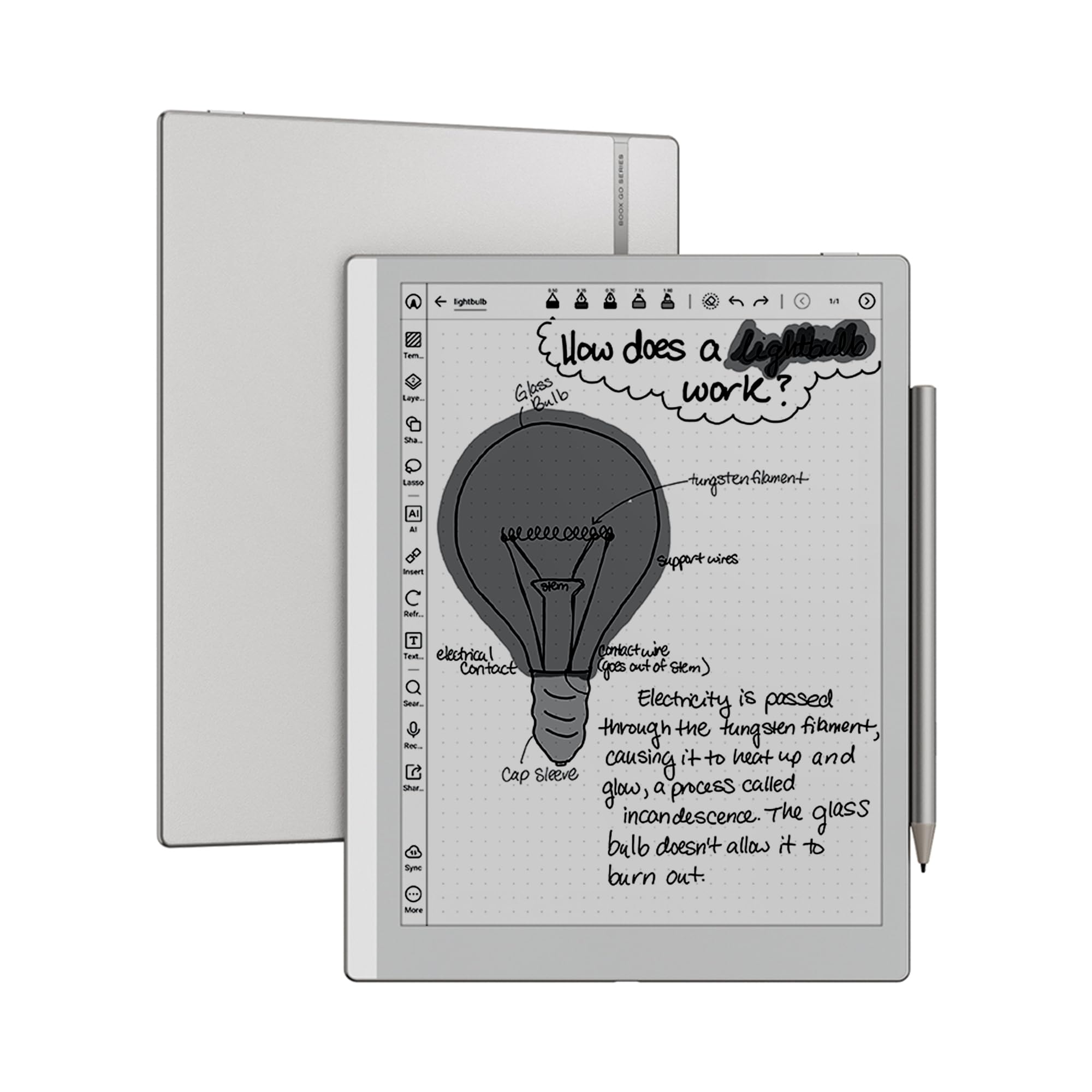
A monochrome 10.3-inch slate under 5 mm thick — light enough to read without noticing the weight.
Reading quality is what this one is known for, and the spec sheet backs it. The 10.3-inch HD ePaper panel hits 2480 x 1860 at 300 ppi, with a flat cover lens and a front light with warm and cold temperature control. At approximately 364 g and 4.8 mm thin, it sits in the hand far more comfortably than an LCD tablet during long reading sessions.
The pen story is 4,096 pressure levels through BOOX InkSense Plus, plus capacitive touch and an Octa-core chip with 4GB of RAM and 64GB of storage. It runs Android 15 and supports third-party apps, with page-turn behavior through a power button, a USB-C port that handles OTG, dual speakers, and a microphone. Wi-Fi covers both 2.4GHz and 5GHz, with Bluetooth 5.1 and a G-sensor for auto rotation.
Two caveats to weigh. First, buyers give mixed feedback on value — several find it overpriced for what it delivers against the rest of the lineup. Second, buyers criticize usability and latency (pen-to-screen delay), so decide if you want the crispest monochrome read or the fastest pen response. If reading is the primary job, the sharpness is worth the trade.
The reading pick: 300 ppi on a 10.3-inch glass panel with a warm-and-cold front light is a genuinely pleasant page to look at.
The honest limit: the writing experience is fine but not the star, and the price raises eyebrows against its siblings.
Go for it: book-first readers who want crisp monochrome text and a thin, light slab that reads for hours.
Pass if: writing speed is your main job — the Penstar and Scribe both aim more directly at pen-first use.
7. reMarkable Paper Pure Digital Notebook with Marker

Ink that lands in 21 ms — fast enough that the pen feels like the only tool in the room.
This is the newer reMarkable, and the third-generation 10.3-inch display is the pitch: whiter and with more contrast than before, so the page looks closer to actual paper. The digital ink appears in just 21 ms, which is faster than a blink, so your handwriting keeps up with your hand. At 360 g it is light enough to hold for long stretches, and the uncluttered screen plus dozens of note-taking templates keep thoughts flowing.
The software is the quiet strength. You can edit ideas, convert handwriting into text, and organize everything with tags and folders. The reMarkable apps and plugins pull documents and PDFs in from Google Drive, Dropbox, and Microsoft Word, then send finished notes out by email directly from the tablet. It runs on reMarkable OS, which is purpose-built and deliberately narrow.
The narrow focus carries a real trade-off. The 4.0+ star overall rating and this premium asking price mean you pay for purity, not breadth — there is no app store and no color, so skip this one if you want a browser or a video screen. Build quality earns a small but clear positive consensus, and if a focused notepad is what you want, that is exactly what this is.
What the page feels like
- Third-gen 10.3-inch display with 21 ms ink response
- Markup and note templates, plus handwriting-to-text
- Pulls and pushes documents via Drive, Dropbox, and Word
- Light 360 g body for long writing sessions
What you give up
- No app store or color — monochrome and focused by design
- Premium-tier ask for a single-purpose device
- Older apps ecosystem outside the reMarkable suite
Built for: writers who want the cleanest monochrome page and a fast pen, and who treat distraction-free as a feature.
Not for: anyone who wants a tablet that also browses the web or shows color charts.
8. Amazon Kindle Scribe 32GB (newest model, 11″)
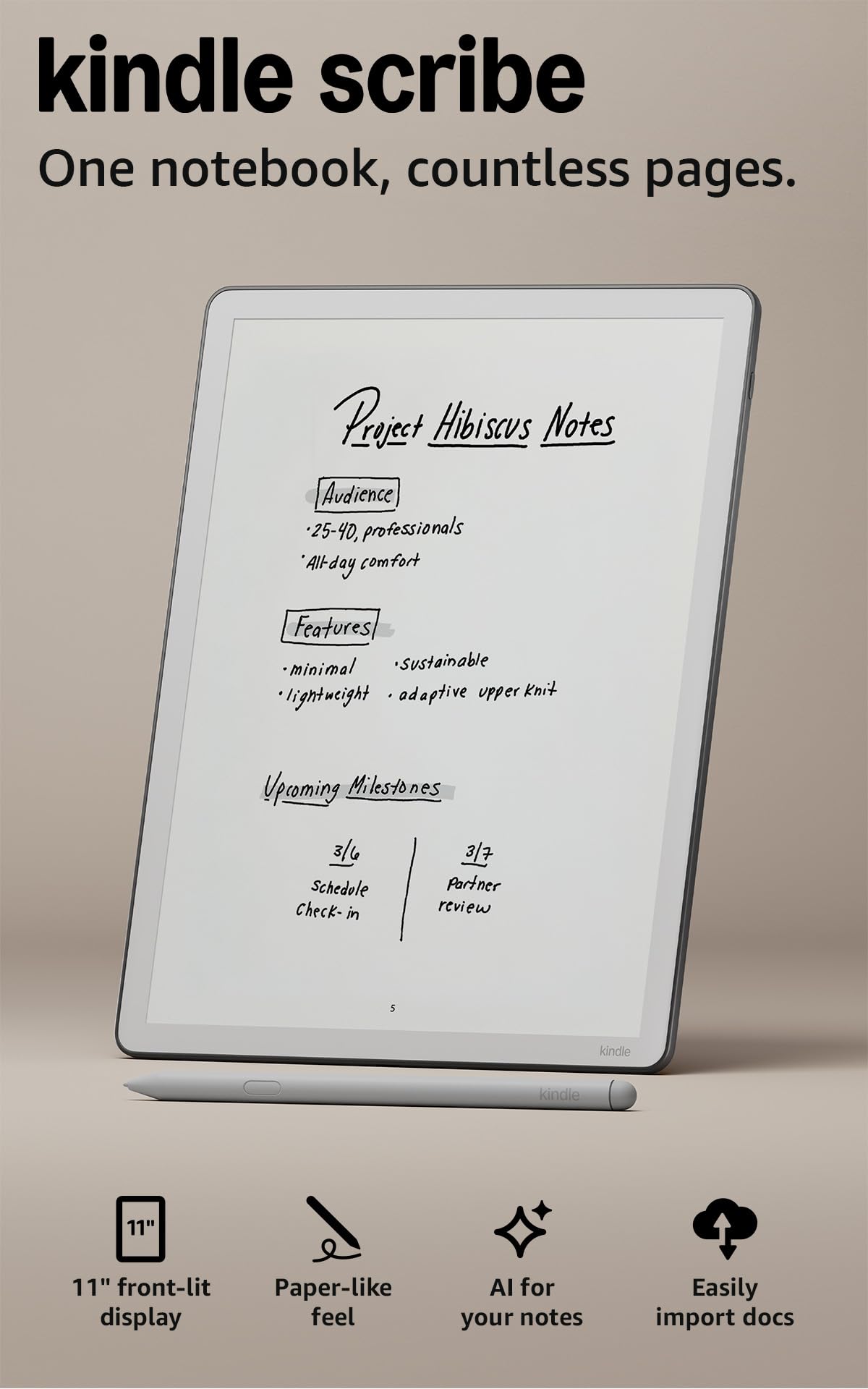
The largest page in the lineup, and the one that still slips into a bag at 5.4 mm thin.
The latest Scribe measures 11 inches, up from the 10.2-inch refurb model, and it weighs 400 g with a 5.4 mm body. The front light adjusts automatically to the room and lets you dial in warmth for reading at night. The maker also says writing and page turns are 40% faster than before — a claim worth watching against your own handwriting pace, not the pen’s feel.
The writing surface is textured, and the included pen never needs charging, with a built-in eraser and a shortcut button for tools like the highlighter. AI tools can find information in your notes, ask questions about them, and generate summaries, and they can convert handwriting to text. You can import from Google Drive or Microsoft OneDrive, mark documents up by hand, and export them as PDFs or push notebooks into Microsoft OneNote. With 32GB of storage you have room for books and documents.
What holds it back is value-for-money and speed feedback, both of which draw mixed notes. The screen is the largest here, but it is not a color or tablet-class display, and owners with heavy note libraries sometimes want more responsiveness. Still, as a single device for reading and writing at the premium tier, it earns its place.
The page size payoff: an 11-inch glare-free display at 5.4 mm thin means a full-page notebook you can carry all day.
Price and pace: the AI notebook tools are real, but the premium asking price comes with only 32GB, and speed is a mixed point.
A fit for: Kindle readers who want a full-size writing page and an included pen that never needs charging.
Bypass if: you need a large document library on-device or color pages — the Penstar and BOOX color models give you more room.
9. iflytek AINOTE 2, 10.65″ E Ink Tablet

An 18-language note-taker built for the meeting room, not the reading chair.
Transcription is the reason this one exists. The AINOTE 2 captures spoken content across 18 languages and turns it into text, aimed at meetings, lectures, and interviews, with AI assistance that works over selected text for summaries and organization. The 10.65-inch screen uses a front light-free E-ink panel, so it relies on the room lighting — good in a lit meeting room, awkward in a dark one. With 8 brush styles and low-latency handwriting, the pen still feels close to paper.
Carrying it is easy: at approximately 4.2 mm thick it slips into a bag, and the 4000mAh battery stretches to up to 14 days when used about 30 minutes a day with the rest in standby, or up to 113 days in standby. A Google Calendar integration handles schedules, and notes carry star, triangle, or circle marks to track tasks and sync through the AINOTE Mobile and PC apps. The hardware runs a 2nd-generation build with Wi-Fi and a 60 Hz display refresh (the screen redraws 60 times a second).
The honest catch is that the AI and transcription need a live internet connection, and the transcription accuracy depends on audio quality and speaker accent. This is not a device for confidential offline meetings, and the front-light-free screen means it needs external lighting after dark. It lands at 3.5+ stars with a mixed functionality picture, so treat it as a specialist rather than an all-rounder.
Where it shines: 18-language transcription plus schedule and note sync is a specific, useful job that the other picks do not do.
The conditions: AI features and transcription need Wi-Fi, so offline or confidential meetings are outside its comfort zone.
Reach for it when: your day revolves around lecture or meeting notes and you want transcription with a paper-feel pen.
Leave it if: you need to write in the dark or keep meetings fully offline — the front light-free screen and online AI are hard stops.
Know the Specs
E-ink panel and ppi
A paper tablet uses an e-ink panel — a low-power screen that holds an image without a backlight. The ppi number (pixels per inch) controls how sharp the text looks; 300 ppi is a dense, print-like page, so small handwriting stays readable. A color e-ink panel like Kaleido 3 runs at 300 ppi in black and white and a lower ppi in color. The trade-off with color e-ink is a darker, grayer background, which is why a front light matters.
Pressure levels and latency
Pressure levels measure how finely the pen detects your stroke — 4,096 or 8,192 levels give finer line weight than a basic pen. Latency is the delay between your pen moving and the ink appearing; lower is better for natural handwriting. Neither number replaces the surface feel, so if you can, check both the pressure rating and the panel size before you commit.
Common Questions
What is a writing paper tablet actually for?
Do I need to buy the stylus separately?
Can I write on a color e-ink screen as well as read?
How long does the battery last on an e-ink writing tablet?
Does handwriting convert to typed text?
Can a paper tablet read PDFs and imported documents?
Do these tablets need Wi-Fi or a subscription to work?
How much storage do I need for notes and PDFs?
Is a 7-inch or a 10-inch paper tablet better for notes?
Do I need a front light for writing at night?
The Bottom Line
Want the paper feel without paying the premium tier? The reMarkable 2 is the easy recommendation — a 10.3-inch monochrome page, a Marker Plus with a built-in eraser, and up to two weeks of battery in a 4.7 mm body. If storage and document archiving are your priority, the Penstar eNote 2 carries 128GB and an 8,192-level pen in the box, so pressure reads finely as you write. For the largest page and an included pen that never charges, the Kindle Scribe brings an 11-inch front-lighted display to the premium tier. And if your work is meetings rather than reading, the iflytek AINOTE 2 adds 18-language transcription that the others do not. Match the pick to the job you do most — meetings, reading, or long-form writing — and it will earn its place in your bag.
How we choose
We do not accept paid placement. Every pick is matched to a real buyer and a real use-case; we do not hands-on test units.
Sources
Specifications: manufacturer listings and product documentation. Review insights: verified customer reviews, as of November 2026. Pricing: not shown on this page (it changes often); check the current price via the retailer link.
As an Amazon Associate, Tactical Gear Guy earns from qualifying purchases. This does not affect which products we feature.