Specs are compiled from manufacturer listings and verified buyer reviews and can change over time — please confirm the key details on the product page before buying.
If you want a real Windows computer that disappears behind a monitor or slides into a drawer, the Beelink Mini S12 is the one most buyers should start with. It runs a 12th-gen Intel N95 processor, holds 8GB of DDR4 memory and a 480GB solid-state drive, and still measures roughly 4.52 by 4.04 by 1.54 inches. That footprint means it fits on a bookshelf, behind a TV, or under a cash register without eating desk space. Below you will find eleven tiny desktops sorted by what they actually do well, from cheap everyday machines to a small gaming box and a silent fanless model.
This guide is built by comparing the manufacturers’ published specifications and the patterns across verified customer reviews, so you get each pick’s real strengths and trade-offs instead of marketing spin.
Some of these machines are renewed business desktops, some are brand-new mini PCs, and a few are built for gaming or silent operation. The trick is matching the processor and memory to your daily workload instead of guessing. That is exactly what this breakdown of the worlds smallest pc options helps you do before you spend a cent.
Top Picks


How To Choose The Best Worlds Smallest PC
Small size is the easy part. The hard part is picking a micro desktop whose processor, memory, and ports match what you do all day. A machine that streams video fine can choke on a 40-tab spreadsheet, and a gaming box can be overkill for email.
Start With The Processor, Not The Case
The processor (the chip that does the actual computing) decides how snappy everything feels. An Intel N95 or N5095 handles browsing, documents, and 1080p video without strain. An AMD Ryzen 3 5300U or Ryzen 7 7730U gives you more headroom for multitasking and light creative work. Look at the boost clock (the top speed the chip can hit briefly) and the core count together. A 4-core chip at 3.4GHz behaves very differently from a 2-core chip at 2.4GHz when many programs are open.
Match RAM And Storage To Your Real Workload
RAM (short-term working memory) is what lets several apps stay open at once. 8GB is fine for browsing and office files. 16GB is the safer floor if you keep a dozen browser tabs plus a video call running. Storage is the SSD (solid-state drive — fast flash memory with no spinning parts). A 128GB drive fills up quickly with photos and updates; 256GB or 480GB gives you breathing room.
Check The Ports Before You Commit
Count your monitors. Dual HDMI lets you run two screens, and a VGA or DisplayPort option helps if you have an older monitor. Check the USB count for your keyboard, mouse, and external drives. A wired Ethernet port is worth having if you want stable internet for video calls or file transfers.
Side-by-Side Comparison
| Model | Best For | Processor | RAM / Storage | Display Output | Amazon |
|---|---|---|---|---|---|
| Beelink Mini S12★ Best Overall | Everyday all-rounder | Intel N95, up to 3.4GHz | 8GB DDR4 / 480GB SSD | Dual HDMI, 4K | Amazon |
| Dell OptiPlex 7050 MicroBudget Workhorse | Budget office work | Intel i5-6500T, up to 3.1GHz | 16GB DDR4 / 256GB SSD | HDMI + DP, 4K dual | Amazon |
| HP EliteDesk 800 G4 MiniSix-Core Value | Multitasking on a budget | Intel i5-8500T hexa-core, up to 3.5GHz | 16GB DDR4 / 256GB NVMe | HDMI + DisplayPort, 4K | Amazon |
| KAMRUI GK3PLUS | Triple-monitor setups | Intel N3350, up to 2.4GHz | 8GB / 256GB SSD | 2× HDMI + VGA, 1080p | Amazon |
| BOSGAME E5 11 Pro | Heavy multitasking and networking | AMD Ryzen 3 5300U, up to 3.8GHz | 8GB DDR4 / 256GB SSD | HDMI + DP + Type-C, triple 4K | Amazon |
| GMKtec G5S | Travel and pocket carry | Intel Celeron N5095 | 8GB LPDDR4 / 128GB SSD | Dual HDMI, 4K@60Hz | Amazon |
| Beelink SER3 | Light gaming and editing | AMD Ryzen 3 3200U, up to 3.5GHz | 16GB DDR4 / 500GB SSD | Dual HDMI, 4K@60Hz | Amazon |
| ACEMAGICIAN K1 | 8-core office muscle | AMD Ryzen 7 7730U, up to 4.5GHz | 16GB DDR4 / 512GB SSD | Triple 4K via HDMI/DP/Type-C | Amazon |
| MINIX NEO Z300-0dB | Silent fanless operation | Intel i3-N300 octa-core, up to 3.8GHz | 16GB DDR4 / 512GB SSD | HDMI 2.0, 4K | Amazon |
| ACEMAGIC X3 | 1080p gaming | AMD Ryzen 7 H 255, Radeon 780M | 16GB LPDDR5 / 1TB SSD | Triple 4K via DP2.0/HDMI 2.1/USB4 | Amazon |
| GEEKOM IT12 Max | AI-heavy office work | Intel Core Ultra 5 125U, up to 4.3GHz | 16GB LPDDR5 / 500GB SSD | Quad 4K or single 8K | Amazon |
Detailed Reviews
1. Beelink Mini S12 Mini PC
Our pick — 4.5+★ from 250+ verified ratings; the strongest balance of quality and price.
The quiet little workhorse that handles spreadsheets, streaming, and a second monitor without drama.
For most people who want a desktop that vanishes into the room, this is the one to beat. The Intel N95 processor (a low-power chip made for everyday tasks) runs four cores at up to 3.4GHz, so web pages, Word documents, and video calls open without a stutter. The 480GB SATA3 SSD is generous for a machine this size. Your photos, downloads, and document folders will not fill it up by month three. At roughly 4.52 by 4.04 by 1.54 inches it slides onto a bookshelf or tucks behind a TV with room to spare. Buyers keep coming back to one thing: it just works, day after day. Setup is another easy win — Ubuntu installs straight from a USB stick if you prefer Linux, and it runs cool enough that the cooling fan stays quiet under normal use. If you want a small Linux server or a home-theater box, this handles both without complaint.
The honest limit is gaming. The integrated Intel UHD graphics (built-in video processing, not a separate graphics card) handle 4K video playback fine, but modern 3D games will crawl. Plan on two HDMI monitors at once for spreadsheets plus a streaming window — that part it does well. Power draw stays low, which suits anyone leaving it on all day. The 8GB of DDR4 memory handles everyday work, and the single memory slot can take up to 16GB if you want more later.
What earns its keep
- Intel N95 at up to 3.4GHz stays responsive for office work, browsing, and 4K playback
- 480GB SSD leaves real room for files without an immediate upgrade
- Dual HDMI runs two monitors so you can split work and streaming
- Quiet cooling fan and low power draw suit all-day operation
- 2.5G LAN plus WiFi 5 and Bluetooth 4.2 cover wired and wireless setups
Where it stops short
- Integrated graphics will not carry modern 3D games
- Getting auto power-on requires requesting a setup file from Beelink first
Reach for this if: you want a quiet, compact desktop for documents, streaming, and dual monitors with storage to spare.
Look elsewhere if: your day includes 3D gaming or serious video editing — the built-in graphics are the ceiling here.
2. Dell OptiPlex 7050 Micro Computer (Renewed)
A renewed business micro desktop that brings 16GB of memory to the table for basic office money.
The 16GB of DDR4 memory is the reason this one stays in the conversation. Open a dozen tabs, a spreadsheet, and a PDF viewer and it keeps breathing. The Intel i5-6500T quad-core chip (four cores, up to 3.1GHz) is an older-generation processor, so it is not built for heavy lifting. It handles email, documents, and web work capably. You also get six USB 3.0 ports, HDMI, and DisplayPort, which makes monitor and peripheral hookup easy. The included USB keyboard and mouse mean the box arrives ready to run. Buyers running it as a home lab or small-business desk machine tend to be happy with the performance. The compact chassis is clearly the second draw — it takes up almost nothing on a desk.
Here is what you give up for the price. This is a renewed unit, meaning it was professionally tested, cleaned, and repackaged with a minimum 90-day warranty, and it may show minor cosmetic wear. There is no built-in WiFi, so you need a USB adapter or an Ethernet cable to get online. Boot issues and power-supply symptoms show up in the feedback often enough to be note before you buy, and speed impressions split both ways depending on the workload. Buy it as a simple wired desk computer and it does its job.
Best value note: sixteen gigabytes of RAM at this tier is the standout, and six USB 3.0 ports beat most rivals here for plugging in drives and accessories.
Know before you buy: no WiFi radio inside, and it is a refurbished machine — plan for a wired connection and check the warranty terms.
Suits: a wired home-office desk or small business station where RAM matters more than the newest chip.
Not for: anyone who needs WiFi from the start or expects a brand-new unit with a long warranty.
3. HP EliteDesk 800 G4 Mini Tiny Business PC (Renewed)
Six cores in a chassis you can hide under a monitor arm — the multitasker of the renewed crowd.
Where the Dell above runs four cores, this HP runs six. The Intel i5-8500T is a hexa-core processor (six computing cores) at up to 3.5GHz, and that extra headroom shows when several programs are fighting for attention. The 16GB of DDR4 RAM paired with a 256GB NVMe SSD (a fast flash drive that connects directly to the board) means it boots quickly and opens apps without a long wait. Windows 11 Pro comes installed, so it is ready to log into straight away. A 256GB drive is modest, though — keep the really big media library on an external drive or cloud folder. Dual monitor support via HDMI and DisplayPort is there, and the machine is small enough to sit on or under a desk without crowding it.
The wireless side is where you should set expectations. The feedback flags WiFi connectivity as the weak spot, and HDMI compatibility also draws some gripes — worth testing both the moment the box lands. As a renewed unit it may show minor cosmetic wear, and the shipped accessories vary. What wins buyers flat out is the price-to-power ratio: you are getting hexa-core business hardware and Windows 11 Pro for an entry-level spend. If you want the most crunch per dollar in a tiny chassis, this is hard to argue with.
The core count argument: six cores at up to 3.5GHz gives you more simultaneous-app headroom than the quad-core Dell, and the NVMe drive adds snappy load times on top.
Setting expectations: wireless relies on its built-in adapter, which some buyers find flaky — a wired Ethernet run sidesteps the issue entirely.
Pick this one if: you run several programs at once and want a business-grade mini desktop that boots fast.
Skip past if: you need rock-solid WiFi without running a cable, or you want more than 256GB of built-in storage.
4. KAMRUI GK3PLUS Mini PC
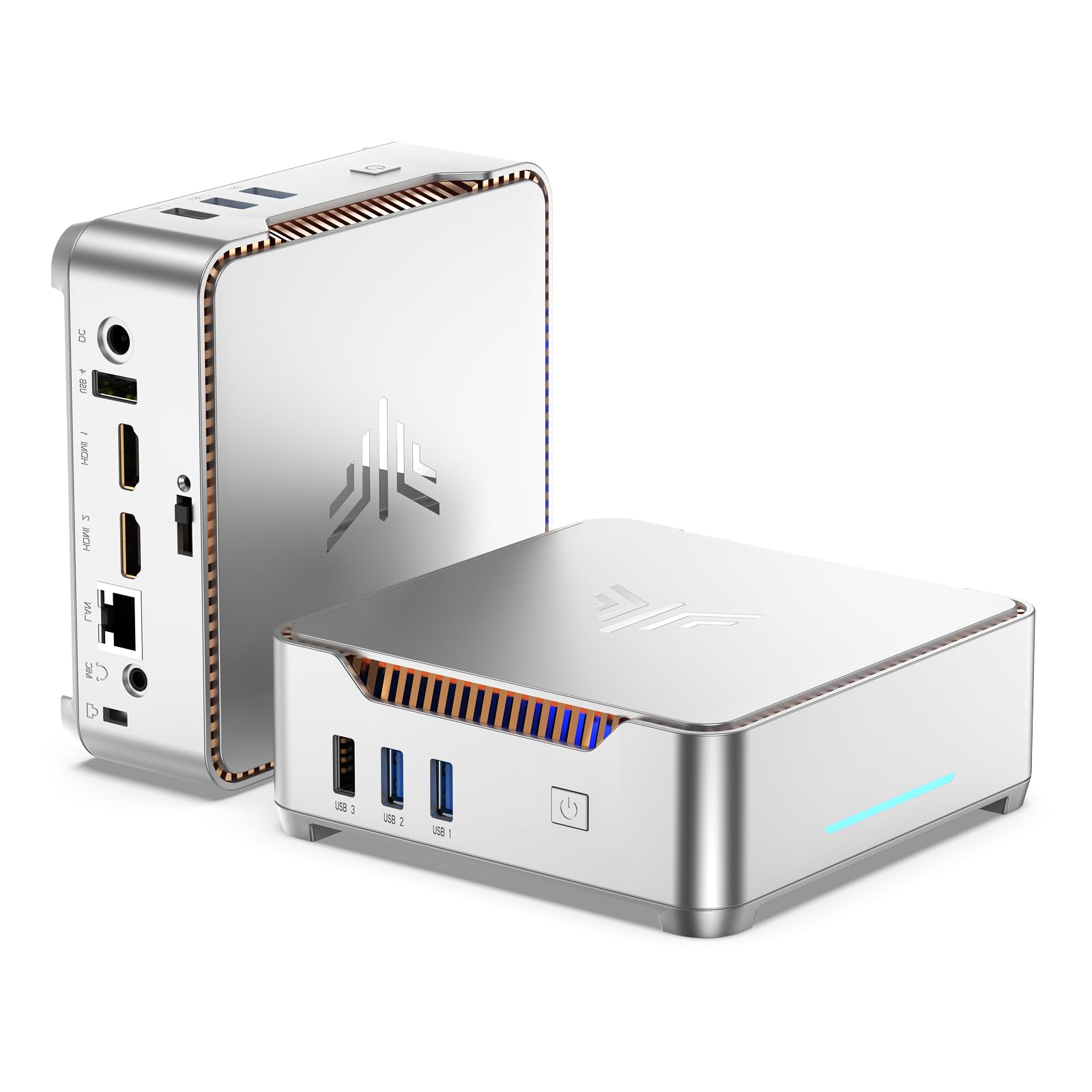
Two HDMI ports plus a VGA output — a rare triple-monitor setup in a box this small.
Most mini PCs stop at two screens. This one runs three: 2× HDMI 1.4 and 1× VGA, all at up to 1080p@60Hz. If you have an older VGA monitor sitting in a closet, this machine will revive it as a third display. The Intel Celeron N3350 processor (a low-power dual-core chip) is not a speed demon — it sits well below the hexa-core HP above in raw muscle — but it handles web browsing, office documents, and 1080p playback fine. Power draw is listed at 12W, which means the fan works gently and noise stays minimal during long sessions. Storage is flexible: the 256GB M.2 SSD can be swapped up to 2TB, and there is a 2.5-inch bay for up to 8TB more. A VESA mount lets you bolt it behind a monitor for a truly invisible setup.
Set your expectations on processing. This is a chip for emails, spreadsheets, PDFs, and signage — not for heavy creative apps or gaming. Buyers going in with that picture are generally well served. The triple-display output is the real story, and it makes this a natural fit for a reception desk, retail display, point-of-sale terminal, or a home office that wants three cheap screens working at once. WiFi 5, Bluetooth 4.2, and Gigabit Ethernet cover wireless and wired office setups alike.
What it solves: three displays at 1080p@60Hz from a case you can mount behind the middle monitor — ideal for signage and point-of-sale desks.
The one catch: the dual-core N3350 tops out at 2.4GHz, so keep this to office apps and video playback rather than creation work.
Made for: a reception desk, retail display, or legacy-VGA office that needs three screens from one tiny box.
Wrong tool for: photo editing, video encoding, or anything that needs real processing muscle all day.
5. BOSGAME E5 11 Pro Mini PC
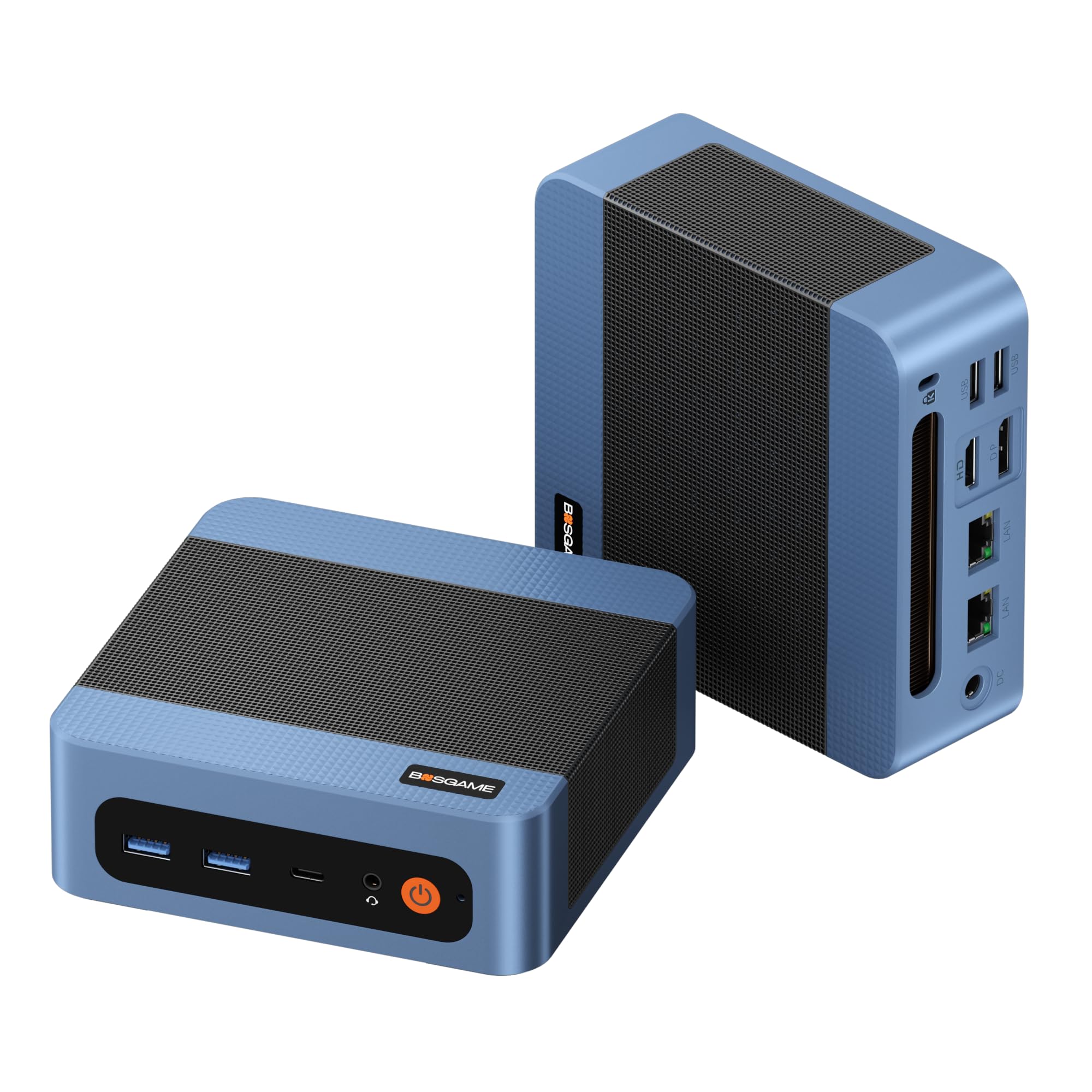
Dual Ethernet ports and a Ryzen 3 that takes a 30-tab browser session in stride.
If your workday is a wall of browser tabs, a spreadsheet, and a video call all at once, this is the small PC that keeps up. The AMD Ryzen 3 5300U (four cores, eight threads, up to 3.8GHz) has a clear edge over the low-power chips in the budget picks. It handles thirty-odd tabs, large Excel sheets, and Zoom meetings at the same time without the cursor lagging behind your hand. That 3.8GHz boost clock is meaningfully higher than the 2.4GHz KAMRUI above, so the difference shows when everything is open at once. What people appreciate most is the sheer responsiveness. The 8GB of RAM is the stock starting point, but dual memory slots let you push it to 64GB if you want to future-proof.
Two 2.5 Gigabit Ethernet ports set this apart from everything else on the list. Those ports turn it into a pfsense firewall, a home NAS server, or a homelab box without needing a separate switch. You also get triple 4K output over HDMI 2.0, DisplayPort, and a full-function Type-C that handles data, video, and power delivery. The cooling fan and copper heat pipes keep it under 25dB, so it stays quiet on a desk. A Ryzen 3 5300U in this form factor at a mid-tier spend is a genuinely strong combination.
Networking edge: dual 2.5GbE ports make it the only pick here purpose-built for firewall, NAS, or homelab duty — and the Ryzen 3 5300U’s 3.8GHz top speed outpaces the N3350’s 2.4GHz by a clear margin.
Trade-off to know: the fan keeps it quiet at under 25dB, but it is a fan-cooled box — if absolute silence is the goal, the fanless MINIX below is the one.
For you if: you want a compact desktop that juggles heavy multitasking or runs a home server, firewall, or NAS with dual wired ports.
Think twice if: you need triple-display output on legacy monitors with VGA — the ports here are HDMI, DisplayPort, and Type-C only.
6. GMKtec G5S Mini PC
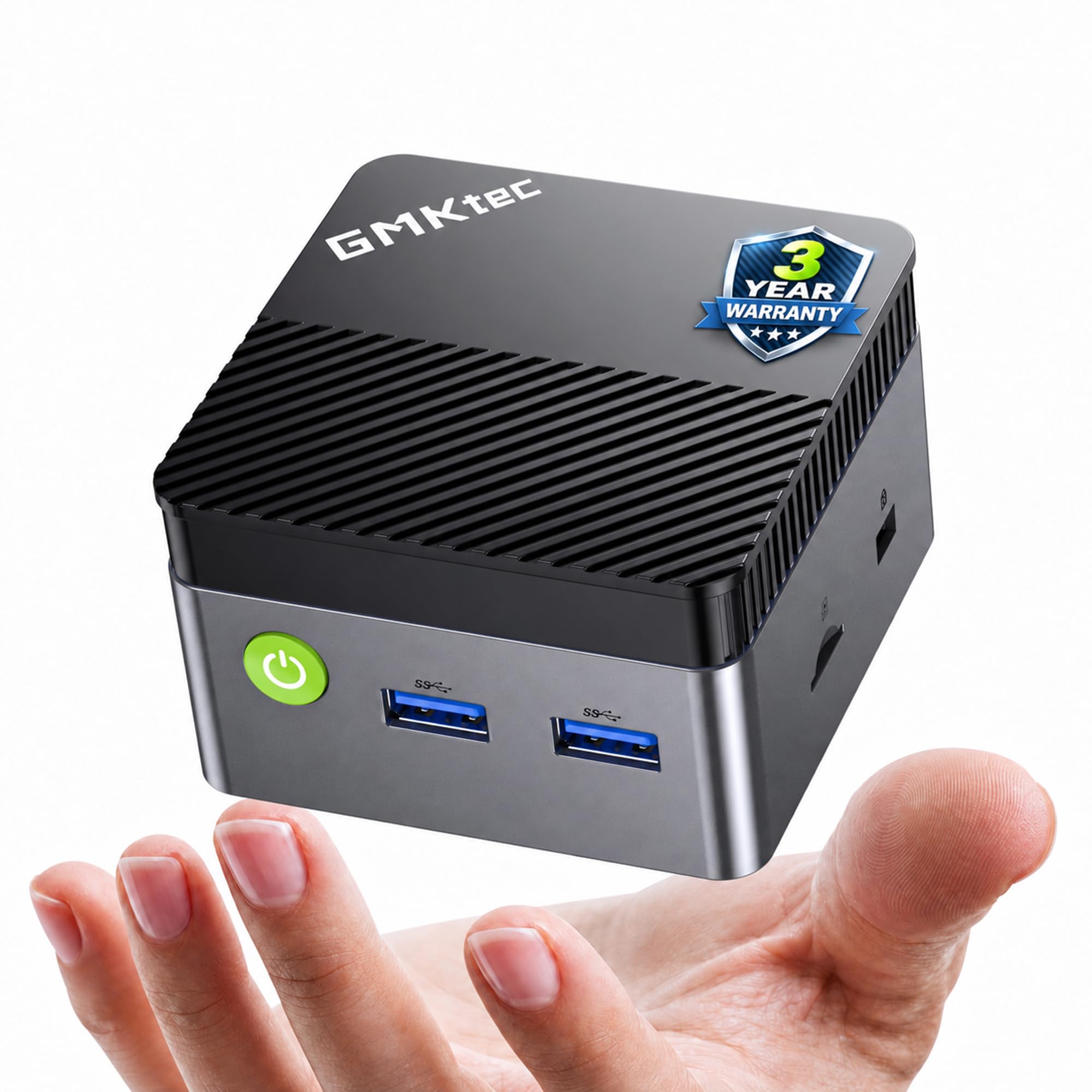
A 7.3-ounce desktop that can run off a USB-C power bank from a café table.
This is the smallest and lightest machine on the list by a wide margin. At 2.8 by 2.8 by 1.75 inches and 7.3 ounces, it tucks into a drawer, sticks to a shelf, or disappears into a cable box. The travel trick is the USB-C power input at 12V/3A (36 watts), which means a compatible power bank or laptop charger can run it when there is no wall outlet nearby. The Intel Celeron N5095 processor (a budget quad-core chip) handles web browsing, movie streaming, light Excel work, and document editing without a problem. Both HDMI ports push 4K UHD at 60Hz, so dual monitors are on the menu. WiFi 6 and Bluetooth 5.2 round out the wireless side.
The compromise is storage and raw speed. The 128GB M.2 SSD fills quickly if you keep big files, though the drive expands up to 4TB and there is a microSD slot for another 128GB. This is an entry-level processor, so treat it as a second computer or a travel companion rather than a primary workstation. For a student, a digital nomad, or someone who wants a full desktop in a hotel room, that trade is a fair one.
Why it travels well: 7.3 ounces plus USB-C 36W input means a power bank can replace a wall outlet — rare at any size.
Best-kept caveat: 128GB of built-in storage is tight, so plan on the microSD or M.2 expansion early.
Pack it if: you move between cafés, hotel rooms, or field sites and need a full Windows desktop that runs from a power bank.
Leave it if: you want a single do-everything home computer with room for a large local media library.
7. Beelink SER3 Mini PC

Radeon Vega 3 graphics and 500GB of SSD space for casual games and light editing.
The Ryzen 3 3200U (two cores, four threads, up to 3.5GHz) pairs with Radeon Vega 3 graphics running at 1200MHz. That means casual games and esports titles are playable. Buyers report Fortnite running in performance mode at 120fps, which tells you what tier of gaming this covers. The 500GB M.2 PCIe 3.0 SSD is the largest drive among the mid-tier picks, and 16GB of DDR4 memory leaves room for a game plus a browser plus Discord. Dual HDMI runs two screens at 4K@60Hz, so a game on one monitor and a stream or chat on the other works fine. The added M.2 slot takes a second NVMe drive if the 500GB fills up. Owners mention it as easy to set up and quiet under load.
Two cores at 3.5GHz is the honest ceiling. That is less raw core capacity than the hexa-core HP and the Ryzen 3 5300U BOSGAME above, so heavy video editing and modern AAA titles will feel it. For productivity plus older or lighter games, this sits in a comfortable middle. It is a solid pick if you want a small desktop that plays last-generation games and handles office tasks in one box.
Where it shines: Radeon Vega 3 graphics at 1200MHz plus 500GB of PCIe SSD storage — the biggest drive on this list — make it a capable casual-gaming box.
Do not expect: two cores to match the six-core HP or the multi-threaded Ryzen 3 5300U for heavy creative work.
Fit for: a desk that mixes office work with light gaming and enough local storage for a game library.
Look past if: you edit 4K video or play modern AAA titles — the two-core chip will run out of steam.
8. ACEMAGICIAN K1 Mini PC
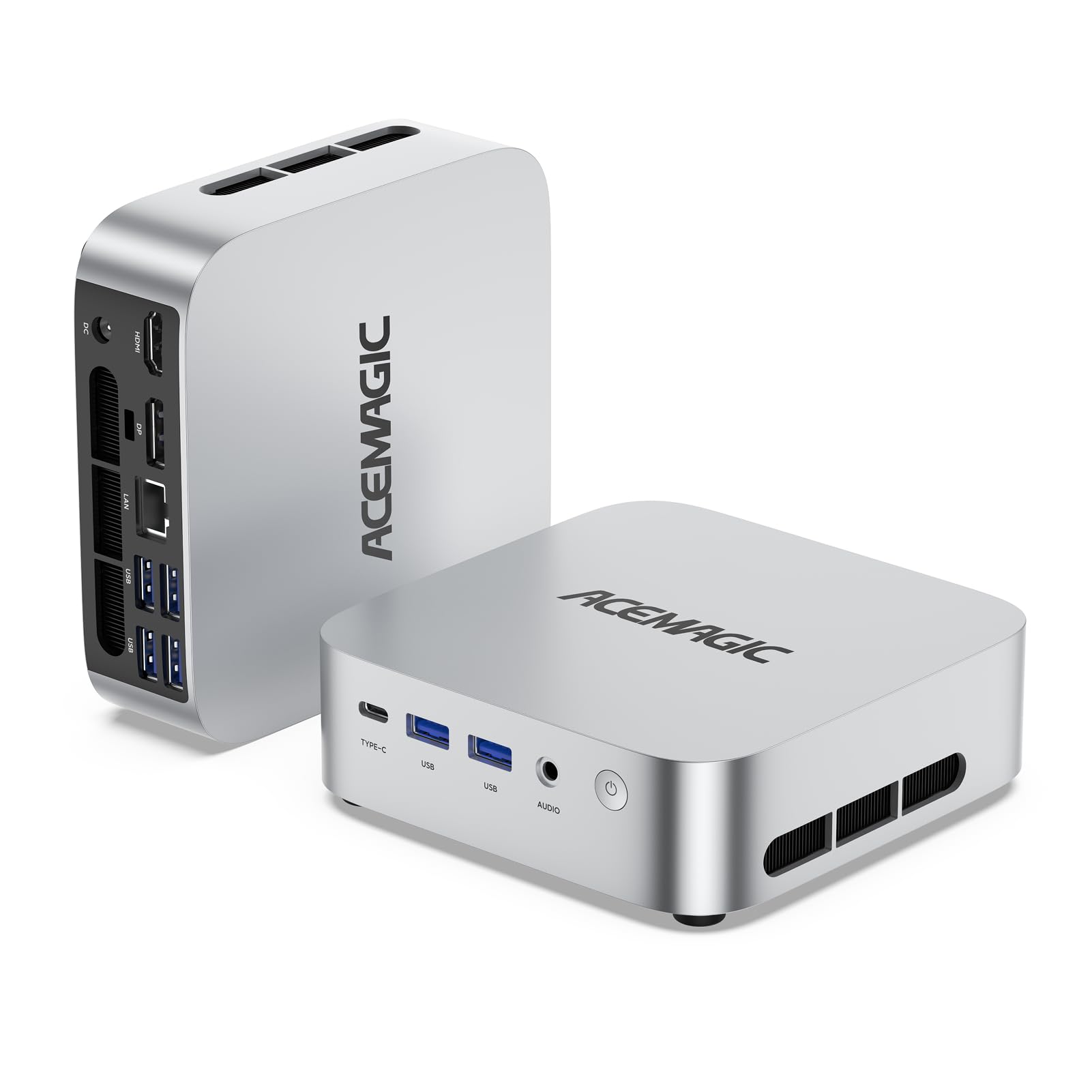
Eight cores and sixteen threads in a silver box that sits beside a monitor like a small speaker.
The AMD Ryzen 7 7730U is the real story: eight cores, sixteen threads, and a 16MB cache with a boost clock up to 4.5GHz. Compared to the older Ryzen 7 5825U, this chip delivers more processing headroom — the maker rates it 8-11% faster on CPU and 28% faster on graphics — so it stays smooth as you add tabs and apps. The 16GB of DDR4 memory and 512GB PCIe SSD cover everyday work, light video editing, and casual gaming without complaint. Radeon graphics with eight cores at 2000MHz push triple 4K output across HDMI, DisplayPort, and a Gen 2 Type-C port that also carries up to 10Gbps data. Five USB 3.2 ports and WiFi 6 plus Bluetooth 5.2 mean you can plug in a full desk setup without hunting for adapters.
For a commercial office, a home media centre, or a small home server, this covers a lot of ground. The 512GB drive is the most generous in the mid-tier, and the extra M.2 slot expands to 4TB if you need it. The honest caveat is that this is a productivity machine at heart. Games with heavy 3D requirements will run, but they will not run like they would on the dedicated gaming box further down. Video editing is comfortable, not lightning fast. For desk work with a big storage need, this is a strong middle ground.
Storage and cores: 512GB of PCIe SSD and an eight-core, sixteen-thread chip put this near the top of the mid-tier for heavy office work.
Reality check: it is a productivity-first machine — if gaming is the point, the Radeon 780M box below is the one to look at.
We’d hand it to: an office desk or home media hub that needs eight cores, 512GB of storage, and triple-screen output.
Better elsewhere: pure gaming builds or anyone who wants the absolute quietest small PC on the market.
9. MINIX NEO Z300-0dB Fanless Mini PC

No fan, no whir, no rattle — a totally silent desktop built to run around the clock.
The “0dB” in the name is the whole point. There is no fan inside at all. Instead, heat moves through a passive cooling system (a body that soaks up and radiates heat without moving air). For a bedroom, a recording space, a library, or a shop counter where a fan drone would drive you mad, that is worth a lot. The Intel i3-N300 is an octa-core chip (eight cores) at up to 3.8GHz, paired with 16GB of DDR4 memory and a 512GB M.2 NVMe SSD. The maker rates it for continuous 24/7 operation and credits the anti-static design with shielding the hardware from interference. A single HDMI 2.0 port pushes 4K, and the memory is upgradeable to 32GB while storage expands to 4TB.
Expect the case to feel warm on top, and the maker says to keep it out of children’s reach for that reason. That is normal for anything cooled without a fan — it is moving heat into the chassis rather than blowing it out. If you want absolute silence for a home theatre, an always-on media server, or a quiet office corner, this is the pick. For lighting-fast gaming, look further down the list.
The quiet argument: fanless passive cooling means literally no moving parts to hear — the point for a media room or a 24/7 home server.
The honest note: the top cover gets warm by design, so position it out of children’s reach and away from heat-sensitive surfaces.
Reach for it when: silence is non-negotiable — a media room, a 24/7 server, or any spot where fan noise would bother you.
Pass on it if: you need serious gaming grunt or you dislike a warm-running chassis.
10. ACEMAGIC X3 Mini Gaming PC
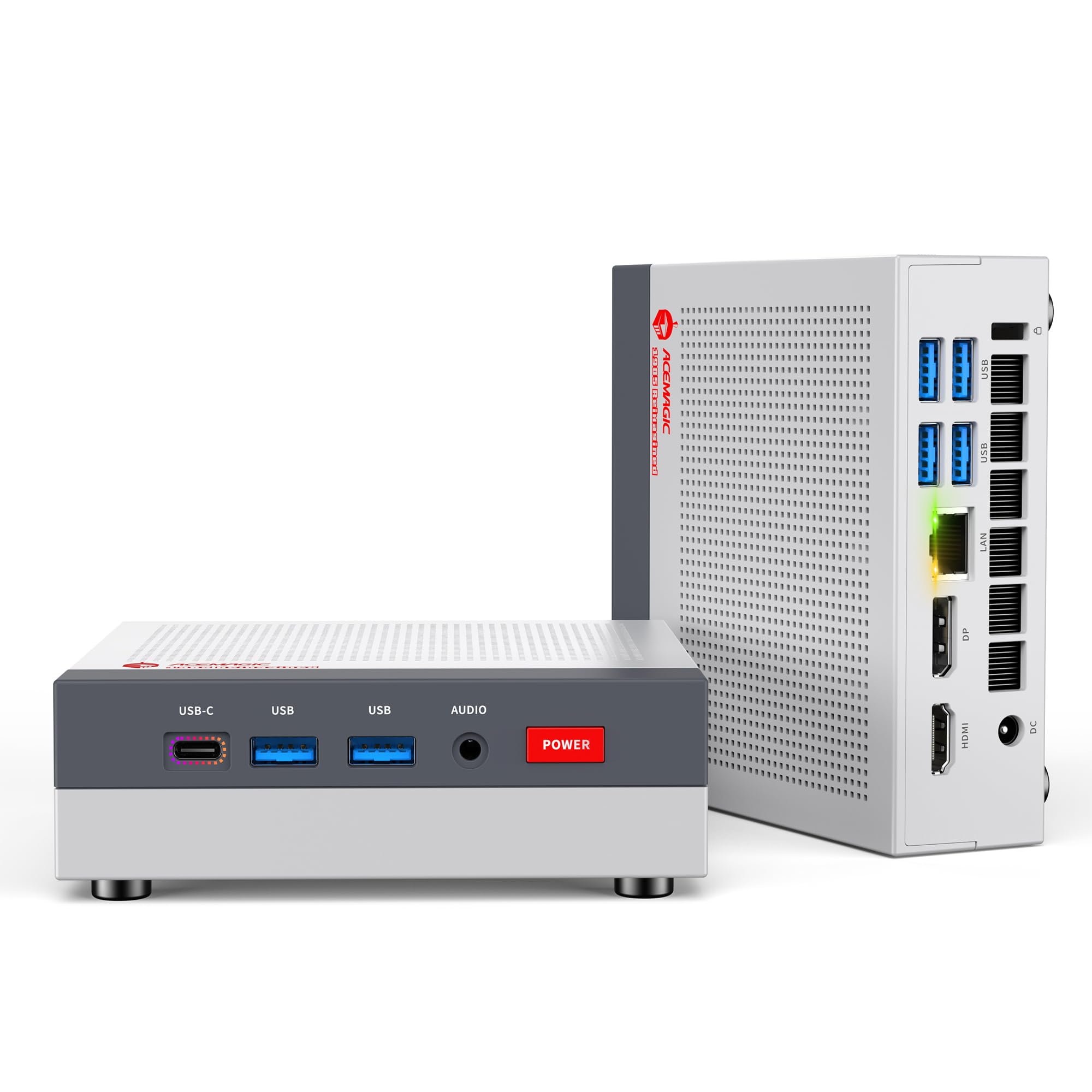
A console-styled gaming cube with Radeon 780M graphics and a full terabyte of storage.
Games are the reason to pick this one. The AMD Radeon 780M is integrated graphics (a graphics chip built into the processor, not a separate card) with 12 compute units at 2600MHz on the RDNA3 architecture. The maker claims about 8x the frame rate of Vega 2 in most games and roughly 55% more than Intel Iris Xe in the 3DMark and Superposition benchmarks. That puts it near the top of what integrated graphics can do. The Ryzen 7 H 255 processor runs up to 4.9GHz, so everyday tasks feel snappy. The 16GB of LPDDR5 at 6400MT/s (fast low-power memory) plus a 1TB NVMe PCIe 4.0 SSD (fast storage, expandable to 4TB) means games and files load fast. The retro-console look is deliberate: this is a small gaming box you would be happy to leave on a shelf. Three display outputs via DP2.0, HDMI 2.1, and USB4 Type-C (three different video ports) support up to 4K@60Hz or 4K@120Hz, so you can run a sharp 4K screen at a smooth 120 frames per second.
Here is the important caveat: the LPDDR5 memory is soldered on and cannot be upgraded. If you plan to run memory-hungry work later, plan for that now. The good news is a tool-free removable top cover gives instant access to the PCIe slots, so adding storage is a few seconds of work. Dual fans, dual heat pipes, and full copper fin modules keep temperatures in check during long sessions. If you want a compact desktop that plays competitive and retro titles at 1080p and still manages office work, this is the box.
Graphics punch: The Radeon 780M with 12 compute units at 2600MHz is the most graphics-capable integrated setup on this list. That means competitive and retro titles at 1080p (full HD) run smoothly — that resolution is the balance.
The hard limit: RAM is soldered LPDDR5, so 16GB is where it stays — buy with your future workload in mind.
For gamers: anyone who wants a small, retro-styled box that plays esports, retro emulators, and casual AAA titles at 1080p with 1TB of storage.
Not for you if: you plan to upgrade memory later, or you need a fanless machine.
11. GEEKOM IT12 Max AI Mini PC
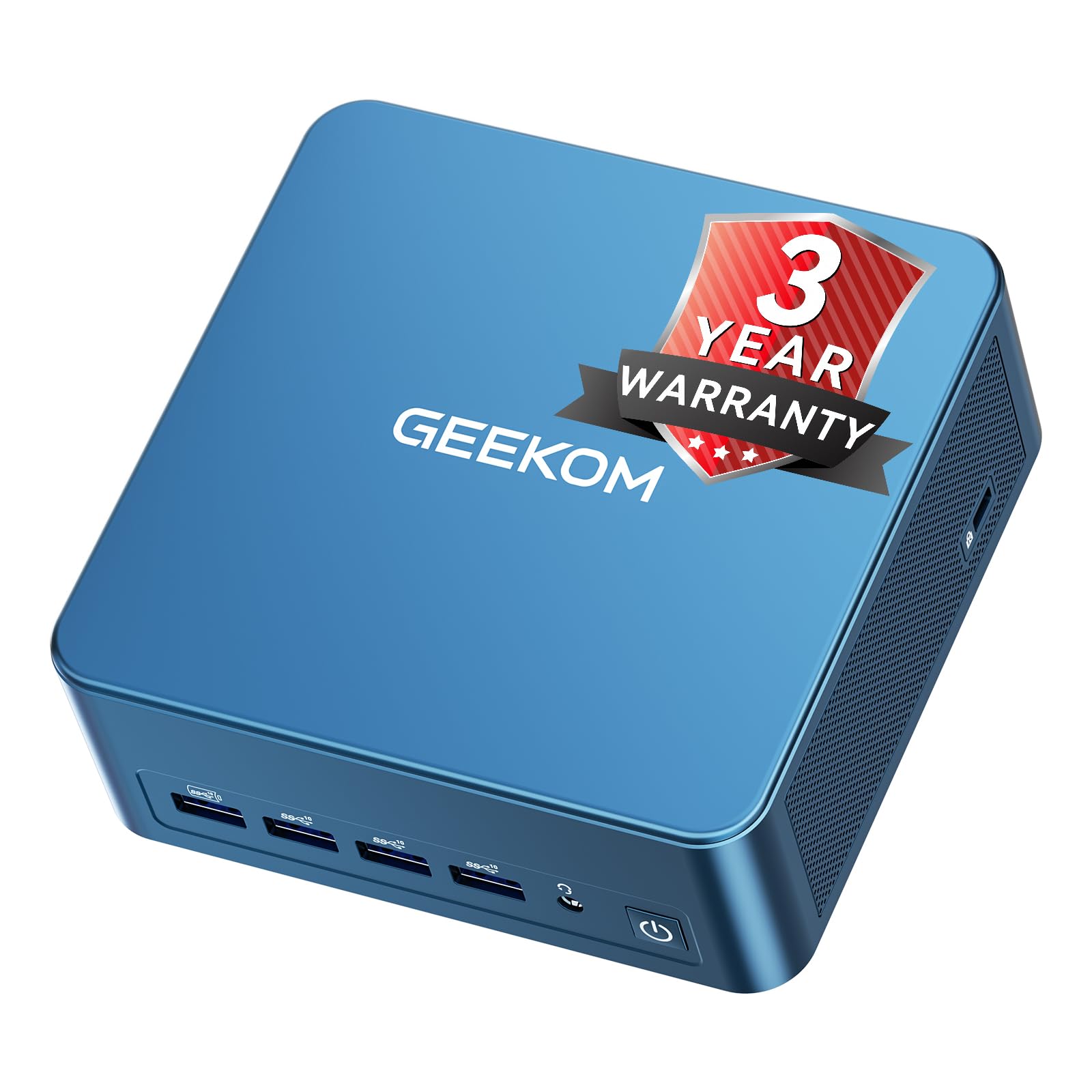
A dedicated AI chip, four 4K monitors, and dual 2.5G Ethernet in a metal-reinforced shell.
The Intel Core Ultra 5 125U packs three engines in one — a CPU, a GPU, and an NPU (a neural processing unit that accelerates AI features locally). That combination matters if you run AI productivity tools, edit 4K footage, or manage massive spreadsheets, and it can decode 8K video. The 16GB of LPDDR5 at 5600MT/s runs at twice the bandwidth of standard DDR5 with less heat, and it handles 24/7 operation well. Storage is a 500GB PCIe 4.0 NVMe SSD, expandable up to 2TB. Connectivity is where it pulls away: dual USB4 ports plus dual HDMI 2.0 outputs drive up to four 4K displays or one 8K monitor. WiFi 7, dual 2.5G Ethernet ports, an SD 4.0 card reader, and an always-on USB port that keeps peripherals powered even when the system is off round out the package.
The IceBlast 3.0 cooler’s triple copper heat pipes are rated to raise heat dissipation by 52% while keeping fan noise at 38dB. You can switch between 20W, 25W, and 28W TDP modes (adjustable power ceilings) to trade peak speed for lower electricity use. The metal-reinforced frame resists impact, which matters if you VESA-mount it or rack it. This is the most future-facing machine on the list. It is also the clear price-to-connectivity champion for a desk that runs four screens.
Connectivity ceiling: dual USB4 plus dual HDMI 2.0 means four 4K screens from one box, and dual 2.5G Ethernet suits network isolation or a homelab.
The trade-up: 500GB of storage is modest for a machine this capable — plan on the 2TB expansion if you keep large media files.
Best fit: a multi-monitor workstation or small IT deployment that wants AI acceleration, WiFi 7, and dual wired networking.
Overkill for: a single-screen document desk where a simpler mid-tier mini PC would do the job for far less.
Know the Specs
Processor: Cores, Threads, And Boost Clock
More cores and threads mean the chip can handle more tasks at the same time. A four-core, eight-thread Ryzen 3 5300U does more at once than a two-core Ryzen 3 3200U, and an eight-core Ryzen 7 7730U goes further still. Boost clock tells you the top speed it can hit briefly. Read both together: a hexa-core at 3.5GHz like the HP EliteDesk handles more simultaneous work than a dual-core at 2.4GHz like the KAMRUI.
RAM And Storage: What To Buy
RAM is what keeps several programs open without the system slowing. 8GB handles browsing and office work; 16GB is safer for multitasking. Storage is your SSD — fast flash memory for apps and files. A 128GB drive fills up quickly; 256GB, 480GB, or 500GB gives you real room. NVMe drives connect directly to the board and load faster than SATA drives, so look for the NVMe label when it is offered.
Fanless Versus Fan-Cooled
A fanless PC moves heat through its metal body with no moving parts, so it makes no sound at all. The trade-off is a chassis that runs warm to the touch. A fan-cooled model can shift more heat under heavy loads but introduces a soft whir. The BOSGAME E5 keeps its fan under 25dB, while the GEEKOM holds at 38dB. On a desk near your ears, that difference is noticeable.
Display Outputs And Ports
Dual HDMI lets you run two monitors without an adapter. DisplayPort and USB-C give you more display options, and a VGA port keeps old monitors usable. Check the number of USB ports against your keyboard, mouse, drives, and phone. On a mini PC, a wiredEthernet port is worth having for stable internet — it beats relying on a flaky wireless adapter.
Power Draw And Running Costs
A low-power chip like the 12W KAMRUI N3350 sips electricity, which suits a machine left on all day. Higher-performance chips like the Ryzen 7 7730U pull more when pushed. The GEEKOM lets you cap the power ceiling at 20W, 25W, or 28W so you can trade peak speed for lower consumption. If the PC runs 24/7 as a server, the lower setting saves on the electricity bill.
Renewed Versus New
Renewed business desktops like the Dell OptiPlex and HP EliteDesk are professionally tested, cleaned, and repackaged, and they ship with a minimum 90-day warranty. They may show minor cosmetic wear. You get older-generation silicon for a budget-tier spend. New mini PCs from Beelink, BOSGAME, GMKtec, and others bring current processors, fresh warranties, and the latest wireless standards — often for the same or slightly more.
Common Questions
How small is a mini PC compared to a standard desktop tower?
Can a mini PC run two or three monitors at once?
Is 8GB of RAM enough for everyday work on a tiny desktop?
Do these mini PCs come with Windows already installed?
Can a mini PC handle gaming?
What does fanless cooling mean on a mini PC?
Can I power a mini PC from a power bank?
How long will a mini PC last?
Is a mini PC good enough to replace a laptop?
What is the difference between a renewed and a new mini PC?
The Bottom Line
For most people shopping for the worlds smallest pc, the winner is the Beelink Mini S12. Its Intel N95 chip, 480GB SSD, dual HDMI, and quiet cooling cover everyday work without asking you to think about it. If you run several programs at once or want dual wired networking for a home server, grab the BOSGAME E5 11 Pro and its Ryzen 3 5300U. For a 1080p gaming box with a full terabyte of storage, the ACEMAGIC X3 is the one to reach for. And if silence is the whole point, the fanless MINIX NEO Z300-0dB runs 24/7 without a whisper.
One last nudge: the crowd favorite here — 4.5+ stars across 260+ owners — is the Beelink Mini S12, and it earns that by being the least fussy machine on the list. Match your processor and memory to what you actually do all day, and any of these tiny desktops will earn its spot on your desk.
How we choose
We do not accept paid placement. Every pick is matched to a real buyer and a real use-case; we do not hands-on test units.
Sources
Specifications: manufacturer listings and product documentation. Review insights: verified customer reviews, as of November 2026. Pricing: not shown on this page (it changes often); check the current price via the retailer link.
As an Amazon Associate, Tactical Gear Guy earns from qualifying purchases. This does not affect which products we feature.