Specs are compiled from manufacturer listings and verified buyer reviews and can change over time — please confirm the key details on the product page before buying.
You need a laptop that survives a full workday without hunting for an outlet, opens your spreadsheet tabs without freezing, and does not sound like a jet engine in a meeting. The trick is knowing which specs actually matter for work — and which ones are just big numbers on a box. This guide walks through the machines worth your money, from budget-friendly daily drivers to premium business workhorses with 32GB of memory and 1TB of storage.
This guide is built by comparing the manufacturers’ published specifications and the patterns across verified customer reviews, so you get each pick’s real strengths and trade-offs instead of marketing spin.
Every pick below is judged on the things a working day actually demands — real battery endurance, honest memory and storage figures, and how each screen handles long spreadsheet sessions. Here is the work laptop computer breakdown that will save you a return label.
Top Picks
How To Choose The Best Work Laptop Computer
The biggest mistake buyers make is chasing the fastest processor number while ignoring memory and storage. A fast chip paired with too little RAM just throttles itself when you open a dozen browser tabs and a video call at once. Smart buyers balance four things: processor cores and threads, RAM in gigabytes, SSD storage capacity, and real battery life in hours.
Start With Memory, Not Megahertz
For a work laptop, 16GB of RAM is the sensible floor if you keep chat, email, a browser with many tabs, and a spreadsheet open all day. Budget-friendly machines with 8GB handle light office work but bog down when you push them. Premium business models with 32GB of DDR5 memory (the newer, higher-bandwidth standard) plow through heavy multitasking without stutter.
Processor Cores and Threads Explained
A “core” is a processing lane, and “threads” are the tasks each lane can juggle. A six-core, twelve-thread processor like the AMD Ryzen 5 5500U handles background apps and foreground work at the same time. Twelve-core Intel Core Ultra chips add efficiency cores for everyday tasks plus a few high-power cores for heavy ones, so routine work sips battery while big jobs still get muscle.
Storage Size and Speed
Look for an SSD — solid-state storage with no spinning parts — rather than a traditional hard drive. A 256GB SSD covers documents and basic apps; 512GB gives breathing room; 1TB means you stop managing free space altogether. The PCIe NVMe label on an SSD just means it uses the fastest connection type, so files and programs load in seconds.
Battery Endurance And Screen Quality
Battery figures are quoted in hours of mixed use, so treat them as a ceiling, not a promise. A machine rated for a full workday means you can leave the charger at home on lighter days. On the screen side, an FHD (Full HD, 1920 x 1080) panel keeps text sharp for long documents, while a higher nit rating — a measure of brightness — matters if you work near windows.
Side-by-Side Comparison
| Model | Best For | Processor | RAM / Storage | Display | Amazon |
|---|---|---|---|---|---|
| Apple MacBook Air 15-inch (M5)★ Best Overall | All-day battery and quiet power | Apple M5 chip | 16 GB / 512 GB SSD | 15.3-inch Liquid Retina | Amazon |
| HP OmniBook 3 17.3″Big-Screen Value | Big-screen budget workhorse | AMD Ryzen 3 30 | 8 GB / 512 GB SSD | 17.3-inch FHD IPS | Amazon |
| Acer Aspire Lite 15Light Work Starter | Light-work travel companion | Intel N150 (4-core) | 16 GB / 256 GB SSD | 15.6-inch FHD | Amazon |
| Dell 15.6 Laptop | Simple, familiar office setup | Intel Core 3 100U | 8 GB / 10 MB cache | 15.6-inch FHD | Amazon |
| Lenovo V15 (Ryzen 5) | Six cores on a tight budget | AMD Ryzen 5 5500U | 16 GB / 512 GB SSD | 15.6-inch FHD | Amazon |
| Lenovo V15 (Intel N100) | Lean business starter machine | Intel N100 (4-core) | 8 GB / 256 GB SSD | 15.6-inch FHD | Amazon |
| HP 255 G10 | Heavy multitasking on a mid budget | AMD Ryzen 7 7730U | 32 GB / 1 TB SSD | 15.6-inch FHD IPS | Amazon |
| Microsoft Surface Laptop (2026) | Portable touchscreen for meetings | Snapdragon X2 Elite | 16 GB / 512 GB SSD | 13.8-inch PixelSense touch | Amazon |
| Dell Latitude 3550 | Secure business travel workhorse | Intel Core Ultra 7 155U | 32 GB / 1 TB SSD | 15.6-inch FHD IPS | Amazon |
| Lenovo ThinkPad E16 Gen 3 | Large screen plus external backup | Intel Core Ultra 5 225H | 32 GB / 1 TB SSD | 16-inch anti-glare | Amazon |
| Dell Pro 16 | AI-ready premium business machine | Intel Core Ultra 7 255U | 32 GB / 1 TB SSD | 16-inch FHD+ IPS | Amazon |
Detailed Reviews
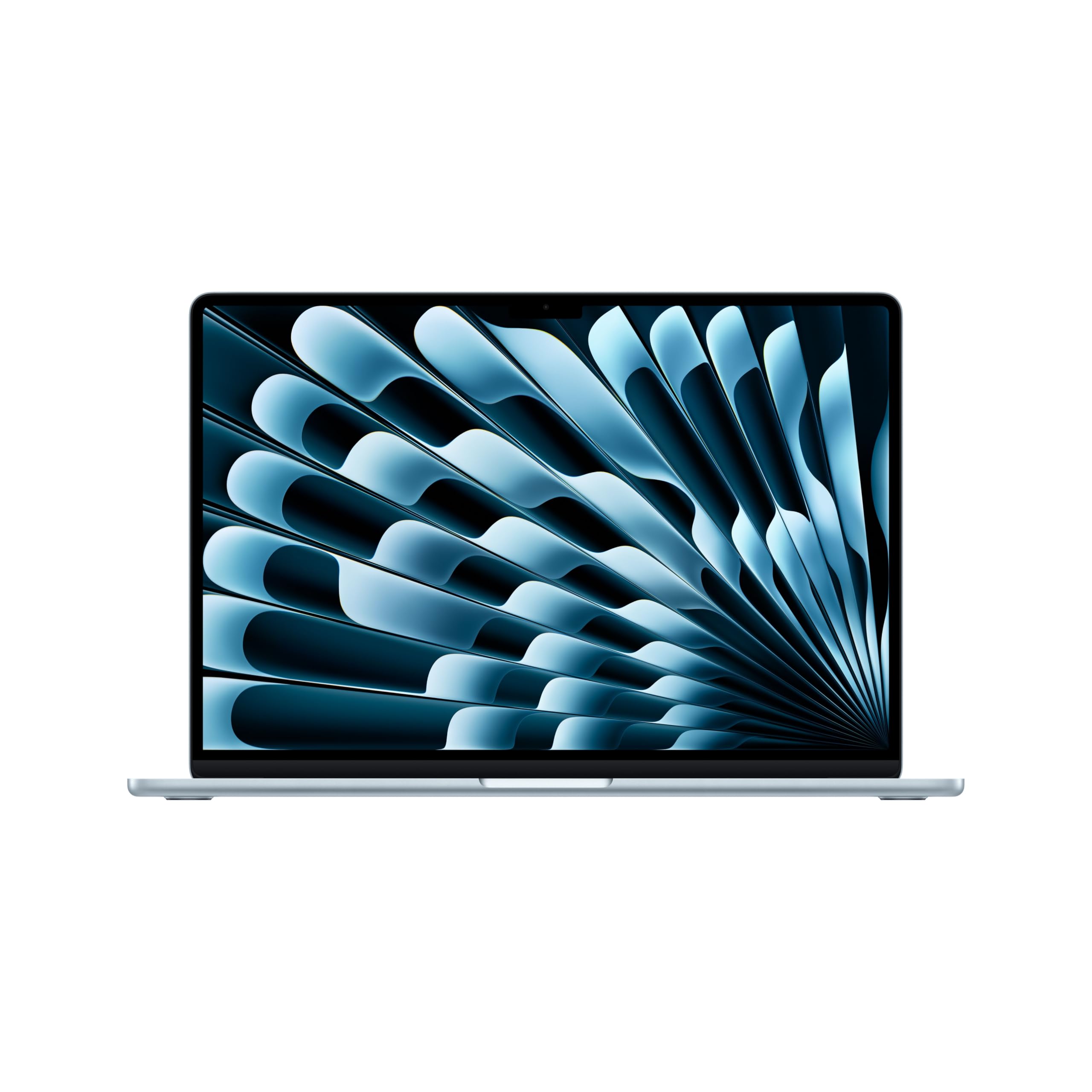
1. Apple 2026 MacBook Air 15-inch Laptop with M5 chip
Our pick — 4.5+★ from 800+ verified ratings; the strongest balance of quality and price.
The one that quietly ends your day-long outlet hunt — up to 18 hours, no fan whine.
If your workday happens away from a desk — client sites, trains, lecture halls — this is the machine to beat. Apple rates it at up to 18 hours of battery life, which in plain terms means you can pack the charger and forget it until tomorrow. The 15.3-inch Liquid Retina display supports 1 billion colors, so spreadsheet cells, slide decks, and video calls all render crisply for hours on end.
Inside sits the M5 chip with 16 GB of unified memory — a shared pool the processor and graphics draw from — which keeps a browser full of tabs, a video call, and your email all responsive at once. Storage starts at 512 GB of SSD. What buyers consistently single out is the performance itself: this laptop stays fluid without lag, and the crowd favorite carries 4.5+ stars across 800+ ratings. Setup is quick, and the 3.32-pound frame is the kind of weight you stop noticing in a backpack.
For connectivity, you get two Thunderbolt 4 ports, a MagSafe charging port, a headphone jack, Wi-Fi 7, and Bluetooth 6 — enough for a monitor, a dock, and peripherals. The 12MP Center Stage camera keeps you framed during calls, and the six-speaker system with Spatial Audio handles meeting audio and podcasts clearly. The catch worth knowing: the memory is fixed, so decide on 16 GB before you buy — you cannot add more later. That said, 16 GB of unified memory in this chassis is a serious amount for daily office work.
What earns the top spot
- Up to 18 hours of battery life keeps the charger in your bag
- M5 chip with 16 GB unified memory keeps tabs and calls smooth
- 15.3-inch Liquid Retina panel with 1 billion colors
- 3.32 pounds, so it disappears into a work backpack
Where it asks patience
- Memory is soldered in — you cannot upgrade after purchase
- Only two Thunderbolt 4 ports, so a hub is a likely add-on
The short answer: Buy this if your work moves between places and you want one charge to carry you through.
Think twice: If you routinely need more than 16 GB of memory for heavy workloads, plan for that at checkout.
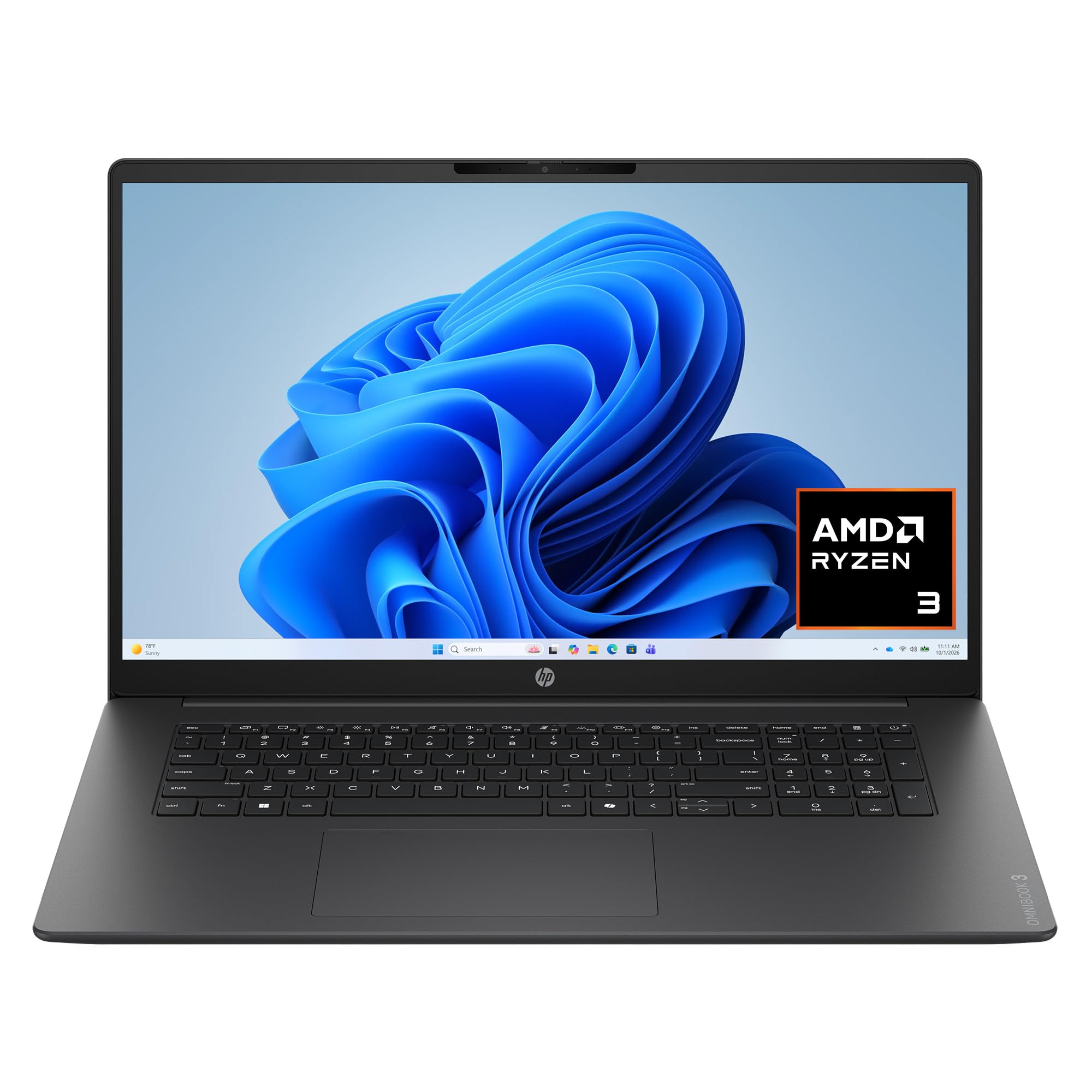
2. HP OmniBook 3 17.3 inch Laptop PC
The 17.3-inch desk companion that gives spreadsheet columns room to breathe.
Screen real estate is the whole story here. At 17.3 inches, the FHD IPS panel (in-plane switching, which keeps colors stable from the side) is the largest display in this lineup, and it packs 178-degree wide viewing angles so a colleague can read along without leaning over your shoulder. That size is 13% more diagonal than the 15.3-inch MacBook Air above, which in practice means three columns of a wide spreadsheet or a split document view without squinting.
Under the lid sits an AMD Ryzen 3 30 processor with a 4.1 GHz max speed, paired with 8 GB of LPDDR5 memory and a 512 GB PCIe NVMe M.2 SSD. The 512 GB of storage is double the 256 GB in the Lenovo N100 model further down, so textbooks and project files fit without a purge. HP quotes up to 14 hours 15 minutes of battery life, and Fast Charge refills from zero to 50% in roughly 45 minutes — enough for a quick top-up between meetings. Its 4 MB cache is what separates it from the Dell 15.6 below, which carries 10 MB.
For clear conference calls, Advanced Personal Mode tracks only your voice and filters out background speakers and noise. Wi-Fi 6, Bluetooth 5.4, a 1080p FHD camera with HDR auto-switch, and a Copilot key round out the package. What buyers praise most is the overall build and capacity — a genuine desktop replacement that handles everyday work easily. The honest note is speed: it is not a speed demon for heavy multitasking, so keep expectations at office-task level.
The big-screen payoff: 17.3 inches of IPS panel is the reason to pick this over any 15.6-inch machine here — multi-window work feels roomier.
Keep in mind: a larger panel means a bigger, heavier body, so it is a desk-to-desk laptop rather than a daily-over-the-shoulder carry.
Reach for this if: you want the biggest screen and most storage at the entry tier without stepping up to a business model.
Look elsewhere if: you regularly push 16GB-level workloads — the 8 GB here is a daily-office amount, not a power-user one.
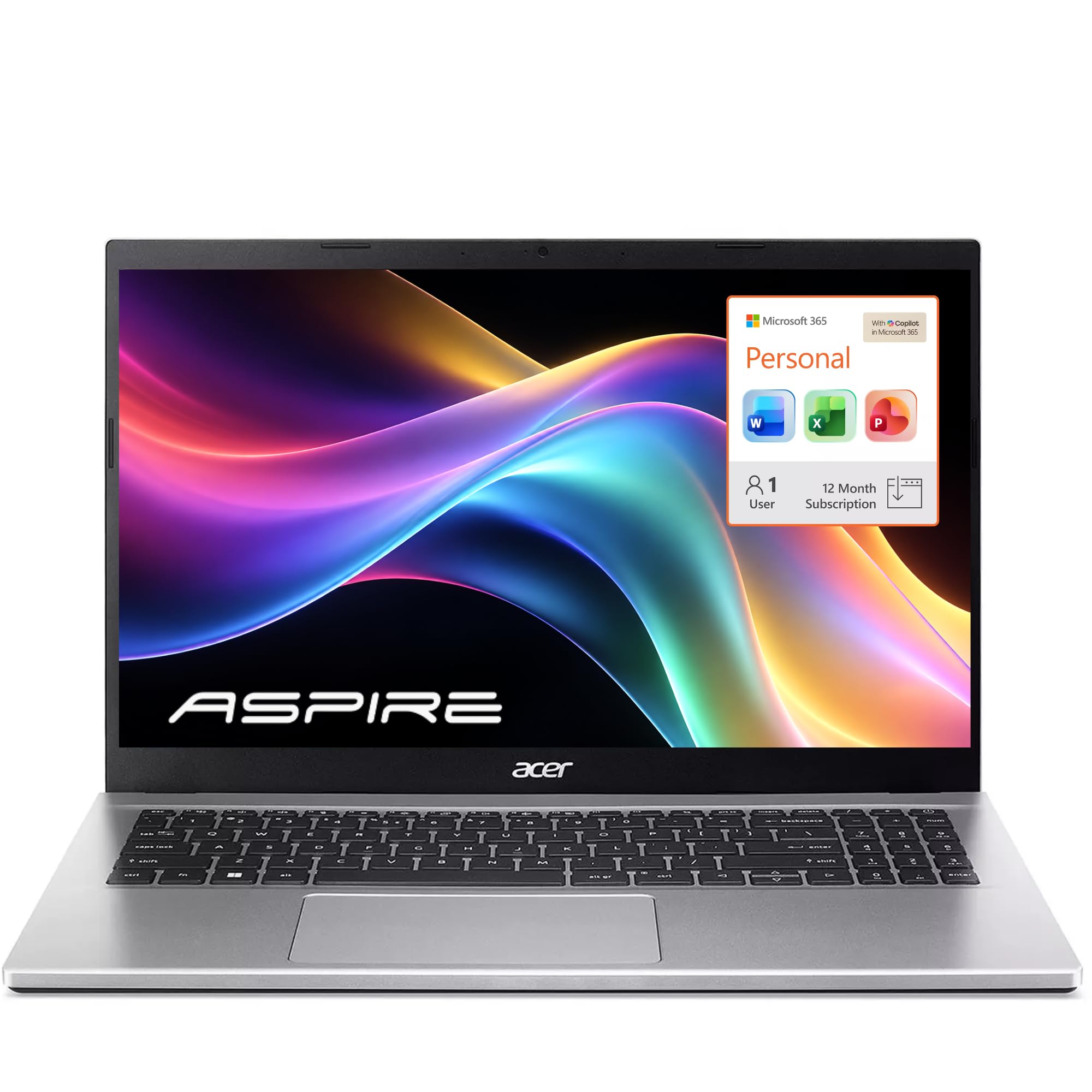
3. Acer Aspire Lite 15 Laptop with Office 365
Sixteen gigabytes of memory in a travel-friendly shell — the multitasking bargain.
Here is where the numbers get interesting: this machine pairs an Intel Core N150 processor (4 cores, 4 threads, up to 3.7 GHz boost) with 16 GB of RAM, double the memory of both the HP OmniBook and the Dell 15.6. For a work laptop, memory is what keeps dozens of browser tabs and a video call alive without freezing. The N150 also runs at a low 15W, which keeps the chassis cool during long days.
Storage is a 256 GB NVMe SSD — fine for documents and cloud-first workflows, though not for hoarding local media. That is where the bundled 1TB of cloud storage earns its place, and Office 365 comes included. Ports are generous: full-function USB-C, dual USB-A, HDMI 2.1, Wi-Fi 6, and Bluetooth 5.2, plus a full-size numeric keypad for fast data entry. Acer rates battery life at 11 hours, so a full workday in the field is realistic for lighter tasks.
The trade-off is straightforward: 16 GB of memory is a big win at this level, but the 4-core processor is built for office tasks rather than heavy rendering or video work. If your day is spreadsheets, email, documents, and calls, it is a clean fit. The 15.6-inch FHD panel (1920 x 1080) keeps text crisp for long reading sessions.
The number that matters: 16 GB of RAM at the budget-adjacent tier — the same capacity as laptops that ask considerably more elsewhere in this list.
The trade-off to weigh: the N150’s 4 cores give you smooth everyday work, not raw compute for heavy creative tasks.
Fits: remote workers and students who live in the cloud and want memory headroom without the premium price.
Skip: if you edit video or run CPU-heavy design software, where four cores will hold you back.
4. Dell 15.6 Laptop, FHD, Intel Core 3 100U

The get-it-done desk laptop with a numeric keypad and a 4.7 GHz ceiling.
Not every job needs a showpiece. If your workday is email, documents, and a browser in an office, this Dell covers it with an Intel Core 3 100U that peaks at 4.7 GHz — faster on paper than the 3.4 GHz Intel N100 in the Lenovo V15 below. It also carries 10 MB of cache, the tiny fast-memory buffer the processor uses for repeated tasks, versus 4 MB in the HP OmniBook. More cache usually means less waiting when apps call on the same data.
The 15.6-inch FHD screen pairs with Dell ComfortView software, which reduces blue light to keep long viewing sessions easier on your eyes. There is also a full numeric keypad and a calculator hotkey — genuinely useful if your day involves data entry or accounting. Bluetooth 5.3 handles wireless peripherals, and Express Charge support plus energy-efficient batteries aim to keep you working between outlets. Dell includes 1 Year Onsite Service for hardware issues that cannot be fixed remotely.
Memory sits at 8 GB, which suits everyday office tasks but not heavy browser sessions. That is a ceiling worth respecting; this machine is built for the standard workload it is sold for.
Where it lands: a well-rounded everyday performer with faster peak clock speed than the N100 model two spots down.
Watch the ceiling: 8 GB of RAM limits how many heavy tabs and apps you can stack before things slow.
Pairs well with: a fixed desk setup, an external monitor, and a wired-first routine.
If you travel constantly: the 65W adapter and 8 GB memory make an ultralight or business model a better travel partner.
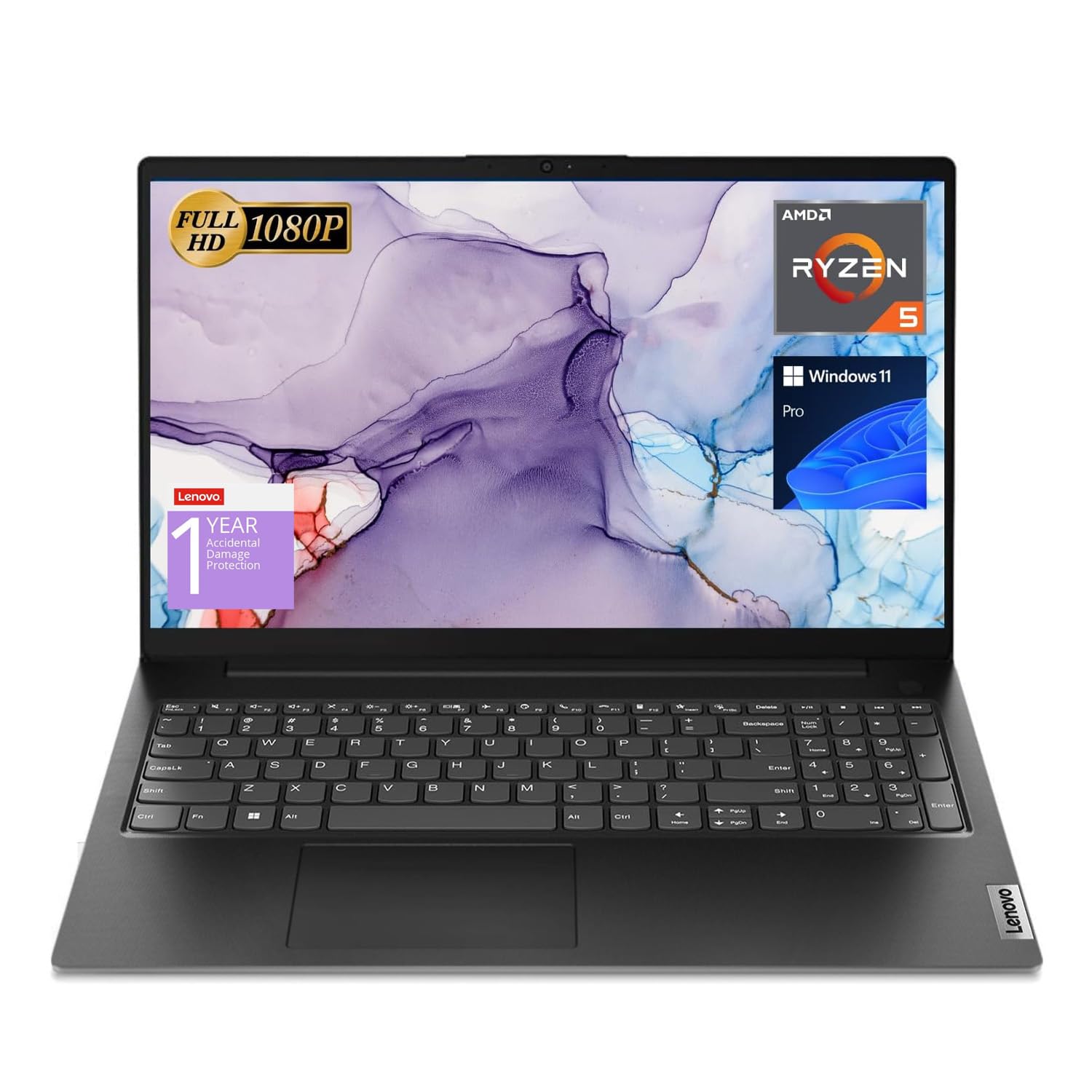
5. Lenovo V15 Laptop, Ryzen 5 5500U
Six cores and twelve threads at a price that undercuts most business class machines.
Multitasking muscle is the pitch. The AMD Ryzen 5 5500U runs 6 cores and 12 threads with an 8 MB L3 cache and a 4.0 GHz turbo ceiling — the kind of thread count that keeps background apps, browser tabs, and foreground work running together. It pairs with 16 GB of high-bandwidth RAM and a 512 GB PCIe NVMe M.2 SSD, so boot-up and file transfers happen fast. For a budget-focused machine, that combination handles serious daily loads.
Working on a 15.6-inch FHD display, you also get a numeric keypad, HDMI, and an RJ45 Ethernet port for wired networks — a feature the Apple and Acer models here do not offer. Windows 11 Pro adds mobile device management, Group Policy, and Active Directory support. That makes it an easier fit for teams and small businesses that need real IT control, not just a home edition.
What owners appreciate is straightforward: it runs fast, the screen size is pleasant, and the sound quality is a cut above expectation. The honest caveat is that this is a value-focused business chassis, not a lightweight travel icon. For desk and office work, it is a strong value proposition.
The threads tell the story: 12 threads from a Ryzen 5 5500U keep multiple apps alive at once without the stutter cheaper chips show.
A feature worth noting: the RJ45 Ethernet port is a practical edge for stable wired connections in offices.
Best for: budget-minded multitaskers and small businesses that need Windows 11 Pro management features.
The limitation: the Ryzen 5 is a solid chip but not a top-tier performer, so very heavy workloads will feel the strain.
6. Lenovo V15 15.6″ FHD Business Laptop, Intel N100
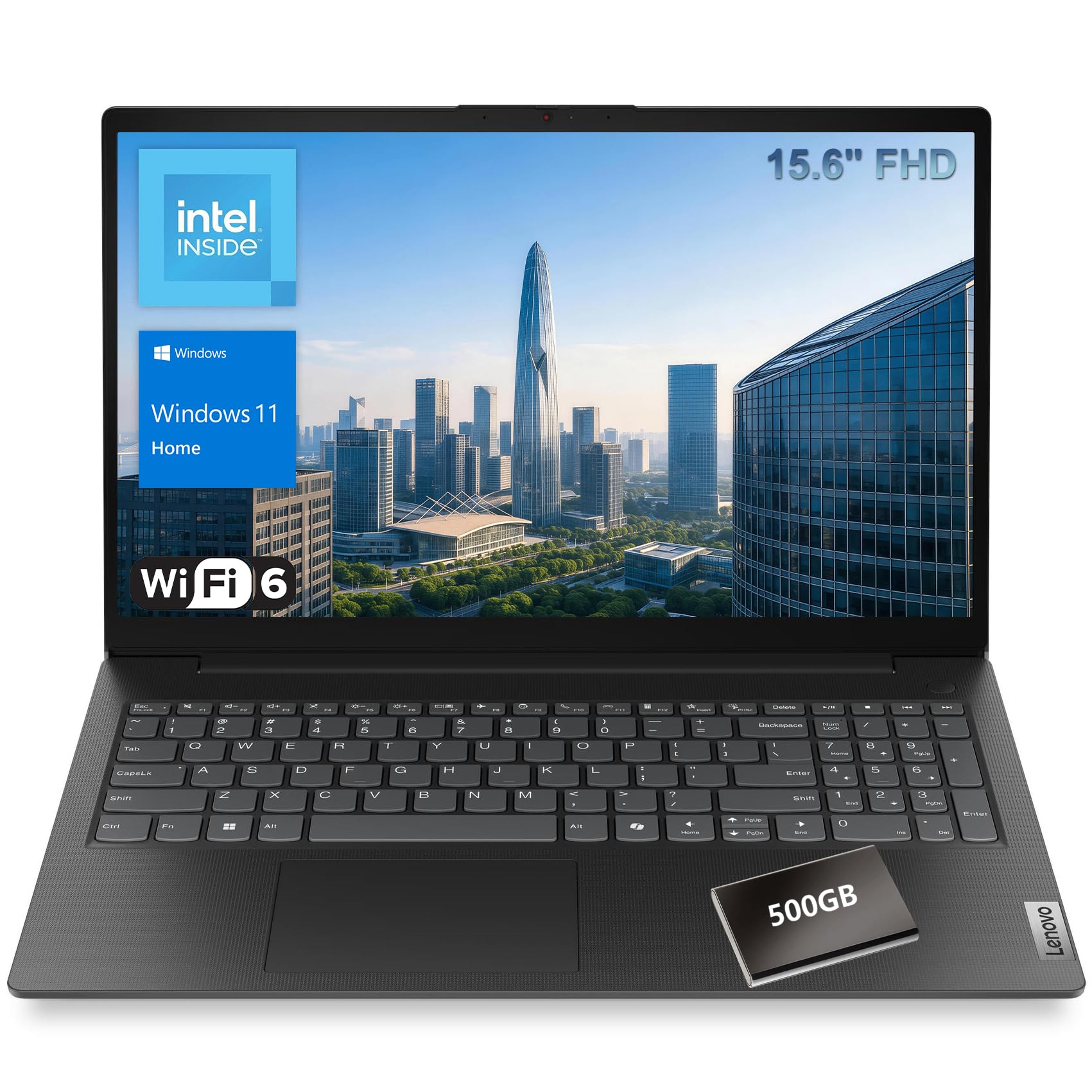
The pocket-protector special: light, cheap, and focused on the task at hand.
Here is the lean starter. An Intel N100 processor with 4 cores and 4 threads at up to 3.4 GHz powers through web browsing, office documents, and light multitasking without drama. It pairs with 8 GB of DDR5-4800 memory and a 256 GB PCIe NVMe SSD that boots and loads apps quickly. That 256 GB of storage is half the 512 GB in the HP OmniBook, so heavy local file storage is not this machine’s game.
The chassis weighs just 1.51 kg, so it slips into a bag without a second thought. The 15.6-inch FHD screen (1920 x 1080) is anti-glare and rated at 250 nits, an 87% screen-to-body ratio with more visible panel in less space. It is the practical choice for bright rooms and long document sessions.
The trade-off is clear from the specs: this is a light-duty machine, ideal for students and small-business users who need a dependable daily driver rather than a powerhouse. Owners consistently rate it a quality product with strong value for money. Buy it understanding that the N100’s four threads will limit serious multitasking.
Why it lands here
- 1.51 kg makes it genuinely easy to carry
- 256 GB NVMe SSD means fast boots and app loads
- Anti-glare 250-nit FHD screen handles bright rooms
Fit notes
- 8 GB of RAM caps heavy browser and app stacking
- 4-thread N100 is a light-day processor, not a power chip
Suits: students and small-business users after a straightforward, light daily driver.
Not for: anyone expecting snappy video editing or 20-tab browser sessions.
7. HP 255 G10 15.6″ Business Laptop, Ryzen 7 7730U

Thirty-two gigabytes and a terabyte of storage — the number-crunching desk anchor.
If your work is spreadsheets with thousands of rows, multiple browser windows, and a background app or five, this is built for it. The AMD Ryzen 7 7730U runs 8 cores and 16 threads with a 16 MB L3 cache and up to 4.50 GHz turbo, backed by a full 32 GB of high-bandwidth RAM and a 1 TB PCIe M.2 SSD. That is double the memory and double the storage of the Lenovo Ryzen 5 above, and four times the storage of the 256 GB N100 model.
The 15.6-inch FHD IPS anti-glare panel is rated at 250 nits with a 45% NTSC color gamut — accurate enough for documents and general work, not color-critical photo work. Connectivity covers 2 USB-A, 1 USB-C, HDMI, and a headphone/mic combo, with Wi-Fi 6 and Bluetooth 5.2. Windows 11 Pro open up enterprise-grade security and management tools.
The important reality check: the battery is the weak link. You should not expect a full unplugged day from this machine; plan on staying near power for heavier sessions. What wins people over is raw speed for the price — the 8-core Ryzen 7 delivers real responsiveness on work apps.
Workload capacity: 32 GB plus a 1 TB SSD means you can run serious business apps without managing space or closing windows.
The honest catch: battery run time is modest, so this favors a desk setup rather than road work.
Pick this for: an office desk workstation where the laptop stays plugged in most of the day.
Rethink it for: frequent travel where every hour away from a charger counts.
8. Microsoft Surface Laptop (2026), 13.8-inch

A 20-hour machine with a touchscreen and a chassis that feels built to outlast the workweek.
The battery figure is the headline: 20 hours, longer than the 18-hour MacBook Air and well beyond the machines on the lower tiers. That is a genuine difference for anyone whose day involves meetings, clinics, client visits, or flights. The 13.8-inch PixelSense touchscreen adds pinch-to-zoom and pen-free annotation for spreadsheets and PDFs, and the aluminum alloy chassis is available in four colors, including Jade.
Inside is a Qualcomm Snapdragon X2 Elite with 12 cores and 3.4 GHz max speed, paired with 16 GB of RAM and a 512 GB SSD on Windows 11 Copilot+. Two USB-C / USB4 ports cover charging, data transfer, and an external monitor. A Copilot key summons the assistant, and Bluetooth 5.4 handles wireless accessories. What buyers praise first is the build quality; the finish and fit earn comparisons to far pricier machines.
The one question to answer before buying: the Snapdragon chip runs Windows ARM, so verify any specialized software you depend on lists ARM support. Mainstream Office, browsers, and meeting apps are fine. That compatibility check is the real decision point, not the specs.
Battery endurance: 20 hours means a workday away from a plug is routine, not a gamble.
The buy-first check: confirm every mission-critical app you use supports Windows on ARM.
Ideal for: mobile professionals who want a premium touch screen and the longest battery in this lineup.
Hold off if: you rely on niche Windows software that has not been built for ARM chips.
9. Dell Latitude 3550 Business Laptop
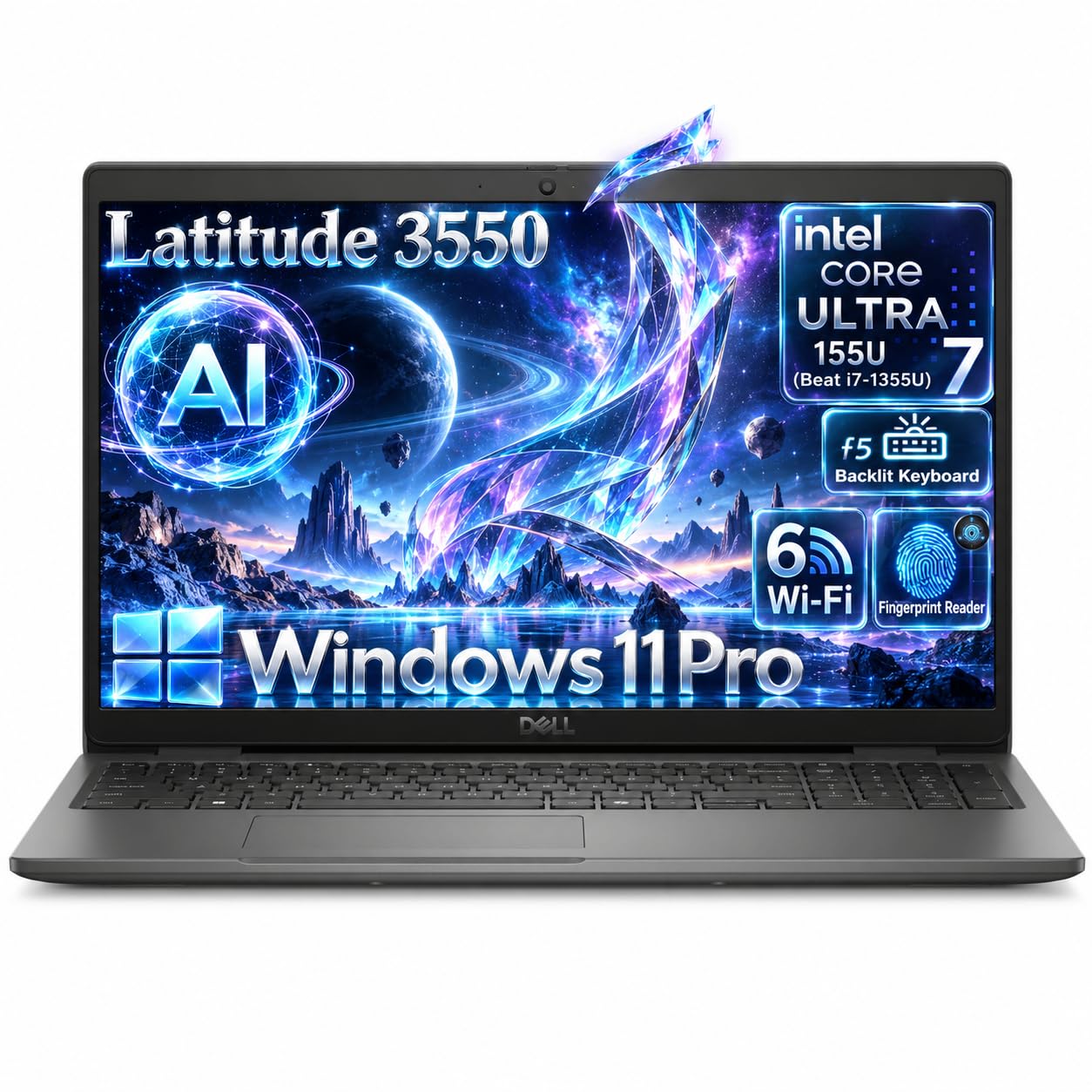
The corporate traveler with a fingerprint login and a 4.8 GHz business engine.
Ports and security define this machine. The Intel Core Ultra 7 155U packs 12 cores (2 performance, 8 efficiency, 2 low-power) and 14 threads with up to 4.8 GHz turbo and 12 MB cache, paired with 32 GB of DDR5 RAM and a 1 TB M.2 PCIe NVMe SSD. That is double the memory of the Surface Laptop and the MacBook Air, and it keeps demanding business apps and data-heavy spreadsheets responsive.
Security is built in: a SafeID fingerprint reader in the power button tied to ControlVault 3 makes logins quick and secure. The 1080p FHD RGB HDR camera at 30fps with temporal noise reduction keeps video calls clear, and stereo speakers tuned with Realtek Waves MaxxAudio 13.0 deliver 4W of sound. For wired office networks, an RJ45 Ethernet port is included alongside USB4 Type-C with Power Delivery and DisplayPort, three USB 3.2 Gen1 ports, and HDMI 1.4.
The 15.6-inch FHD IPS anti-glare panel at 250 nits keeps glare manageable under office lighting. At starting weight 3.99 pounds and 0.71 inches thick, it is a genuinely carryable business machine. The 65W USB-C adapter and EPEAT/Energy Star E5 certification round it out. This is a serious professional tool, and the main thing to confirm is whether your travel tolerance matches its weight.
Security that saves time: the fingerprint power button and ControlVault 3 spare you typing passwords all day.
Weight to consider: at starting 3.99 pounds, it is built to travel but will make itself known in a backpack.
Right for: professionals who want serious business performance, secure logins, and wired networking in one machine.
Consider the alternative if: you want the maximum battery — the Surface Laptop’s 20 hours beats this model’s endurance focus.
10. Lenovo ThinkPad E16 Gen 3

A 16-inch anti-glare workstation that ships with a 500GB external drive for backups.
The screen is the first thing you notice: 16 inches at 1920 x 1200, taller than a standard 1080p panel, so you see more rows of a spreadsheet or document at once. An Intel Core Ultra 5 225H with an integrated AI Boost NPU (a dedicated processor for on-device AI tasks) can handle noise suppression and accelerated video meeting features. It pairs with 32 GB of DDR5 RAM and a 1 TB SSD, and comes with a 500 GB external hard drive for local backups.
Ports are where ThinkPad models earn their reputation: Thunderbolt 4, USB-A, HDMI, and Ethernet in one machine, plus Wi-Fi 6E and Bluetooth 5.3. The backlit keyboard works in dim rooms, and a fingerprint power button and physical camera shutter add privacy. Windows 11 Pro brings encryption and advanced security features. The 65W adapter supports rapid USB-C charging to keep downtime short.
This is the pick for someone who wants the roomy 16-inch workspace, the full set of ports, and a ready-made external drive for offline backups. The trade-off is that a 16-inch business chassis with all that hardware is not the lightest carry in the group, so it favors a desk-to-meeting routine.
Why the extra comes in handy
- 16-inch 1920 x 1200 anti-glare screen for more visible rows
- 32 GB DDR5 and 1 TB SSD cover demanding multitasking
- Thunderbolt 4, HDMI, and Ethernet all on board
- 500 GB external HDD included for local backups
What to plan around
- 16-inch business chassis is a heavier carry than compact models
- Ultra 5 225H trails the Ultra 7 machines on raw peak speed
An easy yes for: desk-and-meeting professionals who want a big screen and included backup storage.
Pass if: ultra-portability is your top priority over screen size.
11. Dell Pro 16 Business Laptop
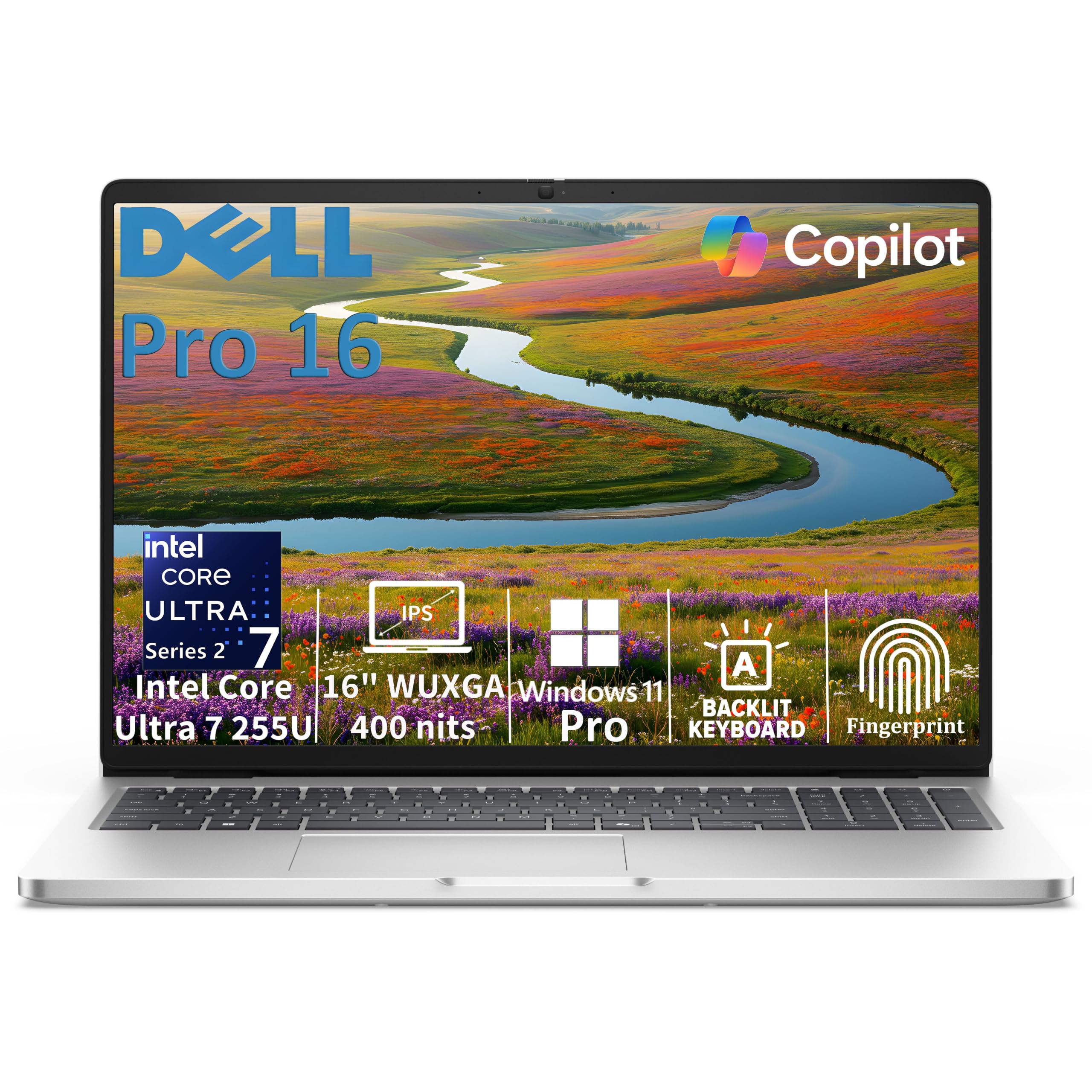
The brightest screen here and a 5.2 GHz ceiling — the top-tier desktop replacement.
Start with the brightest panel in this group: a 16-inch FHD+ IPS display rated at 400 nits with anti-glare coating, well above the 250-nit panels on several lower-tier business machines. If you work near a window or pull long shifts in a bright office, that brightness difference is visible immediately. Under the lid sits an Intel Core Ultra 7 255U with 12 cores and up to 5.2 GHz, backed by a 12 TOPS NPU (a neural processing unit measured in trillions of operations per second) for on-device AI work, plus 32 GB of DDR5 memory and a 1 TB SSD.
Security and comms are layered in: a fingerprint reader on the palm rest, a camera shutter, Windows Hello facial recognition via an IR camera, and presence detection that can lock the screen when you step away. A wedge lock slot covers physical theft protection for shared spaces. Connectivity includes Thunderbolt 4 at 40Gbps with Power Delivery and DisplayPort 2.1, USB-C at 10Gbps, two USB-A ports, HDMI 2.1, Gigabit Ethernet, Wi-Fi 6E AX211, and Bluetooth 5.4 — the broadest port array here.
At starting weight 4.23 pounds in a platinum silver finish with a backlit keyboard and numeric keypad, it is a serious desktop replacement rather than a featherweight. The 65W USB-C adapter and EPEAT Gold certification round out the package.
Display distinction: 400 nits versus the 250-nit panels elsewhere means this is the machine for glare-heavy rooms.
Power pairing: the Ultra 7 255U’s 5.2 GHz ceiling is the highest clock speed among these picks.
Made for: power users who want the brightest screen, quickest processor, and most complete port set in one machine.
Worth knowing: 4.23 pounds is the heaviest carry here, so buy it for the desk and the boardroom, not the commute.
Know the Specs
Processor Cores, Threads, and Cache
Cores are the processing lanes and threads are the tasks each lane juggles. A 6-core, 12-thread Ryzen 5 5500U handles more simultaneous apps than a 4-core, 4-thread Intel N100. Cache — measured in MB — is the processor’s tiny fast-memory buffer; 10 MB or 16 MB means fewer round trips to slower memory. When you are comparing specs, core count and thread count matter more than a single max-speed number.
Memory (RAM) and Unified Memory
RAM holds everything open at once. For work laptops, 16 GB is the sensible floor and 32 GB suits heavy multitasking. Apple’s “unified memory” is a shared pool the processor and graphics use together — efficient, but soldered, so buy the capacity you will need. Fixed, non-upgradeable memory is common in slim designs, so choose carefully at purchase for a multi-year machine.
SSD Storage and Cloud Space
An SSD uses no moving parts, so it boots and loads programs far faster than a traditional drive. PCIe NVMe is the fastest connection type. 256 GB handles documents and basic apps; 512 GB gives comfortable headroom; 1 TB means no space management. Cloud storage, like the 1 TB included with the Acer, provides off-device space for larger archives.
Battery Life and Charge Rates
Quoted hours reflect mixed real-world use, so treat them as a ceiling. HP Fast Charge, for example, restores the OmniBook from 0 to 50% in roughly 45 minutes, which is useful for short breaks. For a full workday away from a plug, look for long-hour ratings like Microsoft’s 20-hour figure. Fast charging supplements — never replaces — a good battery rating.
Common Questions
Is 8GB of RAM enough for a work laptop?
Do I need 32GB of RAM or is 16GB enough?
Can I upgrade the RAM or storage after buying?
Is a Chromebook or an Intel N100 laptop better for office work?
How long does a work laptop battery actually last?
What does Windows 11 Pro give me over Windows 11 Home?
Will a Snapdragon laptop run all my Windows programs?
Do I need a touchscreen for spreadsheet work?
Is a fingerprint reader or IR camera worth having on a work laptop?
What display brightness do I need for a bright office?
The Bottom Line
For most people shopping for a work laptop computer, the Apple MacBook Air 15-inch with M5 is the one to get because it pairs up to 18 hours of battery life with 16 GB of unified memory and a 15.3-inch Liquid Retina screen in a 3.32-pound body. If you want the longest endurance and a premium touch screen, grab the Microsoft Surface Laptop with its 20-hour rating. And for heavy multitasking with 32 GB of memory and a 1 TB drive, the HP 255 G10 keeps the cost sensible, while the Dell Pro 16 brings the brightest 400-nit panel and a 5.2 GHz ceiling for the desk-bound power user who wants the most complete machine in this lineup.
How we choose
We do not accept paid placement. Every pick is matched to a real buyer and a real use-case; we do not hands-on test units.
Sources
Specifications: manufacturer listings and product documentation. Review insights: verified customer reviews, as of November 2026. Pricing: not shown on this page (it changes often); check the current price via the retailer link.
As an Amazon Associate, Tactical Gear Guy earns from qualifying purchases. This does not affect which products we feature.