Specs are compiled from manufacturer listings and verified buyer reviews and can change over time — please confirm the key details on the product page before buying.
Your Wi-Fi password is only as safe as the security standard your router uses. If your router still runs WPA2 (the older Wi-Fi security standard), someone parked outside your house can attack it offline and eventually guess their way in. WPA3 (the newer security standard inside the router’s settings) makes that guessing far harder by design. All four routers below support WPA3. For most homes, the TP-Link Archer AX53 is the pick worth buying: it covers a two-to-three-bedroom place, keeps both Wi-Fi bands fast, and 3,000+ owners rate it 4.5+ stars. Below is the plain-English version of what each router does for you, and where each one asks you to compromise.
This guide is built by comparing the manufacturers’ published specifications and the patterns across verified customer reviews, so you get each pick’s real strengths and trade-offs instead of marketing spin.
The picks below split cleanly by job: an apartment router, a travel router for hotel Wi-Fi, a mesh system for a big house, and a top-tier speed machine for heavy wired and wireless loads. Each one supports WPA3 encryption, so you can pick by coverage and speed first, then confirm the security hardware is there.
Top Picks
How To Choose The Best WPA3 Wi-Fi Router
Start with the shape of your home, not the biggest speed number on the box. A router with enormous throughput still drops out if its signal has to punch through three walls and a staircase. WPA3 is the one non-negotiable box to tick, because it is the security layer that protects your password once someone is within range.
Coverage first, speed second
A single router rated for a two-to-three-bedroom home covers most apartments and small houses comfortably. Bigger or multi-storey homes usually want a mesh system, where several units share one network name so your phone hands off between them instead of clinging to a weak signal in a far room.
Match the WAN port to the internet plan you actually pay for
The WAN port is the socket that connects the router to your modem. If your plan runs past a gigabit, a router with a multi-gigabit WAN port (2.5G, or 10G) prevents that extra headroom from going to waste. A plain gigabit WAN port caps wired and wireless speeds at one gigabit.
Decide if you need VPN built in
A router with a built-in VPN client sends every device on your network through the tunnel automatically, with no app installed on each phone or laptop. That matters on public hotel Wi-Fi. At home, a VPN server lets you reach your own files and printers while you are away.
Side-by-Side Comparison
| Model | Best For | Wi-Fi Standard | Top Band Speed | WPA3 | Amazon |
|---|---|---|---|---|---|
| TP-Link Archer AX53★ Best Overall | Apartments and small houses | Wi-Fi 6 Dual-Band | 2402 Mbps on 5 GHz | Yes | Amazon |
| GL.iNet Beryl AX (GL-MT3000) | Travel and hotel Wi-Fi | Wi-Fi 6 Dual-Band | 2402 Mbps on 5 GHz | Yes | Amazon |
| TP-Link Deco 7 BE23 (3-Pack) | Large homes and mesh coverage | Wi-Fi 7 Dual-Band | 2882 Mbps on 5 GHz | Yes | Amazon |
| TP-Link Archer BE800 | Heavy loads and multi-gig wiring | Wi-Fi 7 Tri-Band | 5760 Mbps on 5 GHz | Yes | Amazon |
Detailed Reviews
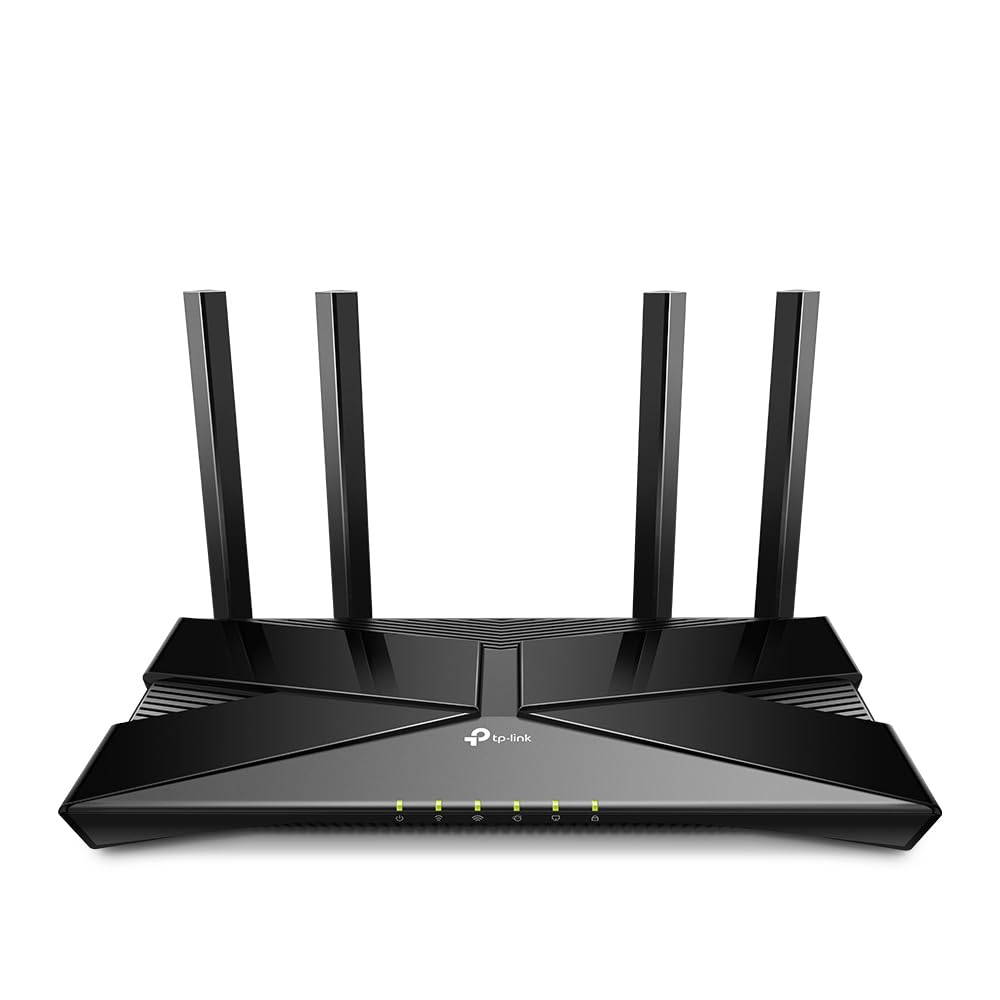
1. TP-Link Archer AX53 Router WiFi 6 Dual-Band AX3000
Our pick — 4.5+★ from 3,000+ verified ratings; the strongest balance of quality and price.
The apartment router that makes WPA3 the starting point instead of an afterthought
The Archer AX53 keeps a two-to-three-bedroom home online without choking when many devices connect, thanks to dual-band Wi-Fi 6 (the newer Wi-Fi generation built for lots of devices). It pushes 2402 Mbps on the 5 GHz band and 574 Mbps on the 2.4 GHz band. The 5 GHz figure is the one you will feel, because your streaming box and laptop prefer that band, so downloads and 4K playback get the fast lane. The Archer BE800 hits 5760 Mbps on the same band, a clear gap on paper, but in an apartment you rarely notice that gap in daily use.
WPA3 comes built in, which is the whole point of this list: the newer standard resists the offline guessing attacks that older WPA2 setups cannot. OFDMA (which lets the router serve several devices in one transmission instead of taking turns) increases capacity four times, so more devices get data at once. That means a house full of phones, tablets and a smart TV stop stepping on each other. TP-Link HomeShield adds a basic security scan and parental controls on top, and OneMesh lets you add compatible extenders later under one network name.
The honest catch is the one TP-Link prints on the box: there is no modem inside, so it needs your existing modem to reach the internet. It also will not act as a Wi-Fi extender, and the manufacturer points multi-storey homes toward its Deco Mesh line instead. Think of it as a strong single-floor router, not a whole-house signal solution.
What earns it the top spot
- WPA3 encryption is built in, so your password is protected by the newer standard from day one
- 2402 Mbps on 5 GHz gives streaming and gaming plenty of headroom
- OFDMA raises capacity four times, so phones, tablets and a smart TV stop competing for airtime
- HomeShield and OneMesh support let you add security and extenders without switching brands
Where it runs out of road
- No built-in modem, so it can only work as a router or access point
- Not designed for multi-storey homes — TP-Link steers those buyers to Deco Mesh
- Fixed antennas mean you reposition the whole unit rather than aim an antenna
Made for: a flat or two-to-three-bedroom place where a single well-placed router can reach every room.
Think twice if: you already know you need signal on three floors — a mesh pack will save you the headache.
2. GL.iNet GL-MT3000 Beryl AX Wi-Fi 6 Travel Router

A pocket-sized router that puts your whole travel setup behind one encrypted, WPA3 network
If you do not trust hotel or airport Wi-Fi, the Beryl AX is the one to pack. It runs on OpenWrt 21.02 firmware (a customizable router operating system you can add packages to) and supports WPA3. It also adds DNS over HTTPS and DNS over TLS, two settings that encrypt your web lookups so nobody on the same network can watch which sites you visit. Built-in IPv6 authentication is designed to protect privacy without the usual network address translation. That makes it a genuinely security-first travel router rather than a cheap hotspot clone.
Speed is the second story. This dual-band Wi-Fi 6 unit gives you 574 Mbps on 2.4 GHz and 2402 Mbps on 5 GHz, plus a 2.5G multi-gigabit WAN port (the fast socket that takes the incoming internet feed) and a 1G LAN port. Reviewers report real-world throughput of 200 to 300 Mbit per second, plenty for hotel-room streaming and video calls. OpenVPN and WireGuard come pre-installed and work with 30+ VPN service providers, though you need an active subscription to use one. VPN speeds are rated at 150 Mbps for OpenVPN and 300 Mbps for WireGuard.
what separates it from the AX53 above is the job it does: this one is about portability and privacy on the move, not filling a house with signal. It even lets you host a VPN server and run a VPN client on the same device at once, so you can reach a printer back home while still browsing through your tunnel. The catch to plan for: setup leans on the admin panel, and the physical toggle switch for VPN or AdGuard Home ships with no function assigned, so you have to configure it yourself before it does anything.
Who it is built for: frequent travelers, remote workers, and anyone who wants every device on the hotel network shielded behind one WPA3-protected router instead of trusting the lobby Wi-Fi directly.
The honest trade-off: the 100-meter coverage rating is a footprint claim, not a whole-home figure, and the toggle switch does nothing until you set it up in the admin panel.
Reach for this if: your workspace moves with you and you want ad-blocking plus VPN routing in a device that fits a jacket pocket.
Look elsewhere if: you want a plug-in-and-forget home router — this one rewards a little setup time.
3. TP-Link Deco 7 BE23 3-Pack

Three units, one network name, and no more sprinting to the hallway for a signal bar
Where a single router runs out of steam at the far end of a long house, this three-pack spreads the signal across a claimed 6,500 square feet for up to 150 devices. Each node carries four high-gain antennas (antennas shaped to push signal farther) and four high-power FEMs (amplifier chips that boost the outgoing signal). The result is one network name that your phone roams across as you walk from kitchen to bedroom, instead of clinging to a dying connection.
Wi-Fi 7 is the newer wireless generation here, and it brings Multi-Link Operation (using more than one band at once for a steadier link) and 4K-QAM (a denser encoding that packs more data into the same airwave). The numbers work out to 2882 Mbps on 5 GHz and 688 Mbps on 2.4 GHz, for a combined 3.6 Gbps. Set that against the AX53’s 3000 megabits per second total data transfer rate and the Deco 7 BE23 leads at 3600, with the newer standard behind it. Each unit also has two 2.5 Gbps WAN/LAN ports, so a wired desktop or console gets multi-gig speed without going through Wi-Fi at all.
Security is handled carefully. HomeShield gives you a separate IoT network — a dedicated Wi-Fi name for smart plugs and cameras — layered with WPA3 encryption, so a compromised gadget cannot reach your main devices. The catch is the one every mesh system carries: those coverage figures assume good node placement, and a node tucked in a cupboard or behind a metal appliance will not deliver them. Plan where the three units actually sit before you judge the range.
Why it wins for square footage: 6,500 square feet and 150 devices from one system name, with dual 2.5 Gbps ports per node for wired gear that needs real bandwidth.
What to weigh first: the fast band tops out at 2882 Mbps on 5 GHz, below the dedicated premium picks — this is a coverage-first buy, not a raw-speed headline.
Built for: multi-room and multi-storey homes where one router leaves dead corners and buffering rooms.
Not your pick if: you live in a compact flat where a single unit already covers everything — three nodes are more network than you need.
4. TP-Link Tri-Band BE19000 WiFi 7 Router (Archer BE800)

The speed machine with 10-gig ports and a dedicated 6 GHz band for serious wired and wireless loads
If your internet plan runs past a gigabit and you have wired gear that can actually use it, the Archer BE800 will not hold you back. It splits its speed across three bands: 11,520 Mbps on 6 GHz, 5760 Mbps on 5 GHz, and 1376 Mbps on 2.4 GHz, for a combined 19 Gbps. Put the 5 GHz number next to the AX53’s 2402 Mbps and the gap is plain: the BE800 reaches 5760 Mbps on that band, which is what you want when several people stream, game, and download at the same time.
It carries two 10G WAN/LAN ports — one RJ45 copper socket and one SFP+ fiber/RJ45 combo port — so it can take either a fiber line or a copper feed straight in. Add four more 2.5G ports plus USB 3.0 and it becomes the hub for a whole wired desk and NAS setup. Eight internal antennas and beamforming (which aims the signal at each device instead of broadcasting evenly) push coverage across a large home, and EasyMesh support lets it team up with compatible units later. Owners find the raw throughput genuinely fast, with strong upload figures and range that covers a large single structure.
The mature caveat: this is a big tri-band box aimed at large homes, and its speed is only as good as the plan feeding it. Review sentiment is mixed on reliability and value rather than speed, so temper your expectations if multi-year stability is your top priority. It also carries a brighter price stance than the rest, which is fair for the hardware but worth weighing against how much of that speed your plan can deliver.
The case for the flagship
- Up to 19 Gbps combined across three bands, with a dedicated 6 GHz lane
- Dual 10G WAN/LAN ports take fiber or copper without an adapter
- Eight antennas and beamforming cover a large home
- EasyMesh support lets it grow into a whole-home mesh
What to expect going in
- Speed headroom is wasted on a plan that tops out below a gigabit
- Reviewers are mixed on long-term reliability, so it is not the pick if stability is your top must-have
- Setup and pricing position it as a premium flagship, not a small-flat router
For the bandwidth-hungry: gigabit-plus plans, wired desktops, and households where several people pull heavy traffic at once.
Step back if: your plan is modest or your home is small — a cheaper single-band router will feel identical day to day.
Know the Specs
WPA3 Encryption
WPA3 is the newer Wi-Fi password standard, and its main job is to make brute-force guessing — the tactic of trying passwords over and over until one works — far slower and harder. Every router here supports it. When you set up the router, look for the WPA3 security option in the admin or app settings and select it, so your phone and laptop connect using the stronger handshake from the start.
Band Speeds (Mbps and Gbps)
Routers publish a speed per band. 2.4 GHz travels farther and through walls but moves data slower; 5 GHz is faster but has a shorter reach; 6 GHz is the newest and fastest but shortest of all. Mbps and Gbps are data-rate units, and bigger numbers mean more headroom when many devices pull at once. Match the number to your internet plan and device count rather than buying the biggest figure on the shelf.
WAN and LAN Ports
The WAN port takes the incoming internet cable from your modem; LAN ports hand wired connections out to desktops, consoles, and TVs. A 2.5G or 10G port runs faster than the standard gigabit port, which matters if your plan or your home network gear can pass more than a gigabit. A plain gigabit WAN caps everything downstream at that ceiling.
Mesh vs Single Router
A mesh system uses several units that share one network name, letting your devices roam between them instead of dropping signal in far rooms. A single router is simpler and suits compact homes. If your home has thick walls or multiple floors, a mesh pack usually beats one router with more antennas, because it puts a signal source in each area.
Common Questions
Will a WPA3 router still work with my older phone and laptop?
Do I need WPA3 if my router already has a strong WPA2 password?
Can the Archer AX53 work without a separate modem?
Is the Beryl AX good enough for streaming in a hotel room?
How many square feet does a mesh pack really cover?
Do I need a Wi-Fi 7 router if most of my devices are Wi-Fi 6?
Does the Beryl AX come with VPN service included?
Can I add more mesh units to the Deco 7 BE23 later?
What does the dual 10G port on the Archer BE800 actually do for me?
Is it worth upgrading from a Wi-Fi 5 router to any of these?
The Bottom Line
For most homes, the plainest way to get WPA3 protection without overthinking it is the wpa3 wi-fi router field leader, the TP-Link Archer AX53. It covers a two-to-three-bedroom place, pushes 2402 Mbps on 5 GHz, and layers HomeShield on top of WPA3. If protecting every device on the road matters more than filling a house with signal, the GL.iNet Beryl AX puts WPA3 and a VPN in a pocket-sized box. For a spread-out home, the Deco 7 BE23 3-Pack trades top-end speed for 6,500 square feet of coverage. And if your plan runs past a gigabit, the Archer BE800 is the speed-first flagship. One nudge worth acting on: the AX53 already carries the backing of 3,000+ owners at 4.5+ stars, so it is the safest starting point before you reach for the bigger hardware.
How we choose
We do not accept paid placement. Every pick is matched to a real buyer and a real use-case; we do not hands-on test units.
Sources
Specifications: manufacturer listings and product documentation. Review insights: verified customer reviews. Pricing: not shown on this page (it changes often); check the current price via the retailer link.
As an Amazon Associate, Tactical Gear Guy earns from qualifying purchases. This does not affect which products we feature.