Specs are compiled from manufacturer listings and verified buyer reviews and can change over time — please confirm the key details on the product page before buying.
Most console keyboard adapters fail for one boring reason: they need a genuine controller plugged in to hand over the authentication signal. Skip that step and your mouse sits dead on the dashboard. The eight converters below are all built for the Xbox 360 era, and each one takes a different route to putting a wired keyboard and mouse in your hands. Some do it with eight saved profiles, some with a mouse-sensitivity dial, and one of them is not really a converter at all but a snap-on typing pad.
This guide is built by comparing the manufacturers’ published specifications and the patterns across verified customer reviews, so you get each pick’s real strengths and trade-offs instead of marketing spin.
You will see exactly how many USB sockets each converter offers, whether it accepts a 2.4G wireless dongle, and where the controller-handshake requirement bites. This breakdown of the xbox 360 keyboard adapter options matches port count and profile slots to your desk.
Top Picks


How To Choose The Best Xbox 360 Keyboard Adapter
The single thing that trips up new buyers is assuming a converter talks to the console on its own. Almost none of them do. They read the console’s security handshake from a real controller and repeat it, which is why the box asks for an official wired pad alongside your keyboard.
Start with the handshake requirement
A converter that lists an official controller as required will not pass input through without one. Plan your desk around that extra cable before you buy anything. Converters that accept a 2.4G wireless keyboard and mouse dongle still need the controller physically connected, so the wire count never fully drops to zero.
Count your USB sockets before you commit
Port count decides how much gear lives on your desk. A two-port unit covers one keyboard and one mouse, and that is it. Four-port and six-port models leave room for the controller cable, a headset, or a flash drive at the same time. Match the number to what you actually plug in, because daisy-chaining a keyboard with a built-in USB hub is often unsupported.
Decide if you need profile memory
Saved profiles let you jump between key layouts without re-mapping from scratch. Eight slots covers a shooter, a strategy title, and a couple of role-playing games without overlap. If you play one game and one game only, the profile feature is dead weight and a simpler unit will do the job.
Side-by-Side Comparison
| Model | Best For | Ports | Saved Profiles | Connector | Amazon |
|---|---|---|---|---|---|
| INF Keyboard and Mouse Adapter★ Best Overall | Plug-and-play multi-console use | — | — | USB Type B | Amazon |
| DUEQID Adapter ConverterMost Compact | Small-desk setups | 2 | — | USB Type C | Amazon |
| Megadream Keyboard and Mouse AdapterStorage Slots | Storing eight key layouts | 4 | 8 | Micro USB | Amazon |
| arVin Keyboard and Mouse Adapter | Mouse sensitivity tuning | — | 8 | USB Type C | Amazon |
| Joso Keyboard and Mouse Adapter | Switch and 360 sharing one desk | 4 | 8 | USB Type A | Amazon |
| Mayflash Max Shooter ONE | PS4 headset audio and vibration | 1 | — | Micro USB | Amazon |
| CHEERKONTEK AX360P | Hotkey or app profile switching | 6 | 10 | USB Type A | Amazon |
| Xbox 360 Messenger Kit | Typing messages on the pad | — | — | Wired | Amazon |
Detailed Reviews
1. INF Mouse/keyboard adapter
The converter you can hand to a friend who has never used one before.
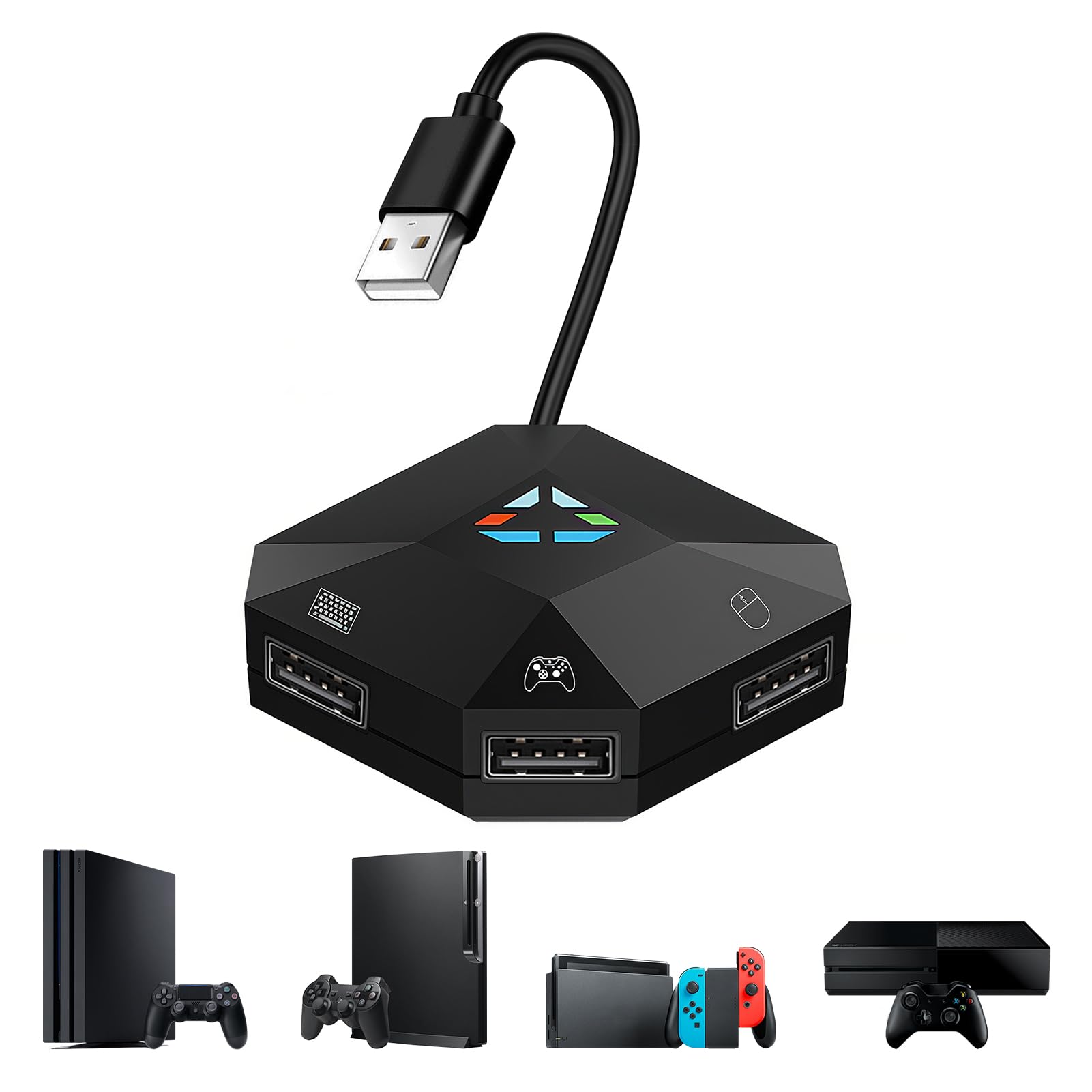
What sells the INF is that there is nothing to install. You connect the console, your official game controller, then a wired keyboard and mouse into sockets that are labelled on the shell. No software, no driver hunting, no laptop in the middle. That single design choice is why it sits at the top of this list rather than the middle.
You get to choose what each key does: every keystroke maps to a controller button you pick, and you set that mapping using the controller itself as the guide. The connector is rated 1 A (amp, a measure of electrical current), a modest draw — enough to keep a wired keyboard and mouse alive across a long session without the adapter asking for anything more from the 360’s USB rail.
The honest catch is the shape of the socket. The connector is USB Type B, the squarer plug style rather than the flat rectangle most people picture, so the cable you already own may not be the one you need. Check the ports on the shell before you start and you will have it running in a couple of minutes. A 3.5+ star average across hundreds of ratings backs the driver-free approach that keeps it at number one.
What makes it the safest buy
- Zero drivers — connect, map with the controller, play.
- Labelled ports take the guesswork out of a first setup.
- Covers Switch, OLED, PS4, PS3, Xbox One and Xbox 360 from one box.
- Button remapping mirrors any controller key to a board key or mouse click.
Where it will slow you down
- USB Type B plug style means checking your cable before you begin.
- Wired keyboard and mouse only — no wireless dongle path is listed.
Reach for this if: you want a converter running in minutes with no software on any machine.
Check first: your keyboard cable ends in the squarer Type B plug the socket expects.
2. DUEQID Adapter Keyboard and Mouse Converter for N Switch
Two ports, one tiny shell, and a firmware path the others rarely mention.
Space is the whole argument here. The DUEQID puts a keyboard and a mouse on one small block and leaves the rest of your shelf alone. It lists two ports against the four on the Megadream or the arVin below, so think of it as a one-keyboard-one-mouse box and nothing more.
Button mapping works the same way as the rest of this field: the original pad acts as a guide and you assign any keyboard key or mouse click to any controller function. The specification also lists future firmware updates, which is rare in a category where converters usually ship and then stay exactly as they arrived.
There is a hard limit worth knowing before you plug anything in. A keyboard with a built-in USB hub is not supported, so a keyboard that splits into extra sockets will not pass through. Keep your board plain and the 0.05 kg shell will disappear behind your monitor. A high-threes average across a few dozen ratings makes it a small-desk bet rather than a proven workhorse.
Desk footprint read: at 0.05 kg and roughly palm-sized, this is the converter you can tuck behind a monitor arm and forget about. The two-port layout is the trade you make for that size.
What to verify on arrival: confirm your keyboard is a straight board with no hub built in, because hub keyboards fall outside what this unit accepts.
Who it beats on space: anyone squeezed onto a small desk who only needs one board and one mouse.
Who should look up the line: players who need spare sockets for a controller cable and a headset at the same time.
3. Megadream Keyboard and Mouse Adapter for Nintendo Switch
Four sockets and eight stored layouts, but the reviews make you think twice.
The feature sheet on the Megadream is genuinely busy. Four ports accept wired keyboards, wired mice, 2.4G wireless sets, third-party wired pads and even flash drives and card readers. There is a reset button, and eight preset key-storage slots for holding different layouts at once. The shell is made of PVC and holds up to repeated plugging and unplugging.
It also names its limits plainly, which is more than most do. Bluetooth keyboards and mice are out, the Switch Lite is out, PS5 and the Series S and X are out, and Xbox One and 360 use only works when a genuine official controller is connected alongside.
The reason it sits third rather than first is durability. The pattern across the review pages is converters that fail to connect at all or give out within days, and that colors everything else. Plenty of units work fine, and the four-port layout is the most flexible on this list. Buy it for the four sockets, not for longevity, and you will get what you paid for.
If you need to leave a controller cable plugged in permanently, that headroom matters.
The durability question: the failure-to-connect reports are the single loudest theme on this listing, so treat it as a short-term tool rather than a fixture of your desk.
Suits the tinkerer: someone who wants four sockets and eight saved layouts and will keep the receipt.
Not for a set-and-leave setup: if you need one converter to survive years of daily use, the higher-rated picks above are the safer bet.
4. arVin Keyboard and Mouse Adapter

Sensitivity dialed in from the keyboard itself, without a software panel.
Fiddling with mouse speed mid-game usually means quitting to a menu. The arVin sidesteps that. Press F12 and any number key 1 through 9 together and you change mouse sensitivity on the fly, nine steps of it, straight from the board under your fingers.
Layouts get the same treatment. It stores up to 8 separate sets of keyboard and mouse settings and swaps between them with F12 plus F1 through F8. That covers a shooter, a strategy title and a role-playing game without re-mapping anything by hand. It takes wired and 2.4G wireless sets, and it pulls 2 A at 5 volts along a USB Type C connector — more headroom than the INF’s 1 A, which suits a mouse and a board running together.
Which pad you own decides whether this works for you. Buyers report it working perfectly for some and hitting a wall with Xbox controllers for others, so the controller you pair it with is the whole ballgame. It is not for PS5, Series consoles, Switch Lite, PC, Bluetooth peripherals, or third-party pads. Check your controller against that list first — compatibility is the loudest conversation on the listing, and it runs both ways.
What earns it a place
- Nine-step mouse sensitivity adjustment from the keyboard via F12 plus 1–9.
- Eight stored layouts swapped with F12 plus F1–F8.
- 2 A at 5 volts on a USB Type C connector.
- Hard PVC shell rated for repeated plugging and unplugging.
What trips people up
- Working setups and controller failures both show up across the reviews.
- Closed to PS5, Series consoles, Switch Lite, PC and Bluetooth gear.
Built for the tweaker: you will get the most from this if you like dialing aim in from the keys rather than a menu.
Look elsewhere if: your controller is a third-party pad or your console is a Series machine.
5. Joso Keyboard and Mouse Adapter for Nintendo Switch

Four ports, eight profiles, and a full setup video for the first-timer.
Most converters leave you to work the handshake out by instinct. The Joso ships with setup videos and a downloadable PDF manual on the maker’s site, which is the sort of hand-holding that saves an evening. Four ports sit on a USB Type A shell, and you get 8 saved profiles plus sensitivity adjustment for shooters, real-time strategy and everything between.
The controller requirement is spelled out more clearly than anywhere else on this list. On Xbox One, PS4 and PS3 the official controller for that console must be connected, because it supplies the authentication signal the console wants to see. Wired USB and 2.4G keyboards and mice are the recommended pairing; Bluetooth is not supported.
Switch owners get one extra quirk worth knowing. If a wireless Pro Controller is already paired, the console will favor it by default, so power the Pro Controller off to hand control to the keyboard and mouse. Want both live at once and you plug the Pro Controller into the adapter’s own controller port.
The setup edge: a video walkthrough and a downloadable manual in a category where most boxes contain a folded slip of paper. That alone justifies the step up in price for a first-timer.
The Switch caveat: a paired Pro Controller silently wins the input race until you switch it off or wire it into the adapter.
Pick this for a first converter: the guided setup means you are not guessing at the controller handshake.
Know before you buy: a paired wireless Pro Controller takes priority until you power it down.
6. Mayflash Max Shooter ONE Mouse Keyboard Converter

The only converter here that also pushes game audio into your headset.
Headphone output is the detail that separates the Mayflash from every other box on this page. On PS4 it routes background music and online chat through the adapter, so your headset plugs into the converter rather than the console. It also carries the vibration function through, with a wrist strap built in so you feel the rumble. One port is the entire socket count, so plan for a tidy single-cable run.
Setup is plug-and-play on the tune default settings, and the PS3, PS4, Xbox 360 and Xbox One are all covered. Xbox One S and Elite controller support arrived later and needs a firmware update, so check your controller generation before assuming the newer pad will just work.
Where the mixed opinions land is the long tail of configuration. Some find the defaults comfortable straight away; others describe a stretch of getting used to the feel and the ergonomics before it clicks. At 6.4 ounces it is the heaviest unit in this lineup, so it wants a settled spot rather than a bag pocket. Think of it as the audio-first pick and the friction fades.
Why the headset jack sells it: if you game with a headset and want chat and game audio coming from one place, this is the only converter on the page that does it. No other converter on this page has a headset jack.
Do the firmware first: Xbox One S and Elite controllers need the update before they behave, so budget the time before your first session.
The audio-first answer: gamers who want headset chat and rumble feedback routed through their converter.
Skip the update at your peril: an unpatched unit will not cooperate with One S or Elite pads.
7. CHEERKONTEK AX360P Keyboard and Mouse Adapter

Six sockets and ten layouts, but the mouse never shows a pointer.
Six ports is the highest count on this page, and the AX360P uses them. Up to 10 preset game profiles can be swapped either from a mobile app or from customizable hotkeys, which covers a lot of different layouts without touching a PC. It is plug-and-play in minutes with the app only needed for key mapping and basic configuration.
The box contents are unusually complete, which matters when you are chasing a console-generation change. You get the converter, a Type-C data cable, an Android data cable, an OTG adapter and a manual. The manufacturer warranty runs a full year, and the 5.92 ounce shell carries 6 ports.
Two limits shape who should buy it. The original controller must be connected for it to work at all, and inside a game the mouse behaves as the right stick with no visible pointer cursor. If you expect to click a cursor around a menu, this is not the box for that. With a thin spread of ratings on a young listing, treat it as one to watch rather than a settled choice.
Port-count leader: six sockets beats the four on the Joso and the Megadream and leaves room for a controller line, a headset and a spare. Ten profiles then means you rarely rebuild a layout.
The pointer question: in-game the mouse acts as the right stick, so any menu that wants a cursor needs the pad in your hands instead.
Best for gadget-heavy desks: if you want everything plugged in at once and swap between ten layouts, this is the widest port spread here.
Hold off if: you want a proven track record — the listing is still young and the ratings are thin.
8. Xbox 360 Messenger Kit

Not a converter — the snap-on pad that finally makes Xbox LIVE typing bearable.
This one belongs on a different shelf. The Messenger Kit is a chatpad (a small keypad that clips onto your controller) with 30 dedicated keys for letters and characters, backlit buttons you can read in a dim room, and the Xbox 360 wired headset bundled in the box. Where the converters ask you to bring a full keyboard and mouse to the couch, this puts a small board under your thumbs.
It is the pick for anyone whose real complaint is typing gamertags, song titles and artist names with a thumbstick. Clipping it on takes seconds, and at 4.16 ounces it does not throw off the balance of the pad in your hands. Because it draws nothing beyond the controller it is attached to, there is no port count to worry about and no handshake to satisfy.
Messaging is where it earns its keep — the thing that wins people over is simply how much faster a message gets written than with an on-screen keyboard. What it will not do is put a mouse in your hand for a shooter, so pair it with one of the converters above if that is the goal. It solves couch typing; it does not solve aim.
What buyers actually get: a backlit chatpad with 30 keys and the official wired headset in the same box, for a couch setup where a laptop keyboard has no place. It snaps on snugly and stays out of the way of your grip.
Where it stops: there is no mouse input here at all, so it handles messages and voice, not aim.
Buy it when messages are the pain: typing gamertags, track names and replies from the couch is the entire point, and it does that job well.
Buy a converter instead if: you actually want a mouse and keyboard for shooters.
Know the Specs
Port count and connector type
Port count tells you how many USB devices can live on the adapter at once. A two-port unit covers one keyboard and one mouse. A four-port or six-port shell leaves room for the controller cable, a headset or a flash drive, which matters because the official controller usually has to stay plugged in. Connector type is the plug on the adapter itself — USB Type A is the familiar flat rectangle, USB Type C is the small reversible oval, Micro USB is the older slim plug, and USB Type B is the squarer one people rarely have spare. Match that plug to the cable you already own before buying, or you will be hunting for one on day one.
Saved profiles and the controller handshake
A saved profile is a stored key layout you can recall without re-mapping. Eight slots is common here, and ten shows up on the widest unit. The handshake is the part buyers underestimate. Almost every converter reads the console’s authentication signal from a genuine wired controller and repeats it. Without that controller connected, the keyboard passes nothing. Some boxes also share the pad’s vibration and route headset audio, which is a separate feature from the handshake and worth checking if voice chat matters to you. Sensitivity settings change how far the cursor travels per mouse movement, and on some units you adjust them from the keyboard itself with a hotkey combination rather than a menu.
Common Questions
Does an Xbox 360 keyboard adapter need a controller plugged in to work?
Will a wireless keyboard and mouse work with these converters?
Can I plug a keyboard that has its own USB hub into the adapter?
What is the difference between saved profiles and custom key mapping?
How do I change mouse sensitivity from the keyboard?
Do these adapters work with an Xbox Series X or PS5?
Why does my mouse show no pointer on screen?
Does a converter pass headset audio through to the console?
How do these converters differ from the Xbox 360 Messenger Kit?
Do I need a PC or an app to set up a converter?
The Bottom Line
For most people chasing a mouse on a 360, the xbox 360 keyboard adapter worth starting with is the INF Keyboard and Mouse Adapter, because the labelled ports and driver-free setup (no software to install) turn a fiddly handshake into a two-minute job. Want sensitivity dialed in from the keys rather than a menu? The arVin gives you nine mouse steps from F12 plus 1–9 and eight stored layouts on top. And if a headset jack and rumble feedback matter to you, the Mayflash Max Shooter ONE is the only converter on this page that routes game audio and chat.
How we choose
We do not accept paid placement. Every pick is matched to a real buyer and a real use-case; we do not hands-on test units.
Sources
Specifications: manufacturer listings and product documentation. Review insights: verified customer reviews, as of November 2026. Pricing: not shown on this page (it changes often); check the current price via the retailer link.
As an Amazon Associate, Tactical Gear Guy earns from qualifying purchases. This does not affect which products we feature.