Specs are compiled from manufacturer listings and verified buyer reviews and can change over time — please confirm the key details on the product page before buying.
Buying an X1 Carbon battery is mostly a matching problem, not a shopping problem. A 4th Gen, a 7th Gen and a 10th Gen each take a physically different pack, so the model number on your old cell decides everything. Match the generation and part number and the swap takes minutes with the screwdrivers that ship in the box. Get it wrong and the pack will not seat or charge. This guide sorts seven packs by generation fit and watt-hour rating.
This guide is built by comparing the manufacturers’ published specifications and the patterns across verified customer reviews, so you get each pick’s real strengths and trade-offs instead of marketing spin.
Below you will find seven packs checked against their listed part numbers, from the 2016 4th Gen to the 11th Gen machines, each with its own watt-hour figure and generation fit spelled out. Read each listing’s compatibility line first, then use the comparison table to confirm the pack matches the model number printed on your old cell.
Top Picks
How To Choose The Best X1 Carbon Battery
Start with the sticker on the old battery, not the listing. Flip the laptop, remove the bottom cover, and read the model number printed on the battery itself — something like L20M4P71 or 01AV430. That string is the only thing that guarantees a drop-in fit. Lenovo reused the X1 Carbon name across roughly a decade of chassis, and the packs inside them are not interchangeable.
Match the generation before you match the watt-hours
Each Carbon generation cluster takes its own pack family. The 4th Gen (2016) takes 01AV409 and related numbers. The 5th and 6th Gen (2017 and 2018) take 01AV430 and its siblings. The 7th and 8th Gen (2019 and 2020) run on L18C4P71. The 9th through 11th Gen machines share the L20M4P71 family. If your part number appears in a listing’s replacement list, that pack fits your machine; if it does not, skip it regardless of the watt-hour figure.
Watt-hours tell you runtime, voltage tells you safety
A watt-hour figure (Wh) is the pack’s total energy — a 57Wh pack holds more charge than a 51Wh one, and in practice that means more minutes before you go hunting for an outlet. Voltage is the compatibility gate. The 5th/6th Gen packs run at 11.52V while the 9th-11th Gen family runs at 15.44V. These are different electrical designs for different mainboards, and the voltage figure on the label should match what your machine expects.
Check what comes in the box
Most of these packs ship with the small tools you need for the cover screws. That saves a trip to the hardware drawer and, more importantly, keeps you from attacking a Torx screw with the wrong bit and stripping it. Several listings also include a printed instruction sheet. Both are worth having on a first-time swap.
Side-by-Side Comparison
| Model | Best For | Capacity | Voltage | Generation Fit | Amazon |
|---|---|---|---|---|---|
| NDWQGFS L20C4P71★ Best Overall | 9th and 10th Gen Carbons | 57Wh (3695mAh) | 15.44V | X1 Carbon 9th/10th Gen | Amazon |
| BOWEIRUI 01AV409Budget Champion | 2016 4th Gen owners | 56Wh (3680mAh) | 15.2V | X1 Carbon 4th Gen | Amazon |
| Fancy Buying 01AV430 | 2017-2018 Carbons | 57Wh (4950mAh) | 11.52V | X1 Carbon 5th/6th Gen | Amazon |
| Futurebatt L18C4P71 | 2019-2020 Carbons | 51Wh | 15.36V | X1 Carbon 7th/8th Gen | Amazon |
| SUNNEAR L20M4P71 | Light, compact 57Wh swap | 57Wh (3695mAh) | 15.44V | X1 Carbon 9th/10th Gen | Amazon |
| JIAZIJIA L20M4P71 | Widest generation coverage | 57Wh (3695mAh) | 15.44V | 9th, 10th, 11th Gen Carbon | Amazon |
| FCZFCZ L20D4P71 | Top-rated newer Carbon pack | 57Wh (3692mAh) | 15.44V | 9th-11th Gen Carbon, 6th-8th Yoga | Amazon |
Detailed Reviews
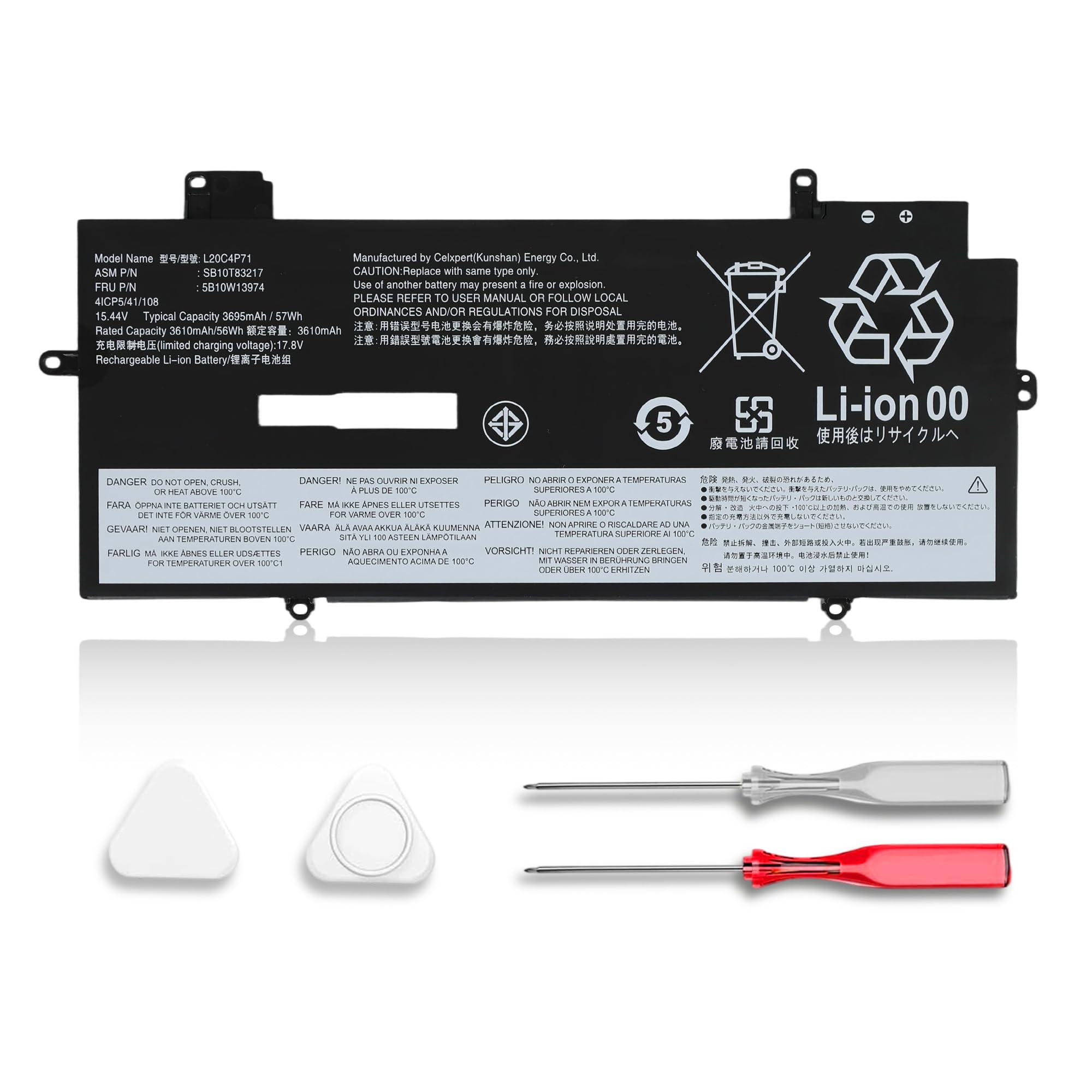
1. NDWQGFS L20C4P71 Battery
Our pick — 4.5+★ from 200+ verified ratings; the strongest balance of quality and price.
The pack that brings a tired 9th or 10th Gen Carbon back to a full working day.
Here is the number that matters: 57Wh at 15.44V, which the maker pairs with a 3695mAh cell rating. In plain terms, that is a full-size pack for the 2021 and 2022 Carbon chassis — not a slimmed-down compromise. If you own a 9th Gen or 10th Gen Carbon, or an X1 Yoga 6th or 7th Gen, this is the family your machine was built around, and the listing spells out the full replacement string: L20C4P71, L20M4P71, L20D4P71, L20L4P71, SB10T83217, SB10T83216, 5B10W13974, 5B10W13973 and 5B10W13975.
Two things win buyers over fastest. The first is the fit — it slots into the chassis the way the factory pack did, and owners consistently describe the swap as straightforward rather than fiddly. The second is what the box contains: the battery, a set of matching installation tools, and a printed instruction manual, so you are not improvising with a kitchen knife on the bottom cover. The cells are Grade A lithium-ion with circuit protection against overcharge, short circuit and overheating, and the pack carries CE, FCC, RoHS and UL certification. The maker backs it with a 30-day refund window and a 12-month warranty.
The honest catch sits in the runtime. Impressions of how long a single charge holds up are genuinely split — plenty of owners say it performs well, and a smaller group finds it drains quicker than they hoped. Either way, confirm your original part number sits in that replacement list before you buy, because no amount of certification helps a pack built for the wrong generation.
What lands first
- 57Wh at 15.44V — a full-capacity pack for the 9th/10th Gen chassis
- Tools and a printed manual in the box, so the first swap goes clean
- Grade A lithium-ion cells with overcharge, short-circuit and overheating protection
- CE, FCC, RoHS and UL certification on the label
- 30-day refund plus a 12-month warranty with 24/7 email support
Where expectations split
- Runtime impressions are mixed — some find it drains faster than the original
- Fits only the 9th/10th Gen Carbon and 6th/7th Gen Yoga family
- You must check your own part number first; the name alone will not confirm it
Made for: a 2021 or 2022 X1 Carbon or X1 Yoga owner who wants a full-capacity pack with the tools already in the box.
Wrong shelf if: your machine is an older 4th through 8th Gen — this voltage and shape simply do not belong there.
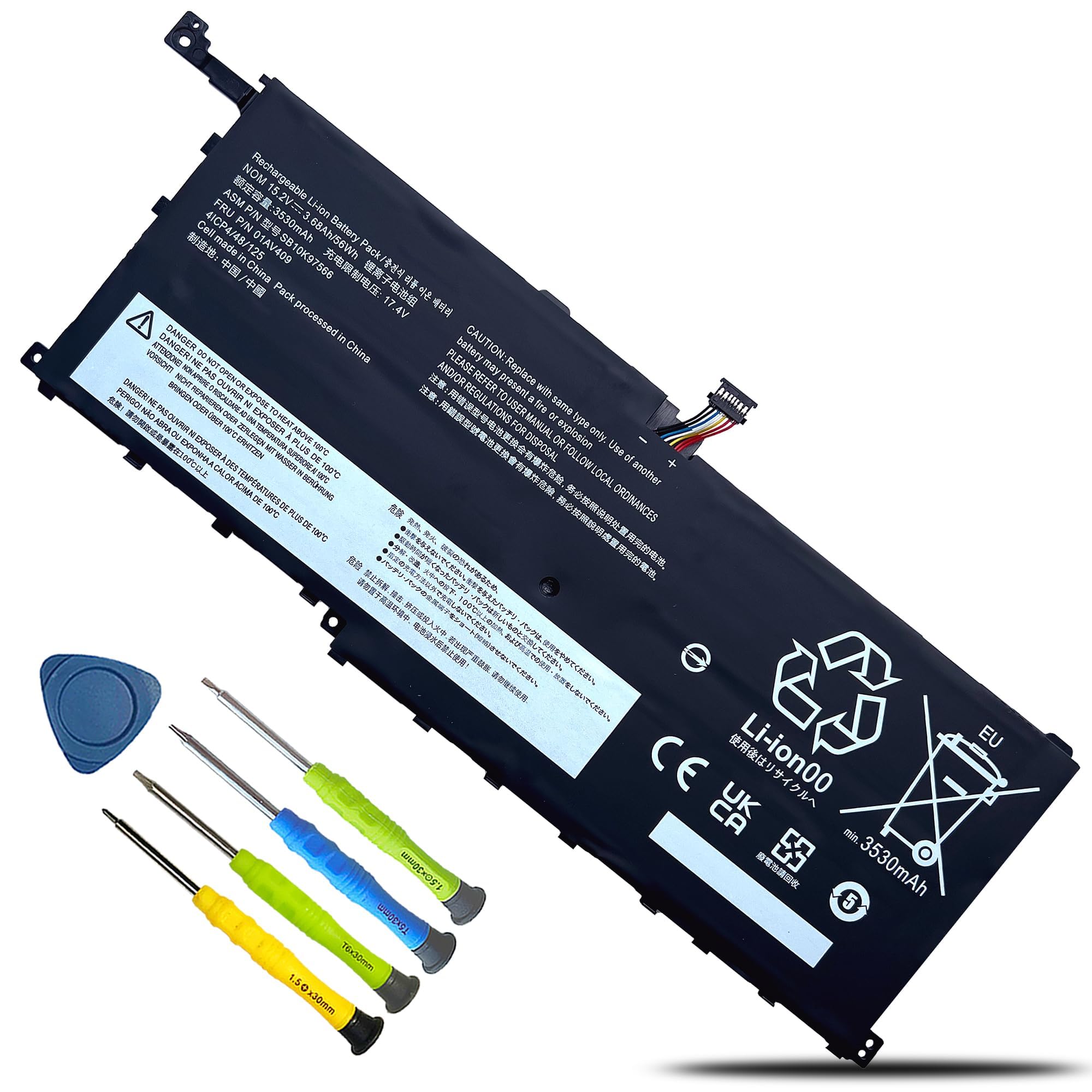
2. 01AV409 00HW028 Battery
The 2016 Carbon revival kit — one of the last packs built for that chassis.
If your X1 Carbon is the 4th Gen from 2016, your options thin out fast, and this is the one built specifically for it. It meters out 56Wh from a 3680mAh cell at 15.2V, and the replacement list is deep — 01AV409, 00HW028, 00HW029, 01AV457, 01AV458, 01AV439, 01AV441 and a long tail of SB and 4ICP numbers. It also crosses over to the first and second generation X1 Yoga. The warranty carries a stated 500 recharge cycles over the life of the pack, which is the ceiling the maker publishes for the cells inside.
What earns this pick its place is simple: it works. Owners describe it doing its job in Lenovo Yoga machines as well as the Carbon, with quality and fit both landing positively and installation not throwing anyone off. The kit arrives with the battery, a matching tool set and instructions, and it meets CE, FCC, ROHS and UL standards with built-in circuit protection. The real draw on a machine this old is that it keeps a perfectly good laptop in service instead of pushing you toward a new one.
Set your expectations on runtime with both eyes open. The feedback here is genuinely divided — some report it holding up better than the original cell, while others find it emptying inside an hour of use. That is the nature of an older-generation aftermarket pack, and it is why the low-capacity caveat belongs in your decision. The seller support is also email-based and starts after Amazon’s own return window closes, so save the store page if you think you may need it later.
The value read: a 56Wh pack that keeps a 2016 Carbon or early X1 Yoga in daily service, with tools in the box and a published 500-cycle lifespan expectation. For a machine this old, that is the whole point.
The thing to know: runtime reports swing widely. Treat this as a solid working replacement rather than a guaranteed all-day upgrade, and keep your charger nearby on travel days.
Reach for this if: you are holding a 4th Gen Carbon or a 1st/2nd Gen X1 Yoga and just need it running again.
Look elsewhere if: you expect a modern all-day runtime — this is a period-correct pack, not a capacity upgrade.
3. 01AV430 01AV494 Battery

A six-cell pack for the 2017 and 2018 Carbons, with the toughest fit-and-finish reputation here.
This is the heavy one, and that is not a complaint — it is the reason it earns a spot. The pack weighs 11.36 ounces because it is a 6-cell lithium-polymer build, rated 57Wh at 4950mAh and 11.52V. Compare that to the SUNNEAR L20M4P71 further down at 4.8 ounces: this Fancy Buying unit is the weighty one of the pair, and the difference tells you it is a bigger physical assembly built for the 5th Gen (2017) and 6th Gen (2018) chassis. Note the voltage — 11.52V, not the 15.44V family the newer Carbons use. These are different electrical designs and they do not substitute for each other.
What wins people over here is sheer consistency of quality. Buyers report it behaving like an excellent replacement, seated properly, and charging in a sensible amount of time — and the recurring sentiment is that it rescued a laptop that would otherwise have been replaced outright. The spec sheet backs up the protective side of that story: overcurrent protection, anti-overcharge, anti-overdischarge, over-temperature control and short-circuit protection, all assembled from top-quality materials and boards to OEM standard. The published lifespan figure is up to 500 recharge cycles.
The caveat you should hear clearly is the runtime spread. Some owners get a couple of hours of usable time, and a smaller group finds their pack does not hold charge at all. That is the outlier case, not the pattern — the bulk of feedback is positive on quality and value — but it is a real reason to test the pack thoroughly inside your return window rather than storing it in a drawer for a month. The seller gives you a full refund in 30 days and a 12-month warranty, so use the front end of that window.
Why it earns the runner-up slot
- 57Wh at 4950mAh across 6 lithium-polymer cells — a substantial pack
- Over-temperature and short-circuit protection built in
- Up to 500 recharge cycles, OEM-standard assembly
- Full refund inside 30 days and a 12-month warranty
What to square away first
- 11.36 ounces — noticeably heavier than the slim 4.8-ounce L20M4P71 pack
- Runtime reports range from a couple of hours to a dead cell, so test it early
- 11.52V design locks it to the 2017/2018 generations only
Suits you if: you own a 5th or 6th Gen Carbon, want a beefy 6-cell pack and value strong build feedback over shaving weight.
Think twice if: you are chasing the lightest possible lid — a 4.8-ounce pack is the better physical fit.
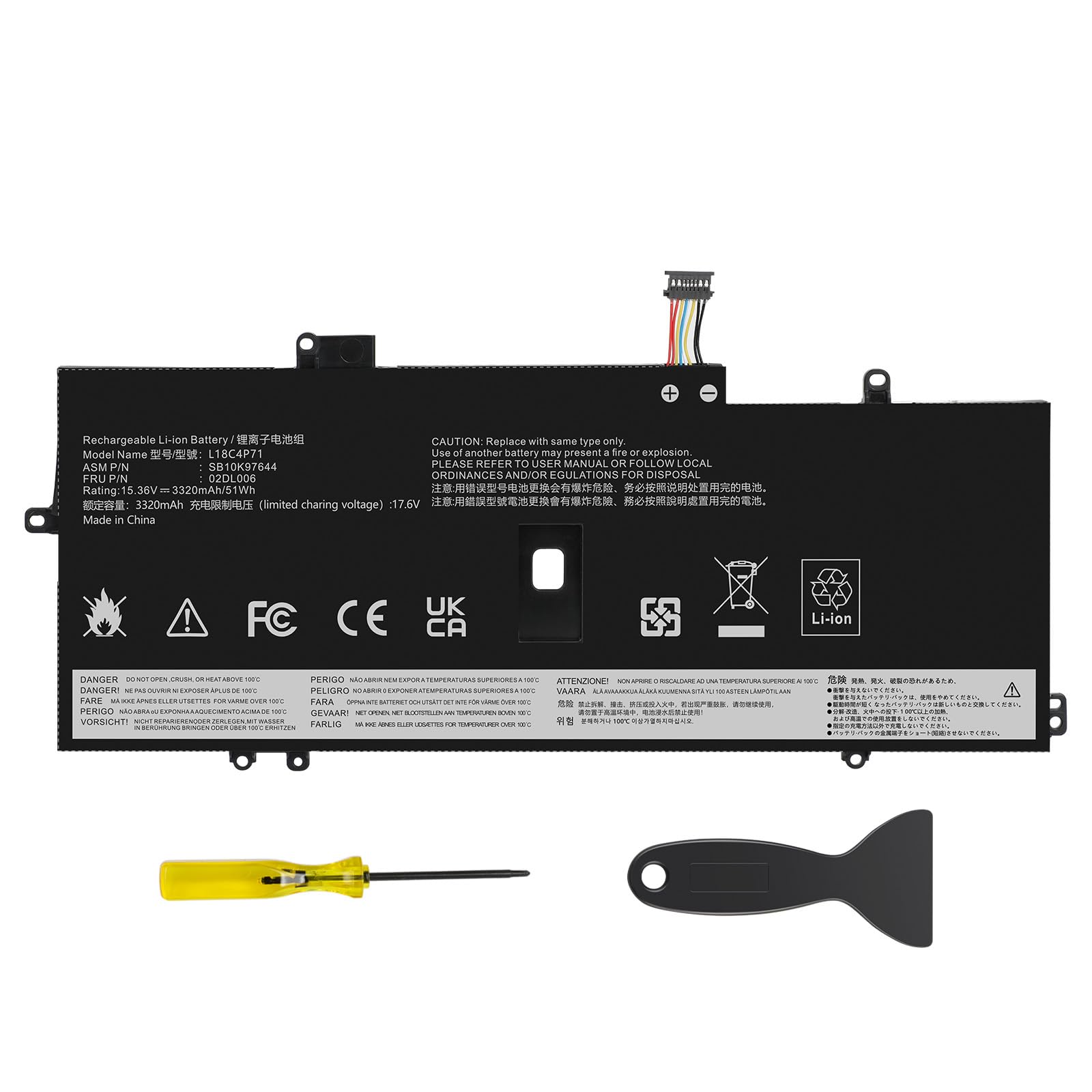
4. L18C4P71 L18M4P72 Battery
The calm, unflashy pick for 2019 and 2020 Carbons — no drama, just a working pack.
Fifty-one watt-hours at 15.36V. That 51Wh figure is the lowest capacity on this list, and it is honest about what it is: the pack built for the 7th Gen (2019) and 8th Gen (2020) Carbons and the 4th and 5th Gen X1 Yoga. Put it next to the 57Wh NDWQGFS above and the gap is real — 51Wh versus 57Wh — so if you are choosing between generations, know that this chassis simply runs a smaller pack. Within its own generation, that is the correct number.
Where this one quietly excels is reliability of experience. Owners mention it arriving with charge already in it, fitting perfectly, installing without a fight, and serving as a clean replacement for a tired original — the kind of unremarkable competence you actually want from a battery. The safety set is sensible: auto-stop when fully charged, temperature control, built-in circuit monitoring, and up to 500 charge cycles over the pack’s life.
Weigh the capacity honestly. It carries 51Wh, which trails the 57Wh packs on this page, so if you push long unplugged sessions on a 7th or 8th Gen machine, you are working with the smaller tank. The 12-month replacement warranty and 30-day refund give you room to confirm it holds up. What you are buying here is a snug, correct fit for a specific two-generation window rather than headline capacity.
The case for it: a correct-fit 51Wh pack for the 2019/2020 Carbons and 4th/5th Gen Yoga, with auto-stop charging and circuit monitoring — the replacement that just works and shuts up about it.
What you give up: capacity. At 51Wh it sits below every 57Wh pack here, so long unplugged days will feel it.
Best fit for: 7th or 8th Gen Carbon owners who want a straightforward, correctly specced replacement with no surprises.
Not the one for: anyone hoping to stretch runtime beyond the chassis’s own 51Wh ceiling.
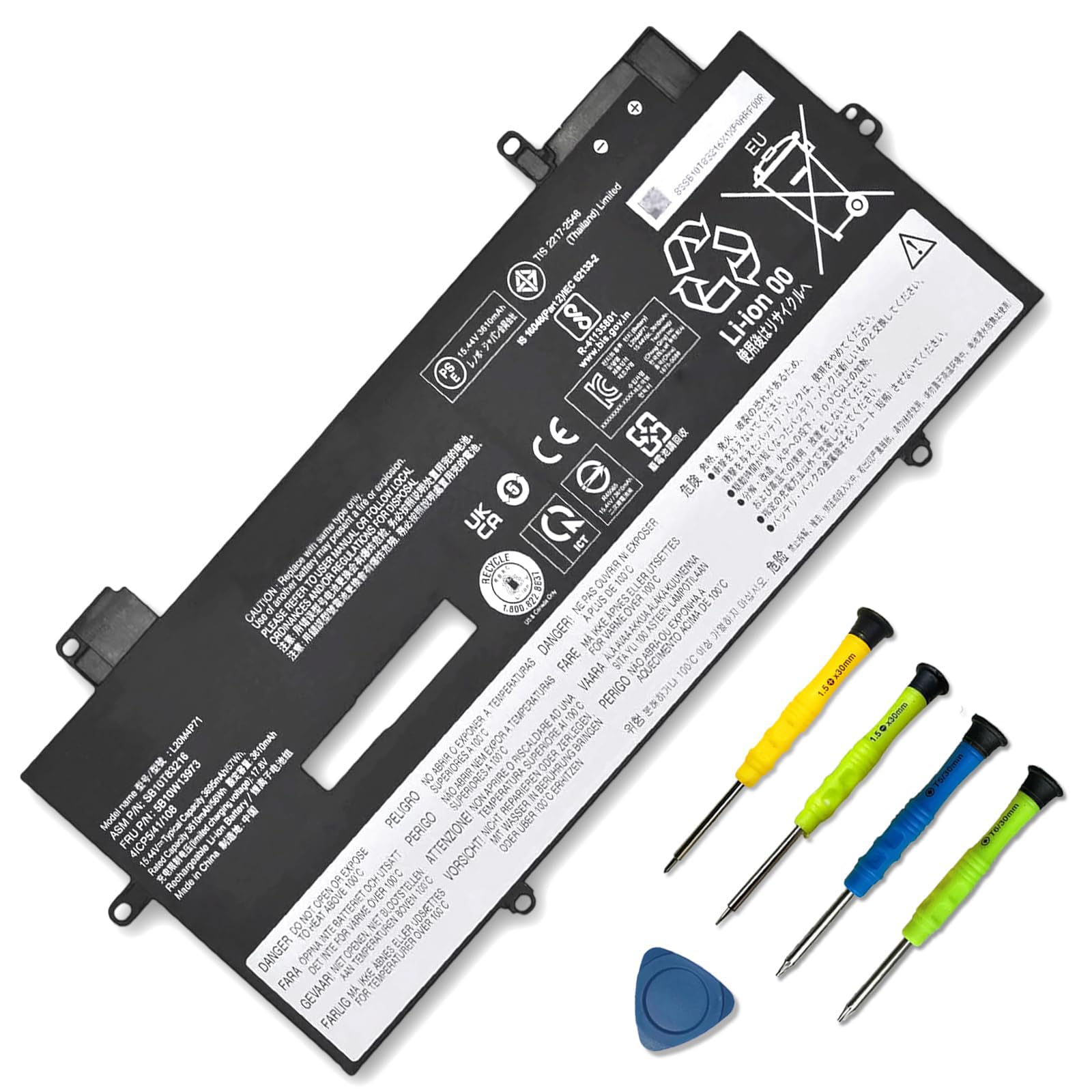
5. SUNNEAR L20M4P71 Battery
Same 57Wh guts as the top pick, in a pack that weighs just 4.8 ounces.
Start with the weight, because that is the story. This pack comes in at 4.8 ounces against the 11.36-ounce Fancy Buying 01AV430 above — you are carrying a much lighter assembly in the chassis. It still delivers 57Wh from 3695mAh cells at 15.44V, matching the capacity of the Best Overall pick while sitting in a smaller physical build. It fits the 9th and 10th Gen Carbons and the 6th and 7th Gen X1 Yoga, and covers L20M4P71, L20C4P71, L20D4P71, L20L4P71, SB10T83217, SB10T83216, SB10T83218, 5B10W13974, 5B10W13973, 5B10W13975 and 5B10W13972.
Two practical notes come straight from the maker. First, if the new pack is not recognised on the first boot, reseat it and check that the connector is fully seated — a loose interface is the usual culprit, not a bad cell. Second, they ask you to run it down to 5% (not 0%), then charge it fully, and repeat three to four times to wake the pack up. Do those two things and you skip most of the confusion that surrounds any laptop battery swap. Installation tools are in the box, so you are not hunting for a driver.
What to weigh: this listing is newer to the market and carries a thinner track record than the top pick, so you are leaning more on the maker’s own spec sheet and setup guidance than on a deep pile of owner history. The 15.44V rating also locks it to the newer generations, so a 5th or 6th Gen Carbon owner cannot use it at all.
Pick this when: you want top-tier 57Wh capacity for a 9th/10th Gen Carbon in the lightest pack on the page, and you are happy to run the wake-up cycles properly.
Skip the detour if: you want the longest owner track record at this capacity — the NDWQGFS above has more miles behind it.
6. L20M4P71 SB10T83216 Battery
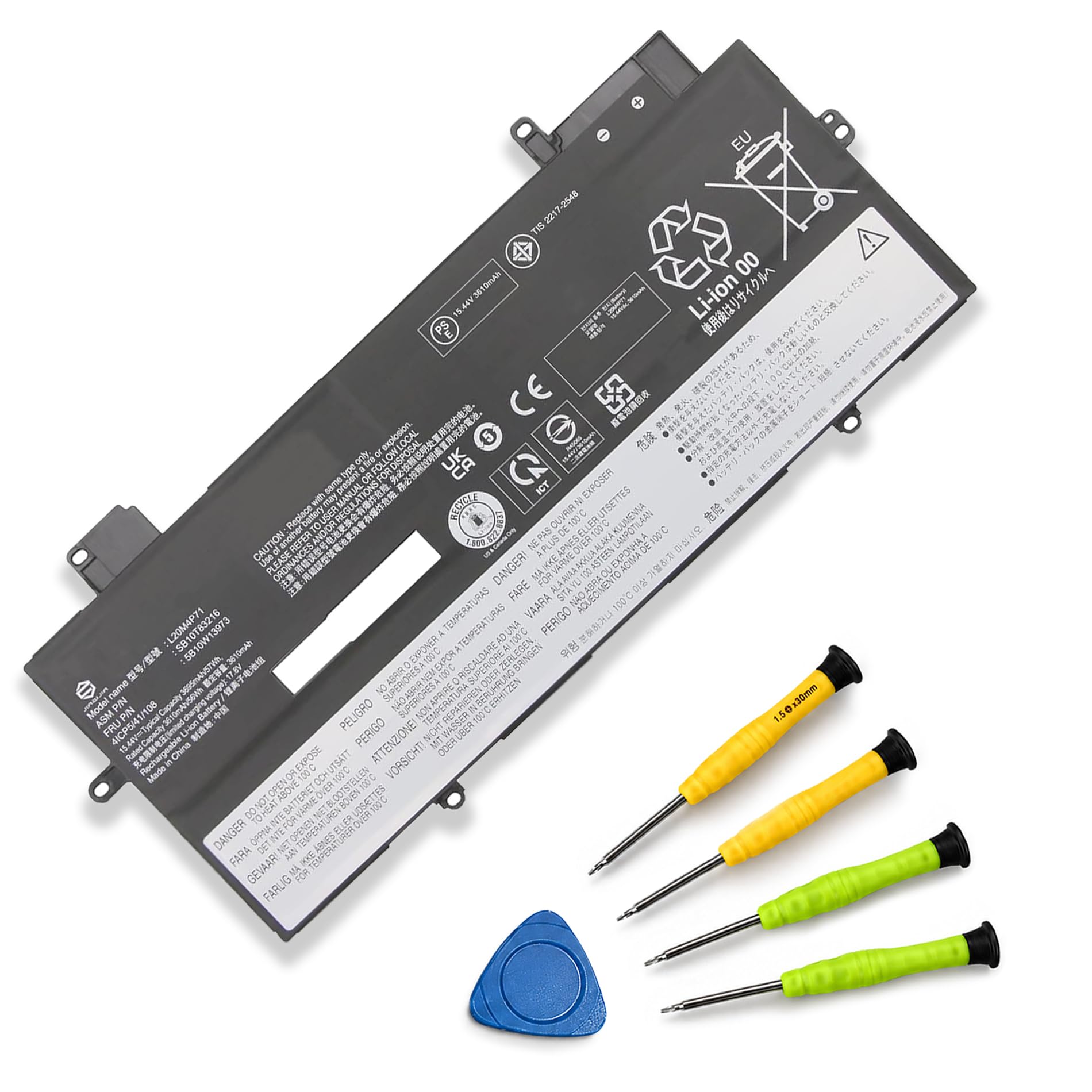
One part number that spans three Carbon generations — 9th, 10th and 11th Gen.
Most packs on this list stop at two generations. This one runs to three. It covers the X1 Carbon 9th Gen (2021), 10th Gen (2022) and 11th Gen (2023), plus the 6th, 7th and 8th Gen X1 Yoga — so a 2023 machine that the narrower listings cannot touch is still served here. The electrical spec is the familiar 15.44V at 57Wh and 3695mAh, and it ships as a plug-and-play lithium-ion pack with the full replacement string attached: L20M4P71, SB10T83216, 5B10W13973, L20C4P71, SB10T83217, 5B10W13974, L20D4P71, SB10T83218, 5B10W13975, L20L4P71, SB10T83215 and 5B10W13972.
The thing buyers talk about most is simply that the listing matches the machine — getting the correct pack in hand rather than a near-miss. Installation comes out easy, and the maker’s own framing puts it around 20 minutes with all required tools included. Owners also mention the pack charging right up, with one noting a 96% capacity reading. Value lands well, since it replaces a battery at a fraction of what a new laptop would run. Weigh it at 200 grams and it is a light swap inside the lid.
Runtime is the honest wobble here, just as it is across this whole category. Impressions of how long a charge lasts are mixed rather than uniformly glowing. There is also a practical instruction worth following to the letter: open the back case and confirm your original battery’s model number before ordering, and read the manual before fitting. The 15.44V design means a 4th through 8th Gen Carbon owner should not be shopping this listing at all.
Why the wide fit pays off: three Carbon generations and three Yoga generations on one part number, at 57Wh — the broadest compatibility net on this page, and the only one reaching the 11th Gen.
The honest limit: capacity feedback is mixed like the rest of the category, so treat the watt-hour figure as the spec to trust and the runtime reports as the variable.
Made for: anyone with a 2021, 2022 or 2023 Carbon who wants one listing that covers all three without second-guessing.
Turn back if: your machine is pre-2021 — the 15.44V spec rules it out entirely.
7. L20D4P71 57Wh Battery
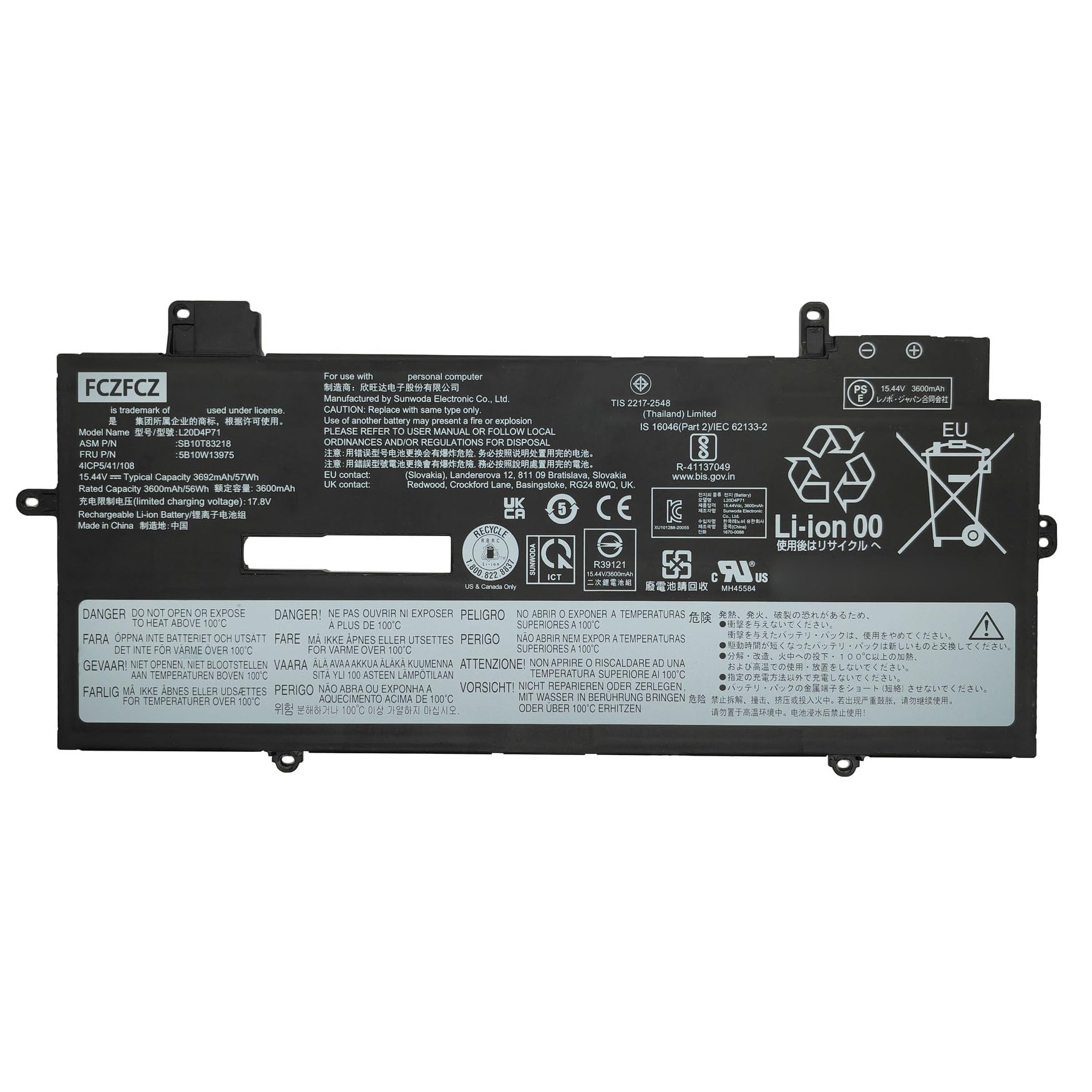
A 4-cell 57Wh pack with the cleanest safety paper trail in this lineup.
Look at the certification before the capacity. Every FCZFCZ pack is CE and UL certified, factory tested before it ships, and stamped with its own mark — and that is a step beyond the generic protection-circuit language most listings lean on. The spec itself is a 4-cell lithium-ion build at 57Wh and 3692mAh, running 15.44V, in black. It covers the 9th Gen (Type 20XW, 20XX), 10th Gen (Type 21CB, 21CC) and 11th Gen (Type 21HM, 21HN) Carbons, plus the 6th, 7th and 8th Gen X1 Yoga by type number.
Recent buyer reaction has been warm on the essentials — a good drop-in replacement that works as it should. That is the whole job, and it is doing it. The part-number replacement list is unusually thorough, spanning the L20D4, L20C4, L20L4 and L20M4 families along with the SB10T and 5B10W and SB11M and 5B11M strings, so a careful match is easy to confirm. The maker also asks you to use the original charger with it, which is sensible advice for any lithium pack.
Follow the install routine they spell out and this one behaves: discharge it to 5% (not 0%), charge it back up, and repeat three to four times. Check that the connector is seated firmly against the mainboard before you close the lid. The one thing to accept going in is that this listing is newer and has a much shorter public track record than the veteran packs above — you are buying on certification and spec clarity rather than volume of history.
Worth it for: a newer Carbon or Yoga owner who wants CE and UL certification and a type-number-specific fit list, and does not mind a shorter track record.
Consider the alternative if: a long owner history matters more to you than certification paperwork.
Know the Specs
Watt-hours (Wh) and milliamp-hours (mAh)
Watt-hours measure the total energy a pack holds — think of it as the size of the fuel tank. Milliamp-hours (mAh) measure charge flow over time and only compare fairly between packs of the same voltage. That is why a 57Wh pack at 15.44V and a 57Wh pack at 11.52V can look identical on paper yet behave completely differently in the machine. When you compare two listings, match the generation first, then compare Wh.
Voltage: the compatibility gate
The voltage figure on the label must match what the laptop’s charging circuit expects. Across the X1 Carbon range you will see 11.52V, 15.2V, 15.36V and 15.44V packs, and they belong to different generations. A 15.44V pack does not go in a 2017 chassis, and an 11.52V pack does not go in a 2023 one. This is not a suggestion to be flexible about — it is the electrical design of the mainboard.
Cell chemistry: Li-ion versus Li-polymer
Both appear in this lineup. Lithium-ion packs use cylindrical or prismatic cells with a rigid casing; lithium-polymer packs use a pouch format that can be shaped thinner. The practical difference for you is weight and shape rather than a visible performance gap — the 6-cell lithium-polymer 01AV430 tips the scale at 11.36 ounces, while the 200-gram packs feel lighter in the lid.
Charge cycle life and what 500 means
Several packs here cite up to 500 recharge cycles over their life. A cycle is one full discharge-and-recharge — a partial top-up counts as a fraction of one. That 500 figure is the manufacturer’s published expectation, not a guarantee, and how you treat the pack matters: repeated deep drains to 0% wear cells faster than regular top-ups. Running the first few cycles down to 5% and back up helps the laptop’s controller learn the new pack’s range.
Common Questions
How do I find out which X1 Carbon battery my laptop actually needs?
Can I use a 15.44V battery in an older X1 Carbon that used 11.52V?
Will a battery for the X1 Carbon also fit my X1 Yoga?
Why does my new battery not show up the first time I boot the laptop?
How long should an X1 Carbon replacement battery last on a charge?
Do I need special tools to swap the battery myself?
Is a higher mAh number always better than a higher Wh number?
Does a replacement pack need to be charged a certain way the first time?
What happens if I order the wrong generation battery by mistake?
The Bottom Line
For most people hunting a replacement x1 carbon battery, the NDWQGFS L20C4P71 is the one to order, because it pairs the full 57Wh figure with the 9th and 10th Gen fit, ships the tools and manual in the box, and carries a 12-month warranty. If your machine is a 2017 or 2018 model, redirect to the Fancy Buying 01AV430 — its 6-cell 57Wh build and 11.52V rating are the period-correct match.
Owners of the 2021 through 2023 generations get the broadest net from the JIAZIJI L20M4P71, which reaches the 11th Gen when narrower listings cannot. If certification matters most to you, the FCZFCZ L20D4P71 is the one with the CE and UL paper trail. And if you simply want the lightest possible 57Wh swap, the SUNNEAR L20M4P71 comes in at 4.8 ounces.
One last nudge before you click: the top pick is the crowd favourite here and the one most buyers land on, but its edge comes from the combination of that 57Wh figure, a complete DIY kit and the widest part-number list in its generation. Match that replacement string to the label on your old cell, and the swap takes less time than reading this page.
How we choose
We do not accept paid placement. Every pick is matched to a real buyer and a real use-case; we do not hands-on test units.
Sources
Specifications: manufacturer listings and product documentation. Review insights: verified customer reviews, as of November 2026. Pricing: not shown on this page (it changes often); check the current price via the retailer link.
As an Amazon Associate, Tactical Gear Guy earns from qualifying purchases. This does not affect which products we feature.