Specs are compiled from manufacturer listings and verified buyer reviews and can change over time — please confirm the key details on the product page before buying.
Buying a wood laser engraving machine is really a question of what you plan to burn. If you want crisp lettering on cutting boards and coasters, a 5W diode with a tight laser spot will do more for you than a bigger wattage number with a sloppy beam. If you want to cut through thick hardwood and run batches for a small shop, you need power, a generous working area, and a frame that does not flex. This guide breaks down the real trade-offs so you pick the right machine the first time.
This guide is built by comparing the manufacturers’ published specifications and the patterns across verified customer reviews, so you get each pick’s real strengths and trade-offs instead of marketing spin.
You will see the same handful of specs repeat across every listing, so the trick is knowing which ones change your daily results. Below you get a plain-English breakdown of spot size, working area, and laser class so you can compare a wood laser engraving machine on facts instead of wattage hype.
Top Picks
How To Choose The Best Wood Laser Engraving Machine
The wrong assumption most first-timers carry in is that more watts always means better engraving. Watts decide how deep and how fast you can cut. Detail comes from the laser spot size — the tiny dot the beam focuses down to, measured in millimeters. A tight spot draws readable small text; a loose spot smears it.
Spot size decides fine detail
Look for a spot written as two numbers, like 0.06 × 0.06 mm or 0.08 × 0.08 mm (the width and height of the focused dot). The smaller and more square that dot, the cleaner your lettering on wood and leather. A machine with a compressed, rectangular spot concentrates energy into a tighter line, which matters for cutting as much as for drawing.
Working area sets your project ceiling
Working area is the flat space the laser can reach, given in millimeters or inches. A 300 × 300 mm bed handles coasters, wallets, and small signs. A 410 × 380 mm or 418 × 418 mm bed lets you do full-size cutting boards and multi-piece batches without repositioning. Measure the biggest thing you honestly plan to engrave before you buy.
Safety class and enclosure
Class 1 means the machine is built so the beam stays contained while it runs — an enclosed housing with a window you look through. Class 4 means the beam is open and you rely on protective goggles and careful handling. If the machine lives in a room with other people, an enclosed Class 1 design is the calmer choice.
How you actually feed it files
Some machines need a computer plugged in for the whole job. Others take a TF card (a small memory card holding your design file) or connect over Wi-Fi, so you can save a file, walk to the machine, and start it there. Offline operation is genuinely useful in a garage where you do not want a laptop sitting in sawdust.
Software and the learning climb
LightBurn and LaserGRBL are the two names you will see repeated — LightBurn is the paid, feature-heavy option and LaserGRBL is the free entry point. Several machines here add their own app with ready-made templates and AI helpers. A friendly software stack shortens the first week a lot, especially if you have never run a laser before.
Side-by-Side Comparison
| Model | Best For | Laser Power | Spot Size | Working Area | Amazon |
|---|---|---|---|---|---|
| LONGER RAY5 5W★ Best Overall | First machine, tight budget | 5W | 0.08 × 0.08 mm | 400 × 401 mm | Amazon |
| Creality Falcon 10WBest Cutter | Cutting plywood and acrylic | 10W | 0.06 × 0.06 mm | 15.7″ × 16.3″ | Amazon |
| ATOMSTACK Swift 12WCompact Pick | Small desk, big power | 12W | 0.06 × 0.08 mm | 300 × 300 mm | Amazon |
| ATOMSTACK A10 Pro V2 | Big bed, fast passes | 10W | 0.06 mm | 410 × 380 mm | Amazon |
| Creality Falcon A1C 5W | Beginners who want AI help | 5W | 0.1 mm positioning | 150 × 150 × 148 mm | Amazon |
| IKIER Flex 12W | Enclosed home craft station | 12W | — | — | Amazon |
| Ortur Laser Master 2 Pro S2 | Serious cutting on a budget | 10000mW | 0.05 × 0.1 mm | 390 × 410 mm | Amazon |
| Twotrees TTS-20 Pro | Batch work and big boards | 20W | — | 418 × 418 mm | Amazon |
| xTool M2 10W | Home crafters, enclosed safety | 10W | Dual cameras, 0.1 mm | — | Amazon |
| xTool F2 Dual Laser | On-site customizing and sales | 15W diode + 5W IR | 0.1 mm alignment | — | Amazon |
Detailed Reviews
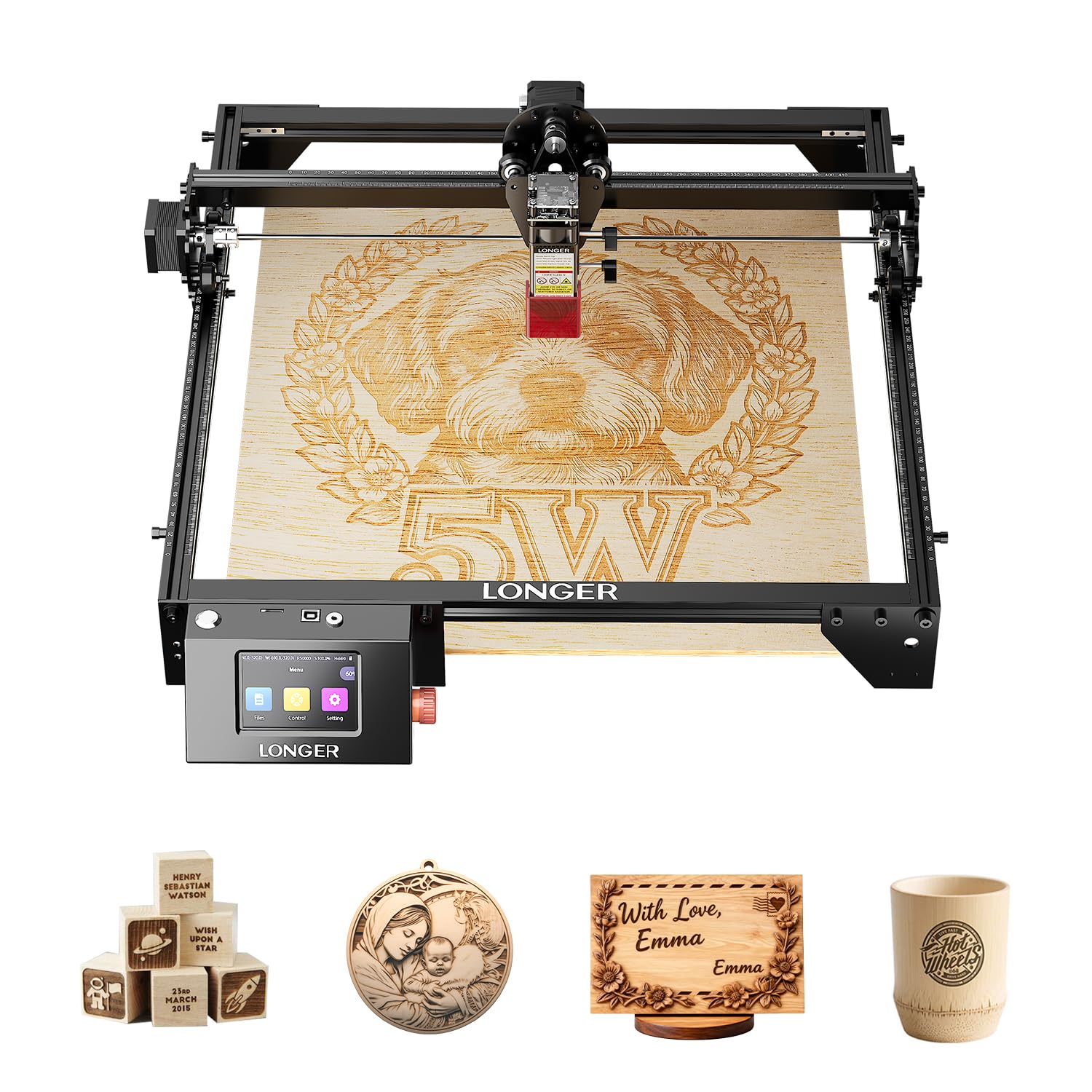
1. LONGER RAY5 5W Laser Engraver
Our pick — 4.5+★ from 100+ verified ratings; the strongest balance of quality and price.
The beginner machine that skips the laptop entirely and runs from a memory card.
Here is the deal most listings bury: you can spend far more and still fight with a tangle of cables every time you want to burn a name into a coaster. The RAY5 5W sidesteps that. It carries a built-in controller and a 3.5-inch smart color screen, so you save your file to a TF card (a small memory card) and start the job right on the machine — no computer attached.
Its focused dot measures 0.08 × 0.08 mm, which is fine enough for readable small lettering and clean logos on wood and leather. Engraving speed tops out at 10000 mm/min, and the 240MHz ESP32 chipset (the control brain) is a 32-bit part that the maker positions as faster than the older 8-bit controllers. Wi-Fi lets you push jobs from a web page or the app if you would rather work that way. The build is a 24 × 12.5 × 5.9 inch frame at 9.78 pounds, sized to sit on a workbench without dominating it.
Owners praise the build quality — it feels like a real tool, not a toy — and the short path to a first clean burn. Safety is covered with a power button, active position protection, thermal protection, and current safety control. The honest snag is longevity: durability feedback splits, with most finding it very solid while a minority report it stopping after a few months of use. Buyers do flag that plainly on the listing.
What earns its keep
- Runs fully offline from a TF card with its own 3.5-inch color screen
- 0.08 × 0.08 mm spot keeps small text and logos legible
- 400 × 401 mm work area handles boards and multi-piece runs
- Thermal, current, and position safety systems built in
Where it asks patience
- 5W of power means slow passes on thicker hardwood
- Durability reports are mixed rather than uniformly glowing
- Wi-Fi setup takes a little reading before it clicks
Reach for this if: you want the calmest first-machine experience without giving up a real work area.
Look elsewhere if: your plan is cutting thick stock all day — step up to the 20W class.
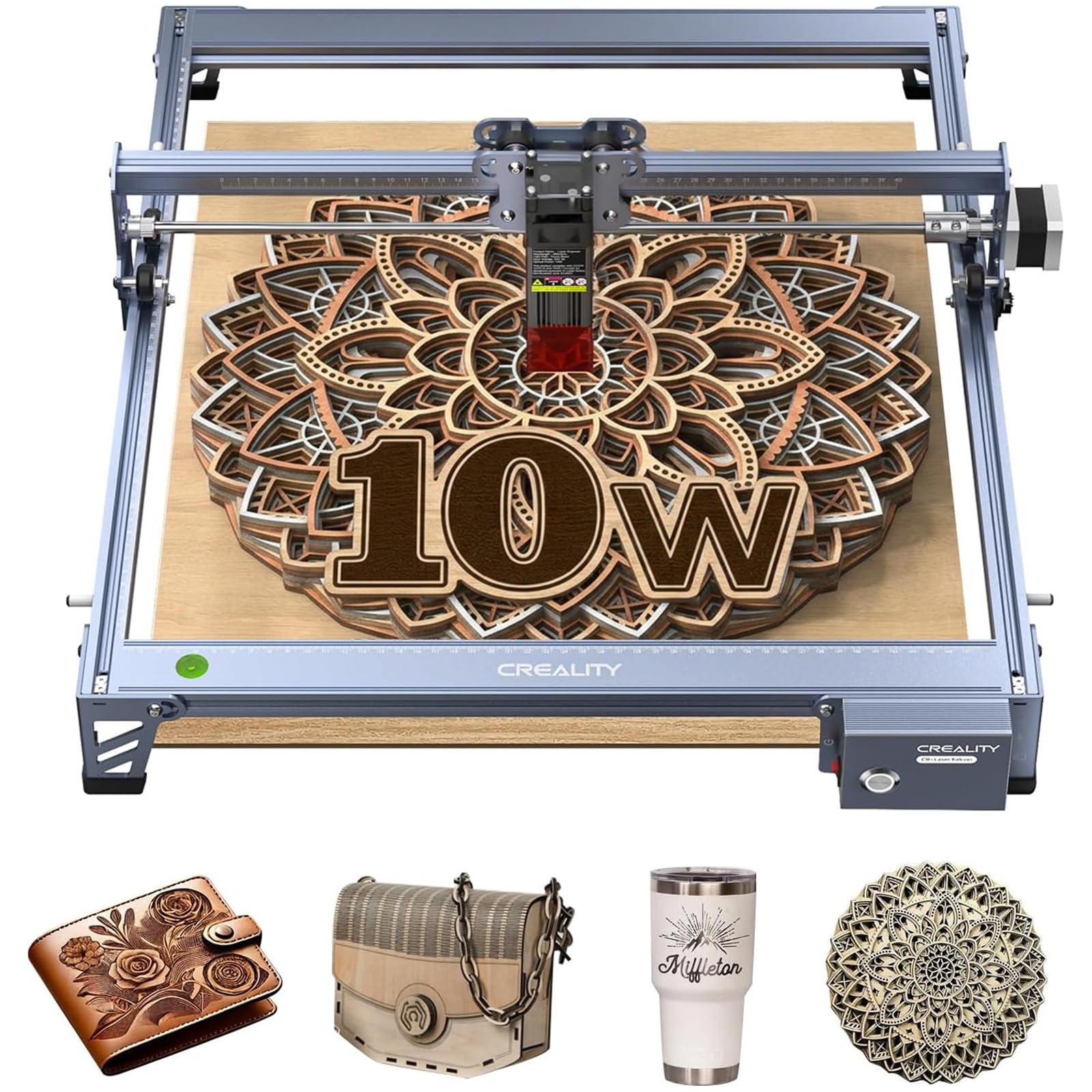
2. Creality Falcon 10W Laser Engraver
Twice the optical power of the RAY5 for real cutting, with a tighter 0.06 mm dot.
The Falcon 10W is where you stop engraving and start cutting. It delivers 10W of optical output — double the RAY5 above — and the maker says it cuts 5mm basswood or 3mm black acrylic in a single pass. That single-pass claim is the whole point: fewer passes means less charring on the edges and less time watching a laser crawl across a board.
Detail holds up too, because the compressed spot is 0.06 × 0.06 mm, tighter than the RAY5’s 0.08 × 0.08 mm. Speed runs up to 10,000 mm/min, and the 15.7″ × 16.3″ bed gives you room for larger designs. The frame is aluminum alloy with steel shaft wheel guide rails and belt tension adjustment, which is the difference between clean repeated lines and wobbly ones. It also runs from an SD card offline and plays nicely with LightBurn and LaserGRBL.
The eye-protection design is the detail worth praising: an anti-UV acrylic filter sits in the laser module and the maker states it filters 97% of UV rays, with goggles in the box too. At 7.05 pounds it is light enough to move around. The recurring gripe is assembly — some find it straightforward, others find the instructions confusing. Owners do report it happily chewing through 1/4″ birch plywood in a few passes, so the cutting muscle is real.
The cutting math: 10W optical output plus a 0.06 × 0.06 mm spot is the combination that makes basswood and acrylic cutting practical rather than theoretical.
Plan for the build: budget an evening for assembly and read the manual twice — that is the most common friction point.
Best matched to: makers whose projects involve as much cutting as engraving.
Think twice if: you refuse to wrestle with a Chinese-to-English assembly manual.
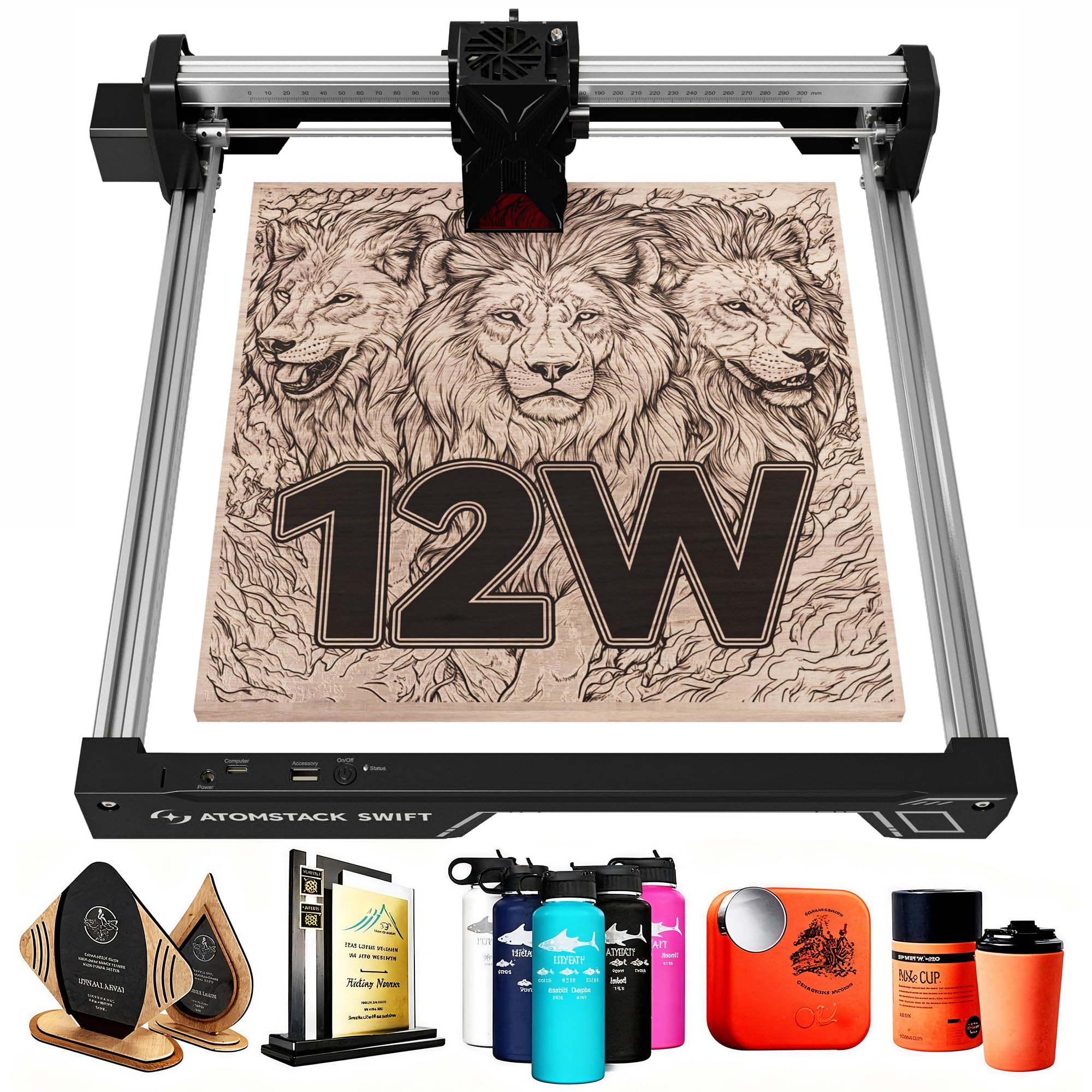
3. ATOMSTACK Swift 12W Laser Engraver Cutter
More punch than the Creality in a footprint you can clear off the kitchen table.
If desk space is the real constraint, the Swift 12W makes an argument the bigger machines cannot. It weighs 6.19 pounds and packs 12W of power — a step up from the Falcon’s 10W — into a bed of 300 × 300 mm.
Its focused spot is 0.06 × 0.08 mm, and the maker uses double pressure point coupling technology plus point compression to keep that beam tight and stable. The removable magnetic laser protective cover and included safety glasses handle eye protection, and it connects over Type-C and USB. Beyond ATOMSTACK’s own app and PC software, it accepts LightBurn and LaserGRBL, so you are not locked into one ecosystem.
ATOMSTACK backs it with a 365-day warranty from receipt and round-the-clock support, which is a concrete comfort when you are new to lasers. The catch is straightforward: 12W in a 300 × 300 mm bed is a specialist tool, brilliant for small repeat items and limited the moment someone asks for a full-size cutting board.
The space argument: 6.19 pounds and a 300 × 300 mm bed mean it disappears onto a shelf between projects.
The honest limit: that same small bed rules out anything bigger than a coaster-sized run.
Worth it for: small-item sellers and hobbyists who want 12W without surrendering their workspace.
Pass on it if: your designs start at cutting-board size.
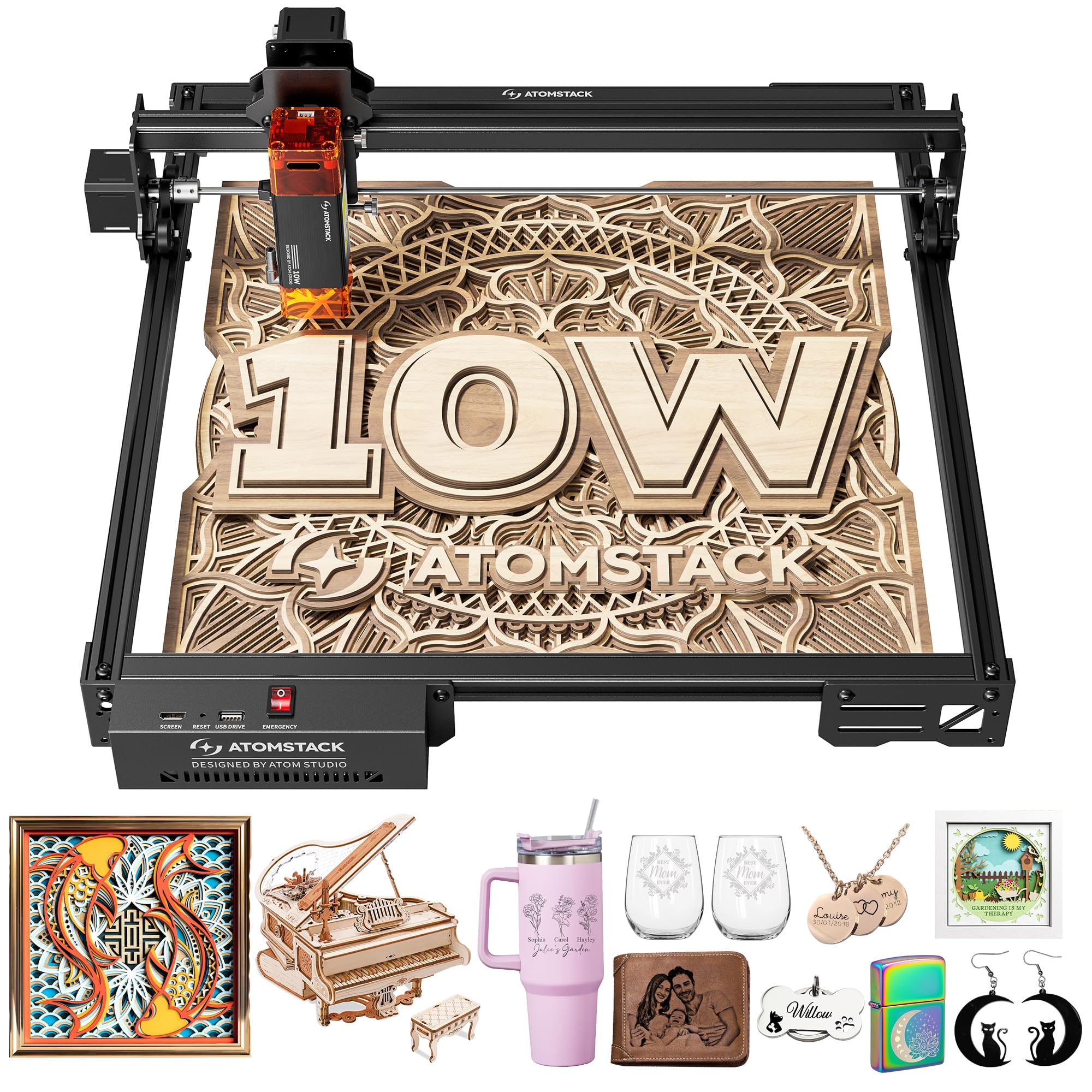
4. ATOMSTACK 10W Laser Engraver, A10 PRO V2
The one that swallows full-size boards and still finishes before dinner.
Start with the number that changes your project list: 410 × 380 mm of working area. That is the same class as the RAY5’s 400 × 401 mm bed, and it is the difference between engraving a single coaster and engraving a whole serving board in one go. The A10 Pro V2 pairs that space with a built-in screw rod and long focal length, which the maker says holds precision across the full bed.
Speed is where it separates itself. Engraving reaches 400 mm/s, with a 0.06 mm accuracy figure for fine work. The removable magnetic laser protective cover and included safety glasses handle eye protection, and Type-C plus USB connections keep software options open — ATOMSTACK’s own app and PC software, plus LightBurn and LaserGRBL. At 12.47 pounds it has enough mass to sit steady while the head moves fast, though it is also 6.28 pounds heavier than the Swift 12W above.
The 365-day warranty and 24/7 support carry over from the Swift, and the machine is sold in over 40 countries — useful if you need parts later. The fair caveat is desk real estate: this is the heaviest ATOMSTACK here and it wants a permanent spot. If you plan to pack it away between sessions, the Swift is the less tiring choice.
Where it pays you back: 410 × 380 mm of bed and 400 mm/s passes mean fewer repositions and shorter jobs.
The honest cost: 12.47 pounds wants a dedicated bench, not a cupboard shelf.
Made for: batch engravers and sign makers who need the whole board in one pass.
Not the one if: you need to put the machine away after every session.
5. Creality Falcon A1C 5W AI Laser Engraver
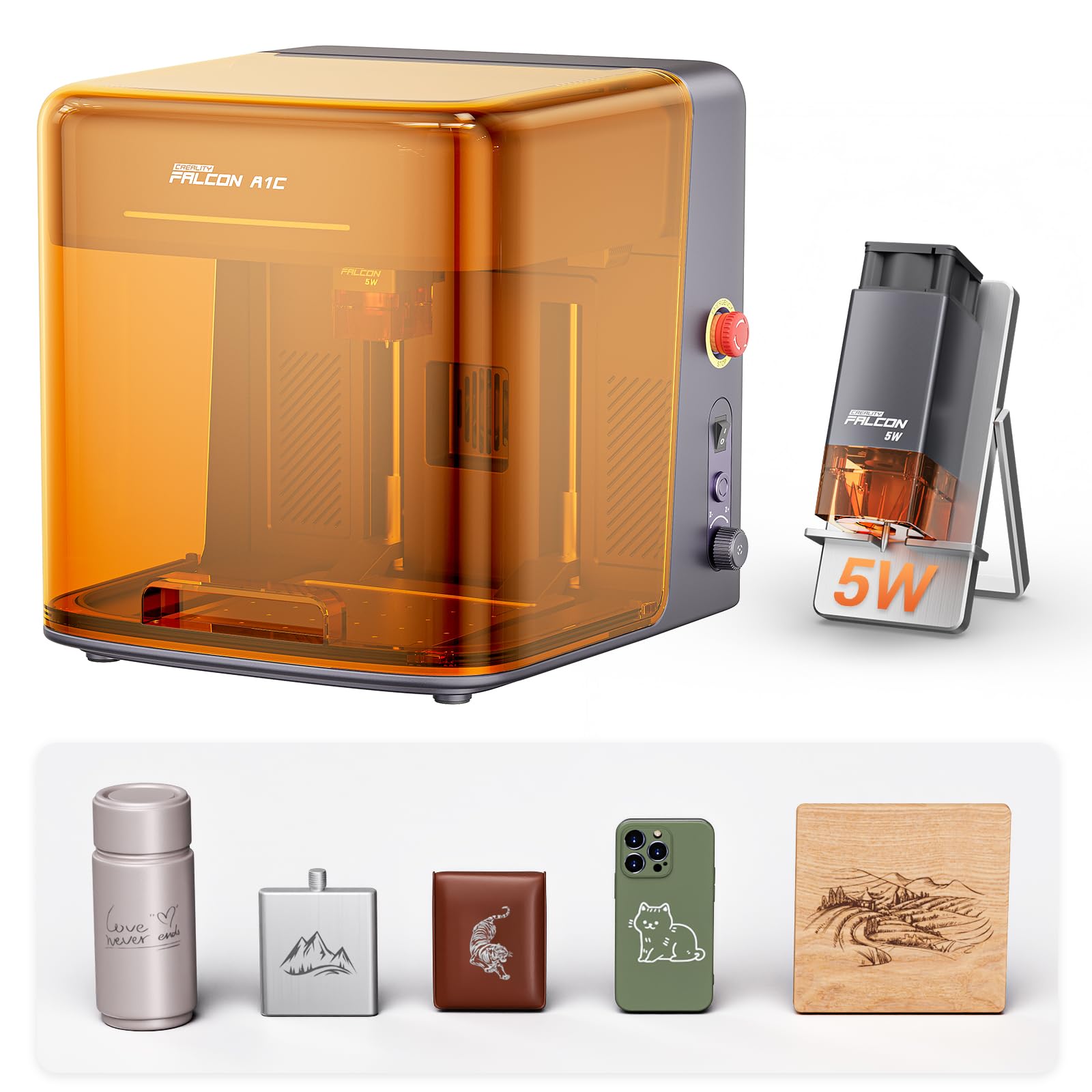
A closed box that photographs your material and lines the design up itself.
This is the one for the person who has zero interest in figuring out laser offsets. The Falcon A1C is a fully enclosed Class 1 machine — the beam stays inside, meeting FDA Class 1 laser safety requirements — so it can live in a home studio or classroom without the goggles-and-open-frame routine. A built-in AI HD camera photographs the material inside and positions your design with up to 0.1 mm accuracy, and Auto Focus handles the rest.
The AI software converts photos into engraving-ready artwork in one tap, removes backgrounds, fills and lays out designs, and recommends settings. If you have ever stared at a material list wondering where to start, that is the feature doing the work for you.
The working area is the honest catch. It measures 150 × 150 × 148 mm (5.9″ × 5.9″ × 5.8″), which suits coasters, wallets, ornaments, and small gifts but not full boards. The interchangeable platform is a genuine long-term feature — it accepts 5W, 10W, and 1.2W Falcon laser modules, though each package ships with one module only. At 29.8 pounds the enclosure is sturdy and not something you casually relocate.
Why crafters lean this way
- Fully enclosed Class 1 design for shared rooms
- AI camera positions designs to 0.1 mm with no manual measuring
- 15,000 mm/min speed beats the RAY5 by 50%
- Swappable laser modules let the platform grow with you
What to weigh first
- The 5.9″ × 5.9″ bed caps you at small items
- Extra modules are separate purchases
- At 29.8 pounds it stays where you put it
Ideal for: gift makers who want safety and software help over raw size.
Better to skip if: your wish list starts with signs and cutting boards.
6. IKIER Flex 12W Laser Engraving Machine
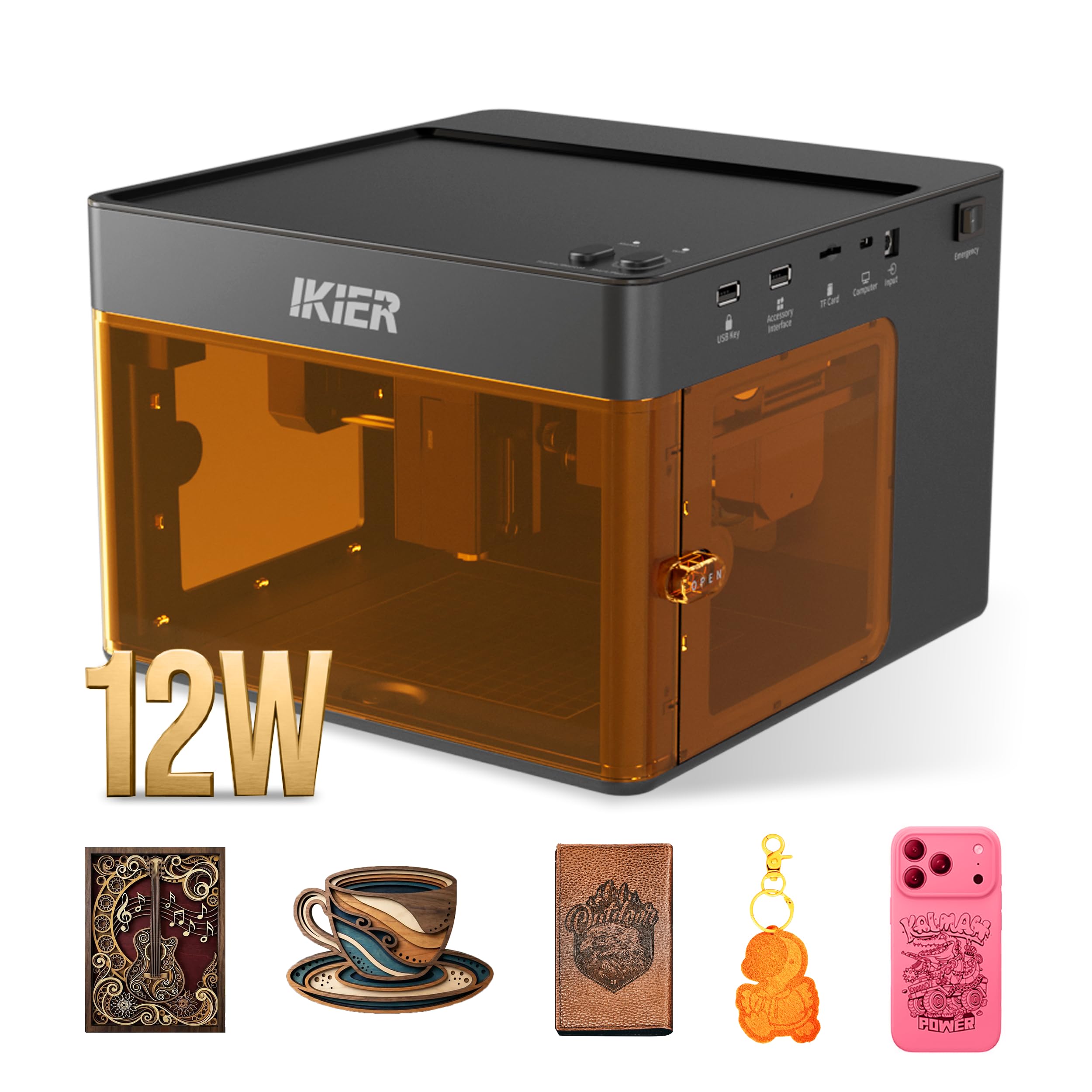
A Class 1 box with 12W behind the door and a window to watch through.
If fumes and stray beams are the reason you have not bought a laser yet, the Flex 12W answers both. It is a Class 1 enclosed laser engraver, so the working area is surrounded by a housing and you observe the job through a viewing window. That is the setup that makes a laser viable in a spare room rather than only a garage — though the maker is clear that appropriate ventilation still matters.
Power is 12W of diode output, aimed at detailed surface engraving and cutting on suitable craft materials. Wooden blanks and leather turn into signs, ornaments, gifts, and accessories — the bread and butter of this machine. Speed runs up to 10,000 mm/min with adjustable power, and the maker is honest that material type, thickness, and design detail set the appropriate number of passes rather than one magic setting.
The detail worth knowing before you buy: this is the single-laser 12W configuration, and it does not include an infrared module. Surface engraving on selected metals needs the separate Flex 12W + 1.2W Infrared version. It weighs 11.49 pounds and is a desktop-sized unit at 10.43 × 11.93 × 7.28 inches, so it behaves like a piece of workshop equipment you leave in place.
The sealed advantage: a Class 1 enclosed housing with a viewing window is the safest-class option in this lineup for indoor use.
Read the config note: metal marking requires the separate dual-laser version, not this one.
Pick this for: home crafters who want 12W inside an enclosure and watch through a window.
Look past it if: you want to engrave metal without buying a second configuration.
7. Ortur Laser Master 2 Pro S2
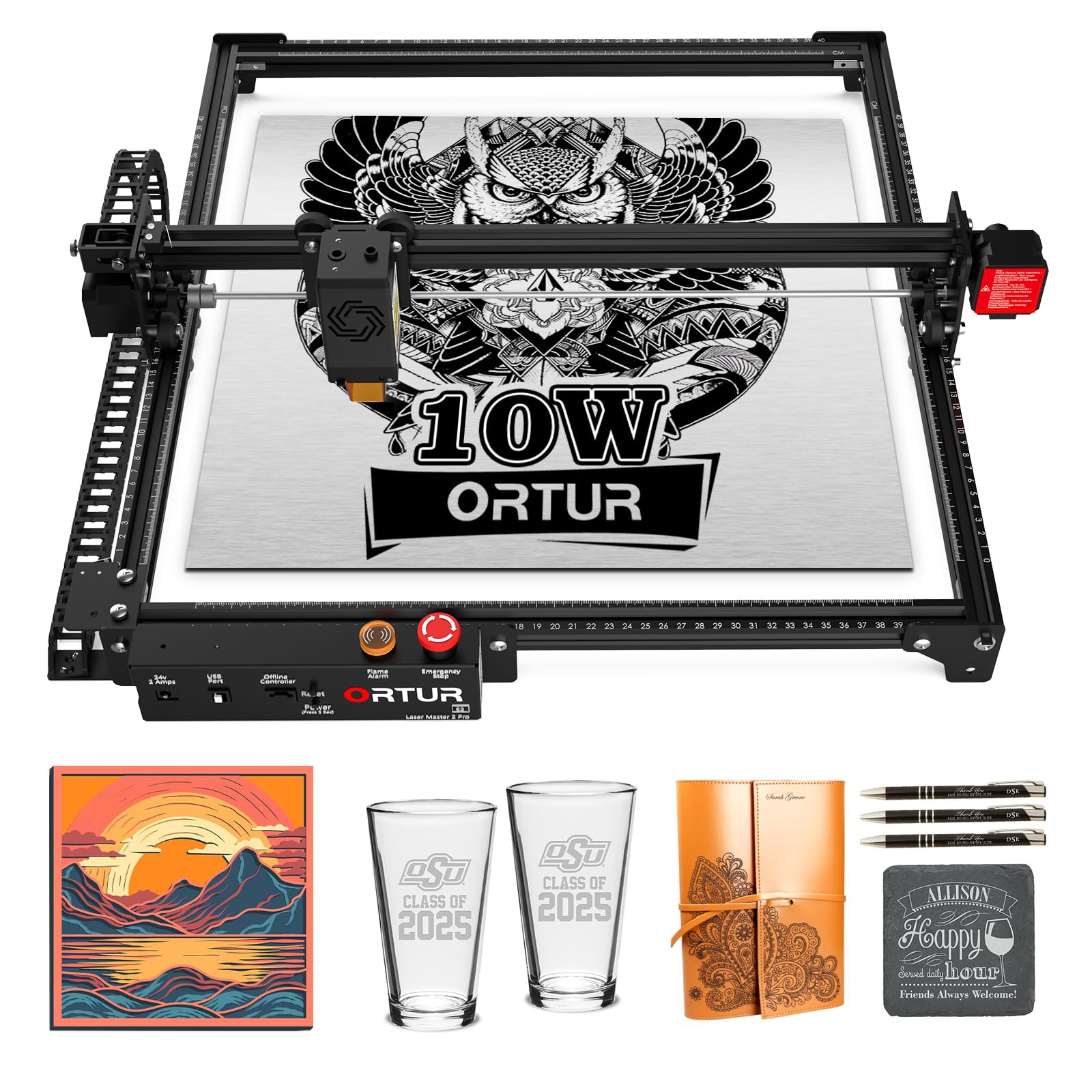
Maker-stated cuts of 30mm acrylic and 20mm wood put this in a heavier class.
The headline here is depth of cut. Ortur states this Laser Master 2 Pro S2 cuts 30mm acrylic and 20mm wood, and it backs that with a true 10000mW laser module and dual fan cooling to keep it running when the work gets long. A built-in air-assist interface is there for cutting specifically, which is the setup detail serious cutters care about.
The engraving side is no slouch either. The LU2-10A module compresses its spot to 0.05mm × 0.1mm and weighs just 235g, reaching 15000mm/min — matching the Falcon A1C’s top speed. The 390 × 410mm engraving area is close to the A10 Pro V2’s 410 × 380 mm bed. The full metal structure and modular design mean parts can be swapped and repaired rather than replaced wholesale.
Eye protection gets real attention: a protective cover on the module filters out 98% of UV light, and there are four safety features including position protection, a stop when the USB cable disconnects, an emergency stop switch with flame alarm, and exposure time detection. It supports LaserGRBL and LightBurn across Windows and Mac. Setup runs 10-15 minutes by design, but ease of use is the honest weak spot — several owners find the config lengthy for beginners.
Real cutting credentials
- Maker-stated 30mm acrylic and 20mm wood cuts
- Air-assist interface built in for cutting jobs
- 15000mm/min speed and a 0.05mm × 0.1mm compressed spot
- Four safety systems plus 98% UV filtering cover
The learning curve
- Configuration is fiddly for first-timers
- Software setup rewards patience over speed
- 10.46 pounds is not a take-it-out-and-pack-it-up machine
Match for: tinkerers who want deep cuts and are happy to learn the settings.
Not the smoothest start: if you want plug-in-and-go, the Falcon A1C is a gentler on-ramp.
8. Twotrees TTS-20 Pro Laser Engraver
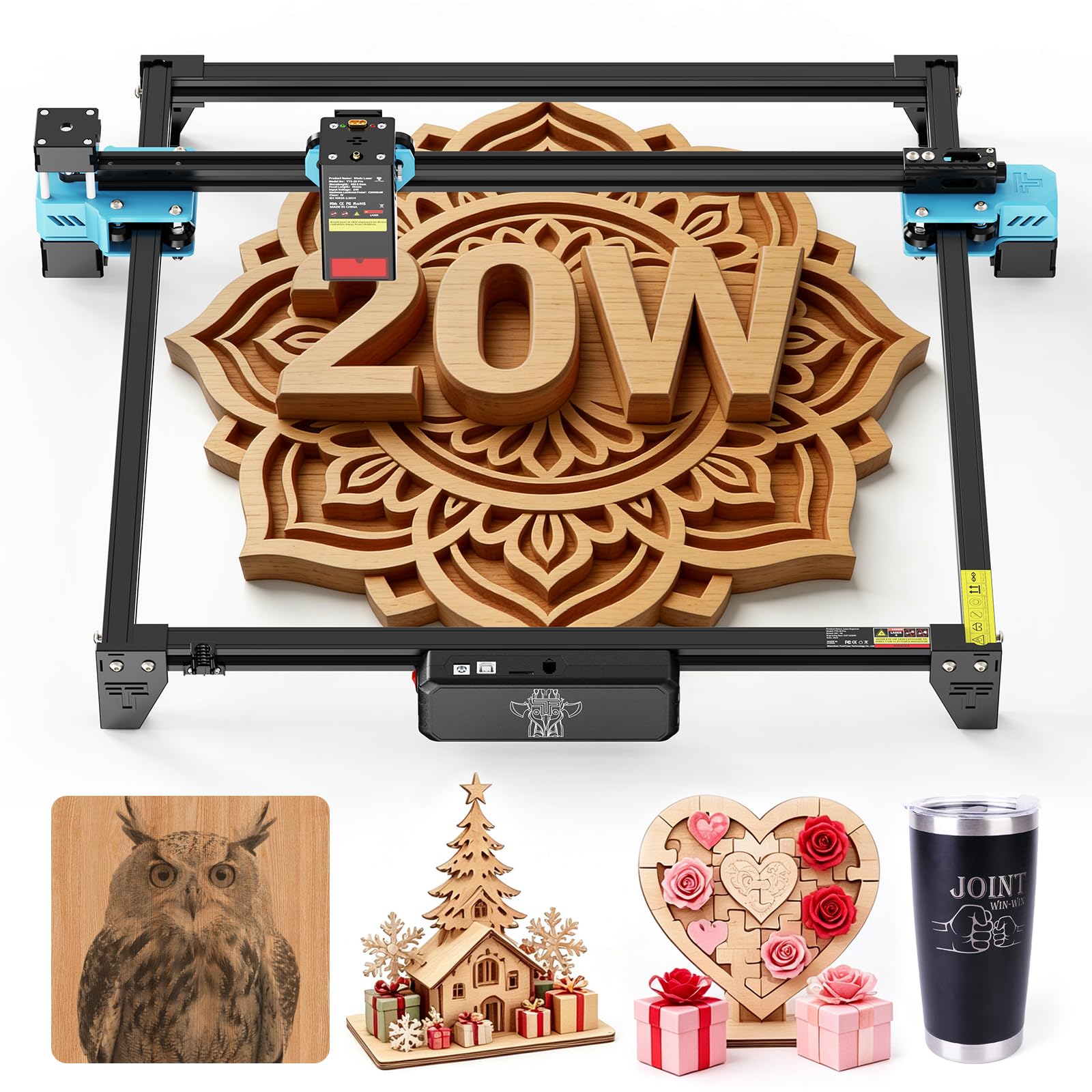
The largest bed and the highest wattage in the lineup, built for repeat runs.
Twenty watts changes what a diode laser can do. This TTS-20 Pro delivers stable ≥19.5W optical power from a 450±5nm blue diode, arrayed in a compact rectangular spot so energy lands evenly. It handles wood, leather, bamboo, acrylic, MDF, coated stainless steel, and plastic — the broadest stated material list in this group.
The working area is the biggest here at 418 × 418 mm, backed by an aluminum alloy frame and GT2-6mm synchronous belt transmission. TMC2209 silent drivers and 42 stepper motors push a max speed of 30000mm/min at 0.1mm positioning accuracy. The X/Y limit homing function recalibrates the origin before every job, which matters when you are repeating the same engraving across a batch. The 418 × 418 mm bed is the most-praised feature and the main reason buyers choose it.
File handling is flexible: Wi-Fi, USB, or a 4GB TF card for fully offline cutting, and the head auto-returns to origin after each task. LightBurn and LaserGRBL run on Windows, MacOS, and Linux. The catch is assembly and motor feedback, which both run mixed — some find setup simple, others call it extremely difficult. At 4 kg it stays portable, and a 1-year warranty covers the machine.
Why batch work clicks here: a 418 × 418 mm bed plus 30000mm/min speed and auto-homing origin makes repeating the same design genuinely practical.
Set aside build time: assembly experience splits sharply, so clear an afternoon rather than a spare hour.
Built for: small shops and crafters turning out the same design on a schedule.
Consider another route if: you want the simplest possible first build.
9. xTool M2 10W Laser Engraver

Cameras that show you the material and line the design up before you commit.
The M2 solves the part of laser work that trips up beginners most: guessing where the job will land. Built-in dual cameras give a real-time preview of the workspace, and the ACS system fuses that view with the motion control for a “Place & Go” flow. You put the wood down, the machine sees it, and the design lines up — less wasted material, fewer test burns.
Around that sits a genuinely unusual platform. The 10W diode handles engraving and cutting, and the dual-mode architecture accepts a CMYK Inkjet module (sold separately) so you can add full-color printing alongside the laser. A 3W IR laser (also separate) opens metal and plastic. xTool Studio brings hundreds of ready-to-use templates and an AI image generator, so the design side shortens dramatically. Class 1 safety with real-time monitoring and a fully enclosed design keeps it usable around family.
Owners consistently praise the build quality and the fact that it works right from the start. That reputation is why it sits in the premium tier here. The trade-off is the add-on model: the camera and 10W diode are in the box, but color printing and metal marking each need a separate purchase.
The camera advantage: dual cameras plus ACS turn positioning into a glance instead of a measuring session.
Watch the module math: CMYK printing and IR work are separate add-ons, not included.
Best paired with: home crafters and side-hustlers who value a safe, camera-guided workflow over raw power.
Hold off if: your priority is wattage per dollar rather than setup ease.
10. xTool F2 Dual Laser Engraver
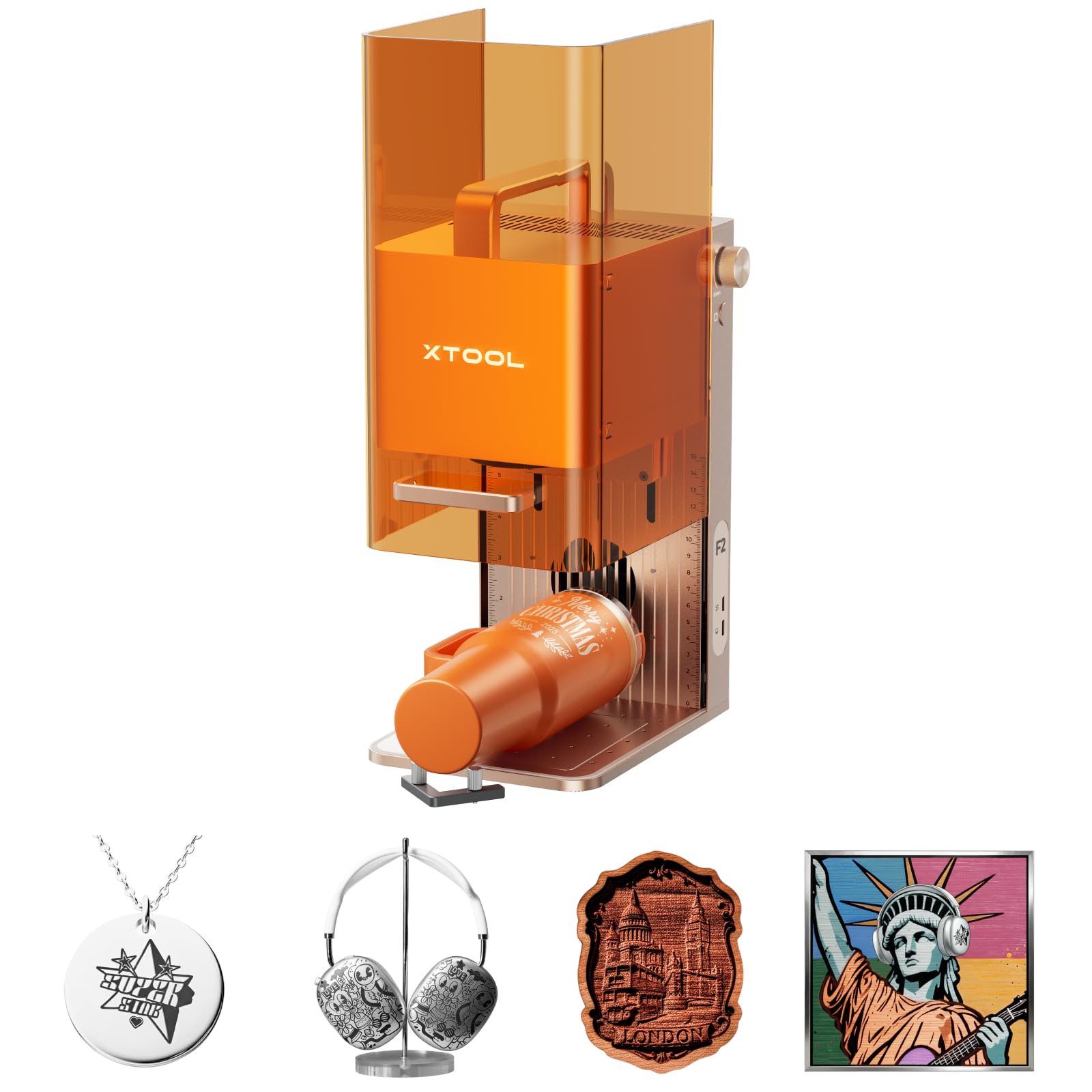
Two lasers, one compact body, and enough speed to engrave a card in seconds.
Two laser sources in one machine is the reason this costs what it does. The F2 pairs a 15W diode with a 5W IR laser, so it handles 300+ materials: the diode cuts thick stock and does 3D embossing, while the IR module lays down deep, vivid color marking on metal. That dual capability is the whole pitch, and it is the only machine here with it.
Speed is genuinely startling. It reaches up to 6000mm/s, and the maker states it finishes a card engraving in just 3 seconds — quick enough that batch work and on-site jobs become viable. A built-in 50MP camera visualizes the workspace and aligns small pieces to up to 0.1 mm, with 0.00199″ motion accuracy for fine detail. It arrives fully assembled, and material presets cut the setup time further.
Owners say the build meets their expectations, and they consistently praise the compact, portable frame. At 10 pounds with a fully enclosed, leak-proof design, it is built to travel to fairs and markets, with an optional purifier handling fumes. One honest note: the listing calls it a Class 4 laser, so treat it with proper respect and keep the enclosure closed.
What the money buys
- 15W diode and 5W IR lasers for metal and wood alike
- 6000mm/s speed with 3-second card engraving
- 50MP camera with 0.1 mm alignment accuracy
- Arrives assembled at 10 pounds for on-site work
Before you commit
- Class 4 rating demands careful handling
- The compact work area suits small items, not large boards
- Purifier and extensions are optional extras
Made for: sellers customizing items on-site who need metal marking and speed in one case.
Skip past it if: your work is large wood pieces and metal never enters the picture.
Know the Specs
Laser power in watts
This is the output strength of the beam, written as 5W, 10W, 12W, or 20W. Higher power cuts deeper and faster through wood and acrylic, but it does not automatically draw finer lines. A 5W machine with a tight spot can beat a looser higher-wattage beam on lettering. Match the wattage to whether you mostly engrave or mostly cut.
Spot size in millimeters
The focused dot the beam makes, written as two dimensions like 0.06 × 0.06 mm. Smaller and squarer means finer detail and cleaner edges. It is the number that decides whether small text is readable or smeared, so check it before you check the wattage.
Working area
The flat space the laser can reach, given in millimeters or inches — 300 × 300 mm, 410 × 380 mm, 418 × 418 mm. This sets your maximum project size. Measure your biggest planned piece and buy a bed that clears it with a little room to spare.
Laser safety class
Class 1 means the beam is contained, usually inside an enclosure, so it is the safer option around other people. Class 4 means the beam is open and you rely on goggles and care. For indoor home use, the class rating matters as much as the wattage.
Common Questions
Can a 5W laser engraver actually cut wood or only engrave it?
What spot size should I look for when engraving fine lettering on wood?
How big a piece of wood can I engrave in one pass?
Do I need a computer connected to run a laser engraver?
What is the difference between a Class 1 and Class 4 laser engraver?
Will these machines engrave on metal as well as wood?
How long does it take to assemble a wood laser engraver?
Which software works with these laser engravers?
Is a higher wattage always better for wood engraving?
Can these machines engrave curved surfaces like tumblers or rings?
The Bottom Line
For most people buying their first wood laser engraving machine, the LONGER RAY5 5W is the pick that makes sense — it runs offline from a memory card, carries a 3.5-inch color screen, and puts a 0.08 × 0.08 mm spot over a 400 × 401 mm bed. It also holds 4.5+ stars across 100+ owner reviews. If cutting plywood and acrylic is the real job, the Creality Falcon 10W doubles the optical output and tightens the spot to 0.06 × 0.06 mm. And when you need the biggest bed and the most power in one frame, the Twotrees TTS-20 Pro delivers 418 × 418 mm at 20W for repeat batch work.
How we choose
We do not accept paid placement. Every pick is matched to a real buyer and a real use-case; we do not hands-on test units.
Sources
Specifications: manufacturer listings and product documentation. Review insights: verified customer reviews, as of November 2026. Pricing: not shown on this page (it changes often); check the current price via the retailer link.
As an Amazon Associate, Tactical Gear Guy earns from qualifying purchases. This does not affect which products we feature.