Specs are compiled from manufacturer listings and verified buyer reviews and can change over time — please confirm the key details on the product page before buying.
You can pick a wood laser cutter by the wattage number and still get stuck, because the real limits are bed size and smoke. This guide ranks the eleven machines that actually handle wood — signs, ornaments, earrings, engraved gift boxes — by what matters once the box is open. That means how thick a board it cuts, how much material fits under the laser, and whether you can run it without a full workshop. The top pick here balances cutting muscle, a big bed and an offline controller that does not need a laptop tethered to it.
This guide is built by comparing the manufacturers’ published specifications and the patterns across verified customer reviews, so you get each pick’s real strengths and trade-offs instead of marketing spin.
A diode laser only removes wood by concentrating light into a tight point, so spot size and speed decide your finish as much as power does. Below, every pick is matched to a real craft job, so you can skip the guesswork and cut the right board.
Top Picks
How To Choose The Best Wood Laser Cutting Machine for Crafts
The wrong assumption most beginners carry in is that more watts always means a better craft machine. Watts decide how deep you can burn in one pass, but a 10W unit with a tight spot and a big bed will finish more ornaments in an evening than a hotter machine with a cramped frame. Pick your material thickness first, then let the bed size and the smoke control narrow the field.
Match the pass count to your board thickness
Thin craft wood, basswood and 3mm plywood are single-pass territory on a 10W diode laser. Thicker boards — the 15mm pine and 20mm hardwood you see quoted on the stronger models — usually need multiple passes, and each pass adds time and char along the edge. If your projects are ornaments, earrings and small signs, a 10W machine is plenty. Furniture-scale cuts point you toward 20W and up.
Bed size quietly decides your batch speed
A 400 x 400mm working area (the flat space the laser can reach) is the common balance in this class. It lets you tile a full sheet of small blanks in one run. Oversized frames like a 418 x 418mm or 450 x 440mm bed give you more room for a single large plaque, but they also eat more desk. Measure your bench before you fall for a big frame.
Smoke, eyes and the enclosure question
Cutting wood makes smoke and fumes, and a diode laser throws bright light that your eyes should never meet directly. Open-frame machines rely on the protective cover over the laser module plus safety glasses, and they want an open window or a vent. An enclosed Class 1 machine contains the beam behind a full cover, which is the friendlier setup in a shared room.
Side-by-Side Comparison
| Model | Best For | Laser Power | Working Area | Top Speed | Amazon |
|---|---|---|---|---|---|
| LGT Longer RAY5 10W★ Best Overall | All-round craft work | 10W | 400 x 400mm | 10,000 mm/min | Amazon |
| Creality Falcon 10WBest Value | Budget first cutter | 10W | 15.7″ × 16.3″ | 10,000 mm/min | Amazon |
| Ortur Laser Master 2 Pro S2Precision Pick | Precision fine detail | 10000mW | 390 x 410mm | 15,000 mm/min | Amazon |
| IKIER Flex Pro 12W | Enclosed desktop use | 12W | 15 x 13 x 10 in frame | 10,000 mm/min | Amazon |
| Longer RAY5 20W | Speed and thick stock | 20W | 15.75″ x 14.37″ | 24,000 mm/min | Amazon |
| Twotrees TTS-20 Pro | Large flat layouts | ≥19.5W optical | 418 x 418mm | 30000 mm/min | Amazon |
| ATOMSTACK A20 Pro V2 | Air-assisted clean cuts | 20W | — | 400mm/s (24,000mm/min) | Amazon |
| xTool M2 10W | Family-safe home crafting | 10000mW | — | — | Amazon |
| AlgoLaser MK3 20W | Touchscreen simplicity | 20W | 400 x 400mm | 15000mm/min | Amazon |
| Twotrees TS5 | Round objects and tumblers | Class 1 enclosed | 9.8″×4.8″×4.8″ | — | Amazon |
| Longer Laser B1 | High-volume production | 48W | 450 x 440mm | 36,000 mm/min | Amazon |
Detailed Reviews
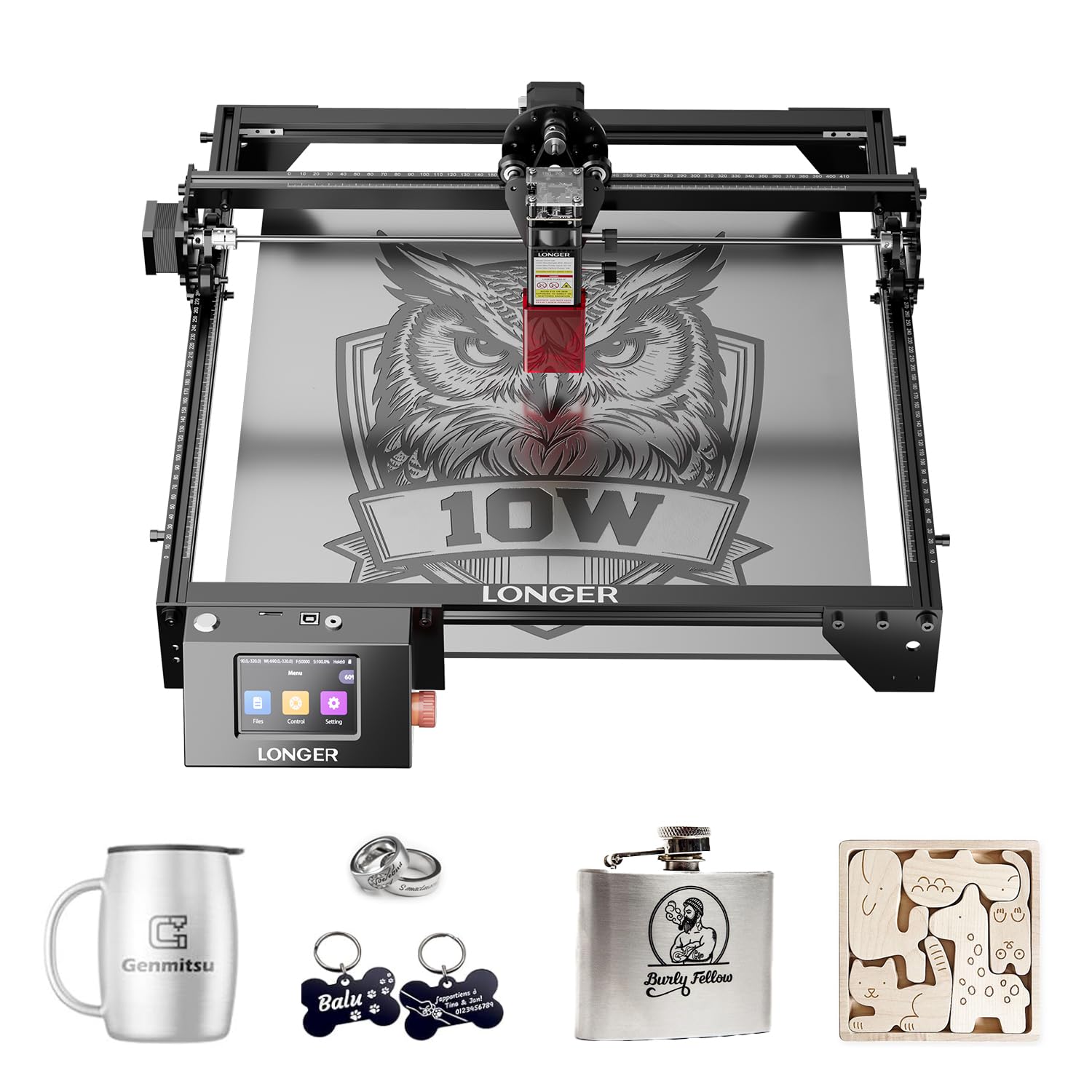
1. LGT Longer RAY5 10W Laser Engraver
Our pick — 4.5+★ from 100+ verified ratings; the strongest balance of quality and price.
The one that keeps working with the laptop switched off and smoke drifting out the window.
The RAY5 earns the top spot because it cuts the materials you actually use: 0.8 inches (20mm) of wood board and 1.2 inches (30mm) of acrylic. Its 400 x 400mm bed lets you lay a full batch of blanks on at once. That bed size is the real story for sign makers and ornament cutters. You can tile small shapes across the whole sheet and cut them in one run instead of reloading after every piece.
Detail work holds up too. The laser focuses down to a 0.06mm x 0.06mm spot, which is the tight point where the beam lands — smaller points mean crisp engraved lettering rather than a scorched blur. Dual-beam technology pushes engraving speed to 10,000mm per minute, so a complex design finishes while you are still sorting blanks. And the 3.5-inch touchscreen with Wi-Fi, USB, app and TF card options means the machine can run offline, straight from a memory card, with no computer in the room.
Build quality is what wins crafters over here. It is the most-praised aspect of this machine and the reason it sits at the top of this list, where owners call it a solid, dependable unit that turns out clean work. The honest catch is durability. A few buyers report theirs stopped working after three months of use, so register the one-year warranty and keep the cooling clear. It is also the heavier 9.33-pound frame in this comparison. That is a plus for stability and a minus if you plan to move it between rooms.
10W diode power
- Cuts 0.8in wood and 1.2in acrylic, so real craft stock is in range
- 400 x 400mm bed keeps batch cutting quick
- Offline TF card and touchscreen — no laptop tethered
manual focus setup
- A few owners mention early failures, so the 1-year warranty matters
- Heavier frame than the Creality at 9.33 pounds
tight budget pick: you want one machine that handles wood, acrylic and offline projects without a PC.
need more wattage: you need to carry the cutter to craft fairs — the chunkier frame works against that.
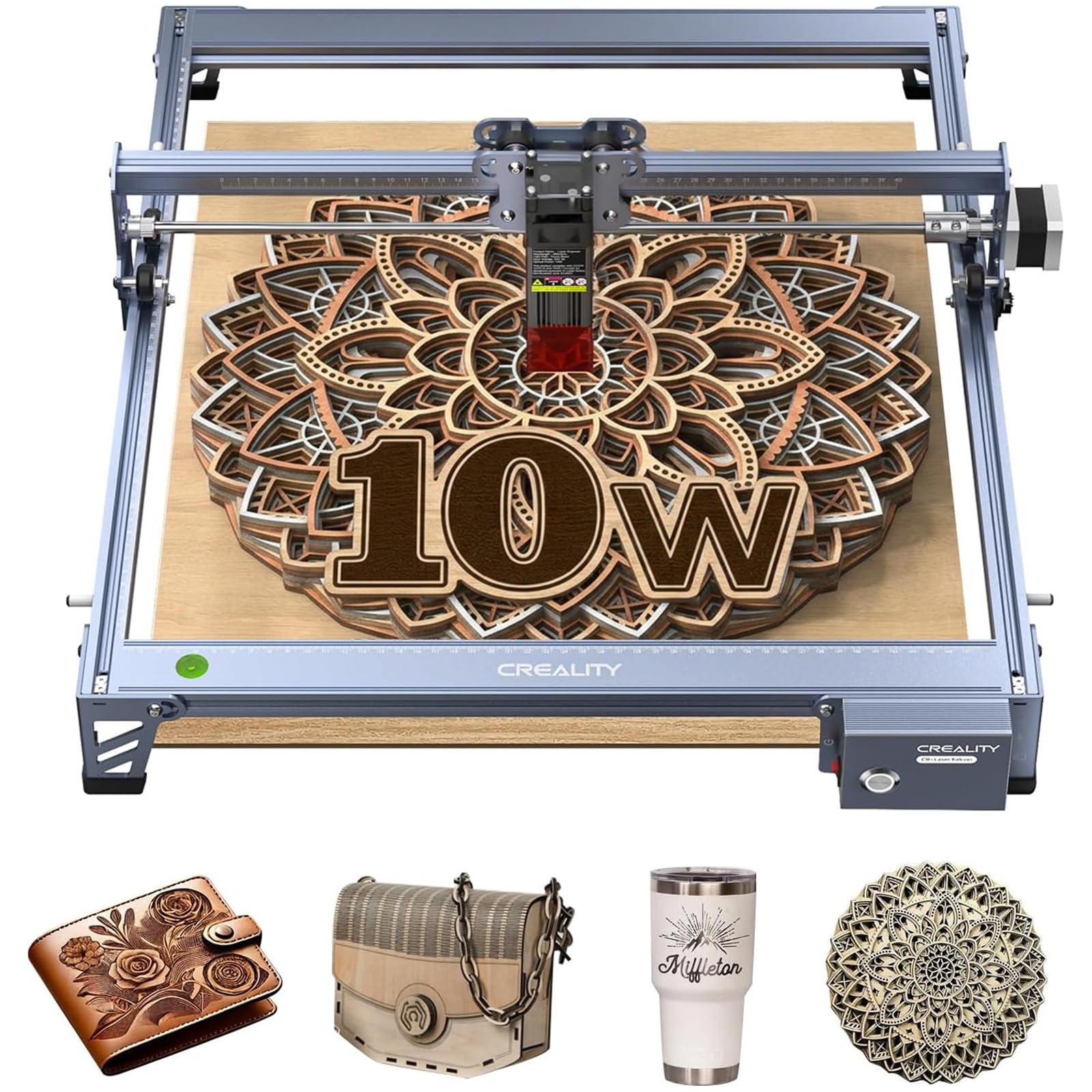
2. Creality Falcon 10W Laser Engraver
The lightest frame here — and the one that grabs a beginner by the hand.
At 7.05 pounds this is the lightest machine in the comparison, roughly a third what the IKIER Flex Pro weighs at 22 pounds, so shifting it around a table is easy. Its 10W optical output cuts 5mm basswood or 3mm black acrylic in a single pass, which covers ornaments, small signs and gift boxes without any pass-count math. The 15.7″ × 16.3″ working area gives you room for a wide plaque or a spread of small blanks.
Beginners also like it because it is just plain fun to run. Owners describe it as a good build with real cutting performance, and customers note it can cut through 1/4″ birch plywood in just a few passes. The 0.06 × 0.06mm compressed spot (the tiny focused point where the beam does its cutting) keeps fine patterns and clean lines crisp. The laser module’s built-in anti-UV acrylic filter blocks 97% of UV rays. That is a real comfort for anyone working near the beam without an enclosure.
Assembly is where opinions split: some find it easy to put together, others find the instructions confusing, so give yourself a quiet afternoon and a clear table. LightBurn and LaserGRBL both run it, and an SD card slot lets it work offline. For the lowest entry point into wood cutting with a decent bed, this is the sensible first machine.
open frame build: a single-pass 10W cutter with a real 15.7″ × 16.3″ bed, a 97% UV filter and a 7.05-pound frame — easy to justify as a first wood cutter.
beginner friendly: you want the lowest-cost route into cutting thin craft wood and are willing to learn the build.
want enclosure: you need thick hardwood boards or an assembly that just clicks together without studying a diagram.
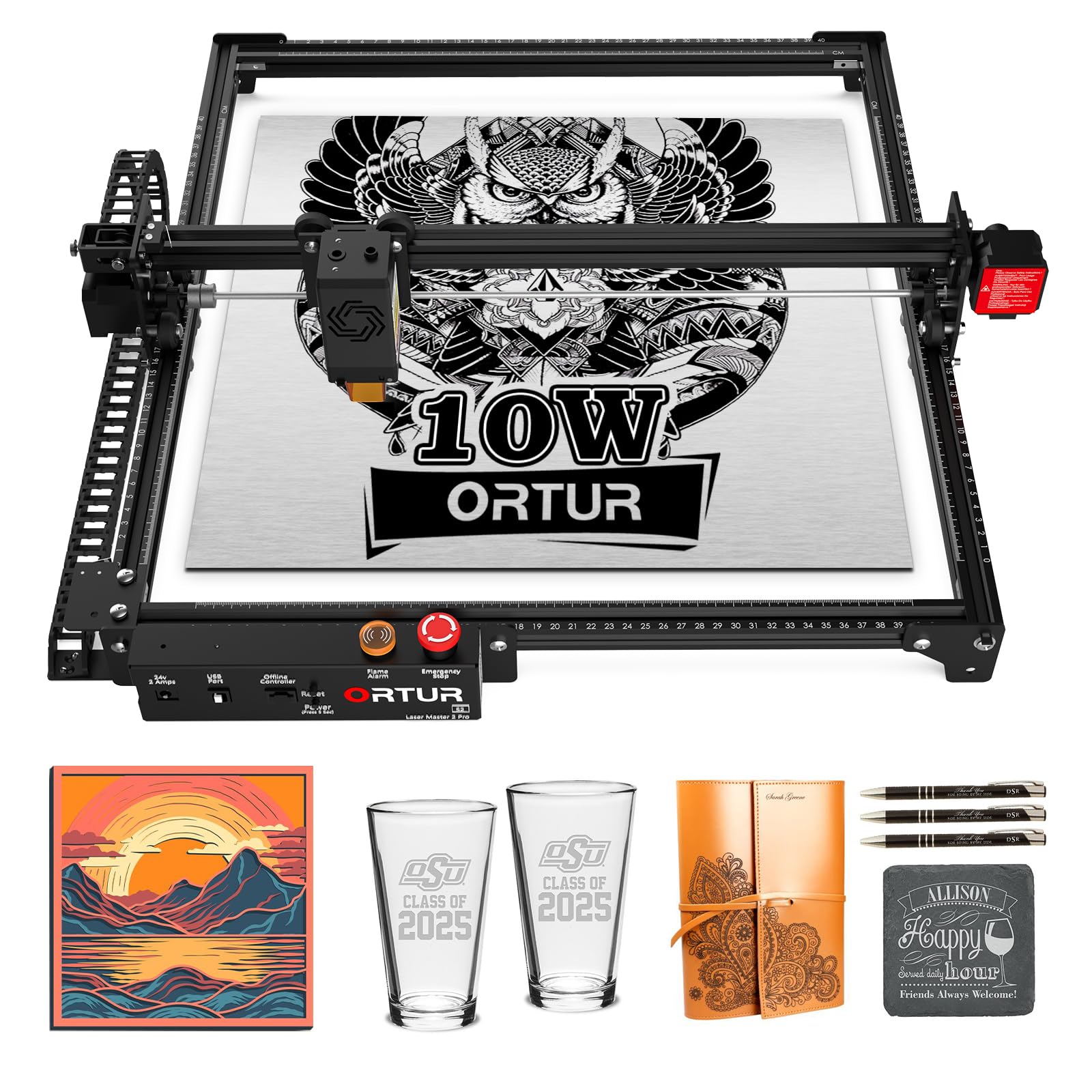
3. Ortur Laser Master 2 Pro S2 10000mW
A 235-gram laser head tuned for hairline detail rather than raw pace.
Fine engraving is the whole point here. The LU2-10A module focuses to a 0.05mm x 0.1mm compressed point — the tight rectangle the beam burns from — and that fine focus is what gives you clean hairlines on engraved plaques and detailed imagery. It cuts 30mm acrylic and 20mm wood, and the module itself weighs only 235g, which keeps the gantry light and responsive at the 15,000mm/min top speed.
Two features set it apart for cutting work. Dual fans cool the laser module so heat does not build through a long run, and a built-in air-assist interface is there for adding an air pump, which blows smoke and soot away from the cut line. The protective cover filters 98% of UV light, backed by four safety features: position protection, a USB-disconnect stop, an emergency stop with flame alarm, and exposure-time detection. Assembly is modular, generally around 10-15 minutes, with LightBurn and LaserGRBL both supported.
The recurring thread in the feedback is setup difficulty for total beginners; getting dialed in takes patience. What works well, though, is doing exactly what it promises — quality and functionality are what it does best, and it handles light cutting and etching neatly. Its frame at 23.62 x 22.44 x 5.12 inches makes it notably more spread-out than the IKIER’s compact 15 x 13 x 10 inches, so clear a wide bench.
solid starter rig: your craft leans toward detailed engraving and you want air-assist headroom built in.
expect fast cuts: you want to be cutting within the hour with zero tinkering.
4. IKIER Flex Pro 12W Smart Desktop Laser Engraver

The 12W desktop unit that keeps its light behind a window.
The draw here is the sealed housing and viewing window — you watch the design take shape through glass instead of over an open frame. That matters in a spare room or a corner of the kitchen where fumes and stray light are a nuisance. A 12W diode laser handles wood blanks and leather, and cuts supported craft materials into sign pieces, ornaments and gift components.
On-machine control is the other difference. A built-in touchscreen running IKIER OS (the machine’s own operating software) does the job a laptop normally would, so your workspace stays uncluttered. Speed adjusts up to 10,000 mm/min, letting you dial passes and power to the material in front of you. One spec straight from the listing: this is the heaviest desktop unit in the comparison at 22 pounds, against the Creality Falcon’s 7.05-pound frame. That is a great sign for stability, less great for tidying it into a cupboard after each session.
Read the configuration carefully before buying. This 12W version is the blue diode model with the Pro touchscreen, and it does not ship with an infrared module. If engraving metal surfaces matters to you, the maker points you to a separate Flex Pro 7W + 1.4W Infrared configuration instead. Buy for wood, leather and craft cutting and this is a tidy, self-contained performer.
smart desktop control: enclosed operation with a viewing window and a touchscreen that frees up your laptop — a genuine comfort upgrade for shared spaces.
small work area: no infrared module here, so bare-metal marking needs the other configuration.
app driven users: crafters who value a contained, tidy machine over open-frame access.
large panel work: metal engraving is on your list, or you need it to be easy to move often.
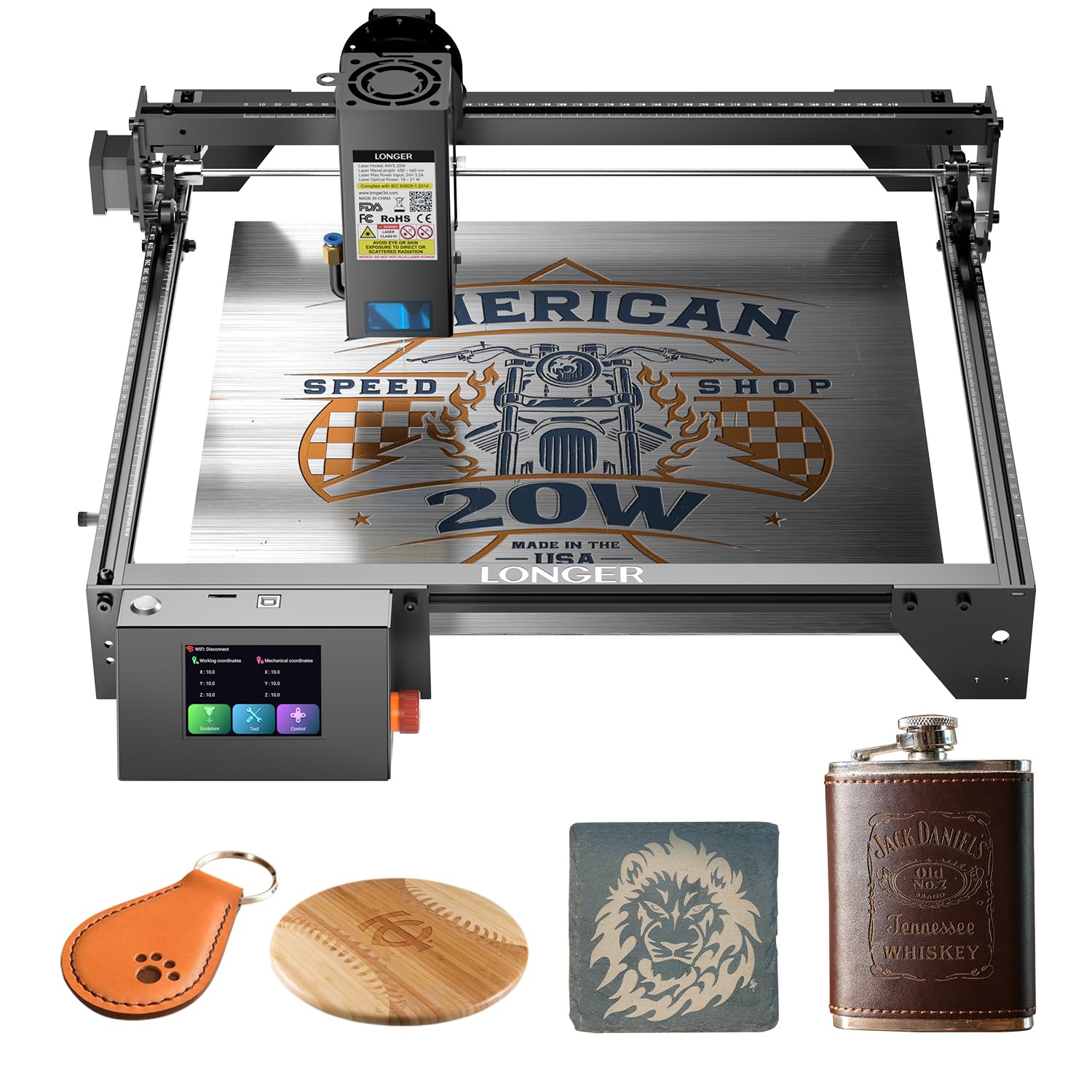
5. Longer New Upgrade RAY5 Laser Engraver Cutter
Double the laser power and more than double the speed of a standard 10W frame.
This is a step up in muscle. A 20W optical output module (the laser’s actual cutting power) cuts 0.59″ (15mm) pine and 0.31″ (8mm) acrylic in a single pass. It also handles up to 25mm wood and 35mm acrylic with multiple passes, so real craft timber and thicker stock are both in range. Dual-beam technology pushes the engraving speed to 24,000 mm/min. That matches the ATOMSTACK’s 24,000mm/min but is well clear of the Creality Falcon’s 10,000mm/min, which matters when you are running a stack of orders.
The bigger module also makes this roughly twice the laser power of the RAY5 10W in this same lineup at 20W against 10W. The 0.08 x 0.1mm focus area works alongside a built-in 256-bit color scale for finer contrast on engraved images, and an air-assist interface is ready for a pump to keep cut edges clean. A 32-bit motherboard runs it steadily, and it supports USB, TF card, Wi-Fi and app connection, with offline operation and LightBurn compatibility. On the safety side you get protective glasses, move protection, thermal protection and an emergency stop.
Owners describe it as an amazing starter unit that is well-built and a genuine value. Reviewers point out it can mark, engrave and cut 5mm plywood in multiple passes, and one likens the cutting to a hot knife through butter. Two things get mixed reviews: the included instructions and laser performance itself. Some find the paperwork unclear, so plan to lean on the LightBurn community. Fine for a patient crafter, less so for someone who wants hand-holding through every step.
upgraded RAY5 frame
- 20W optical power cuts 15mm pine and 8mm acrylic in one pass
- 24,000 mm/min top speed suits batch work
- Offline TF card plus app and Wi-Fi control
assembly required
- Instructions leave some owners guessing
- Laser performance draws mixed notes, so expect a learning curve
existing RAY5 owners: makers moving from hobby to steady output who want speed and thick-stock cutting in one machine.
hate building: you need simple to use step-by-step documentation to get started.
6. Twotrees TTS-20 Pro Laser Engraver

A generous flat-lay bed for makers who batch a whole sheet at once.
Size is where this one makes its case. A 418 x 418mm engraving space opens up room for a single big plaque or a spread of small blanks, and the sturdier aluminum alloy frame holds that width steady. A 20W-class diode puts out a stable ≥19.5W optical power with a 450±5nm blue laser, which handles wood, leather, bamboo, acrylic, MDF and coated stainless steel for daily engraving and light cutting alike.
Under the hood, TMC2209 silent drivers (motor chips that keep the machine quiet) and 42 stepper motors push it to a 30000mm/min top speed. That is the quickest figure in this whole roundup, ahead of the Longer B1’s 36,000mm/min performance on paper and comfortably beyond the Creality Falcon’s 10,000mm/min. A 0.1mm positioning accuracy keeps patterns on-register. X/Y limit homing auto-calibrates the origin before each job, so repeated cuts start in the same place. Connection options are Wi-Fi, USB, or a 4GB TF card that lets you run fully offline.
What buyers value most is the space on offer, with a large share of feedback focused on its size and functionality as a do-it-all starter machine. Practical notes: assembly draws mixed reports — some find it easy, others quite tough — and motor power gets a split verdict, so treat the first cuts as a tuning exercise. At 4 kilograms it is light enough to shift around a home workshop.
20W cutting head: the biggest bed and highest top speed among the mid-range picks — ideal for hands-off batch runs.
loud operation: assembly and motor-power opinions are split, so budget time to fine-tune it.
thick wood jobs: needs a large flat bed and speed for repeat craft production.
quiet workshop: you want a plug-and-play setup with no calibration fuss on day one.
7. ATOMSTACK 20W A20 Pro V2 Laser Cutter
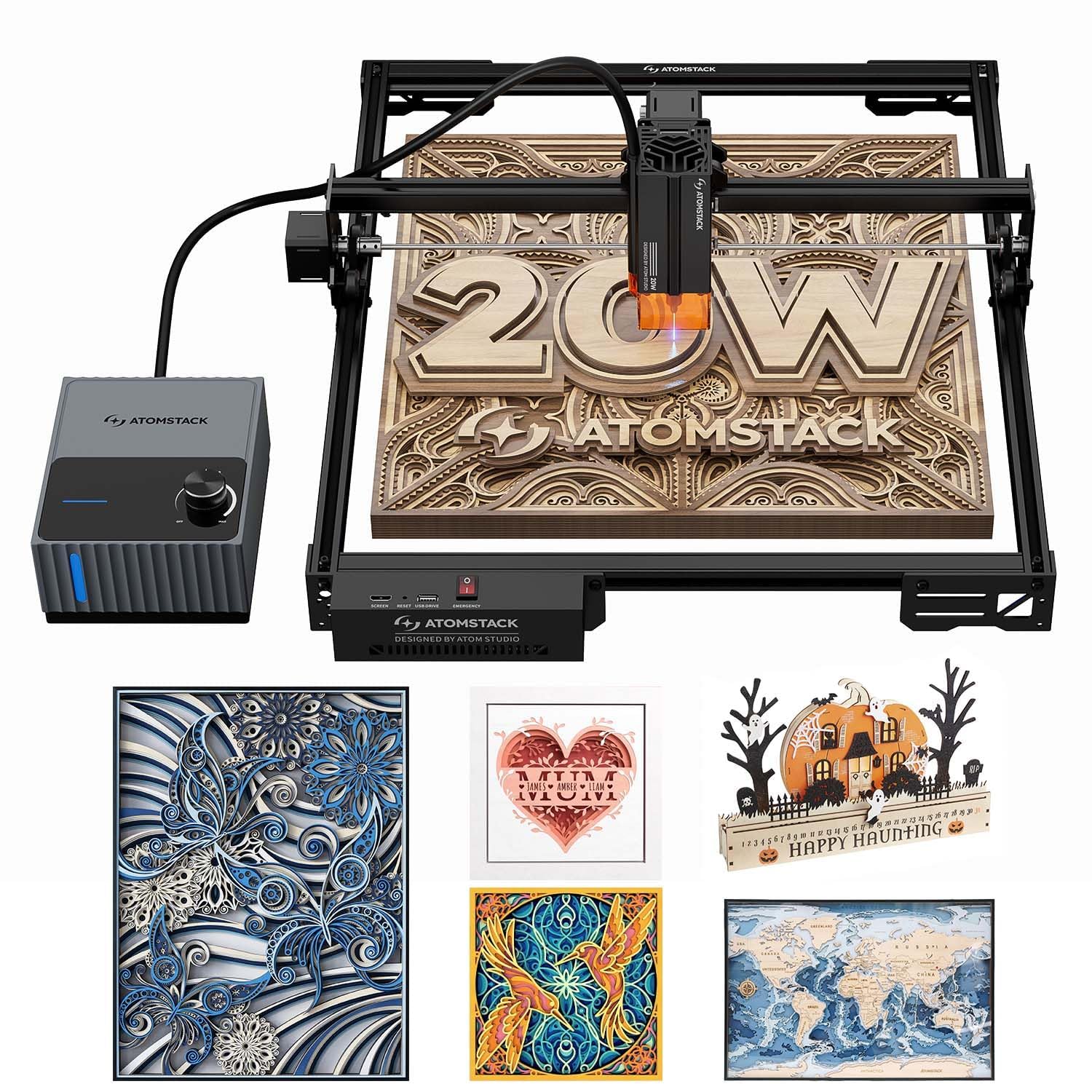
The air-assisted cutter built to keep wood edges from charring.
Charring is the enemy of clean woodwork, and this one attacks it with a 60L/min airflow pump that blows smoke away and keeps surface temperatures down — the difference between a clean edge and a scorched one. A 20W module with a 0.08×0.1mm spot and 0.01mm engraving accuracy throws clean, high-contrast marks on wood, dark acrylic and metal, and the linear guide motion system smooths the pass so detail lands where the design says.
Speed is up to 400mm/s (24,000mm/min), which slices processing time noticeably, making short work of stacked order queues. On safety it is serious: a tilt-angle sensor that beeps if the machine tips past 15, built-in limit switches, a removable magnetic eye shield and professional safety glasses all come standard. The aluminum modular frame protects the machine. Type-C and USB connections plus the ATOMSTACK app, LightBurn and LaserGRBL cover the software side.
For crafters who cut a lot of wood, the noise-reducing rubber feet and sturdy housing make it a low-maintenance, quiet partner. Think of it as a cutting specialist rather than the tinkerer’s kit — it is built to do the job cleanly, not to be endlessly reconfigured.
serious hobbyists: clean, char-free cut edges on wood are what your finished pieces live or die on.
tiny workspace: you want a simple starter frame — this one is spec-heavy and rewards knowing your way around laser settings.
8. xTool M2 10W Laser Engraver
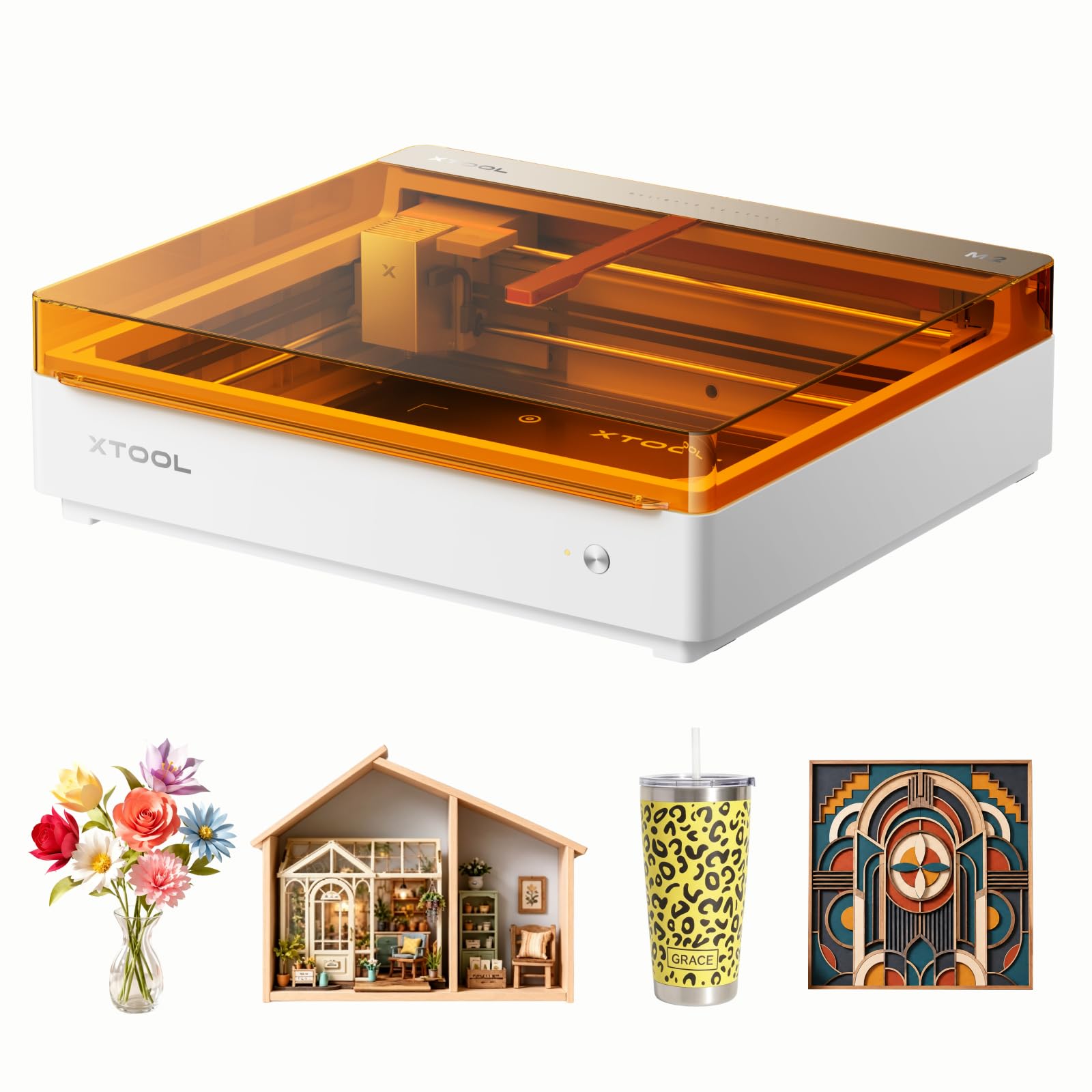
A fully enclosed engraver you can run in a room with kids about.
If you have a family and no spare workshop, the M2 is the strong candidate. It is a Class 1 unit with a fully enclosed design and real-time monitoring, so the laser stays behind a cover while you watch. The 10000mW (10W) diode laser cuts and engraves wood, leather, felt, fabric and paper, and it runs on xTool Studio, which has hundreds of ready-made templates and an AI image generator built in.
The dual cameras are a genuine ergonomic win. They preview the workspace in real time — the “Place & Go” setup the maker describes — and that vision-guided approach takes the guesswork out of positioning so you waste fewer blanks. The maker also sells a CMYK Inkjet module and a 3W IR laser as separate add-ons to open up full-color printing or metal engraving; neither is included, so plan for that if you want those features.
What owners respond to is quality and ease of use — a machine that works from the start and feels straightforward to operate. It is heavier fare at 36.2 pounds, so pick a permanent spot. For family crafters with a steady project list, the enclosed safety is the top reason to choose it.
crafter software suite: Class 1 enclosed safety and camera-guided placement make it the least intimidating machine for a busy home.
premium price: full-color printing and metal engraving need separate modules you buy later.
design focused makers: you need a safe, contained machine for family crafting on wood, felt and fabric.
budget shoppers: you have no spare 36-pound footprint to give it.
9. AlgoLaser MK3 20W Laser Engraver and Cutter
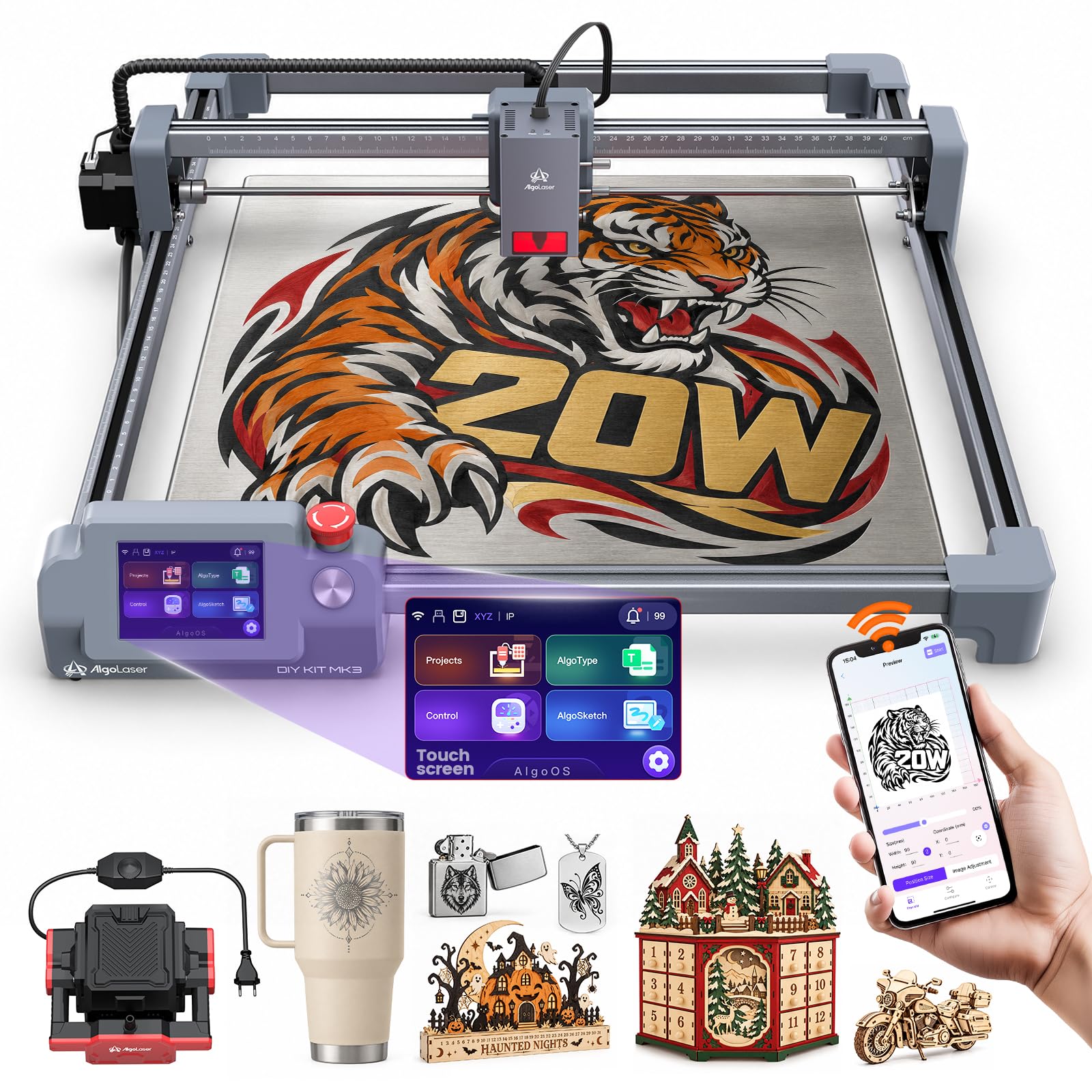
A 20W cutter with a screen that talks you through the whole job.
This one is all about approachability on a strong spec sheet. A 20W diode laser reaches speeds up to 15000mm/min for engraving, marking and cutting, with a 400 x 400mm bed that gives you space for big signs and batch batches of small blanks. A built-in 3.5″ smart touchscreen running AlgoOS handles design prep, setting tweaks and job starts on the machine itself — a real convenience when you do not want a laptop at the bench.
Connectivity is flexible, with Wi-Fi, USB cable, TF card and app control all supported, plus compatibility with LightBurn and LaserGRBL on Windows and macOS. The adjustable air-assist pump — the same blow-clean-edge idea as the ATOMSTACK — clears smoke and soot so cuts come out cleaner and hotter through the material. It weighs 12.7 pounds, so it sits comfortably on a workbench.
Its standout stat is the review score: the highest rating in this group. With a smaller pool of reviews behind it than the deepest contenders, it is a premium-spec machine for makers who want a touchscreen workflow and adjustable air assist without the fuss of a bare open frame. Consider it a strong bet for a serious hobbyist moving into small-batch craft sales.
mixed material work: hobbyists who want top-shelf specs, adjustable air assist and on-screen control in one unit.
plug and play: you prefer to spend less and skip the touchscreen, or need a proven track record before you commit.
10. Twotrees TS5 Laser Engraver
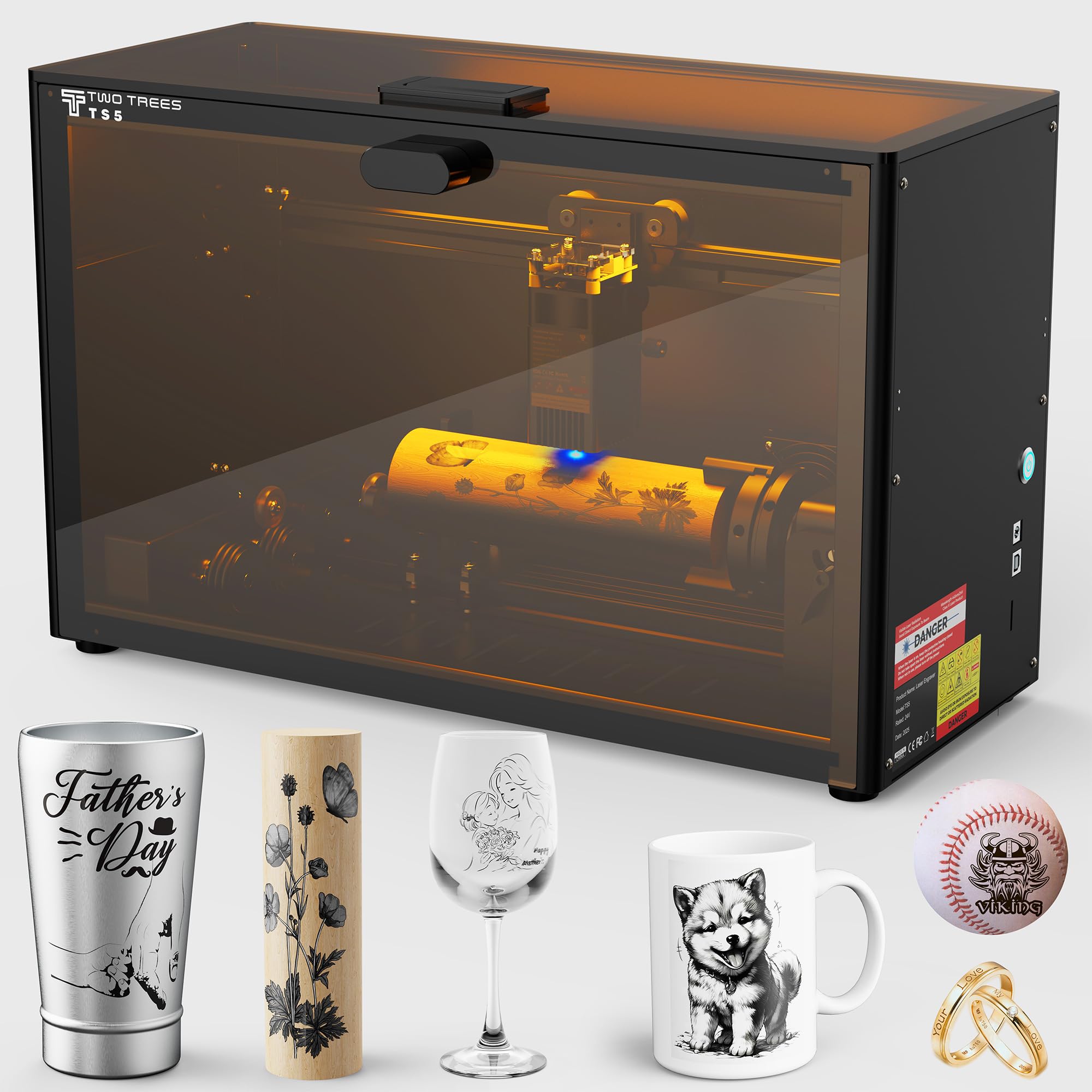
The enclosed engraver for tumblers, rings and wine glasses, not flat boards.
If your craft skews toward cylindrical gifts, this is the machine built for it. The original 4-in-1 rotary kit includes a chuck for tumblers and thermoses, a ring rotary for engraved bands, a roller for wine glasses, and a sphere rotary for baseballs and golf balls. The 9.8″×4.8″×4.8″ workspace is sized for those small round and boxed objects, and its 0.035×0.1mm spot delivers precise 1:1 photo-realistic engravings on wood, leather, craft paper, metal, stone and glass.
Safety is a comfortable step up for a shared home. The protective cover filters 99% of laser light, so no goggles are needed, and the enclosure blocks smoke and noise while two amber windows let you watch the work. The aerospace-grade aluminum frame keeps it stable. At 9.13 kg it is as easy to lift as a small dumbbell, so it travels to craft fairs and parties.
The manufacturer lists over 80,000 hours of testing, including laser tube aging and extreme conditions. For a specific job — engraved tumblers, rings and glassware — the rotary kit and enclosed safety are exactly what you want. Its flat-bed work is limited by that small footprint, though, so this is a specialist rather than a do-everything machine.
sturdy TS5 frame
- 4-in-1 rotary kit covers tumblers, rings, glasses and spheres
- Class 1 enclosed cover filters 99% of laser light
- Portable 9.13 kg frame goes to your next craft fair
basic accessories
- Small 9.8″×4.8″×4.8″ workspace caps flat-board work
- Not a substitute for a full-size bed when doing big signs
steady engraving: someone whose projects live on tumblers, rings and glassware and who needs a portable, enclosed machine.
need extras: any crafter planning large flat signs or full-sheet batch cutting.
11. Longer Laser B1 48W Laser Engraver and Cutter

The production-grade cutter with the widest bed and the fastest pass in this lineup.
This is the machine for a craft business, not a weekend. A 48W laser paired with automated air assist — the pump is managed by LightBurn software, so it adjusts without you setting it per job — makes clean, consistent cuts on wood, metal, acrylic, glass, leather and paper. The advertised 450 x 440mm work area is 23.75% more space than its rivals, per the maker — room for bigger plaques and longer runs of parts.
The speed figure is the headline: cutting velocity of 36,000 millimeters per minute, the fastest pass in this roundup, well past the 15,000mm/min of the AlgoLaser MK3 and the 24,000mm/min on the Longer RAY5 20W. Eight safety features are built in, covering move, flame, offline, motionless, security-lock, eye-protection, emergency-stop and zero-reset functions. The LaserBurn App adds Wi-Fi connectivity and motion control with drawing creation and parameter settings from a phone.
Behind that, it is a serious tabletop presence at 23.1 pounds, so give it a dedicated bench. For a maker running volume, the big bed and automated air assist earn their keep quickly.
production volume: you are turning craft cutting into steady output and need the widest bed and fastest pass in the group.
light duty only: you are a hobbyist doing occasional ornaments — the automated air assist and 48W are more than you need.
Know the Specs
Laser power and pass count
Laser power, given in watts or milliwatts, sets how much material the beam can chew through in a single pass. A 10W module typically handles 5mm basswood or 3mm acrylic in one pass, while a 20W head opens up 15mm pine in a single go. Thicker boards go through multiple passes, so the same power rating can cut more than the first-pass figure suggests.
Spot size below the beam focus
The spot size is the little rectangle the light lands in — 0.06mm x 0.06mm on the RAY5 10W, 0.05mm x 0.1mm on the Ortur, 0.035mm x 0.1mm on the TS5. A tighter spot burns finer detail into engraved lettering and graphics. It does not automatically mean deeper cuts; depth comes from power and pass count.
Working area bench fit
Working area is the rectangle of material the laser can reach without you shifting it — sometimes in millimeters, sometimes in inches. A 400 x 400mm bed handles a spread of small ornaments in one run; a 450 x 440mm area handles a larger single plaque. Measure your bench to make sure the frame fits.
Enclosure and safety
A Class 1 machine keeps the beam behind a full cover and filters the light, so it suits a shared room. Open-frame models rely on a protective cover over the module plus safety glasses, and they want smoke vented away. Air assist also helps by blowing smoke clear so cut edges stay clean.
Common Questions
How thick a board can a 10W laser cutter cut in one pass?
Do I need a computer connected to run a wood laser engraver?
Is an enclosed Class 1 laser safer for a home craft room?
What does air assist actually do for cutting wood?
Can these laser cutters engrave round objects like tumblers?
How much desk space does a laser engraver actually need?
Which software do these wood cutters work with?
How long does assembly take for a desktop laser cutter?
What is the difference between a diode laser and a CO2 laser for crafts?
Can I cut acrylic and leather as well as wood on these machines?
The Bottom Line
For most crafters, the winner in this lineup of the best wood laser cutting machine for crafts is the LGT Longer RAY5 10W. It cuts 0.8-inch wood and 1.2-inch acrylic on a 400 x 400mm bed, and it can run offline from a memory card without a laptop beside it. If you want raw speed and thicker stock in one pass, the Longer RAY5 20W doubles the power at 24,000 mm/min. And for family-safe home crafting behind an enclosed Class 1 cover (a full housing that blocks the beam), the xTool M2 is the one to reach for. Whichever you choose, match the bed size and pass count to the wood you actually plan to cut, and you will spend more time making than adjusting.
How we choose
We do not accept paid placement. Every pick is matched to a real buyer and a real use-case; we do not hands-on test units.
Sources
Specifications: manufacturer listings and product documentation. Review insights: verified customer reviews, as of November 2026. Pricing: not shown on this page (it changes often); check the current price via the retailer link.
As an Amazon Associate, Tactical Gear Guy earns from qualifying purchases. This does not affect which products we feature.