Specs are compiled from manufacturer listings and verified buyer reviews and can change over time — please confirm the key details on the product page before buying.
You start a six-hour training run, then it dies with an out-of-memory error because the graphics card ran out of room. The fix is not more CPU cores or a bigger hard drive. You need a dedicated graphics card (GPU) with enough VRAM (the card’s own working memory) to hold your model and its data at the same time. Every pick below clears that bar, and they are sorted so you can see exactly what each one buys you.
This guide is built by comparing the manufacturers’ published specifications and the patterns across verified customer reviews, so you get each pick’s real strengths and trade-offs instead of marketing spin.
The machines below range from entry builds with 8GB of graphics memory to 16GB monsters. I will show you which ones hold a real training loop and which ones only look the part on paper — a distinction every buyer should check before spending. This is the practical way to choose a workstation for deep learning without overspending.
Top Picks
How To Choose The Best Workstation for Deep Learning
Start with one question: does the model fit in the graphics card’s memory? Everything else — processor speed, RAM, storage — is secondary to that single limit. Get VRAM wrong and the machine is useless for training no matter what else it has.
VRAM comes before everything
VRAM is the dedicated pool the GPU uses to hold model weights, activations, and your batch of training data. When it fills up, training stops cold. An 8GB card handles small models and modest image sizes; a 16GB card gives you room to grow batches and train heavier networks. Match the number to the models you actually plan to run, not to what sounds impressive.
CUDA support is non-negotiable
PyTorch and TensorFlow both lean on CUDA, NVIDIA’s software layer for running code on its GPUs. An NVIDIA GeForce RTX card carries that support natively. Without it, the software stack either refuses to run on the GPU or falls back to the processor, which turns hours into days.
System RAM feeds the pipeline
System RAM is the desk your processor works from. While the GPU crunches batches, the processor feeds it — and 32GB DDR5 gives you enough headroom to keep the data pipeline busy. Less than that and you will feel the stall between batches.
Fast storage keeps the GPU fed
An NVMe SSD (a drive that plugs straight into the motherboard rather than a cable) loads datasets in a fraction of the time a spinning disk needs. Watch the capacity: 1TB fills fast once you stack datasets alongside the operating system, while 2TB buys you breathing room.
Side-by-Side Comparison
| Model | Best For | GPU VRAM | System RAM | Storage | Amazon |
|---|---|---|---|---|---|
| Gaming PC, Ryzen 7 5700X, RTX 5060★ Best Overall | First training rig on a budget | 8GB | 32GB DDR4 | 1TB NVMe | Amazon |
| Alienware Gaming Desktop, RTX 5060 TiQuiet Operator | Quiet desk-side all-rounder | RTX 5060 Ti | — | — | Amazon |
| msi Codex R2, RTX 5070 12GBUpgrade Path | Upgrade-friendly starter build | 12GB | 32GB DDR5 | 1TB NVMe | Amazon |
| Dell Tower, Ultra 7 265F, RTX 5060 | Big storage for datasets | 8GB | 32GB DDR5 | 2TB SSD | Amazon |
| iBUYPOWER Element, Ryzen 9 7900X | Heavy multitasking and training | 12GB | 32GB DDR5 | 1TB NVMe | Amazon |
| KOTIN Prebuilt, RTX 5070 12GB | Cooling headroom and future upgrades | 12GB | 32GB DDR5 | 1TB NVMe | Amazon |
| msi Codex Z2, R7-8700F, RTX 5070 | Balanced mid-premium trainer | 12GB | 32GB DDR5 | 2TB SSD | Amazon |
| Alienware Aurora, RTX 5080 | Serious model training | 16GB | — | — | Amazon |
| Ultra 50 V3, RTX 5080, Ryzen 7 9800X3D | Top-tier GPU on a fast CPU | 16GB | 32GB DDR5 | 2TB NVMe | Amazon |
| CLX Set, Core i9 14900KF, RTX 5070 | Maximum memory and bulk storage | RTX 5070 | 64GB DDR5 | 2TB SSD + 6TB HDD | Amazon |
| CLX Set, Ryzen 7 9800X3D, RTX 5080 | Flagship liquid-cooled build | 16GB | 32GB DDR5 | 2TB NVMe | Amazon |
Detailed Reviews
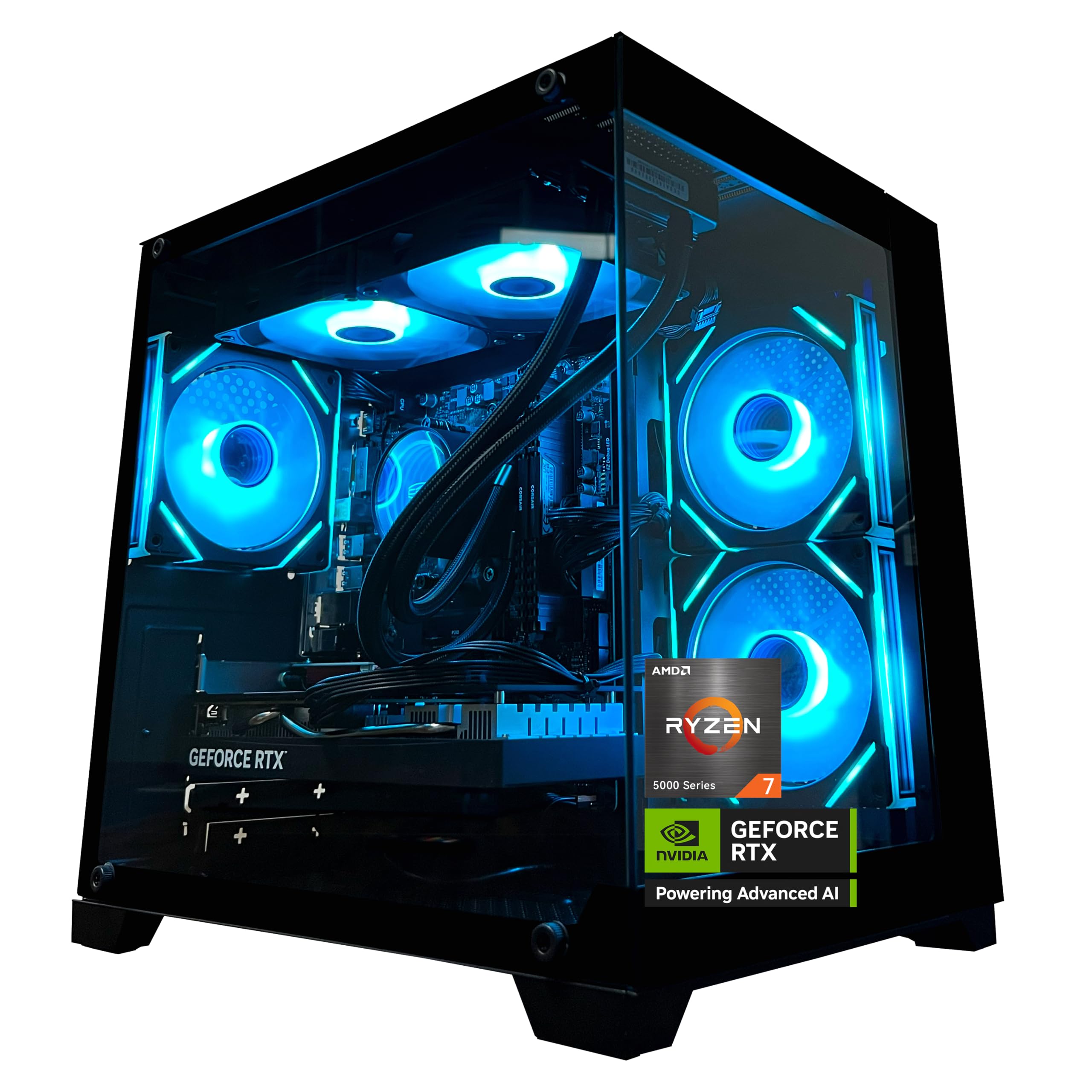
1. Gaming PC AMD Ryzen 7 5700X RTX 5060
Our pick — 4.5+★ from 90+ verified ratings; the strongest balance of quality and price.
The lowest-cost way into a real CUDA training rig, and it does not cut the memory.
This is the crowd favorite — 4.5+ stars across 90+ owners — and it earns the top spot by clearing the one bar that matters. The GeForce RTX 5060 carries 8GB of GDDR7, the fastest generation of graphics memory, and that pool is what holds your model while it trains. Pair it with 32GB of DDR4 RAM and a 1TB M.2 NVMe drive and you have a complete starter training box rather than a compromise.
The processor is an AMD Ryzen 7 5700X, eight cores and sixteen threads, boosting to 4.6GHz. In plain terms, sixteen threads means your data preprocessing runs in parallel with the GPU. That matters because a slow processor starves the graphics card, and a starved card sits idle no matter how fast its memory is. The MSI B550M-A PRO motherboard underneath is a standard part, so swapping the drive or the memory later is a normal upgrade path, not a proprietary dead end.
Where it falls short is raw memory capacity. Eight gigabytes of VRAM fits small-to-mid models and modest image batches; it will not hold a large language model at full precision. Compare it to the 12GB builds further down and you see the ceiling clearly. Owners consistently praise its performance, reporting it handles heavy training loads without drama. As owners put it, it “exceeded their expectations right from the start.”
What earns the top spot
- RTX 5060 with 8GB GDDR7 gives you native CUDA support for PyTorch and TensorFlow
- 32GB DDR4 3200MHz keeps the data pipeline fed during training
- Liquid cooler with ARGB fans keeps temperatures in check over long runs
- 650W 80+ Bronze power supply leaves room for a later graphics card swap
- Built-in WiFi and Bluetooth so you are not hunting for a cable
Where the ceiling sits
- 8GB VRAM caps you to smaller models and modest batch sizes
- DDR4 memory rather than the newer DDR5 standard
- Graphics card brand varies between units
Reach for this if: you want to start training real models without committing a flagship budget — the 8GB card and 32GB of RAM cover small networks and image work comfortably.
Look elsewhere if: your models already push past 8GB of graphics memory at full precision.
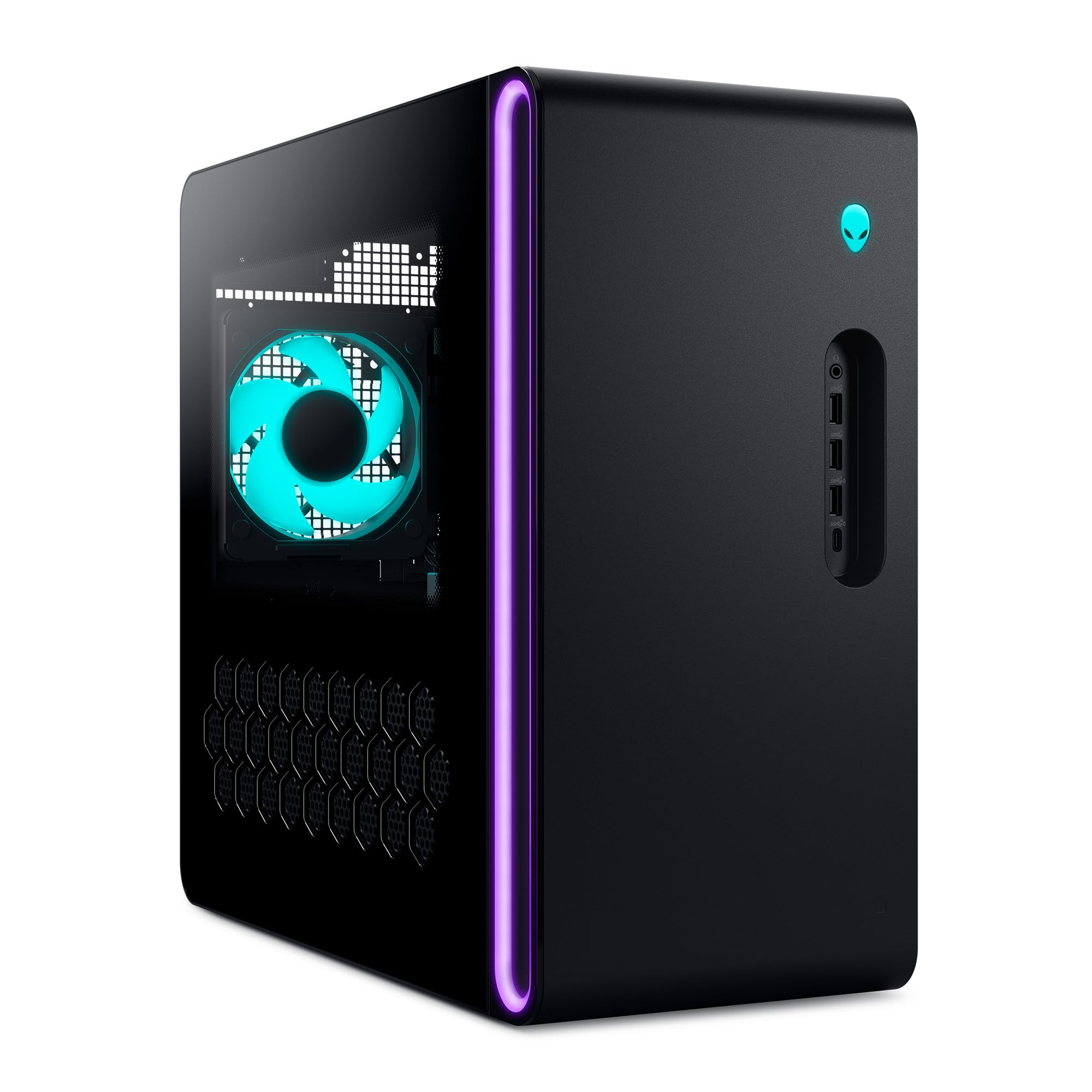
2. Alienware Gaming Desktop RTX 5060 Ti
A silent desk companion that happens to boost to 5.5GHz when a training run starts.
The headline here is the Intel Core Ultra 7 265F, which hits 5.5GHz at maximum boost. Set that against the AMD Ryzen 7 5700X above at 4.6GHz and the gap is real — 5.5GHz versus 4.6GHz, according to the published figures. For deep learning that translates directly into faster data loading and preprocessing between GPU batches, which is where a lot of wall-clock time quietly disappears.
Around that processor sits the NVIDIA GeForce RTX 5060 Ti, built on NVIDIA’s Blackwell architecture (the chip design generation that includes the current ray-tracing and tensor cores). Practical upshot for you: it runs the CUDA stack your frameworks expect from the start. The chassis is a matte basalt black finish with customizable AlienFX lighting zones, and the airflow design keeps noise down — the quiet operation is what draws the most consistent praise here.
The honest gap is that the specification sheet does not put a VRAM figure in front of you, and that number should be your first question before you buy. It also ships with a wired Dell keyboard and mouse rather than anything wireless. What you get in exchange is a one-year onsite Dell service plan — if a covered fault cannot be fixed remotely, a technician comes to your desk. For a machine that will run training jobs unattended overnight, that support is worth weighing seriously.
What the spec sheet says: this desktop runs a Core Ultra 7 265F at 5.5GHz peak alongside an RTX 5060 Ti. It runs a Core Ultra 7 265F processor at 5.5GHz peak, adds an RTX 5060 Ti graphics card, and includes Bluetooth and WiFi for wireless peripherals.
One thing to confirm first: the VRAM figure is not published here, so verify it against your model size before you commit. The RTX 5060 Ti class is not a 16GB card by nature.
Best fit: anyone who trains in a shared room and needs the machine to stay quiet, with onsite service as a safety net.
Think twice: if you already know you need 16GB of graphics memory — check the Aurora further down instead.
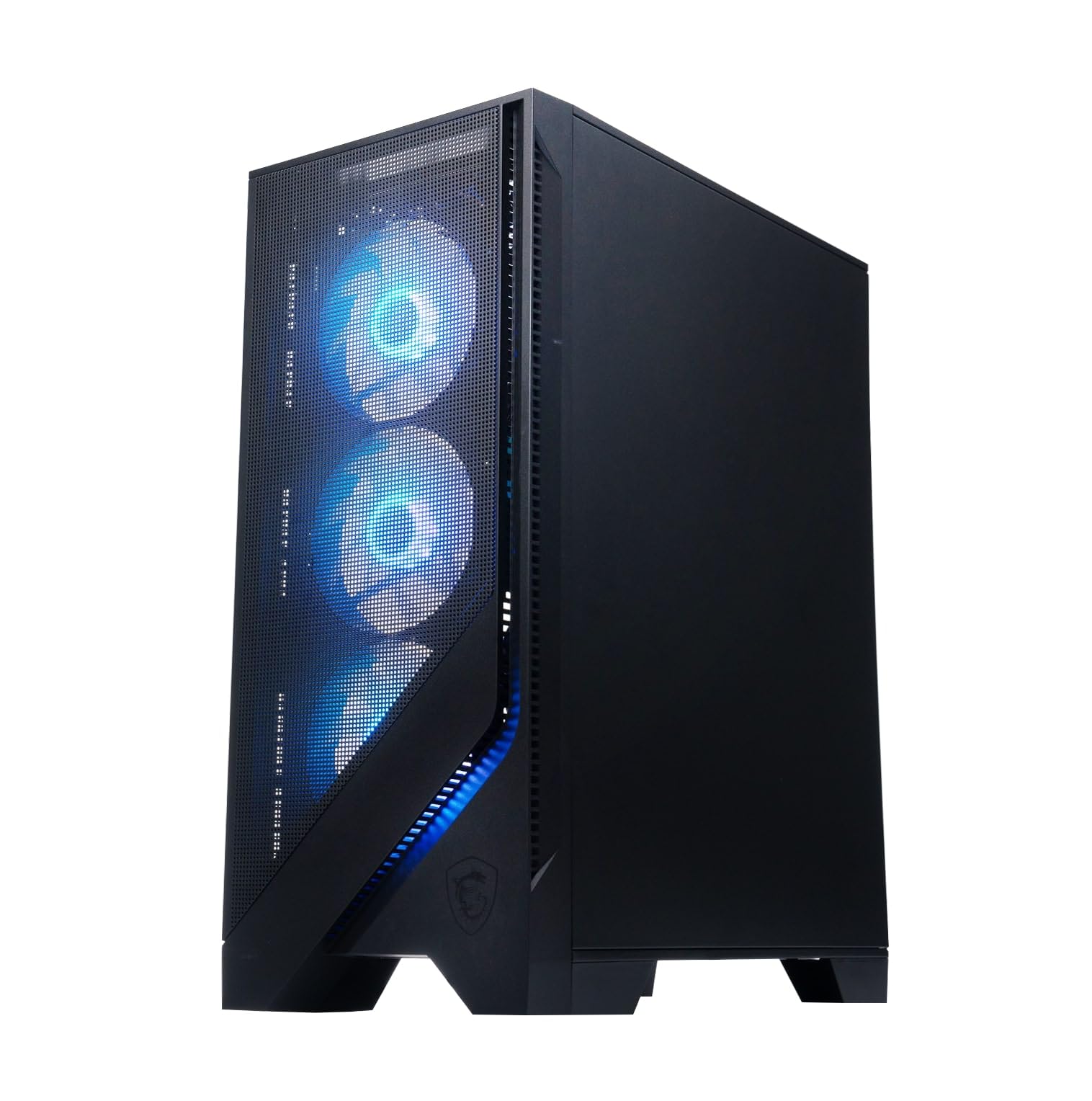
3. msi Codex R2 Gaming Desktop PC
Twelve gigabytes of graphics memory on off-the-shelf parts you can swap later.
Here is where the numbers separate. The GeForce RTX 5070 in this Codex R2 carries 12GB of VRAM, against the 8GB on the RTX 5060 builds. That is the difference between squeezing a model in and having room to raise your batch size (how many samples the model processes at once). If your models run close to the 8GB edge, that extra headroom is the whole reason to step up a tier.
The supporting cast is built for sustained work: an Intel Core i5-14400F at 4.7GHz, 32GB of DDR5 RAM (the newer, faster memory standard), and a 1TB NVMe SSD. A dedicated RGB air cooler plus a four-fan airflow system holds temperatures steady, so hour five of a training run looks like hour one. MSI built it on standard components, which means upgrading the storage, RAM or GPU later is a normal shopping trip rather than a proprietary puzzle.
The trade-off is track record. Hardware quality and reliability land as mixed in the owner feedback — the machine impresses when it works, but there are reports of units that did not. Size that honestly: plenty of buyers get exactly what the spec sheet promises, and a build on standard parts is easy to service either way. Just keep the receipt and test it hard in the first week. WiFi 6E on the less-congested 6GHz band is a genuine bonus if your router supports it.
Why the 12GB matters: memory is the hard ceiling on model size, so 12GB clears models that stall an 8GB card. For the hours you are not training, DLSS 4 Multi-Frame Generation (an upscaling feature that smooths game frame rates) and ray tracing are on tap.
The fair caveat: this is the lowest-rated pick on the list, and reliability is the reason. Not a reason to skip MSI entirely — a reason to test thoroughly inside the return window.
Pick this when: you want 12GB of VRAM and a machine you can upgrade piece by piece without calling a technician.
Pass if: you would rather pay for a longer proven track record than for upgrade flexibility.
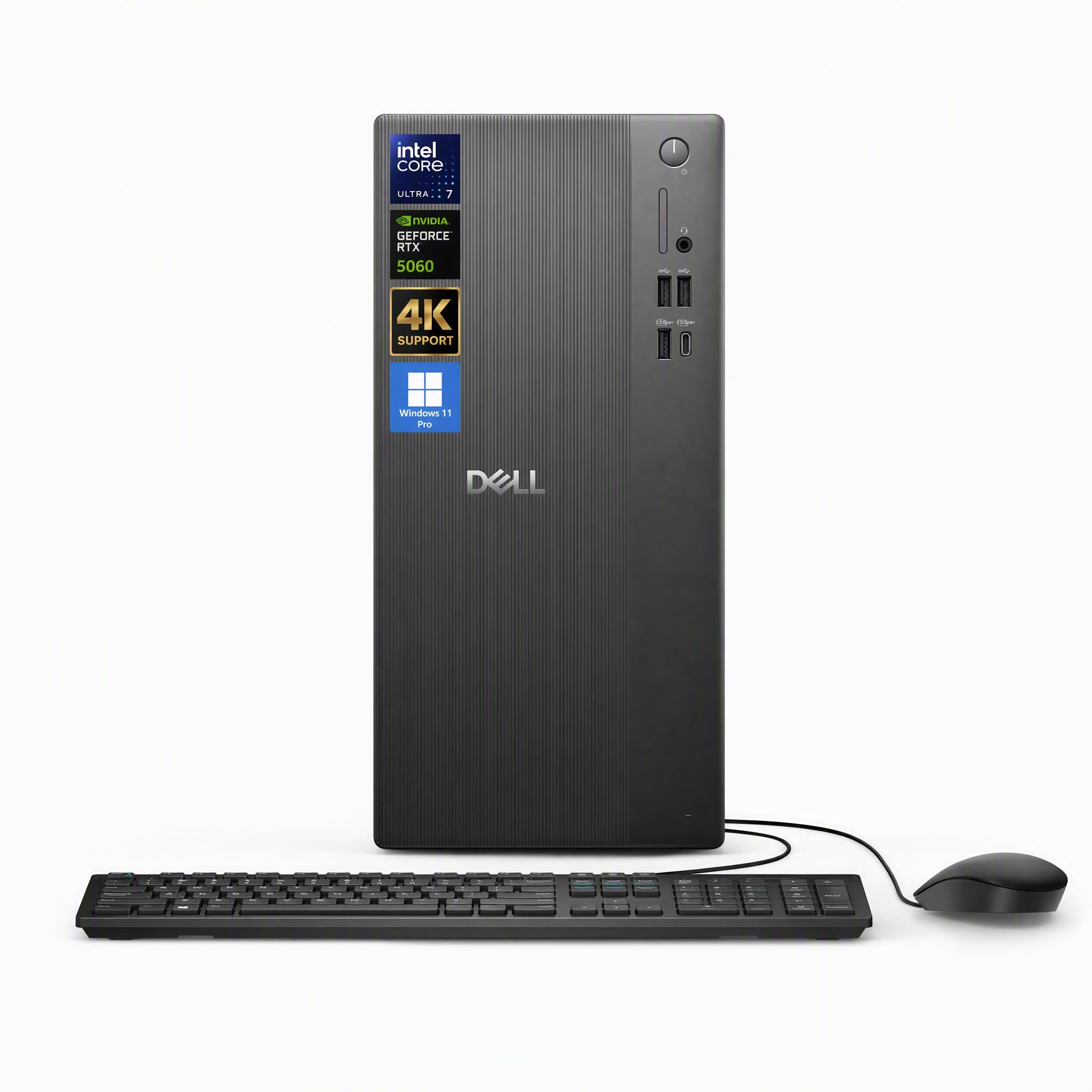
4. Dell Tower Desktop Computer Ultra 7 265F
Double the drive of the budget pick, and the partition your datasets will thank you for.
Datasets eat storage faster than anything else in this workflow. This Dell answers with 2TB of SSD (solid-state drive) storage, against the 1TB on the RTX 5060 build at the top of this list, by the published figures. That is the difference between juggling folders and keeping every dataset, checkpoint (a saved copy of your trained model), and environment on the machine at once.
The processor is the Intel Ultra 7 265F with 20 cores and a 5.3GHz max turbo. Twenty cores matters here for a specific reason: when you run several training jobs, or a training job alongside data preprocessing, the cores divide the work instead of queueing it. Dell pairs that with 32GB of DDR5 RAM and an RTX 5060 with GDDR7 memory. The port selection covers 1x HDMI 2.1, 2x USB 2.0 and 3x USB 3.0, so multiple monitors and external drives connect without an adapter.
Windows 11 Pro is preinstalled rather than Home, which matters if you ever need to remote into the machine or run it in a managed environment. A Dell Pro 5 keyboard and mouse come in the box. The catch is the graphics card: 8GB of VRAM is the same ceiling as the top pick, so while the storage is generous, the model-size limit is unchanged. For the buyer whose bottleneck is disk space rather than graphics memory, this is the sensible call.
What justifies the step up
- 2TB SSD holds datasets and checkpoints without constant housekeeping
- 20-core Ultra 7 265F at 5.3GHz keeps parallel jobs moving
- Windows 11 Pro preinstalled for remote access and managed setups
- Front USB-C plus HDMI 2.1 for multi-monitor workstation layouts
The limit you should know
- Still an 8GB VRAM card, so large models remain out of reach
- Ships with a power cable only — keyboard and mouse are the one extra in the box
Suits you if: disk space is what keeps stopping your work and your models fit in 8GB of graphics memory.
Not for you if: you need a bigger VRAM pool — the storage here is generous, the graphics memory is not.
5. iBUYPOWER Element Gaming PC Ryzen 9 7900X
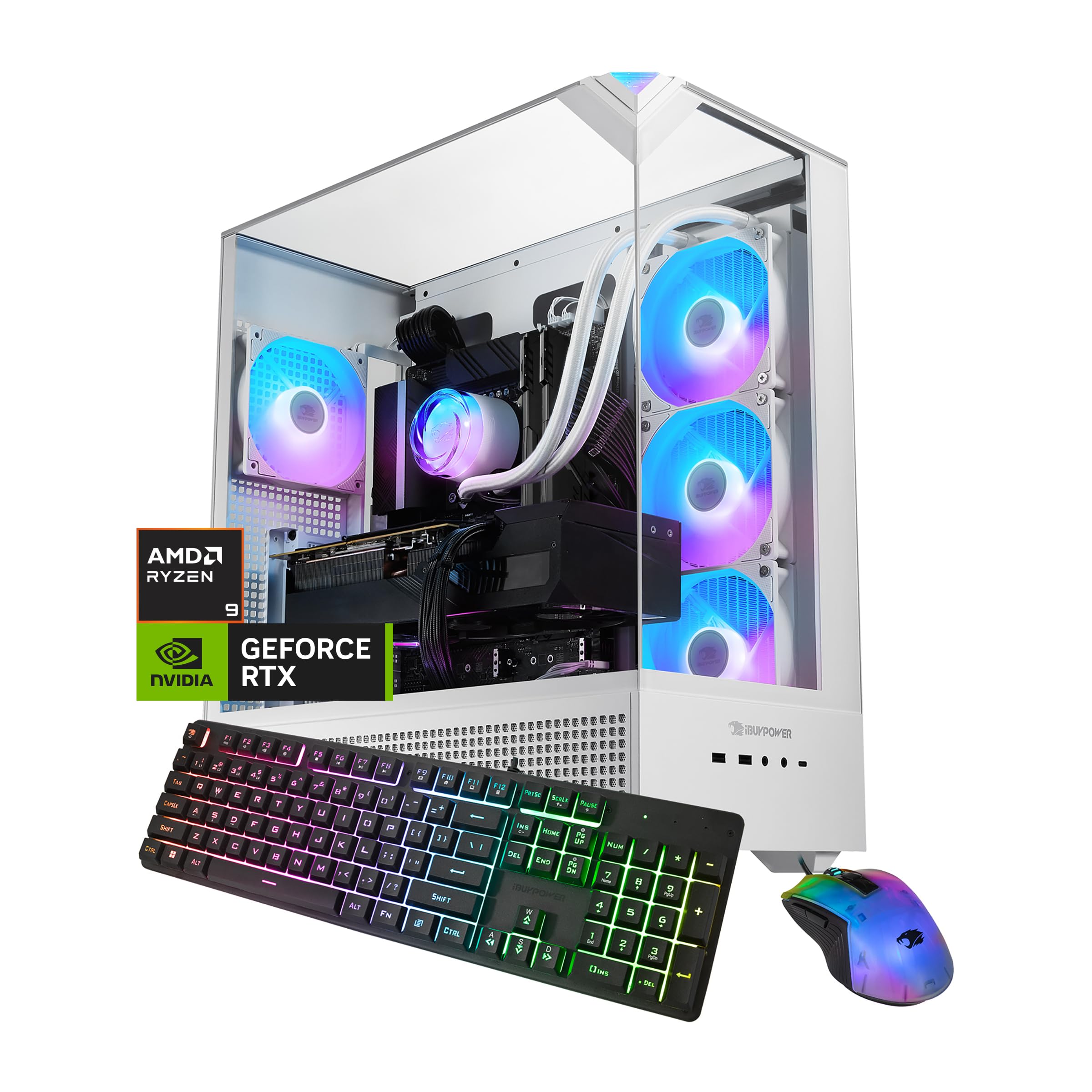
The most-reviewed machine here, and the one that held up under the widest scrutiny.
The Ryzen 9 7900X boosts to 5.6GHz, and the RTX 5070 brings 12GB of GDDR7 graphics memory — the same 12GB pool as the Codex R2 above, but with water cooling rather than air. That distinction matters once a GPU sits at full load for hours: liquid moves heat away more steadily, so clocks stay high instead of stepping down mid-run. 32GB of DDR5 at 4800MHz feeds it, and a 1TB NVMe SSD holds the working set.
The breadth of owner experience is the real argument. This machine has been through the most hands of anything on this list, and owners consistently praise its performance, reporting it handles demanding workloads without strain. Setup is quick because it arrives ready to run. No bloatware preinstalled means fewer background processes competing with a training run for resources.
The recurring gripes are worth naming plainly. Reliability draws mixed reports, and storage capacity comes up as a limitation — 1TB goes quickly once datasets stack up. Neither is universal, but on a machine this widely used the patterns are visible. For a buyer who wants social proof before committing, that volume of experience is hard to argue with, and the water cooling is a genuine advantage the air-cooled builds cannot claim.
Where it wins: water cooling plus 12GB of GDDR7 is the combination that keeps a full-load training run stable for hours, and the breadth of owner experience behind it is the deepest on this list.
Where it pinches: 1TB of storage is the tightest part of the package, and reliability is the most-mixed topic in owner feedback — check it thoroughly on arrival.
Go here for: a liquid-cooled 12GB machine with the longest real-world track record you can buy in this range.
Skip if: you need a large model dataset on local disk from day one.
6. KOTIN Prebuilt Gaming PC RTX 5070 12GB
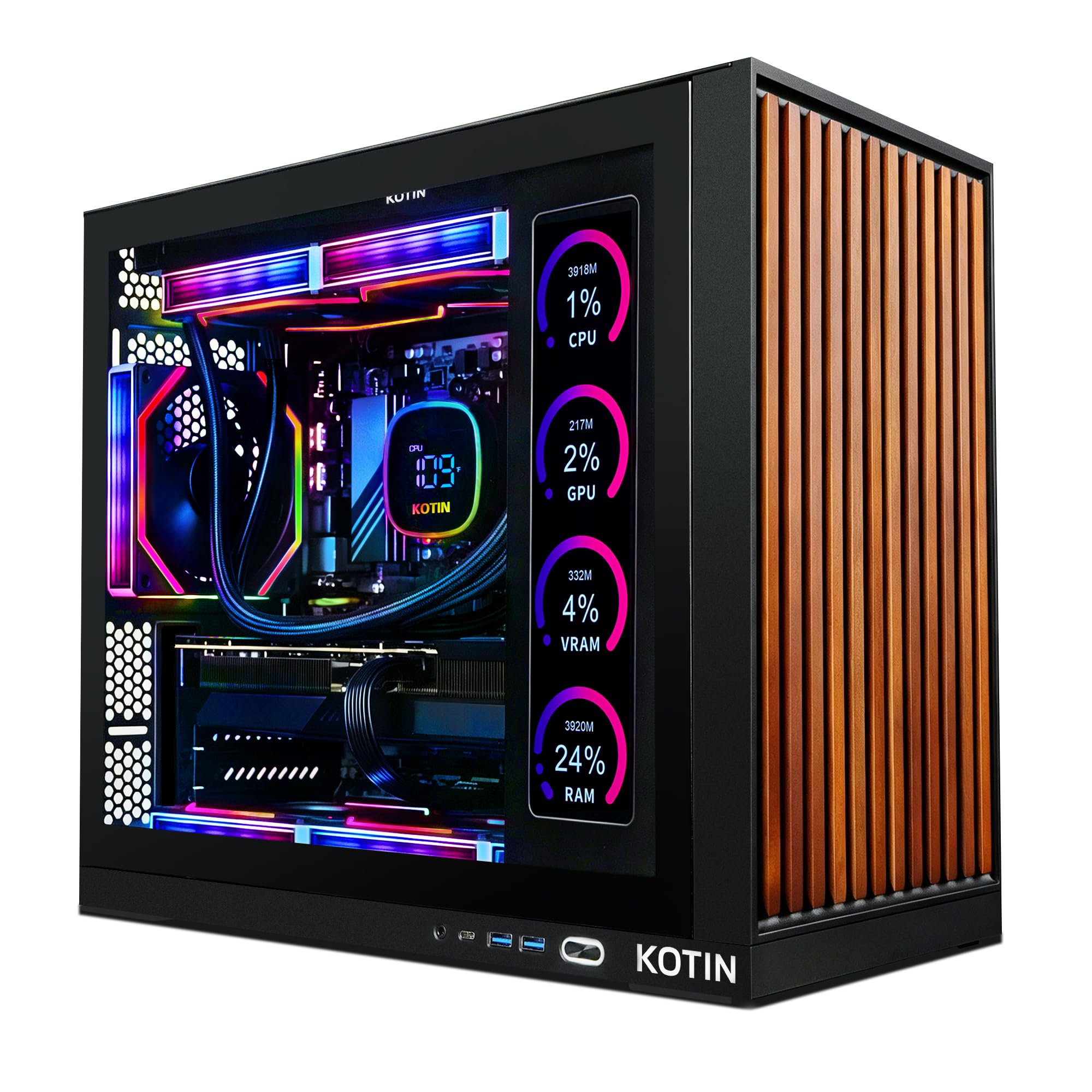
A 360mm radiator and a power supply with room to spare — built for the long run.
Most builds cool the processor with a fan. This one uses a 360mm AIO liquid cooler, meaning a radiator the length of the case pumps coolant across the chip. The payoff is sustained clock speed: an eight-core AMD Ryzen 7 9700X at 5.5GHz that does not throttle back three hours into a training job. Around it sits the RTX 5070 with 12GB of GDDR7 and 32GB of DDR5 memory on a 1TB PCIe 4.0 NVMe drive.
An 850W 80 Plus Gold power supply is the quiet hero of the build. Gold rating means it wastes less power as heat, and 850W is headroom — if you want to drop in a heavier graphics card later, the power supply is not what stops you. WiFi 7 is on board, along with an ARGB mid-tower case and a one-year limited warranty with lifetime technical support. Assembled in the USA.
One practical gotcha the listing calls out directly: plug your monitor into the graphics card ports on the lower back of the case, not the motherboard ports above them. Do that in the wrong order and you get a blank screen and a wasted afternoon. Beyond that, the honest note is that owners consistently praise performance, while reliability feedback is mixed — same shape as the other mid-premium picks. The included 11.3-inch smart display shows real-time CPU and GPU temperatures, which is genuinely useful when you are watching a run.
Built for sustained load
- 360mm AIO liquid cooling keeps the Ryzen 7 9700X at 5.5GHz without throttling
- 850W 80 Plus Gold power supply leaves upgrade headroom
- 12GB GDDR7 graphics memory for models beyond the 8GB ceiling
- 11.3-inch secondary display monitors CPU and GPU temperatures live
What to watch
- Reliability feedback is mixed across the review base
- Monitor must go to the graphics card ports, not the motherboard
Your machine if: you plan to run jobs overnight and want cooling and power headroom that will not fade by hour five.
Consider alternatives if: a proven reliability record matters more to you than thermal capacity.
7. msi Codex Z2 Gaming Desktop R7-8700F

Twelve gigabytes of graphics memory and two terabytes of drive, in one package.
Most builds make you choose: the big VRAM pool or the big drive. This Codex Z2 skips the choice — 12GB on the GeForce RTX 5070 and 2TB of NVMe storage, so models that need the memory and datasets that need the space both fit. The Ryzen 7 8700F runs eight cores and sixteen threads, boosting to 5.0GHz, which keeps preprocessing parallel to the GPU.
The RTX 5070 here rides NVIDIA’s Blackwell architecture, the chip generation that carries the current ray-tracing and tensor cores. In everyday terms, that is the hardware the CUDA software stack is built to talk to, so your framework sees the card and uses it without workarounds. Four system cooling fans — three intake at the front, one exhaust at the rear — pull cool air through and push heat out, and the ARGB air cooler sits over the processor.
Reliability is mixed in owner feedback, and there are reports of units failing early. That is a real consideration on a high-ticket buy, not something to wave away. Balance it against the fact that most buyers report it running flawlessly and quietly, and that MSI Center software gives you fan curves and performance profiles in one dashboard. Buy it, stress it during the return window, and you will know quickly where you stand.
The combination that sells it: 12GB of VRAM and a 2TB SSD in the same box is rare at this tier — memory headroom and storage headroom with no trade-off.
The part to weigh: reliability feedback is mixed, so treat the first week as a stress test rather than a formality.
Matches you well if: you want both a 12GB graphics pool and a 2TB drive without stepping up to flagship money.
Hesitate if: early-failure reports are the thing that keeps you up at night.
8. Alienware Aurora Gaming Desktop RTX 5080

Sixteen gigabytes of graphics memory is where the ceiling finally lifts.
This is the first pick on the list with a genuinely different class of graphics card. The RTX 5080 carries 16GB of GDDR7 — versus the 8GB on the entry builds and a solid step above the 12GB machines. In practice, that means larger models, bigger batches, and no negotiating with an out-of-memory error every time you want to raise the resolution of your training images. The Intel Core Ultra 9 285 sits alongside at 5.6GHz maximum boost.
Cooling is handled by a 240mm heat exchanger when the CPU liquid cooling option is fitted, which keeps the processor off its thermal ceiling during longer sessions. Around the case sits the Alienware Command Center software, where you set performance mode across distinct power states and monitor how the machine behaves under load. A one-year onsite Dell service plan is included — a technician comes to you if a covered fault cannot be resolved remotely.
One caveat needs stating clearly: cooling draws mixed feedback, and some owners mention the system is not liquid cooled as described. For a training rig that runs hot for hours, verify exactly which cooling configuration you are ordering rather than assuming. That single check is worth more than any other comparison shopping on this machine, because a 16GB card fighting thermal limits will not deliver the throughput its memory suggests.
Why this tier exists
- 16GB GDDR7 graphics memory lifts the model-size ceiling past 8GB and 12GB builds
- RTX 5080 on Blackwell architecture with full CUDA support
- Core Ultra 9 at 5.6GHz for heavy parallel preprocessing
- One-year onsite Dell service brings support to your desk
Confirm before ordering
- Cooling feedback is mixed — verify the cooling configuration you are buying
- 240mm heat exchanger is described as part of the optional liquid cooling
The upgrade that matters if: your models have outgrown 12GB and you want to stop managing memory limits manually.
Hold off if: you cannot confirm the exact cooling spec on the unit you are buying.
9. Ultra 50 V3 Gaming PC, RTX 5080, Ryzen 7 9800X3D
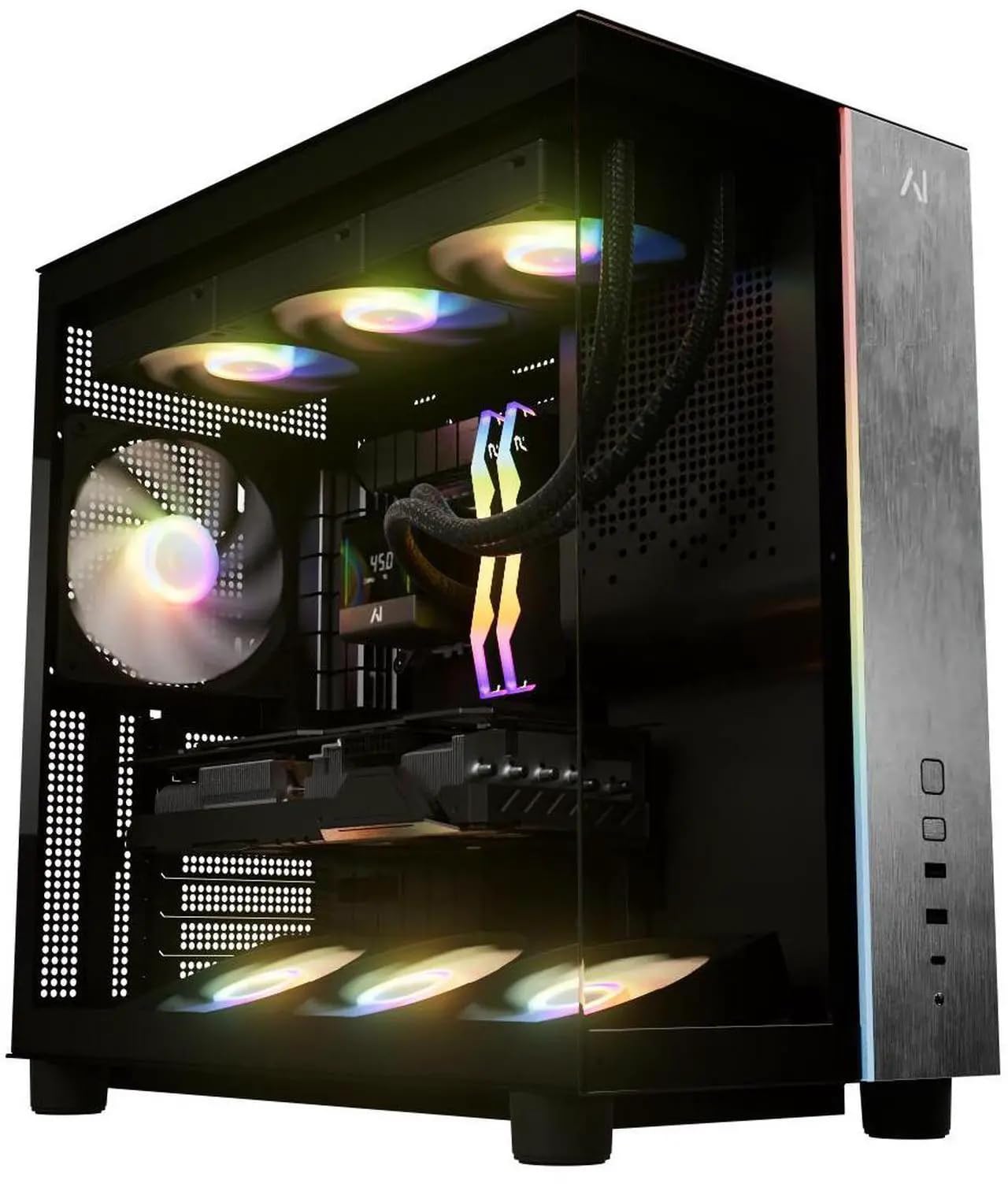
No rating has been posted yet — but the parts list reads like a training machine.
Start with the honest part: this build has not accumulated a review record yet, so there is no owner consensus to lean on. What you can judge is the hardware. The RTX 5080 brings 16GB of GDDR7 memory, the AMD Ryzen 7 9800X3D runs 8 cores and 16 threads to 5.2GHz, and 32GB of DDR5 at 6000MHz with heat spreaders feeds the pipeline. A 2TB PCIe Gen 4 NVMe drive holds the working set.
The cooling is the standout detail: a 360mm AIO liquid cooler on an eight-core chip is generous specification, and it is the reason this machine can hold high clocks through a long run rather than dropping them. An 850W Gold certified power supply gives you upgrade headroom for a heavier graphics card later. WiFi 7 and Bluetooth are built in, and Windows 11 Home arrives with no bloatware — fewer background processes competing with your training job.
What is unusual is the warranty: two years on parts, lifetime on labor, and lifetime technical support from a US-based company. On a machine at this price, that is the closest thing to a hedge against the early-failure risk every high-end desktop carries. The catch is simply that you would be an early buyer. Weigh a strong parts list and an unusually long warranty against a thin track record, and decide which side of that you are comfortable with.
The standout spec: 16GB of GDDR7 graphics memory plus a 360mm AIO on a 9800X3D is a combination built for sustained compute, not a burst of speed followed by throttling.
What is unproven: no owner track record exists yet, and that is the whole trade-off — you are buying on specification and warranty length rather than on a proven install base.
Worth a serious look if: you would rather have 16GB of graphics memory, liquid cooling, and a two-year parts warranty than a long review history.
Leave it if: you want to see a track record before you commit this much to a machine.
10. CLX Set Gaming PC i9 14900KF

Sixty-four gigabytes of system memory and eight terabytes of total storage.
If your bottleneck is data rather than graphics memory, this is the machine that changes the math. 64GB of DDR5 RAM — versus the 32GB on most picks here — lets you hold several datasets, virtual machines, or environments in memory simultaneously. Add a 2TB SSD for active work and a 6TB HDD for archives, and you have somewhere to put every version of every dataset without deleting anything.
The processor is a liquid-cooled Intel Core i9 14900KF, and the graphics card is the GeForce RTX 5070. Note the honest limit: the graphics memory here is the RTX 5070’s standard pool, not a step up to 16GB. So this build buys you memory and storage for the pipeline, not a larger model ceiling. As a machine for managing sprawling datasets and preprocessing at scale, that trade is deliberate and makes sense.
Windows Hello support is on board for biometric sign-in, and WiFi handles wireless networking with wired support alongside it. Performance feedback is encouraging and build quality draws consistent praise. The thing to be clear-eyed about is the split between the two drives: the HDD is bulk storage, so keep active datasets on the SSD and you will feel no difference in load times.
The number that defines it: 64GB of DDR5 system RAM versus the typical 32GB here — plus 6TB of HDD archive space on top of a 2TB SSD.
What it is not: a bigger graphics memory pool. The RTX 5070 keeps the same VRAM ceiling as the mid-tier picks.
Made for you if: your workflow is dataset-heavy — many versions, many environments — and you want the system memory and disk to hold all of it.
Not the answer if: what you actually need is more graphics memory for larger models.
11. CLX Set Gaming PC, AMD Ryzen 7 9800X3D, RTX 5080, 2TB NVMe

Sixteen gigabytes of graphics memory with a radiator built for marathon sessions.
The pairing here is deliberate: the GeForce RTX 5080 with 16GB of graphics memory, cooled by a 360mm AIO liquid system, driven by an AMD Ryzen 7 9800X3D at 5.2GHz with 96MB of cache. That last figure is worth translating — 96MB of cache is a large on-chip scratchpad, so the processor pulls instructions from fast memory instead of fetching them from slower system RAM. In a training loop, that reduces the lag between GPU batches.
32GB of DDR5 memory matches the mid-tier picks, while the 2TB NVMe M.2 drive doubles the working storage of the budget builds. CLX builds on standard parts and the case is designed for airflow, so the internals are serviceable rather than sealed. Windows 11 Home comes preinstalled, and both wired and WiFi networking are covered.
As with the other build from this maker, the review record is thin — this one has no accumulated owner history to point at, so you are judging on specification and build quality. Support is described as industry-leading, and the build is pitched at durability over long sessions. Treat the early-purchase uncertainty as the price of getting flagship parts, and test it hard on arrival.
Why the parts line up
- 16GB RTX 5080 memory removes the model-size ceiling of the 8GB and 12GB picks
- 96MB cache on the 9800X3D keeps the processor feeding the GPU without stalls
- 360mm AIO liquid cooling holds clocks through long training runs
- 2TB NVMe M.2 drive gives working storage to match the memory
The honest trade
- No owner track record yet to lean on
- Flagship parts mean you are paying for specification rather than proven history
The flagship read: 16GB of graphics memoryand a 360mm AIO, with a 96MB cache feeding the whole thing.
Weigh the unknown: the review record is thin, so your confidence rests on the parts list rather than a proven install base.
Know the Specs
VRAM: The Model-Size Ceiling
VRAM is the graphics card’s own memory pool, separate from the system RAM your processor uses. Your model weights, activations, and each training batch all live there while the GPU works. When it fills, training stops with an out-of-memory error — no amount of CPU or system RAM rescues it. The picks here span 8GB, 12GB, and 16GB pools. Match the number to the largest model and batch size you actually run, and treat everything else as secondary.
CUDA and the Tensor Cores
CUDA is NVIDIA’s software layer that lets PyTorch and TensorFlow hand work to the GPU. Every NVIDIA GeForce RTX card in this list carries it natively, which is why these builds are the right starting point. Tensor cores are the specialized units inside the card that accelerate the matrix math training depends on. Skip an NVIDIA card and your framework either refuses the GPU or falls back to the processor, which turns hours into days.
DDR5 Versus DDR4 System Memory
System RAM is the processor’s workspace — the staging area that keeps the GPU fed with prepared batches. DDR5 is the newer standard and moves more data per clock than DDR4, so it keeps a fast GPU busier. 32GB is the common baseline across most of these builds, and 64GB gives you room for several datasets in memory at once. The top pick runs DDR4 memory; the rest run DDR5.
NVMe Storage and Capacity
An NVMe SSD plugs directly into the motherboard, so it reads datasets far faster than a drive on a cable. That speed is what stops the GPU waiting on disk between epochs. Capacity is the other half of the story: 1TB fills quickly once datasets, checkpoints, and environment files stack up, while 2TB gives you room to work without constant housekeeping.
Common Questions
How much VRAM do I actually need for deep learning?
Can I use one of these gaming PCs as a deep learning workstation?
Is 8GB of graphics memory enough to train a model?
Does the processor matter as much as the graphics card?
How much storage should I get for datasets and checkpoints?
Can I upgrade the graphics card in these prebuilt machines later?
Is liquid cooling necessary for long training runs?
Will a deep learning workstation work with PyTorch and TensorFlow?
How do I plug in my monitor so the graphics card actually drives it?
Does more system RAM help deep learning or is it all graphics memory?
The Bottom Line
The right pick depends on one question: how much VRAM does your largest model need? Answer that first and the list sorts itself. If 8GB covers your work, the Gaming PC with the Ryzen 7 5700X and RTX 5060 is the strongest entry point here. It is the crowd favorite at 4.5+ stars across 90+ owners, and it pairs a liquid cooler and 32GB of RAM with a 650W supply that leaves room for a later graphics card swap.
Step up when your models outgrow that pool. The msi Codex Z2 is the one to reach for if you want both a 12GB graphics pool and a 2TB drive in the same box. And when 12GB is not enough, the Alienware Aurora with the RTX 5080 lifts the ceiling to 16GB of GDDR7 — just confirm the cooling configuration on the unit you order before you commit.
One note worth carrying into your decision: the deepest pool of owner experience in this group sits behind a mid-tier build, not the flagship. That volume of real-world use is worth weighing against a thinner record on the pricier machines — specification tells you what a desktop can do, and a wide base of actual buyers tells you what it does reliably.
How we choose
We do not accept paid placement. Every pick is matched to a real buyer and a real use-case; we do not hands-on test units.
Sources
Specifications: manufacturer listings and product documentation. Review insights: verified customer reviews, as of November 2026. Pricing: not shown on this page (it changes often); check the current price via the retailer link.
As an Amazon Associate, Tactical Gear Guy earns from qualifying purchases. This does not affect which products we feature.