Specs are compiled from manufacturer listings and verified buyer reviews and can change over time — please confirm the key details on the product page before buying.
You want one controller that works on your Xbox Series X without surprises — something that plugs in or pairs, registers every press, and doesn’t start drifting on you after a few months. The controllers below all work with the Series X, and they split into two camps: official Microsoft pads with familiar layouts, and third-party models built around drift-proof sticks and extra buttons. Pick the camp that matches how you play.
This guide is built by comparing the manufacturers’ published specifications and the patterns across verified customer reviews, so you get each pick’s real strengths and trade-offs instead of marketing spin.
What separates these pads is the stick technology, the button count, and how many hours you get per charge — not the colourway. You’ll see exactly where each one wins and where it asks you to give something up, so that the xbox one controller for xbox series x you land on is the right one the first time.
Top Picks


How To Choose The Best Xbox One Controller for Xbox Series X
Start with the one thing you can’t fix later: the sticks. A thumbstick (the joystick you push with your thumb) that wears out is the number-one reason people replace a controller. Hall Effect sticks use magnets instead of rubbing contacts, so there is nothing to wear down. Every third-party model on this list uses some form of that design; the official Microsoft pads use traditional sticks.
Wired or wireless — pick by where you sit
A wired controller runs off the console’s USB port, so it never needs charging and never drops a connection mid-match. That suits a desk setup or a chair close to the TV. Wireless frees you to sit back on the sofa, but you are then managing batteries or charge time. The Ice Breaker edition of the official pad is rated at up to 40 hours of battery life, which is the longest figure in this group.
Button count tells you how much you can remap
The number of buttons on a pad is a rough map of how much control you can move off your thumbs. The Razer Wolverine V2 carries 24 buttons, the Hyperkin DuchesS 18, the official Ice Breaker 19, and the ASUS ROG Raikiri II 10. Extra buttons only pay off if you remap them; otherwise they sit unused under your fingers.
Trigger travel and how you like your shooters
Triggers (the two pull-levers on the shoulders) can be short-throw for rapid fire or long-throw for smooth throttle control in racing games. A trigger lock lets you set that travel yourself. In fast shooters a short pull shaves the time between seeing a target and firing; in racing games you want the full sweep.
The compatibility line to check before you buy
Not every pad in this list lists the Series X in its compatibility field, even when it works there. Read the “Compatible Devices” line on each listing before you commit — a few pads that are perfect on Xbox One are documented for a narrower device list. Checking that line before you buy avoids a return.
Side-by-Side Comparison
| Model | Best For | Buttons | Connection | Weight | Amazon |
|---|---|---|---|---|---|
| XBOX Wireless Controller | Ice Breaker Special Edition★ Best Overall | All-round wireless play | 19 | Bluetooth, USB-C | 14.08 oz | Amazon |
| Hyperkin DuchesS Wired ControllerBest Value | Retro feel, drift-free sticks | 18 | USB | 243 g | Amazon |
| PowerA Advantage Wired — Fortnite GlowMost Customizable | Mappable buttons on a budget | 18 | USB-C | 10.24 oz | Amazon |
| Razer Wolverine V2 Wired | Competitive shooters | 24 | Wired | — | Amazon |
| FLYDIGI VADER 5S Wired | Tuning stick tension per game | 17 | Wired | 450 g | Amazon |
| Xbox Wireless Controller – Black | The familiar default | 21 | Wireless | 9.88 oz | Amazon |
| GameSir G7 Pro Wireless | Wireless with a charging dock | 12 | USB-C, 2.4G, Bluetooth 5.3 | 9.6 oz | Amazon |
| Microsoft Xbox Core Wireless 2-Pack | Two-player households | — | Bluetooth | — | Amazon |
| ASUS ROG Raikiri II | Premium multi-device setup | 10 | USB-C, 2.4GHz RF, Bluetooth | 9.6 oz | Amazon |
Detailed Reviews
1. XBOX Wireless Gaming Controller Ice Breaker Special Edition
Our pick — 4.5+★ from 750+ verified ratings; the strongest balance of quality and price.
Forty hours between charges, and it still pairs with your phone when the TV is busy.
If you want one pad that does everything on a Series X without thinking about it, this is the one. It runs on Xbox Wireless (Microsoft’s own low-lag radio link for the console) or Bluetooth for PC and mobile, and it charges over USB-C. That means you can plug it straight into the console for a wired session when the battery runs low, then unplug and keep going.
The battery figure is the headline: up to 40 hours of play before you reach for a cable. Compare that to the ASUS ROG Raikiri II, which lists at least 30 hours in 2.4GHz wireless mode with RGB lighting, audio and vibration switched off. Forty hours means roughly a week of evening sessions for a lot of people, so you charge it on your schedule, not the console’s.
The part buyers rave about is overall build quality — it is the thing that comes up most often in what people write. The Ice Breaker colour scheme lands well too, and the rubberised grips do real work during long sessions. The honest catch is durability: the community verdict splits on how long it lasts, with some reporting a failure around the five-month mark. Treat that as a fit note — if you are rough on your gear, a wired pad below may suit you better.
Where it pulls ahead
- Up to 40 hours of battery — the longest figure on this list
- Three ways to connect: Xbox Wireless, Bluetooth, USB-C
- Rubberised back grips keep your hands steady in long sessions
- Share button captures clips and screenshots without menu-diving
What to go in knowing
- At 14.08 oz it is the heaviest pad here — and 38% heavier than the PowerA Fortnite Glow at 10.24 oz
- Traditional analogue sticks, so drift is a long-term possibility
- Mixed long-term durability reported across the community
Take this one: you want official Microsoft build, the longest battery in the group, and a pad that swaps between console, PC and phone.
Look at a wired option if: you play hard for hours daily and want drift-proof Hall Effect sticks instead of analogue ones.
2. Hyperkin DuchesS Wired Controller for Xbox Series X|S
The drift-free pad that feels like the controller you grew up holding.
Hall Effect joysticks are the reason to start here. They use magnets instead of physical contact, so there is nothing inside to grind down — no drift, and no gradual loss of precision. Hyperkin pairs that with the modernised Xbox Controller S shape, which sits smaller in your hands than the official Series X pad.
You get 18 buttons, impulse triggers that rumble and thump to match on-screen action, a 3.5mm headphone jack for your headset, and a Share button. It is officially licensed, connects over USB, and lives at roughly 243 g — light enough that marathon sessions don’t wear your wrists out.
The feel is the thing everyone raves about: nostalgia and ergonomics both get heavy praise, and the shape is praised for not digging into your fingers. The trade-off is the button layout — the Back and Start placement splits opinions, and a few find it awkward for the first few hours. It is wired only and does not list Xbox Series X in its compatibility field, so check your setup before buying.
Retro shape, modern sticks: the Controller S profile and Hall Effect joysticks make this the strongest feel-for-the-money pick in the group.
Mind the cable: USB only, and the unusual Back/Start position needs a short adjustment period.
Reach for this if: you miss the Controller S shape and want drift-free sticks without spending much.
Spare yourself the retraining if: you need wireless freedom — this one lives on a cable.
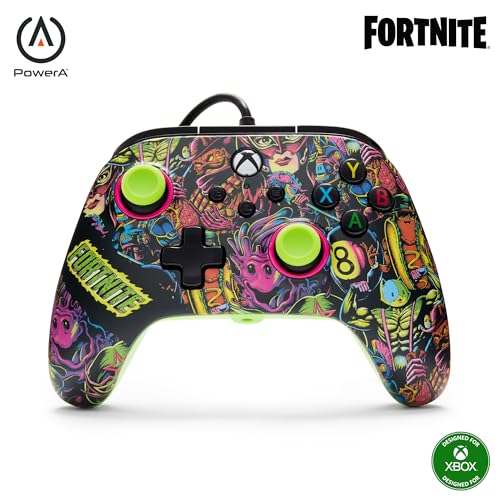
3. PowerA Advantage Wired Controller — Fortnite Glow
Two mappable buttons you can program mid-match, plus sticks that resist drift.
PowerA’s Advantage line now ships with Hall Effect modules in the thumbsticks — magnetic sensors that do away with the physical wear that causes drift. You also get two extra buttons on the back that you can remap on the fly, mid-game, without opening a system menu. For a fighter or a shooter where you want jump and crouch on separate fingers, that changes your whole grip.
The 3-way trigger locks let you set how far the triggers pull in three positions. Short travel means faster fire, full travel suits high-end racing. It’s wired over USB-C with a 3.5mm headset jack, and at 10.24 oz it is 38% lighter than the Ice Breaker edition’s 14.08 oz — a noticeable difference in a four-hour session.
Quality and value are what people praise first in their write-ups. The glow-in-the-dark shell and UV reaction effect give it a look nothing else here has, and the included Moon Bounce emote code is a small extra. The cautious note is long-term reliability — most controllers hold up, but a minority report a failure after a few weeks, so the two-year limited warranty is worth knowing about.
Why it earns its slot
- Hall Effect thumbsticks cut out drift by design
- Two mappable buttons you program without pausing
- 3-way trigger locks for shooters or racing
- Two-year limited warranty backs it up
Where it asks more of you
- Wired only — no wireless play on the couch
- Long-term reliability is mixed across the community
- The glow finish is a matter of taste
Pick it for: the competitive player who wants trigger locks and back buttons without a flagship sticker.
Pass if: wireless range matters more to you than fast triggers.
4. Razer Wolverine V2 Wired Gaming Controller
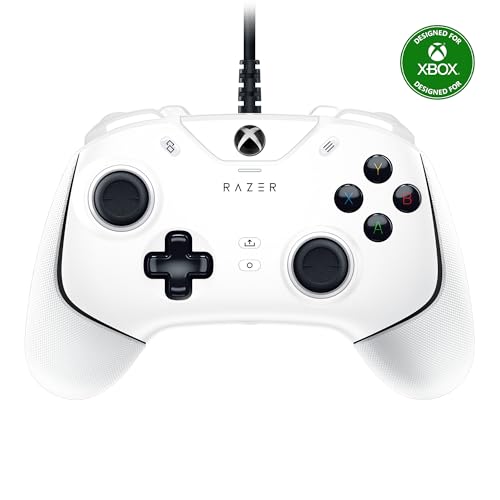
Twenty-four buttons and a trigger stop that shortens your pull to a hair.
This is the most button-heavy pad in the group at 24, against 18 on the Hyperkin DuchesS — 33% more. Two of those are remappable front-facing buttons you program through Razer Controller Setup for Xbox, and the mecha-tactile action buttons and D-pad give a cushioned click. If you want the macro advantage in a fighting game or shooter, this has the most places to put your commands.
Hair Trigger Mode is the other draw. Two slide-locks on the underside cut the travel distance of the main triggers so you fire faster, which is exactly the edge a competitive shooter player is chasing. The contoured body and non-slip rubber grips are built for all-day sessions, and it is officially licensed by Xbox.
What most people talk about is the tactile feel — the mechanical-keyboard comparison comes up again and again, and the quality read is strong across thousands of players. The caution is button reliability: some units fail after six months of hard use, with a smaller set reporting buttons quitting after three. Wired only, so plan your seating around the cable.
Tactile edge: the mecha-tactile buttons and Hair Trigger Mode are aimed squarely at players who want every input to fire faster.
The caveat: mixed long-term button reliability, and it’s tethered — no wireless option at all.
Best matched to: the shooter player who wants maximum buttons and a shortened trigger pull.
Not the pick for: anyone who needs to play untethered from the console.
5. FLYDIGI VADER 5S Wired Controller
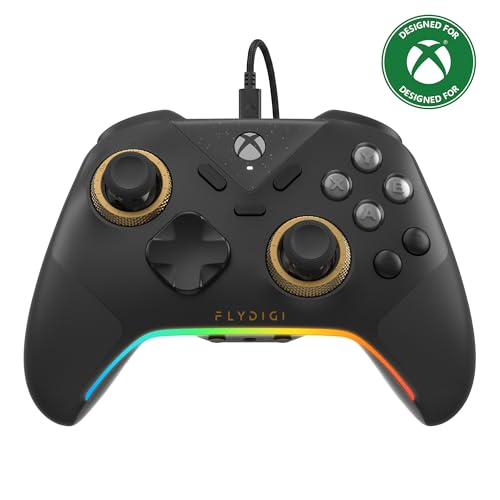
Twist the sticks stiff for racing, soft for aiming — no software required.
Here is a feature nothing else on this list has: the Vader 5S lets you physically change joystick tension from 40gf to 100gf on the fly. That is a force measurement — 40 grams-force is a light flick, and 100 grams-force is a firm, controlled push. Light tension suits fast aim in shooters; tighten it for smoother steering in racing and sports games.
The sticks themselves are Hall Effect, so drift stays off the table. Triggers switch between micro-click for rapid fire and Hall Effect linear for smooth throttle and braking — one pad that doesn’t need a second setup for a different genre. Four motors fire across both triggers and grips so recoil, acceleration and impact land harder.
You can fine-tune vibration, switch profiles, remap buttons and adjust volume directly on the controller without pausing the game. Six remappable buttons cover the rear and shoulders, and the textured grip on the handles is what people call out first for comfort. It’s wired, connects to Series X, Xbox One and Windows, and it is heavy at 450 g — plan for that in long sessions.
The tuning advantage
- 20-step stick tension from 40gf to 100gf, no software
- Hall Effect sticks and switchable Hall Effect / micro-click triggers
- Four-motor feedback in the triggers and grips
- Six remappable buttons for jump, crouch and ping
Where it costs you
- At 450 g it is the heaviest controller reviewed here
- Wired only — no wireless mode on the console
- The deep customization asks you to learn the software
The one to grab when: you switch between shooters and racing games and want a different-feeling stick for each.
Think twice if: you want a light wireless pad for the sofa — the cable and 450 g weight work against that.
6. Xbox Wireless Controller – Black

The pad that came in the box — and still the easy, safe wireless default.
Twenty-one buttons, textured grip, Bluetooth for Windows PCs and tablets, and up to twice the wireless range of earlier Xbox One controllers (tested using the Xbox One S console). If you want zero learning curve and a pad that talks to your console exactly the way the pack-in does, this is it. It sits at 9.88 oz, making it one of the lighter pads here.
Functionality is the runaway strength — it simply works, consistently, across the largest pool of owners in this whole group. Value also holds up for most people, which is why it remains the default choice for casual players who just want to get back to their game.
Two honest notes. Connectivity also splits — some report it pairing perfectly with an Xbox One while others hit disconnection issues. It’s also worth checking: the listed compatibility field names Xbox One models, so if you are on a Series X, the Ice Breaker and 2-Pack versions above spell that out more clearly.
Choose it for: plug-in-and-play familiarity and the lightest official feel in the list.
Skip past if: you want stated Series X compatibility and drift-proof sticks — the Ice Breaker edition covers both.
7. GameSir G7 Pro Wireless Gaming Controller — Wuchang Edition
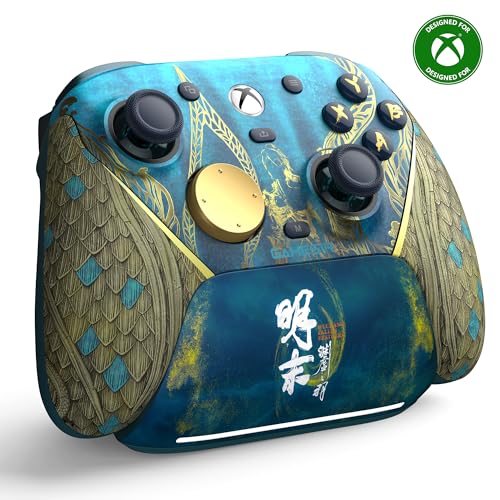
A wireless pad that docks itself — set it down and it charges.
The standout here is the charging station. Set the controller down and it starts charging, and the dock has a built-in compartment to hold the wireless receiver. With a 1200mAh battery (a capacity figure in milliamp-hours — bigger numbers generally mean longer play between charges), you are never hunting for a cable. Dock charging means you rarely hunt for a cable.
Connectivity is tri-mode: a 2.4G wireless dongle for Xbox and PC, USB-C cable for the same, and Bluetooth 5.3 for Android. The easy-access switch moves you between them in seconds. It’s the first wireless Xbox controller from GameSir and the one-press wake-up turns the console on the moment you pick the pad up.
The sticks use GameSir’s Mag-Res TMR design, which the maker says blends the precision of traditional sticks with the durability of Hall Effect. Hall Effect analog triggers add a zero-drift pull, and a hair trigger mode activates by holding the M+LT/RT buttons. Value is what wins people over — pro-style features without a flagship outlay — and the grip texture keeps it planted in your hands. At 9.6 oz it’s among the lightest pads here.
Wireless done conveniently: the auto-start charging dock and 2.4G link make this the least fussy wireless pick on the list.
Check your genre: the hair trigger mode is a hold-to-activate combo, so it’s not as instant to toggle as a physical lock.
Well suited to: the player who wants a wireless pad that keeps itself charged on a dock between sessions.
Less ideal if: you want a full-size button count — this one lists just 12 buttons.
8. Microsoft Xbox Core Wireless Controller 2-Pack Bundle

Two matching Carbon Black pads, for when someone always wants to jump in.
Splitting the pair is the whole point. If your living room regularly hosts a second player, buying two at once settles the “who gets the good controller” argument before it starts. Both are Carbon Black, both use the hybrid D-pad and textured grip on the triggers, bumpers and back-case, and both have a USB-C port and a 3.5mm stereo headset jack.
Connectivity covers Xbox Series X, Series S, Xbox One, Windows 10 PC, Android and iOS. The Share button captures screenshots and recordings, and you can remap buttons for a personalised layout. The pair also works as a mixed setup — one on the console, one on a laptop or a phone over Bluetooth.
Overall quality is what earns the nod, and value holds given you’re getting two. The usual Microsoft caveat applies: a few report a pad that stopped working within a couple of weeks, and one hit connectivity trouble with a Series S. Those are exceptions in a pool of satisfied owners, but the Microsoft warranty is worth hanging onto.
Made for: households where a second controller is inevitable — co-op, siblings, or a partner who wants in.
Not needed if: you play solo — a single pad above gives you the same feel for less.
9. ASUS ROG Raikiri II Xbox Wireless Gaming Controller
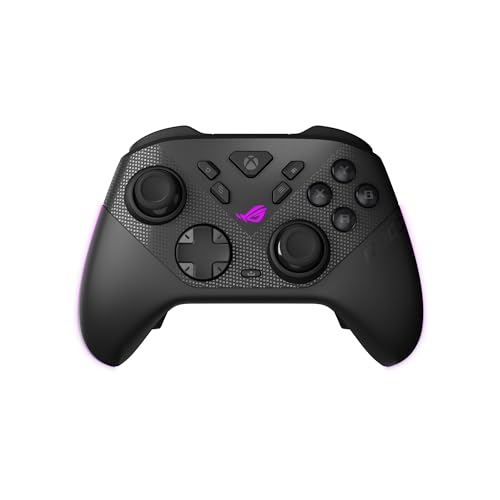
A 1000Hz polling rate, a carry case, and a stand in one premium package.
Polling rate is how often the controller reports its position to the console per second — 1000Hz means it checks 1000 times a second, so your input lands with minimal lag. That figure applies in both PC wired and 2.4GHz wireless modes on the Raikiri II, and the wireless side gets an extra boost from ROG SpeedNova Wireless. That cuts the delay between your input and the shot registering.
The sticks are anti-drift TMR joysticks, which ASUS says are more accurate and consume less power than Hall Effect ones. Triggers switch between micro-switch with short travel and TMR sensor with full travel. There are four fully programmable rear buttons, micro-switch D-pad, ABXY, rear buttons and bumpers, and an anti-slip grip. Battery runs at least 30 hours in 2.4GHz wireless play with RGB lighting, audio and vibration off.
You also get a portable case that charges the controller while it’s inside, a charging stand, and two detachable joystick caps. The honest caveat is connectivity: the community reports constant connect-and-disconnect problems, and build quality splits between well-built and flimsy. Responsive buttons and stick movement earn praise — but at 4.1 and the highest price here, it asks the most for its strengths.
Speed and kit: 1000Hz polling, tri-mode connectivity, and a full accessory set make this the most complete package on the list.
The honest catch: connectivity complaints are the most common gripe, so buy from somewhere with an easy return.
Worth it for: the player who wants the fastest input response and a full travel kit for desk and couch.
Consider the GameSir above instead if: a rock-solid wireless link matters more to you than the accessory bundle.
Know the Specs
Hall Effect versus traditional sticks
A traditional thumbstick works on a physical contact that slowly wears down, and that wear is what causes drift — the cursor creeping even when you’re not touching it. Hall Effect sticks read the stick’s position with magnets, so nothing rubs and nothing wears. TMR sticks are a newer variant that uses a different sensor design; ASUS says its TMR sticks are more accurate and lower-power than Hall Effect, though Hall Effect remains the proven fix for drift. Either way, the sticks resist the wear that causes drift.
Polling rate and why it matters
Polling rate is how many times a second the controller reports to the console. A 1000Hz rate on the ASUS ROG Raikiri II and GameSir G7 Pro means 1000 reports a second, so every button press and stick movement lands with the least possible delay. A lower rate still plays fine for most genres, but the competitive edge in shooters comes from cutting that lag. It only pays off if the rest of your setup — and your reaction time — can keep up.
Button count and what you can remap
Every extra button is one more action you can move off your thumbs. The Razer Wolverine V2 tops out at 24, the official Ice Breaker lists 19, and the ASUS ROG Raikiri II lists 10. More buttons only help if you will program them — for most players two to four programmable back buttons cover jump, crouch and ping without overwhelming the grip. On a pad with fewer buttons, simpler mapping is easier to remember.
Battery life, wires, and dock charging
Battery life is the hours of play you get before reaching for a cable. The Ice Breaker edition is rated up to 40 hours, the ASUS ROG Raikiri II at least 30 hours with lighting, audio and vibration off, and the GameSir G7 Pro carries a 1200mAh battery with a dock that charges it whenever you set it down. Wired pads skip charging entirely, which is why competitive players often prefer them — no charge to run out mid-match, just a cable to manage.
Common Questions
Will an Xbox One controller work on an Xbox Series X?
What are Hall Effect sticks and do they really stop drift?
Do I need a wired or wireless controller for the Series X?
How many buttons should my controller have?
What does trigger lock or hair trigger mode do?
Can I use a controller on the Series X and my PC at the same time?
Is a heavier controller better for long sessions?
What does polling rate mean for my aim?
Do these controllers work with a headset?
Do the back buttons actually help in shooters?
The Bottom Line
For most players, the xbox one controller for xbox series x winner is the XBOX Wireless Controller | Ice Breaker Special Edition — it holds the longest battery in this group at up to 40 hours, plus Xbox Wireless, Bluetooth and USB-C in one pad. Its 4.5+ star rating across 700+ owners backs up the build quality. If drift is what pushed you here, grab the Hyperkin DuchesS Wired Controller for Hall Effect sticks in a retro shape. And for tuning a stick to suit a racing game one minute and a shooter the next, the FLYDIGI VADER 5S is the one to reach for.
How we choose
We do not accept paid placement. Every pick is matched to a real buyer and a real use-case; we do not hands-on test units.
Sources
Specifications: manufacturer listings and product documentation. Review insights: verified customer reviews, as of November 2026. Pricing: not shown on this page (it changes often); check the current price via the retailer link.
As an Amazon Associate, Tactical Gear Guy earns from qualifying purchases. This does not affect which products we feature.