Specs are compiled from manufacturer listings and verified buyer reviews and can change over time — please confirm the key details on the product page before buying.
Your Xbox One is full and you are deleting games to make room. The fastest fix is a USB 3.0 hard drive you plug into the console’s side port and leave there. Pick one that is properly formatted and fast enough over USB 3.0 (the standard USB port speed on the console), and you can install new titles in minutes instead of clearing old ones. The short answer: the WD_BLACK 5TB P10 Game Drive is the one to buy if you want to stop thinking about storage entirely, while the Avolusion 1TB is the budget route that works straight from the start on an Xbox One. Below, each pick gets a plain reason it made the cut and the buyer it actually suits.
This guide is built by comparing the manufacturers’ published specifications and the patterns across verified customer reviews, so you get each pick’s real strengths and trade-offs instead of marketing spin.
An Xbox One will only run games directly from a USB 3.0 drive, so the port type, the capacity and the pre-formatting matter more than raw speed on paper. Here is how each of these drives handles real console use, and which one fits your setup — a full breakdown of the best xbox one hard drive options you can plug in and trust.
Top Picks


How To Choose The Best Xbox One Hard Drive
The single most common mistake is buying a drive that is not formatted for the console. An Xbox One expects to see a drive it can claim as game storage, and a drive that arrives formatted for Windows will make you reformat it before it will hold a single title. A drive that ships pre-formatted for Xbox One (often marked “Plug & Play” in the listing) skips that step entirely.
Does USB 3.0 really matter on an Xbox One
Yes. Microsoft’s console runs games from a USB 3.0 port, and the drive’s own interface is what feeds the console. Every drive on this list uses USB 3.0 (some listings write it as USB 3.2 Gen 1, which is the same connector standard). A slower USB 2.0 drive would work for backups but not for loading a game from. Check the connector on the cable, not the marketing badge.
How much capacity you actually need
Modern titles are large, and a 1TB drive fills faster than most buyers expect. A 1TB drive is a good starter for someone who plays a handful of games at a time. A 2TB drive is the comfortable middle for a family console with multiple players. A 4TB or 5TB drive is for the collector who wants the whole library installed at once and hates the reinstall wait.
Pre-formatted versus reformatting yourself
A drive sold as “pre-formatted on game console” has already been set up for the Xbox file system and needs no software on your part. A general-purpose portable drive works too, but you may have to let the console format it before it will accept a game install. Neither is wrong; pre-formatted simply removes a step and a point of confusion.
What “always-on” firmware buys you
Some gaming drives ship with a firmware mode that keeps the drive ready instead of parking its heads to save power. That matters on a console because you load games constantly and a sleepy drive adds a pause when a menu opens. A standard external drive usually still works — it just may take a beat longer to wake.
Side-by-Side Comparison
| Model | Best For | Capacity | Interface | Formatted For | Amazon |
|---|---|---|---|---|---|
| WD_BLACK 5TB P10 Game Drive★ Best Overall | Holding an entire library | 5 TB | USB | General console/PC | Amazon |
| Avolusion 1TB USB 3.0Budget Champion | Budget plug-and-play starter | 1 TB | USB 3.0 | Xbox One | Amazon |
| Toshiba Canvio Gaming 1TBTop Performer | Quiet, compact daily driver | 1 TB | USB 3.0 | General console/PC | Amazon |
| Seagate Portable 1TB | Straightforward plug-and-play backup | 1 TB | USB 3.0 | General console/PC | Amazon |
| WD 2TB Elements | Everyday expandable storage | 2 TB | USB 3.2 Gen 1 | General PC/Mac | Amazon |
| Avolusion 2TB USB 3.0 | Pre-formatted room to grow | 2 TB | USB 3.0 | Xbox One | Amazon |
| SP Silicon Power 2TB Armor A60 | Rough handling and travel | 2 TB | USB 3.1 Gen1 | NTFS (Windows) | Amazon |
| WD_Black 2TB P10 Game Drive | Fast, compact console storage | 2 TB | USB | General console/PC | Amazon |
| Toshiba 4TB Canvio Gaming | Big library, fewer re-downloads | 4 TB | USB 3.2 Gen 1 | General console/PC | Amazon |
Detailed Reviews
1. WD_BLACK 5TB P10 Game Drive, Portable External Hard Drive
Our pick — 4.5+★ from 25,000+ verified ratings; the strongest balance of quality and price.
Five terabytes of room, rated for up to 150 installed games, so you stop deleting titles to make space.
The number that decides this one is 5 TB — enough room that the listing’s own math says it can hold up to 150 games. For a console owner who has been juggling installs and re-downloads, that is the whole pitch in one figure. It reads and writes at speeds up to 130 MB/s, which is fast enough that launching a title off the drive feels like launching it off the console itself, not like waiting on a USB stick.
This drive earns its spot on capacity: 5 TB of space versus the 1 TB in the Avolusion 1TB. That means you can keep a whole collection installed at once instead of picking favourites. The metal top panel also feels sturdier in the hand than a plain plastic shell. At 2.5-inch (the size of a small paperback), it slides into a bag pocket or sits behind the console without drama. If you plan to hoard games, this is the pick; if you only keep a handful installed, the extra space is money you do not need to spend.
What wins people over is the fit-and-forget factor: it is compatible with Xbox Series X|S for playing and storing Xbox One games and archiving Series X|S titles, and it covers PlayStation 5 the same way for PS4 games. The catch is honest and simple — this is a mechanical hard drive, so it is a spinning platter, not the instant-load flash of an SSD. If you have been spoiled by internal SSD load times, expect a small but real step down. It also ships set up for general console and PC use rather than pre-claimed by an Xbox One, so you may need to let the console format it first.
Where it pulls ahead
- 5 TB of room, rated for up to 150 games
- Up to 130 MB/s read/write keeps menus snappy
- Metal top panel feels sturdier than plastic rivals
- Backed by a 3-year limited warranty
What to weigh first
- Mechanical drive, not flash-based SSD speed
- Arrives set up for general use, so expect a quick console format
Buy this if: you want the largest single jump in game room and never want to delete a title to make space again.
Pause if: you are chasing SSD-grade instant loads — this one is a spinning drive, however big it is.
2. Avolusion 1TB USB 3.0 Portable External Gaming Hard Drive
It ships pre-formatted for Xbox One, so the console claims it as game storage the moment you connect the USB 3.0 cable.
If the thought of formatting a drive before you can install a game annoys you, this is the pick. It ships pre-formatted on the game console, which means plug-and-play in the literal sense — connect the USB 3.0 cable and the console treats it as game storage. The 1 TB capacity is the entry point: modest next to the 5 TB WD_BLACK, but enough to hold a good handful of titles without touching your internal drive.
Buyers value the simplicity most — the fix-it-free setup is the whole reason this one exists. Its 5 gigabits-per-second data transfer rate (the USB 3.0 bandwidth ceiling) is the same headline number most drives in this tier carry, so it is not the fast pick, it is the easy pick. A 2TB version sits further down this list if 1 TB feels tight. The catch worth knowing: reliability and performance draw mixed feedback across the reviews, with the love landing on ease of use and the doubts landing on long-term dependability. Budget hardware at this size can go either way, so treat it as a starter drive rather than the last one you will ever buy.
What the reviews agree on: easy to use gets the emphasis, and the storage capacity is called genuinely useful for extra console room. Build quality is the question mark.
Why it earns the budget slot: the pre-formatted setup removes the single most common stumbling block for first-time buyers, which is exactly what a starter drive should do.
Reach for this if: you want the simplest possible path to extra Xbox One space without formatting homework.
Look elsewhere if: you need big capacity or you want a drive with a long, unblemished reliability record.
3. Toshiba Canvio Gaming 1TB Portable External Hard Drive
A compact 1 TB drive with Toshiba’s “Always-On” firmware, which keeps it ready to respond instead of dozing between game loads.
This is the drive for someone who wants a tidy, unobtrusive addition rather than a slab on the shelf. Toshiba builds it with a firmware-customized “Always-On” mode, which keeps it ready to respond instead of dozing between loads. That is the difference you feel when a library menu opens and the drive is already spinning. It stores up to 25 games at 1 TB, based on the listing’s 36 GB-per-game assumption, so it is a solid mid-size library rather than a whole-collection vault.
The canvio shell mixes aluminum and glass, which gives it a more finished look than the plain plastic boxes in this tier. Performance is what the reviews keep coming back to — the drive runs without lag when accessing games, which is precisely the concern anyone buying a mechanical console drive should have. It handles PlayStation 5 for playing and storing PS4 games and storing PS5 titles, and covers Xbox Series X|S the same way for Xbox One game storage. Compatibility does cut both ways, though: several reviewers hit the PS5 game limit and were surprised, so if your plan depends on running PS5 titles directly, understand that this drive stores them rather than plays them.
The real-world read: responsiveness is the headline here, and the compact shell means it will not crowd a media console. It is a 1 TB drive, so the biggest decision is whether that is enough room for your habits.
One small expectation to set: the aluminum-and-glass finish looks sharp but invites careful handling, and the “Always-On” tuning is a gaming convenience rather than a speed boost over other USB 3.0 drives.
Right for you when: a small, responsive, good-looking drive that loads games without lag is the goal.
Think again when: your library is larger than about 25 games, or you expect to play PS5 titles directly from it.
4. Seagate Portable 1TB External Hard Drive HDD
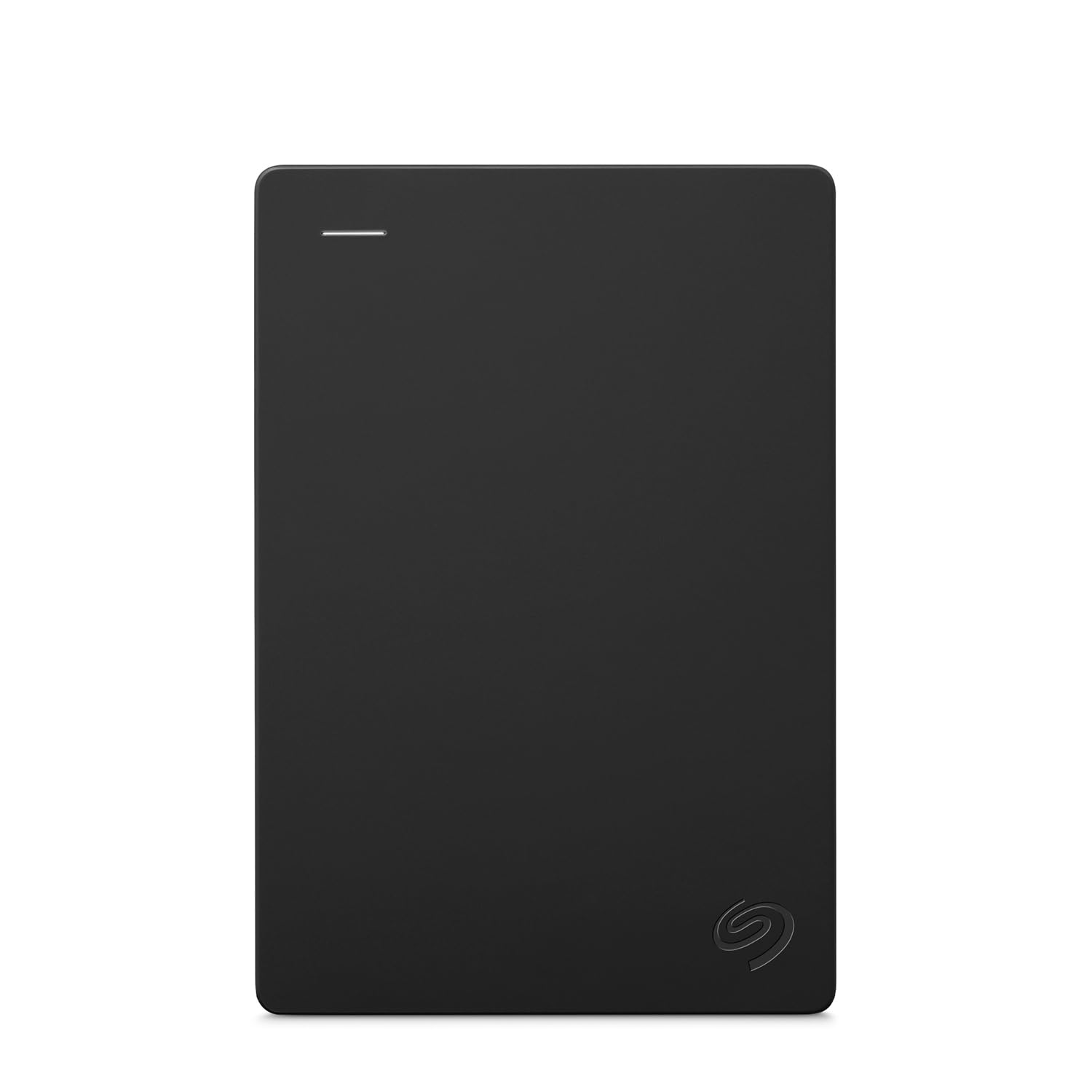
A 1 TB portable that stores and backs up files by drag and drop with no software, and lists Xbox One among its compatible consoles.
The Seagate is a 1 TB portable built for the simplest possible job: store and access your content on the go, drag and drop, no software. Plug it into a computer and it is recognized automatically. It ships with an 18-inch USB 3.0 cable, which is short enough that the drive has to sit close to whatever it is plugged into — worth knowing if you were picturing it stretched across a shelf. It lists Microsoft Xbox One among its compatible consoles, so it can serve as game storage as well as a backup target.
what separates it from the console-first drives is the included 1-year Rescue Service (a data-recovery add-on), which matters when the drive holds save files and photos rather than just game installs you could re-download. The catch is that it is a general-purpose portable, not a gaming-tuned one, and Mac users may need to reformat it. If you want a rugged shell or “always-on” gaming firmware, the drives above and below are built more specifically for that.
The honest trade: as a backup drive it is the most versatile pick here, and the recovery service backs that up. As a pure gaming drive it gives ground to the Toshiba’s dedicated firmware.
Best for: buyers who want one drive for game storage and computer backups, with a recovery service on the side.
Not for: anyone who needs the drive to sit far from the console — the included cable is 18 inches.
5. WD 2TB Elements Portable External Hard Drive

A compact 2 TB enclosure with a USB 3.2 Gen 1 (5Gbps) interface, plug-and-play on consoles and on Mac and Windows computers.
Western Digital’s Elements line is the plain, dependable option, and the 2 TB version is the balance of the range. It runs a SuperSpeed USB 3.2 Gen 1 (5Gbps) interface — the same USB 3.0-class speed the rest of this list uses, just under a newer name. Setup is plug-and-play: connect it and it expands your storage with no software. The compact enclosure earns a lot of affection for something so plain, and it works with both Mac and Windows computers as well as game consoles.
At 2 TB it lands between the 1 TB starter drives and the 4 TB and 5 TB heavyweights, which makes it the flexible middle. If you split your time between the console and a laptop, this is the one that needs a format switch least often. The limitation: it is not a gaming-tuned drive, so it lacks the “always-on” firmware of the Toshiba and the metal shell of the WD_BLACK. It is storage that simply works, at a size most people can live with.
Why it’s the hedge: compact size plus 2 TB capacity makes it the easy pick when the drive has to serve more than one device.
The trade-off: plain plastics and no gaming-specific tuning — you are buying reliability and size, not specialised console features.
Pick this when: one drive has to cover your console and your computer, and 2 TB fits your library.
Skip the 2 TB version when: you need the largest vault, or the extra gaming firmware the console drives carry.
6. Avolusion 2TB USB 3.0 Portable Xbox One External Hard Drive
2 TB of capacity versus the 1 TB Avolusion, still pre-formatted for Xbox One and still a single-cable setup.
Same idea as the 1 TB Avolusion further up, just with 2 TB of space. It builds in 2 TB, arrives pre-formatted on the console, and goes from box to game library with a single cable. A 5 gigabits-per-second USB 3.0 interface keeps the connection standard in line with everything else here. For someone who wants the no-fuss setup but knows 1 TB will fill fast, this is the version to pick.
The portability is what reviewers mention most warmly — the slim, lightweight housing travels well and the drive doubles as a portable game library you can carry between consoles. It is compatible with Xbox One, Xbox One S and Xbox One X, which covers the whole Xbox One family. The honest caveat is the same as its smaller sibling: it is a workmanlike budget drive rather than a premium one, so the metal shells and gaming firmware of the pricier picks are not on offer here.
What you’re really buying: 2 TB of capacity against the entry Avolusion’s 1 TB, with the same zero-setup convenience, which is the whole appeal of this pairing.
Go here if: you liked the pre-formatted Avolusion idea but 1 TB felt too small for your library.
Consider the premium drives instead if: you want metal build or “always-on” gaming firmware, which this one does not list.
7. SP Silicon Power 2TB Armor A60

An IPX4 splash-resistant, shockproof 2 TB drive with a built-in cable-carry groove, made for life in a bag.
Most drives on this list are meant to sit still. This one is meant to travel. It carries an IPX4 water-resistance rating (that means it shrugs off splashes, not submersion) alongside military-grade shockproof protection, so a knock against a desk edge while a game installs is not a disaster. There is even a cable-carry groove built into the case, which removes the usual scramble for a lost USB cable.
The 2 TB capacity is generous for a portable, and it lists compatibility with Xbox One, Xbox 360, PS4, PS4 Pro and PS4 Slim for gaming. Performance and value are the two things the reviews reward most, and durability gets strong praise too — reviewers describe daily use stretching across years without trouble. Here’s the catch: it ships pre-formatted as NTFS for Windows, so an Xbox or Mac will need you to reformat it first. Compatibility is the aspect reviewers leave most unresolved, with some console-and-drive combinations needing a bit of care. If you want zero formatting friction, the pre-formatted Avolusion is the simpler choice.
What stands out
- IPX4 splash resistance and shockproof build for travel
- Built-in cable-carry groove keeps the USB lead with the drive
- 2 TB holds a respectable mobile library
Before you buy
- Arrives NTFS-formatted, so consoles need a reformat
- Not a gaming-tuned drive by firmware, just a tough one
The match: gamers who pack the drive in a bag and want it to come out working.
The mismatch: anyone who wants to plug straight into an Xbox without reformatting first.
8. WD_Black 2TB P10 Game Drive
The same game-tuned design as the top pick, in a two-terabyte size that fits a smaller library.
If the 5 TB P10 is more room than you will ever fill, this is the same drive in a 2 TB size. It carries the same up-to-130 MB/s speeds and the same metal top, and it is compatible with Xbox Series X|S for playing and storing Xbox One games and archiving Series X|S titles. The compact size is a genuine plus if desk and shelf space is tight, and reviewers specifically single out its footprint as easy to tuck away.
Performance is the other recurring note — it runs smoothly without lag or glitches when games are loading. Choose this over the bigger WD_BLACK when 2 TB matches your habits and you would rather not pay for room you will not use. The trade is capacity: 2 TB versus 5 TB is the whole decision, and durability and speed are the aspects reviewers most disagree on, so it is not as universally settled a drive as its larger sibling.
One-line take: a compact, speed-rated gaming drive for modest libraries — if 2 TB is your number, this delivers the P10 formula without the extra space.
Choose this if: 2 TB is plenty and you want the P10’s metal shell and speed rating in the smallest footprint.
Step up if: you plan to keep a large collection installed — the 5 TB version gives you 5 TB of room versus the 2 TB here.
9. Toshiba 4TB Canvio Gaming Portable External Hard Drive

Toshiba’s gaming formula taken to four terabytes — room for a hundred games in one slim housing.
The pitch here is simple: the Canvio Gaming’s “always-on” firmware, plus enough capacity that the delete-a-game ritual disappears. Toshiba rates this 4 TB version for up to 100 games, so a family console with multiple players can keep everyone’s library installed at once. It uses USB 3.2 Gen 1, the same USB 3.0-class interface the rest of this list runs, and the slim, lightweight housing makes carrying a whole collection between rooms realistic.
It is compatible with most PlayStation, Xbox and PC consoles, which makes it a shared-library drive you can move around the house. Where it gives ground: it is a 4 TB mechanical drive rather than flash storage, so the “always-on” tuning is about responsiveness, not SSD-style instant loads. And it is a newer arrival with a thinner track record than the WD and Seagate drives above, so you are trusting Toshiba’s gaming line rather than a long history of owner reports.
The case for it: up to 100 games in a drive you can carry from room to room, with the same always-on tuning as the smaller Canvio.
Where it gives ground: a mechanical platter and a shorter review history — it earns its place on capacity and firmware, not on a proven track record.
Made for: the player with a large library who wants it all installed and portable at once.
Less suited to: anyone who prioritises a long, documented reliability record over raw capacity.
Know the Specs
Capacity: how many games you actually get
How much you can install at once depends on capacity, measured in terabytes (TB, where 1 TB is roughly a thousand gigabytes). Game sizes vary wildly, but the listings here give useful rules of thumb: Toshiba counts roughly 36 GB per game for its “up to 25 games” figure on 1 TB, and its 4 TB drive is rated for up to 100 games. A 1 TB drive is a starter library; 2 TB is comfortable; 4 TB and 5 TB are for keeping everything installed.
USB 3.0, USB 3.2 and USB 3.1 Gen 1: same connector, confusing names
These are all the same USB 3.0-class connection under different marketing names — the 5 gigabits-per-second standard the drives here use. What matters for an Xbox One is that the drive and cable are USB 3.0 or newer, because the console runs games from that port. A drive listing 5 gigabits per second is at the same bandwidth ceiling as the rest; it is the drive and console combination that determines your real load times.
Pre-formatted drives: what the label saves you
A drive marked “pre-formatted on game console” has already been set up in the file system the Xbox expects, so it registers as storage the moment you plug it in. A drive delivered in NTFS for Windows or unformatted will need the console to format it first, which wipes anything on it. Neither kind is better as hardware — pre-formatting simply removes a step most first-time buyers trip over.
“Always-on” firmware versus a standard portable drive
Gaming drives with “always-on” firmware are tuned to stay responsive between loads rather than powering down to save energy. On a console that means a library menu opening without a pause. A standard portable drive still works for game storage, but it may take a moment to wake when the console asks for it. If instant responsiveness matters more than the absolute lowest price, look for the always-on label.
Common Questions
Will any external hard drive work with an Xbox One?
Do I need to reformat a pre-formatted Xbox One drive?
How many games will a 1TB Xbox One hard drive hold?
Can I play games directly from an external drive on Xbox One, or is it just for storage?
Is a mechanical hard drive slow for games compared with an SSD?
What does “always-on” mode on the Toshiba Canvio Gaming actually do?
Can I use the same external drive on an Xbox and a PlayStation?
Does an external drive need its own power supply?
How should I look after a portable game drive so it lasts?
What is the difference between the 5TB WD_BLACK P10 and the 2TB WD_Black P10?
The Bottom Line
For most people buying an xbox one hard drive, the answer is the WD_BLACK 5TB P10 Game Drive — 5 TB of room rated for up to 150 games, at up-to-130 MB/s, which is enough that storage stops being a thing you think about. If you want zero setup friction instead, the Avolusion 1TB arrives pre-formatted and needs nothing more than a cable. And if your drive lives in a backpack, the SP Silicon Power Armor A60 is the one that shrugs off knocks and splashes.
The WD_BLACK 5 TB is a crowd favourite — 4.5+ stars across an enormous base of 25,000+ ratings — and it earns that place honestly. One nudge before you close the tab: the top capacity pick rarely disappoints, because the one thing buyers cannot upgrade later is room, and this one starts with more of it than any other drive here.
How we choose
We do not accept paid placement. Every pick is matched to a real buyer and a real use-case; we do not hands-on test units.
Sources
Specifications: manufacturer listings and product documentation. Review insights: verified customer reviews, as of November 2026. Pricing: not shown on this page (it changes often); check the current price via the retailer link.
As an Amazon Associate, Tactical Gear Guy earns from qualifying purchases. This does not affect which products we feature.