Specs are compiled from manufacturer listings and verified buyer reviews and can change over time — please confirm the key details on the product page before buying.
If your Xbox One has stopped reading discs, you do not need a new console. You need the right replacement disc drive deck — and the single most important thing to know is that these parts are model-specific. The DG-6M1S family fits the original Xbox One only, not the One S, One X, or Series X. Buy the correct deck and the tray works again. Buy the wrong one and you have wasted a repair.
This guide is built by comparing the manufacturers’ published specifications and the patterns across verified customer reviews, so you get each pick’s real strengths and trade-offs instead of marketing spin.
This guide breaks down six real replacement drives by console fit, laser module, included tools, and what owners actually run into during the swap. Every pick here is a repair part for an original Xbox One — some arrive with screwdrivers, some need your old board moved over, and one covers far more consoles than the rest. By the end you will know exactly which xbox one disc drive matches your console model and your comfort level with a screwdriver.
Top Picks


How To Choose The Best Xbox One Disc Drive
A replacement disc drive is not a universal part. It is a matched component built for one console generation, and the tolerance for guessing is basically zero. Before you order anything, read the label on the back of your console and confirm the drive model it uses.
Match the drive model to your console, not the photo
The original Xbox One uses DG-6M1S decks, and several listings name the DG-6M1S-01B, DG-6M1S-02B, and DG-6M2S-01B variants. Those same decks do not fit the One S or One X, which are different consoles with different internals. If your console is a One S or One X, most of this list is not for you — check the model number before you add anything to a cart.
Know whether the circuit board has to move over
On many of these drives, the small circuit board from your old deck has to be transplanted into the new one. That board is paired to your console for game playback, so swapping it is what keeps disc games working. Some listings put this tip front and center; others bury it. If you are not comfortable with that step, plan for a technician.
Check what tools ship in the box
Opening an Xbox One needs the right screwdriver bits. Some replacement kits include them and some ship the deck alone. A bundled screwdriver saves a second purchase and a second wait mid-teardown.
Decide between the full deck and the laser lens
If the tray still opens and spins but never reads a disc, the laser lens module may be the failed part. If the tray is dead or the motor is gone, you need the whole deck. Many listings combine both the DG-6M1S deck and the HOP-B150 laser lens module, so you can cover either failure with one order.
Side-by-Side Comparison
| Model | Best For | Console Fit | Included Tools | Laser / Interface | Amazon |
|---|---|---|---|---|---|
| DG-6M1S Blu-Ray DVD Disc Drive Deck w/ HOP-B150 Laser★ Best Overall | Most buyers replacing a dead deck | Microsoft Xbox One | Deck and laser module only | HOP-B150 laser, SATA 3.0 Gb/s | Amazon |
| LeHang Blu Ray Liteon DG-6M1S-01B ModuleLow-Cost Option | Basic CD playback at low cost | Microsoft Xbox One | Deck only | 6X Blu-ray read, SATA 3.0 Gb/s | Amazon |
| AQIDAP Lite-On DG-6M1S-01B Replacement | Tool-included Lite-On deck swap | Xbox One only (not S, X, or 360) | T8 and T10 screwdrivers | HOP-B150, SATA 3.0 Gb/s | Amazon |
| ASHATA Replacement Disc Drive DG-6M1S-01B | Stalled or jammed tray repair | Microsoft Xbox One | Screwdriver included | Serial ATA | Amazon |
| LeHang Blu-Ray DVD Disc Drive Deck for One/One S/X/Series X/S | Owners of newer Xbox consoles | Xbox One, One S, One X, Series X, Series S | Deck only | Blu-Ray DVD deck | Amazon |
Detailed Reviews
1. DG-6M1S Blu-Ray DVD Disc Drive
Our pick — 4.0+★ from 70+ verified ratings; the strongest balance of quality and price.
One box, both failure points: the deck and the laser lens that reads your discs.
This is the part most people actually need. It ships as a DG-6M1S Blu-Ray DVD disc drive deck with the HOP-B150 laser lens module already in place, so you are replacing both the mechanical tray and the optical pickup in a single swap. The interface is SATA 3.0 Gb/s — the standard internal connection the Xbox One board expects — so there is no adapter to fiddle with. It is built for the original Xbox One and only the original Xbox One, confirmed against the Microsoft Xbox One listing compatibility.
It is the only pick here that ships the deck and the HOP-B150 laser together. Buyers report discs loading again after the swap, including Xbox 360, Xbox One, and Series X game discs. Installation itself does not require soldering, which is the single biggest worry for a first-time tinkerer cracking open a console for the first time. You still need a technician’s patience for the teardown, and the listing is clear that no instructions are included — the part arrives, the guide does not.
The honest limit is fragility. This drive is a delicate component, and the seller warns it can be damaged in shipping. Cheap fix parts sometimes take a knock on the way, so inspect it the moment the box lands. The other thing to know is the board-swap step that shows up across these drives. Moving your old deck’s board into the new unit is what keeps game discs readable. Skip that step and you can end up with a deck that spins but will not play games.
What earns it the top slot
- Deck and HOP-B150 laser lens arrive together, covering the two most common read failures in one purchase
- SATA 3.0 Gb/s interface plugs into the original Xbox One board without an adapter
- No soldering needed — the swap stays a screwdriver job
- Reportedly plays Xbox 360, Xbox One, and Series X discs once installed
What to plan around
- No installation instructions in the box — bring your own guide or a technician
- The unit is fragile and can arrive damaged in transit, so check it immediately
- Fits the original Xbox One only, not the One S or One X
Grab this one when: your original Xbox One has a dead tray or a laser that will not read, and you want both parts handled in one order.
Think twice if: you expect a walkthrough in the box — this listing is the part only, so line up an install video first.
2. Liteon DG-6M1S-01B Blu Ray DVD Disc Drive
A Lite-On module with a 6X Blu-ray read speed — and a board-swap rule you must not skip.
This is the DG-6M1S-01B module from LeHang, rated at 6X Blu-ray read speed over a SATA 3.0 Gb/s interface. It is aimed at the original Xbox One and priced at the bottom of this list, which makes it the option people reach for when they want the cheapest possible path back to a working tray.
The listing is unusually direct about the one step that decides success. You have to take the little motherboard out of your old drive and swap it into the new one, because that board is paired to your specific console for game playback. Skip it and the deck may not read game discs at all. The seller says plainly that if it will not read games, you should reuse your old motherboard. That is not a hidden trick — it is the whole job.
Real-world results are split, and it is fair to say so. Some units come up fully functional and read discs as expected. Others handle basic CDs but refuse DVDs and Blu-ray discs, which is the failure that turns a cheap fix into a second order. Think of this as the option for a buyer who is comfortable with the board swap and comfortable taking a chance on a low-cost part. Anyone who wants a wider safety net should look at the tool-included pick above, or the deck below that ships with its laser module.
Worth it for: tinkerers who accept some roll-of-the-dice on a budget module and know their way around a board swap.
Set expectations: read compatibility is the reported stumble here, so a CD-only result is a real possibility on any single unit.
Best matched to: a patient repairer who has done a board swap before and wants the lowest-cost Lite-On module.
Worth skipping if: you want a guaranteed disc reader on the first try — the tool-included kit or the HOP-B150 deck is the safer bet.
3. AQIDAP Lite-On DG-6M1S-01B Blu-Ray Disk Drive

Two screwdrivers, a metal enclosure, and a HOP-B150 laser — the most complete toolkit here.
The AQIDAP kit is the only one on this list that names both of the bits you actually need: a T10 screwdriver and a T8 screwdriver, plus the disc drive itself. Those are the two sizes the Xbox One teardown calls for, so the box is genuinely self-contained. The deck is a Lite-On DG-6M1S unit with a HOP-B150 laser, and it also replaces the DG-6M1S-01B and DG-6M1S-02B models.
The enclosure is metal rather than plastic, which suits a part that sits in a warm console. It is listed as a compact drive with a SATA 3.0 Gb/s interface, and it is a drop-in for the original Xbox One chassis. Owners find the install straightforward, and it is one of the better-priced kits that still includes tools.
Watch the compatibility line closely. This is for the original Xbox One and explicitly not for the One S, One X, or any of the Xbox 360 family — 360, 360 S, and 360 E are all excluded. It is also an original-style replacement, so you will move your old circuit board into the new deck as you would with the Lite-On module above. Read reliability is the reported weak spot: some decks come up reading like new, and others leave game discs still refusing to load. The kit is complete, but the optical result can vary unit to unit.
Toolkit advantage: T8 and T10 screwdrivers included means no second order and no stalled teardown — the deck, the laser, and the bits all land together.
Board-swap reality: transplant your old circuit board into the new drive, exactly as the listing instructs, or game discs may not read.
Pick this when: you want the teardown covered end to end with the right screwdrivers in the box.
skip it if: your console is a One S, One X, or 360 — none of those are supported here.
4. ASHATA DG-6M1S-01B Disc Drive
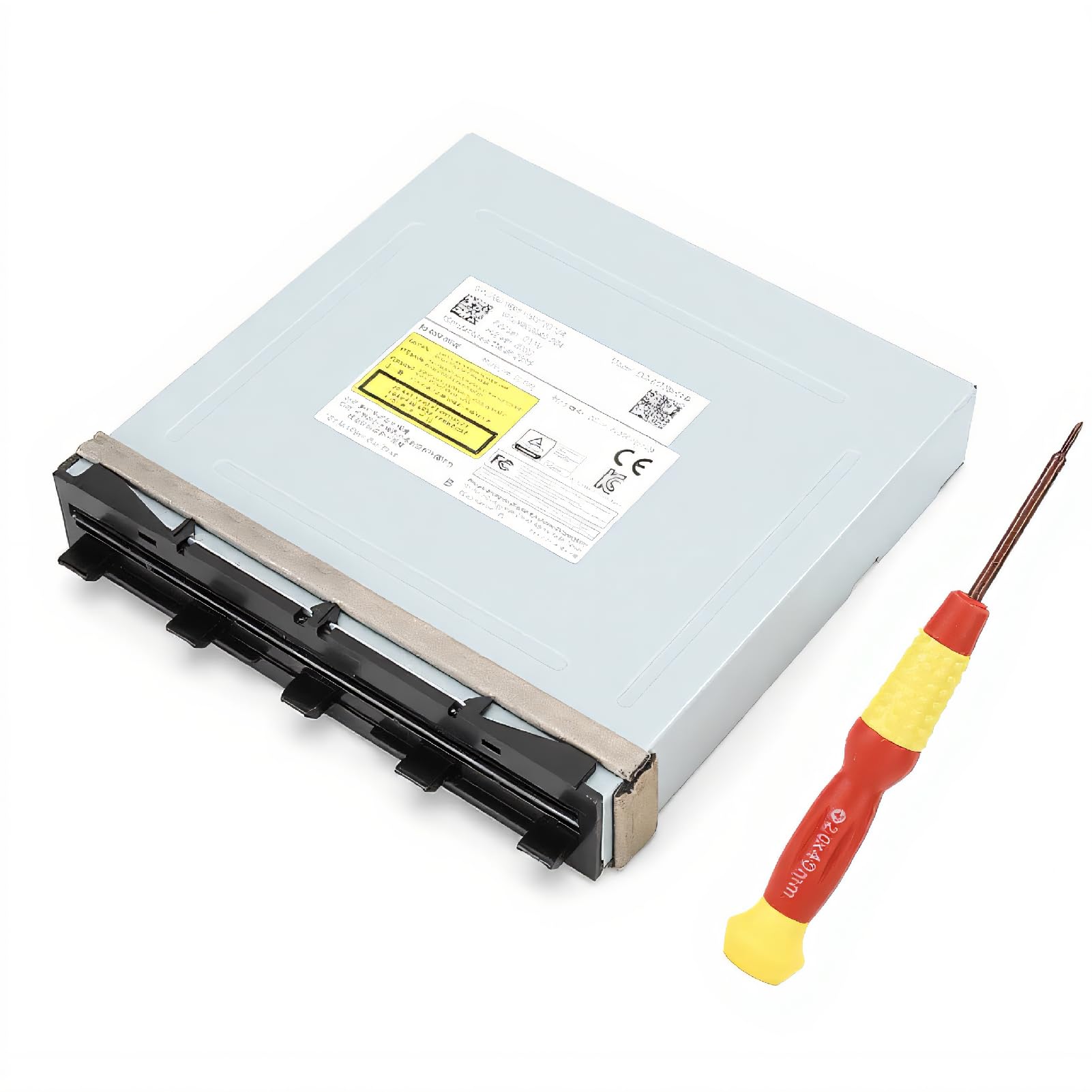
Built for the console that will not accept a disc at all, not just one that reads slowly.
The symptom list on this ASHATA deck is the clearest on the list for a mechanical failure. If your console will not read a disc, takes a long time to load one, or refuses to accept the disc entirely, this is the swap the maker points to. That last symptom — a tray that will not take a disc — is the one no laser cleaning can fix, so a full deck replacement is the correct move.
It is a DG-6M1S-01B deck in a metal enclosure with a SATA interface, and it covers the original Xbox One console. A screwdriver ships in the box, which is one less thing to hunt for before you start. The motor and tray assembly are the reason to buy this one rather than a laser module — it replaces the moving parts, not just the optics.
Where this one asks for patience is documentation. There are no installation instructions in the box, and the board-swap step that keeps game playback working applies here as it does to the other original-style decks. Plan for a video walkthrough and a careful hand. The drive is a low-cost part, so treat the surface and connectors gently during the swap.
The right call for: a console with a dead tray or a motor that will not pull a disc in.
Bring your own guide: no instructions are included, and the old circuit board still has to move across.
5. LeHang Blu-Ray DVD Disc Drive Deck

The one pick that covers the newer Xbox consoles the rest of this list leaves out.
Every other drive in this guide is locked to the original Xbox One. This LeHang deck is the outlier — the listing names Xbox One, One S, One X, Series X, and Series S together. If you own a newer Xbox and your disc tray has quit, this is the only option here that even claims to fit your console. At 4.2 ounces, the part is light to handle and sit inside the chassis.
Owner experience on this deck is the standout of the group. Consoles that had stopped reading discs play them again after the swap, and buyers keep citing build quality and easy installation.
The caution is the same fragility warning that runs through this whole category: the drive is delicate and can be damaged in shipping. Check it before you pick up a screwdriver, and reach out to the seller straight away if something looks wrong, because support is offered for that scenario. Match the console model on the label before you order, since a multi-console listing is only as useful as your fit.
Standout strength: covers One S, One X, Series X, and Series S in a list where everything else is original-One-only.
Handling note: shipping damage is the documented risk, so inspect the deck on arrival.
Here is your match: a newer Xbox console with a failing disc drive, where the original-One decks simply will not work.
Cover your bases first: confirm the model on your console’s label, since fit is what this pick is bought for.
Know the Specs
DG-6M1S drive deck and the 01B / 02B variants
The DG-6M1S is the family of Blu-ray disc drive decks used in the original Xbox One, and you will see it written as DG-6M1S-01B, DG-6M1S-02B, and DG-6M2S-01B. These are variations of the same part, and a replacement deck that covers those codes is the one to buy for an original Xbox One. The important warning is that this family does not cover the One S or One X, which use different internals. If your console is a One S or One X, look for a deck that names those consoles explicitly.
HOP-B150 laser lens module
The HOP-B150 is the optical pickup — the laser assembly that actually reads the disc surface. When a tray opens, spins, and then gives up without loading a game, the laser lens is often the failed component. A deck sold with the HOP-B150 module included covers both a dead tray and a dead laser in a single purchase. That is why it is worth checking whether the listing names the module or ships the deck alone.
SATA 3.0 Gb/s interface
SATA 3.0 Gb/s is the internal cable standard these drives use to talk to the console board. It is not a speed you need to shop for — it is a compatibility check. A deck listed with a SATA 3.0 Gb/s interface and a Serial ATA connection is built for the Xbox One’s internal wiring, so it plugs in where the old drive came out.
6X Blu-ray read speed
A 6X Blu-ray read speed describes how fast the laser pulls data from a Blu-ray disc. For a replacement drive, the number is less about speed and more about confirming the assembly is a Blu-ray-capable deck rather than a DVD-only part. A Blu-ray deck is what you need for game discs; a DVD-only module will leave those discs unread.
Included repair tools (T8 and T10)
Opening an Xbox One takes specific screwdriver bits, and T8 and T10 are the sizes a repair kit will typically name. Buying a deck that includes them saves a separate trip for tools and keeps the teardown in one session. A deck with a screwdriver in the box is the easiest path for a first-time repairer.
Circuit board pairing
The small circuit board inside a disc drive is paired to the console it came from, and that pairing controls game disc playback. This is why several listings tell you to pull the board from your old deck and install it in the new one. It is a physical move, not a software step, and it is the single most common reason a new deck spins but will not play games.
Common Questions
Will this disc drive fit my Xbox One S or One X?
Why does my new disc drive spin but not read games?
Do I need the whole deck or just the laser lens module?
Is the HOP-B150 laser module included with the drive?
What tools do I need to swap an Xbox One disc drive?
Can I install a replacement disc drive without soldering?
Is a DG-6M2S drive a direct replacement for a DG-6M1S?
What should I do if the drive arrives damaged?
Will a replacement drive let my Xbox One play Xbox 360 and Series X discs?
Why does the listing say my console model matters so much?
The Bottom Line
The best Xbox One Disc Drive for most people is the DG-6M1S deck with the HOP-B150 laser lens, because it puts the tray and the optical pickup in one box and needs no soldering to install. If you want the screwdrivers thrown in for a first attempt, the YWLRONG kit brings the tools and a 6-month warranty. And if your console is a One S, One X, or Series X rather than the original model, the LeHang multi-console deck is the only pick here that even claims to fit. Grab it before you dig into a teardown, since fit is the one thing you cannot fix with a screwdriver.
How we choose
We do not accept paid placement. Every pick is matched to a real buyer and a real use-case; we do not hands-on test units.
Sources
Specifications: manufacturer listings and product documentation. Review insights: verified customer reviews, as of November 2026. Pricing: not shown on this page (it changes often); check the current price via the retailer link.
As an Amazon Associate, Tactical Gear Guy earns from qualifying purchases. This does not affect which products we feature.