Specs are compiled from manufacturer listings and verified buyer reviews and can change over time — please confirm the key details on the product page before buying.
If your squad keeps asking you to repeat yourself, the problem is usually the mic, not your connection. A stock controller headset mic sits far from your mouth, so it picks up every button click and turns team chat into static. The three picks below all connect to an Xbox controller or console and all give you a real boom arm that puts the capsule near your chin instead of across the room. The short answer: the TONOR TCX3+ is the one to buy for most people, because it pairs a 30-hour battery with a boom arm that holds its position.
This guide is built by comparing the manufacturers’ published specifications and the patterns across verified customer reviews, so you get each pick’s real strengths and trade-offs instead of marketing spin.
Xbox party chat punishes bad microphones harder than a PC setup, so the picks here are ranked on pickup pattern, battery life, and how much room noise they let through. Here is the honest shortlist for the best Xbox gaming mic.
Top Picks
How To Choose The Best Xbox Gaming Mic
An Xbox gaming mic is not a podcast mic with a game logo on it — it has to survive a controller jack and a living-room noise floor. Your console sends voice through the controller’s 3.5mm headset jack, and that changes what matters. You need a mic that powers on by itself, plugs into the controller’s 3.5mm jack, and sits close enough to your mouth that you do not have to lean in to be heard.
The connection type decides whether it works at all
Wired through a 3.5mm cable into the controller’s headset jack is the simplest path. There is no pairing step and no driver to install — you plug in and talk. A wireless USB receiver is the other route, and it plugs into the console rather than the controller, which frees your hands but adds a pairing routine you have to learn.
Check that the listing names your exact console. “Compatible with Xbox” is not the same as listing Xbox Series X|S and Xbox One by name, and the difference is where most returns come from.
Pickup pattern and noise floor
A cardioid capsule (one that listens mostly from the front and ignores the sides) is what keeps your controller clicks and keyboard taps out of the mix. That is the spec that separates a clean party chat from a muddy one.
Noise reduction is the second lever. Some mics use a physical cardioid shape alone, others run a DSP chip (a small processor that filters background sound before it leaves the mic). The second kind is what you want in a room with a fan or a nearby TV.
Battery life with the lights on
RGB lighting is the quiet battery killer. A listing may advertise a long runtime and then cut it sharply once the lights come on, so read both figures. If you game for long sessions, the lights-off number is the one that matters.
Side-by-Side Comparison
| Model | Best For | Battery | Connection | Weight | Amazon |
|---|---|---|---|---|---|
| TONOR TCX3+★ Best Overall | Most Xbox players | 30 hours (10 with RGB) | 3.5mm jack | 2.8 pounds | Amazon |
| Mcbazel 2 Pack Wireless | Two-player couch sessions | — | Wireless USB receiver | 160 g | Amazon |
| ZealSound BD9S | Streaming and recording | 35 hours (12 with RGB) | USB Type-C | 1.6 pounds | Amazon |
Detailed Reviews
1. TONOR Gaming Mic
Our pick — 4.0+★ from 150+ verified ratings; the strongest balance of quality and price.
A desk mic with a knob you can actually reach mid-match, and a battery that outlasts your session.
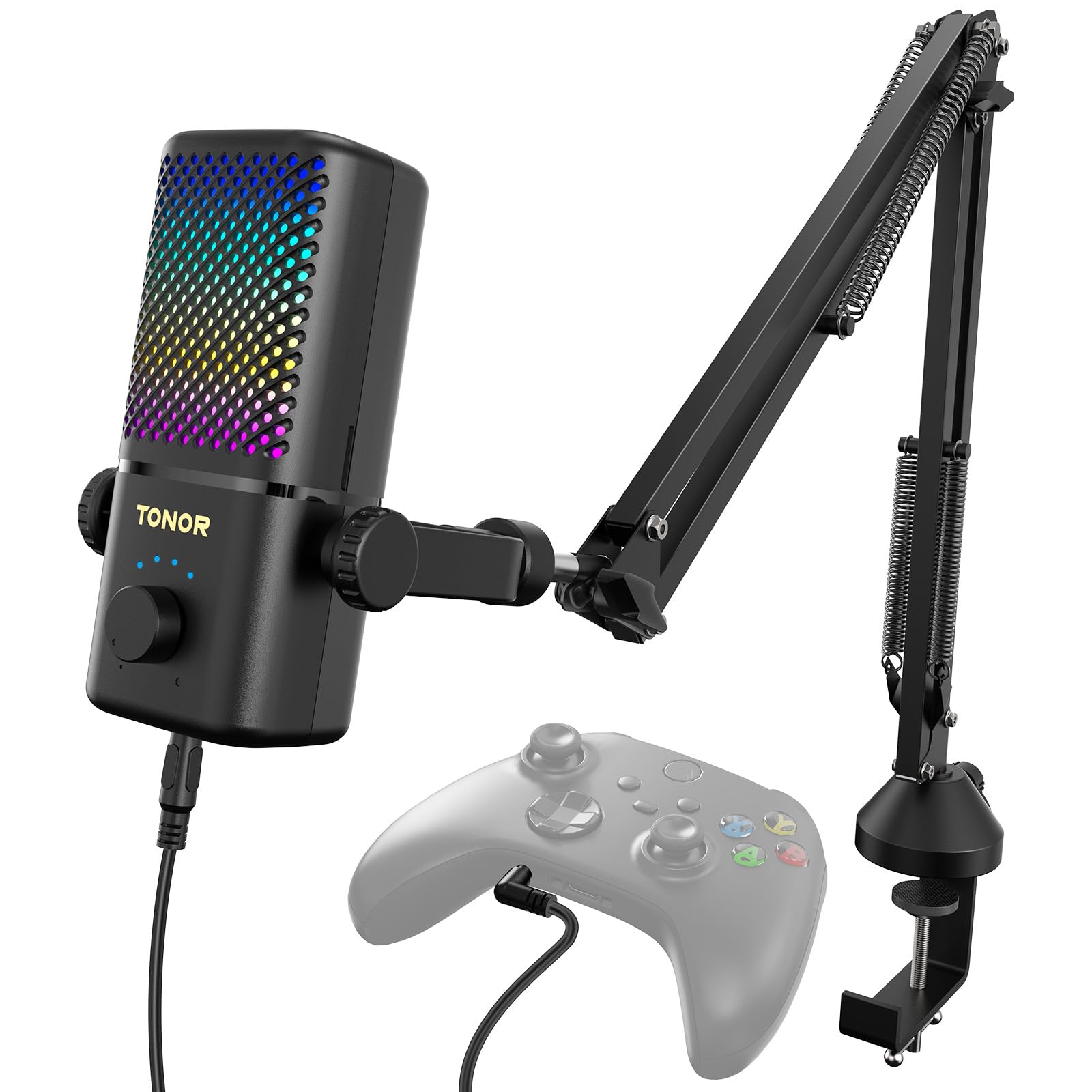
The TONOR TCX3+ is the pick that feels built for a console desk rather than a podcast studio. Run it in no-light mode and you get up to 30 hours of use on the built-in lithium battery, which covers several long nights without a charge. Switch the RGB lighting on and that drops to 10 hours, so the honest advice is to leave the lights off if you hate charging. When it does run flat, a 5-minute quick charge hands you an extra hour of play, though the mic cannot be used while it is charging.
What wins people over here is the physical build — it is the most-praised thing about this mic by a wide margin in the review data. The enclosure mixes ABS plastic with alloy steel, and the included boom arm arrives with both 3/8-inch and 5/8-inch threaded adapters, so it fits the common desk-mount threads without a scavenger hunt. Rotate the knob to set your communication volume, tap the top button to mute, and long-press the knob to kill the monitoring function when you do not want to hear yourself. Its audible noise figure is 20 db, the lowest of the three picks here and well under the 90 db figure on the Mcbazel pair.
The catch is the software side of the equation. Sound quality and day-to-day functionality draw genuinely split feedback, and the recurring gripe is background noise creeping into the capsule. Fit that against a 4.0+ star score across 180+ ratings and it reads as a strong mic that a few rooms have beaten. If you game next to a loud TV or an open window, budget for a little cleanup in your voice settings.
What it does well
- Up to 30 hours with the lights off, so long sessions rarely need a top-up
- 5-minute quick charge buys another hour when you are caught short
- Boom arm ships with both 3/8-inch and 5/8-inch threaded adapters
- One-tap mute on the top button, easy to find without looking
- 20 db audible noise figure — the cleanest rating in this trio
Where it asks for patience
- Drops to 10 hours once the RGB lighting is on
- Cannot be used while it is charging
- At 2.8 pounds it is the heaviest build here and wants a solid desk
- Background noise still finds its way in for some rooms
Buy this one if: you want a single mic that handles party chat and desk streaming, and you value a stand that stays where you put it.
Think twice if: you always game with the lights blazing on your gear — the drop to 10 hours will have you reaching for the cable often.
2. Mcbazel 2 Pack Wireless USB Gaming Microphone

Two wireless mics in one box, for the couch where two people share the same screen.
Sharing a console with someone else usually means passing a headset back and forth, and that never works. The Mcbazel kit solves it by packing two wireless microphones with one USB receiver into a single set. The 2.4G connection reaches up to 15 meters with no barrier in the way, and the listed latency is 25ms, which keeps your voice and your teammates’ replies roughly in step. No driver is needed — you plug the receiver in and the mics read as an input.
The weight story is the contrast worth knowing. At 160 g this mic is far lighter than the 1.6-pound ZealSound or the 2.8-pound TONOR, so it is the only one of the three you would happily clip and move around during a session. The enclosure is plastic, and the footprint of 10.71 x 5.12 x 2.24 inches sits closer to a handheld shape than a boom-mounted studio mic.
Here is the honest trade-off. The audible noise figure is 90 db, several times the 20 db on the TONOR, and the sensitivity is 51 db against the ZealSound’s 110 db. In practice that means this mic picks up more room and delivers a quieter signal, so you will lean on your voice settings more. Compatibility also splits: it plays nicely with some consoles and refuses others, with PS5 coming up as a repeated miss. A 4.0+ star score across 700+ ratings says most buyers get it working, but check that your exact console is named before you commit.
The real use case: two people, one TV, one console. That is the scenario this kit was built for, and no single-mic pick on this list replaces it. The 15m barrier-free range also means you can hand one mic to a friend on the other couch without running a cable across the floor.
The honest limit: if you play solo and want the cleanest possible voice, the noise figures here put it behind the other two. This is a sharing tool first and a fidelity tool second.
Right pick for: split-screen households and anyone who wants a spare mic in the drawer for a second player.
Wrong pick for: one-person setups chasing the lowest noise floor, where the wired alternatives pull ahead.
3. ZealSound Gaming Microphone
The one that swaps the controller jack for a real recording chain — cardioid capsule, DSP filtering, and a 15.4-inch boom.
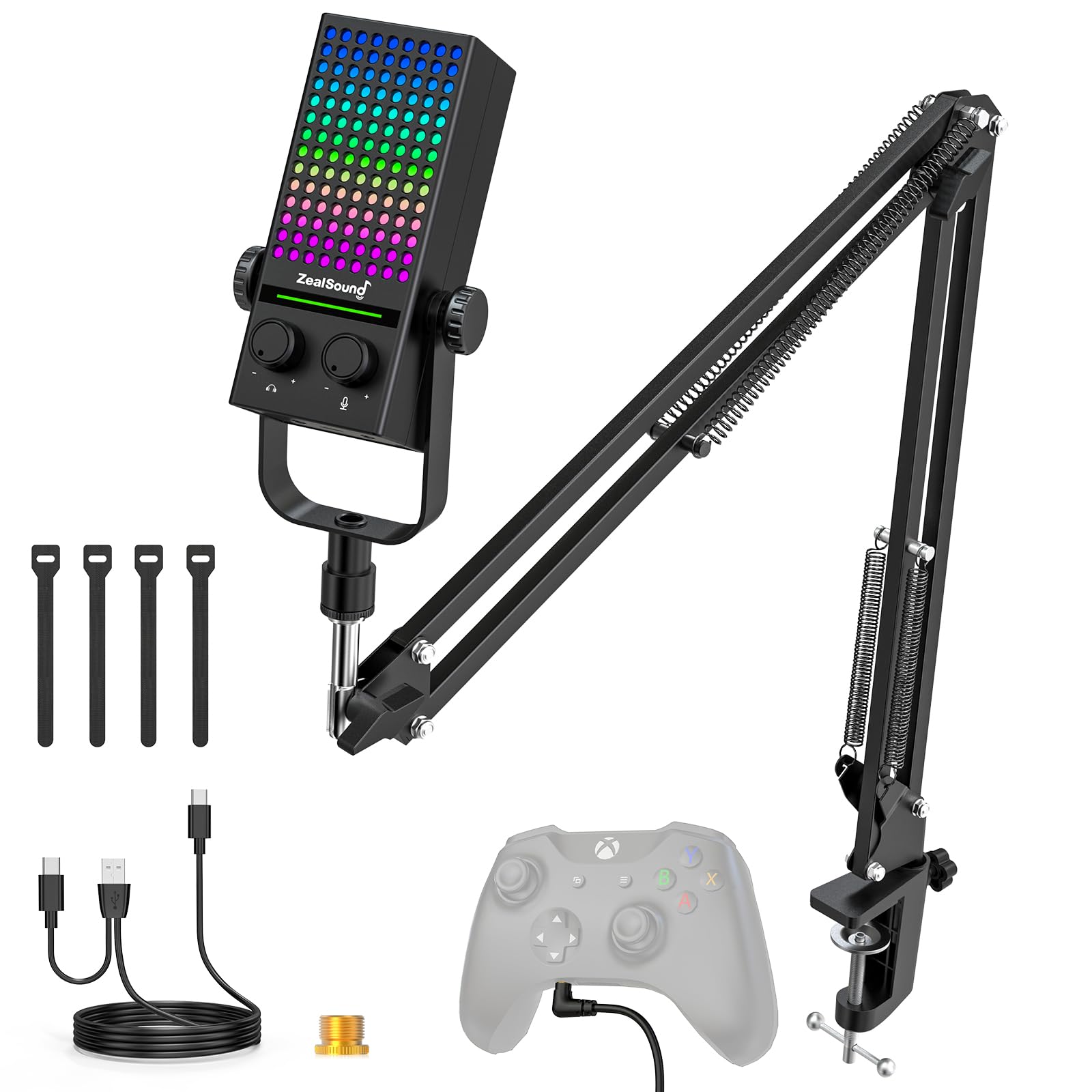
Start with the audio chipset, because that is what justifies this pick. A 192kHz/24-bit converter paired with a cardioid condenser capsule captures a detailed, natural voice and rejects sound from the sides and rear. That is exactly the behavior you want when your controller clicks and your keyboard sit beside the mic. Sensitivity is 110 db, more than double the Mcbazel’s 51 db, so it hears you clearly without you raising your voice.
For party chat you run the included 3.5mm cable from the mic’s Xbox output port into the controller’s headset jack. That wired path needs no Bluetooth pairing, no drivers, and no splitter, which is why it is the most predictable way to get clean audio on a console. Long-press the front button to bring in DSP noise reduction (the mic’s own filter for keyboard clatter, fan hum, and room chatter), and tap once to mute with no audible click. A large red indicator shows mute status at a glance, which matters at 2am when you do not want to announce yourself.
The battery is the strongest of the three. The built-in 800mAh cell runs up to 35 hours with RGB off or 12 hours with it on, against the TONOR’s 30 and 10 hours — and unlike the TONOR, this one supports charging while you use it. It refills in about 1.5 hours. The included boom arm extends up to 15.4 inches with 180°, 270°, and 360° adjustment, and its padded clamp grips desks up to 1.89 inches thick. Set against a 3.5+ star score across 200+ ratings, the sound and the quick setup are the bright spots; noise cancellation is the part buyers are split on, so treat the DSP button as a helper rather than a switch that silences a loud room.
Why it earns a spot
- 192kHz/24-bit chipset with a cardioid capsule for focused voice pickup
- 35 hours with RGB off, 12 with it on — the longest runtime here
- Charges while in use, so a long stream never dies mid-sentence
- Boom arm reaches 15.4 inches and clamps desks up to 1.89 inches
What to plan around
- Noise cancellation draws mixed feedback — expect some room bleed in loud spaces
- Xbox mode needs the right volume knob held to power on before you connect
- Charging while playing on Xbox needs a wall outlet, not a computer port
The mic to grab: you record or stream as much as you play, and the 192kHz/24-bit capture plus the longer battery is worth the trade.
The catch to accept: noise reduction is a partner, not a miracle worker — a quiet room still does most of the work.
Know the Specs
Audible Noise and Sensitivity
Audible noise is the floor of sound the mic produces when nothing is happening — a low figure means less hiss and rumble baked into your voice. Sensitivity is how readily it turns sound into signal, so a higher number means it picks you up from farther away. These two pull in opposite directions: a very sensitive mic hears you easily and also hears the room. Match the pair to your space rather than chasing one number.
Pickup Pattern
A cardioid pattern listens mostly from the front and rolls off the sides and rear. That shape is what keeps controller clicks and keyboard taps out of party chat. If you game in a busy room, a cardioid capsule in front of your face beats a more expensive mic sitting across the desk.
Battery Hours, Lights On vs Off
RGB lighting draws real power. Listings often quote two runtimes for that reason, and the lights-on figure can be a fraction of the lights-off one. If you hate hunting for a cable, treat the lights-off number as the true battery life and the lights-on number as the bonus mode.
Boom Arm Reach and Clamp Thickness
A boom arm is only useful if it reaches your mouth without tipping. Reach tells you how far it extends; clamp thickness tells you the desk it can hold. Pair a long arm with a thin desk and you get wobble, so check both numbers against your own setup before you buy.
Common Questions
Will an Xbox gaming mic work without a headset?
Do I need a splitter or sound card for Xbox party chat?
Can I use these mics on PC as well as Xbox?
Why does my mic battery die so much faster with RGB on?
Is a wireless gaming mic worse than a wired one for chat?
How do I get my mic to stop picking up controller clicks?
Can I charge the mic while I am playing on Xbox?
What desk thickness will the included boom arm clamp onto?
Is a two-mic pack worth it if I usually play alone?
Do these mics need drivers installed on the console?
The Bottom Line
For most Xbox players, the xbox gaming mic to buy is the TONOR TCX3+, because it pairs a 30-hour battery with a steel-and-ABS build and the lowest noise figure of the three at 20 db. If a second player shares your screen, the Mcbazel 2 Pack Wireless gives you two mics on one receiver and a 15m barrier-free range. And if you stream or record as much as you play, the ZealSound BD9S brings a 192kHz/24-bit chipset, a cardioid capsule, and 35 hours with the lights off. Whichever you pick, get the capsule near your mouth and leave the RGB off unless you enjoy charging.
How we choose
We do not accept paid placement. Every pick is matched to a real buyer and a real use-case; we do not hands-on test units.
Sources
Specifications: manufacturer listings and product documentation. Review insights: verified customer reviews, as of November 2026. Pricing: not shown on this page (it changes often); check the current price via the retailer link.
As an Amazon Associate, Tactical Gear Guy earns from qualifying purchases. This does not affect which products we feature.