Specs are compiled from manufacturer listings and verified buyer reviews and can change over time — please confirm the key details on the product page before buying.
The fastest way to waste money on a woodworking laser is to buy wattage you cannot use inside a small shop. You want a machine that cuts the wood you actually work with, keeps the beam enclosed so you can run it in a garage, and gives you software you can learn in an evening. This guide lines up ten real machines so you can match one to your bench, your projects, and how much smoke you are willing to live with.
This guide is built by comparing the manufacturers’ published specifications and the patterns across verified customer reviews, so you get each pick’s real strengths and trade-offs instead of marketing spin.
Below you will see how bed size, laser wattage, and safety class change what you can build, plus where each machine makes you compromise. The picks that follow are the strongest woodworking laser machine options for cutting real projects, not just engraving samples.
Top Picks

How To Choose The Best Woodworking Laser Machine
Three things decide whether a woodworking laser earns its bench space: how thick a board it cuts in one pass, how large a panel fits under the head, and whether the beam is closed off from your eyes and lungs. Nail those and the rest is software and patience.
Wattage is about cut depth, not bragging rights
Optical output power is measured in watts (W), and it decides how hard the beam bites into a board. The xTool S1 runs 40W and goes through 18mm cherry wood in a single pass. A 10W machine like the Creality Falcon cuts 5mm basswood in one pass. If your work is mostly 3mm to 6mm craft wood, a 10W unit is plenty. If you want to slice thick hardwood for signs, you need the bigger module.
Bed size decides the projects you can say yes to
The working area is the flat space the laser can reach, listed in inches or millimeters. The xTool S1 gives you 23.93″ x 15.16″, which fits door-sign blanks. The Creality Falcon opens up 15.7″ x 16.3″, and the Ortur offers a 390*410mm area. Measure the widest board you plan to cut, then add a couple of inches of margin.
Enclosed versus open frame changes where you can run it
An enclosed machine puts a cover between you and the beam and often filters the light. The xTool S1 uses a protective cover that filters 99% of laser light, so you do not need goggles. Open-frame machines like the Ortur ship with safety glasses and rely on you wearing them. If the laser lives in a shared garage or a spare room, enclosure matters more than a few extra watts.
Software and file support decide your first week
Most machines run LightBurn or LaserGRBL, and several add their own app. The AlgoLaser Pixi skips the computer entirely with a 3.5″ touchscreen and its AlgoOS system. The Longer RAY5 also has a built-in 3.5-inch color touch screen. If you have never touched design software, an on-machine screen removes the steepest part of the climb.
Side-by-Side Comparison
| Model | Best For | Laser Power | Working Area | Enclosure | Amazon |
|---|---|---|---|---|---|
| xTool S1 40W★ Best Overall | Thick hardwood and big signs | 40W | 23.93″ x 15.16″ | Enclosed, Class 1 | Amazon |
| Longer RAY5 20WTop Performer | High-volume shop work | 20W | 400x365mm | Open frame | Amazon |
| IKIER Flex DualMost Versatile | Metal plus wood in one unit | 12W diode + 1.2W infrared | — | Enclosed, Class 1 | Amazon |
| Longer RAY5 Cutter | Fast batch production | 20W | 15.75″x14.37″ | Open frame | Amazon |
| Ortur Laser Master 2 Pro S2 | Detail etching on a budget | 10000mW | 390*410mm | Open frame | Amazon |
| ATOMSTACK A10 Pro V2 | Clean edges with air assist | 10W | 410 x 380 mm | Open, magnetic cover | Amazon |
| AlgoLaser 10W Pixi | Desk-side, no-computer work | 10W | — | Enclosed, Class 1 | Amazon |
| Creality Falcon 10W | First machine on a small bench | 10W | 15.7″ × 16.3″ | Open frame | Amazon |
| Twotrees TS5 | Cylinders and tumblers | — | 9.8″×4.8″×4.8″ | Enclosed, Class 1 | Amazon |
| xTool F1 Ultra | Metal engraving and batch work | 20W fiber + 20W diode | 220mm x 220mm | Enclosed, Class 4 | Amazon |
Detailed Reviews
1. xTool S1 40W Laser Cutter and Engraver
Our pick — 4.5+★ from 250+ verified ratings; the strongest balance of quality and price.
The 40W workhorse that cuts 18mm cherry in one pass and seals the beam behind glass.
Start with the number that reshapes what a desktop laser can do: 40W of optical power (the strength of the beam hitting the wood). That is enough to slice through 18mm cherry wood in a single pass. If you have been cutting 3mm craft ply on a 10W machine and gluing up stacked layers, this one lets you cut the real board once and move on.
The 24 difference shows up in speed too. The S1 engraves at up to 600mm/s, while the ATOMSTACK A10 Pro V2 tops out at 400 mm/s. The bed is a 23.93″ x 15.16″ work surface, sized for door signs and multi-piece runs. The maker says AutoPassthrough handles continuous projects up to 118 inches long, so long signs run as one piece instead of tiled sections.
What earns a machine like this its place in a home shop is the enclosure. The cover filters 99% of laser light, so you work without goggles, and the closed body also blocks smoke and noise. Five flame sensors cut the power if they spot a flame, and there is an emergency stop button plus a lid-open stop. The frame is 3mm aerospace-grade aluminum, and every unit gets seven pre-shipment inspections before it ships.
Buyers on the review pages say it stops feeling like a gadget and starts feeling like a shop tool within the first few jobs. Setup goes quickly, and the XCS software (the maker’s own control app) walks you through material presets the company says it pre-tested on over 400 materials. Stuck for an idea? The AI design tool sketches something from a few words. The honest catch is footprint and weight: this is a bench-anchored machine, not something you tuck in a closet between sessions. The rotary bundle (the add-on that spins round work) also adds a learning curve for cylinder work.
Where it pulls ahead
- 40W cuts 18mm cherry wood in one pass
- 600mm/s engraving speed
- 23.93″ x 15.16″ bed fits full door signs
- Class 1 enclosure filters 99% of laser light
- Five flame sensors plus emergency stop
What to plan around
- Heavy, bench-permanent footprint
- Rotary attachment adds setup steps
Built for: the woodworker who wants to cut thick boards, not just engrave them, and values an enclosed beam in a shared shop.
Think twice if: you only ever work in thin craft wood and have no permanent bench space.
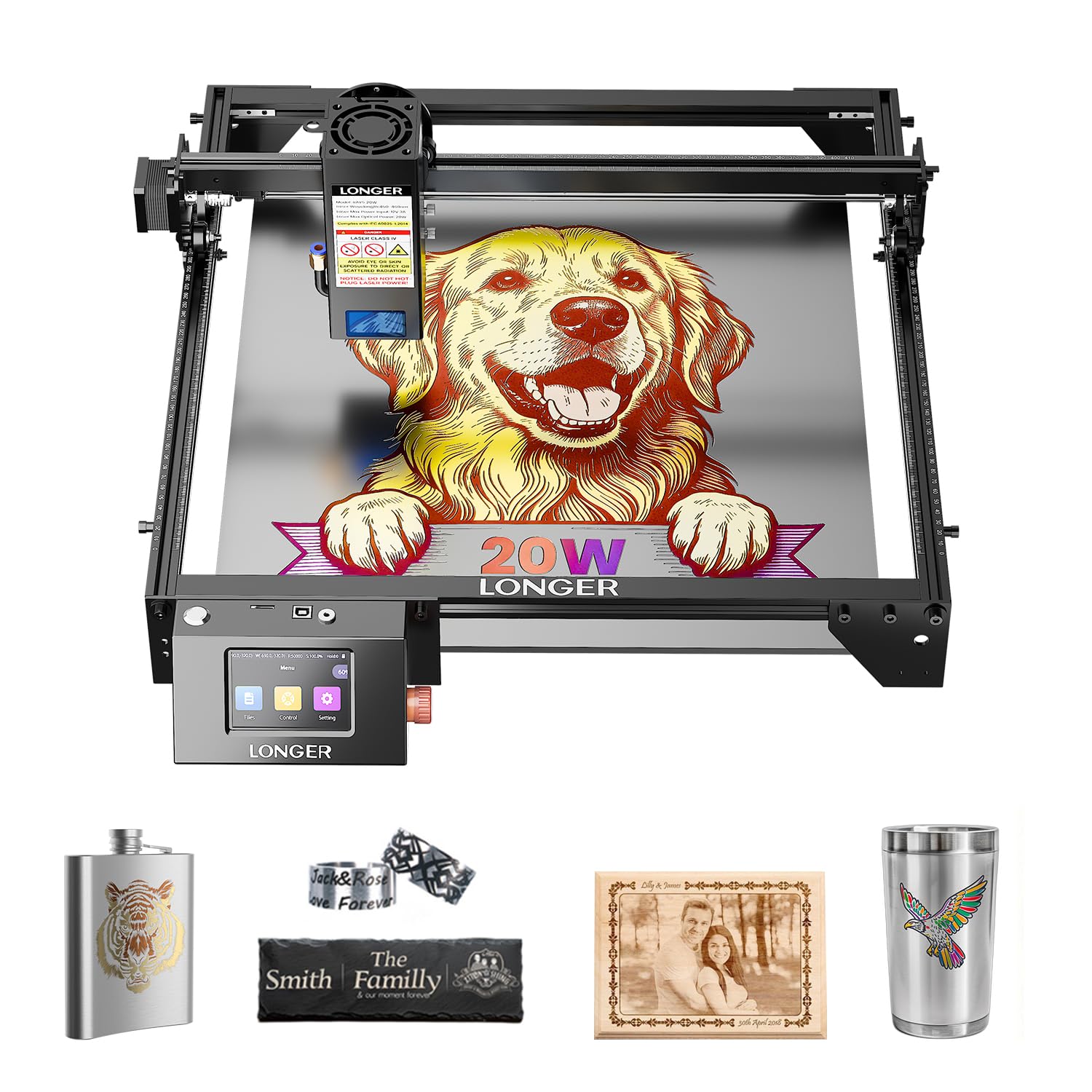
2. Longer RAY5 20W Laser Engraver
A 20W cutter with a 3.5-inch screen so you can adjust speed without a laptop.
For a shop that runs projects back to back, the appeal here is the control panel bolted to the machine. A 3.5-inch color touch screen lets you watch progress, change engraving speed, and start a job without a computer tethered nearby. It supports four connection modes — USB, TF card, WiFi, and the app — so you can hand off a file whichever way suits your bench.
The 20W laser module cuts 25mm wood and 35mm acrylic, according to the maker, and handles leather, paper, glass, and plastics. A 0.08×0.1mm compressed beam keeps detail tight, and the maximum processing speed reaches 10000mm/min. The rails are built for repeatable passes, which matters more than raw speed once you are running the same design ten times.
Owners describe it as a capable 20W cutter that stays simple to use and feels well made for the price. The recurring note is durability — most units run solidly, but a few have stopped working after a few months, so buy with the one-year warranty in mind and keep the receipt. It is an open-frame machine, so plan on safety glasses and good ventilation in the shop.
Speed and control: the combination of a 20W module and an on-board screen makes this a practical daily driver for batch cutting.
The honest limit: open-frame design means no light filtering built in — you supply the glasses and the airflow.
Reach for this if: you want 20W cutting power with a screen that saves you from dragging a laptop to the garage.
Look elsewhere if: you need the beam fully sealed away from kids or pets.
3. IKIER Flex Laser Engraving Machine Dual
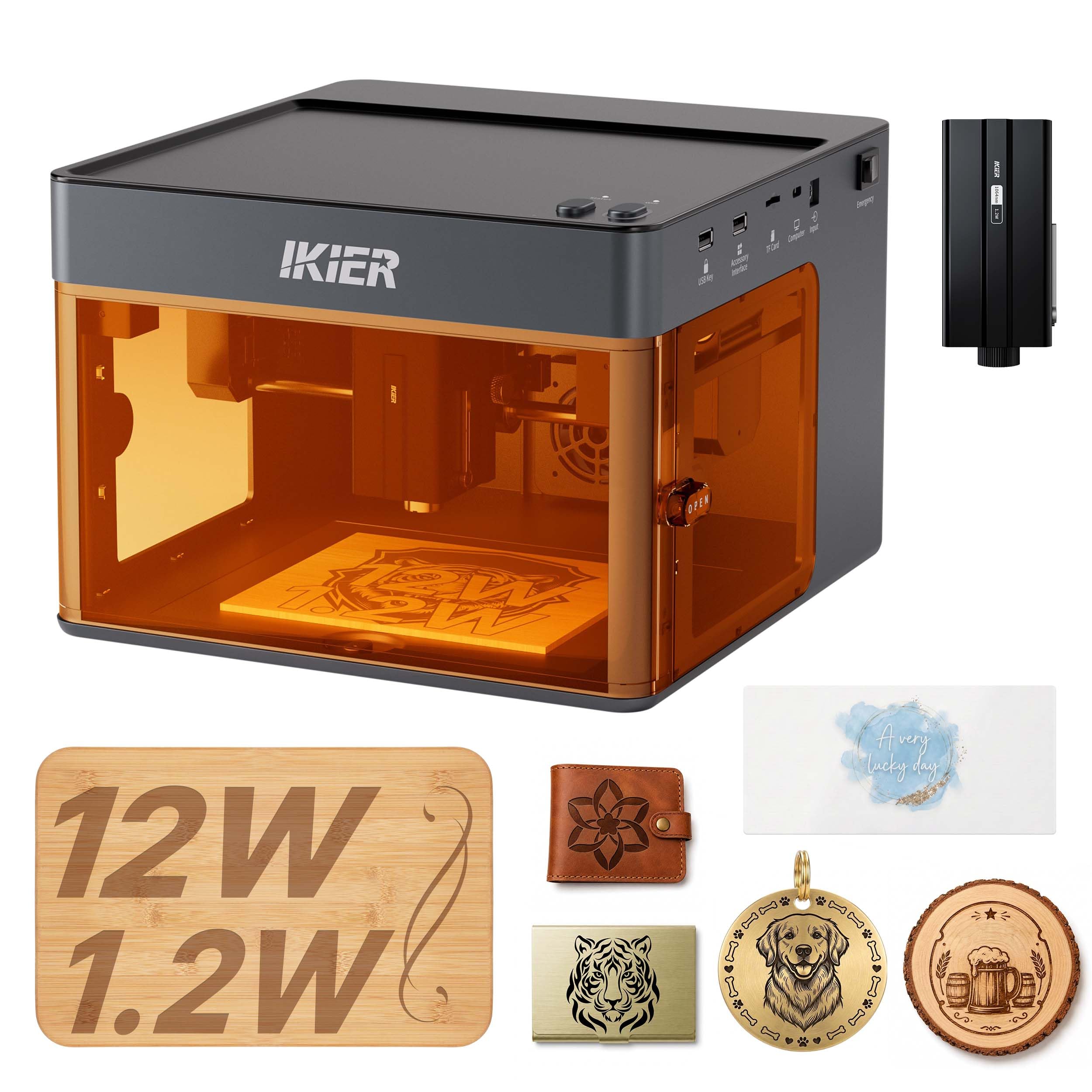
Two lasers in one body: 12W diode for wood, 1.2W infrared for metal marks.
This is the pick for the woodworker who also gets asked to engrave metal tags. A 12W diode module handles bamboo, leather, and wood, while a separate 1.2W infrared module takes on stainless steel and opaque black acrylic. The company lists over 300 materials it will work with, and the Core XY gantry drives the head at up to 10,000mm/min for fast detail work.
The enclosure is the other half of the story. It is a 720° fully enclosed structure with a viewing window, certified as a Class 1 laser system, so the beam stays contained and you skip the goggles. Sensors stop the machine if it tilts abnormally. Software ships with 1,000+ material presets, and you can upload designs from a smartphone or PC.
Where this fits best is a small craft business that sells both wood pieces and metal-marked goods. One machine, one footprint, two jobs. The trade-off is that the infrared module is low power at 1.2W, so it is for marking and fine engraving on metal rather than cutting it, and the wood cutting depth sits well below the 40W class above.
Why it earns a slot
- 12W diode plus 1.2W infrared in one body
- Class 1 enclosed, no goggles needed
- Over 300 listed materials
- 10,000mm/min engraving speed
Where it stops
- Infrared is for marking metal, not cutting it
- Less wood-cutting muscle than a 40W module
Best for: makers who sell both wood crafts and metal-marked pieces and want one enclosed unit for both.
Not for: heavy hardwood cutting, where a higher-wattage diode does the job better.
4. Longer New Upgrade RAY5 Laser Engraver Cutter
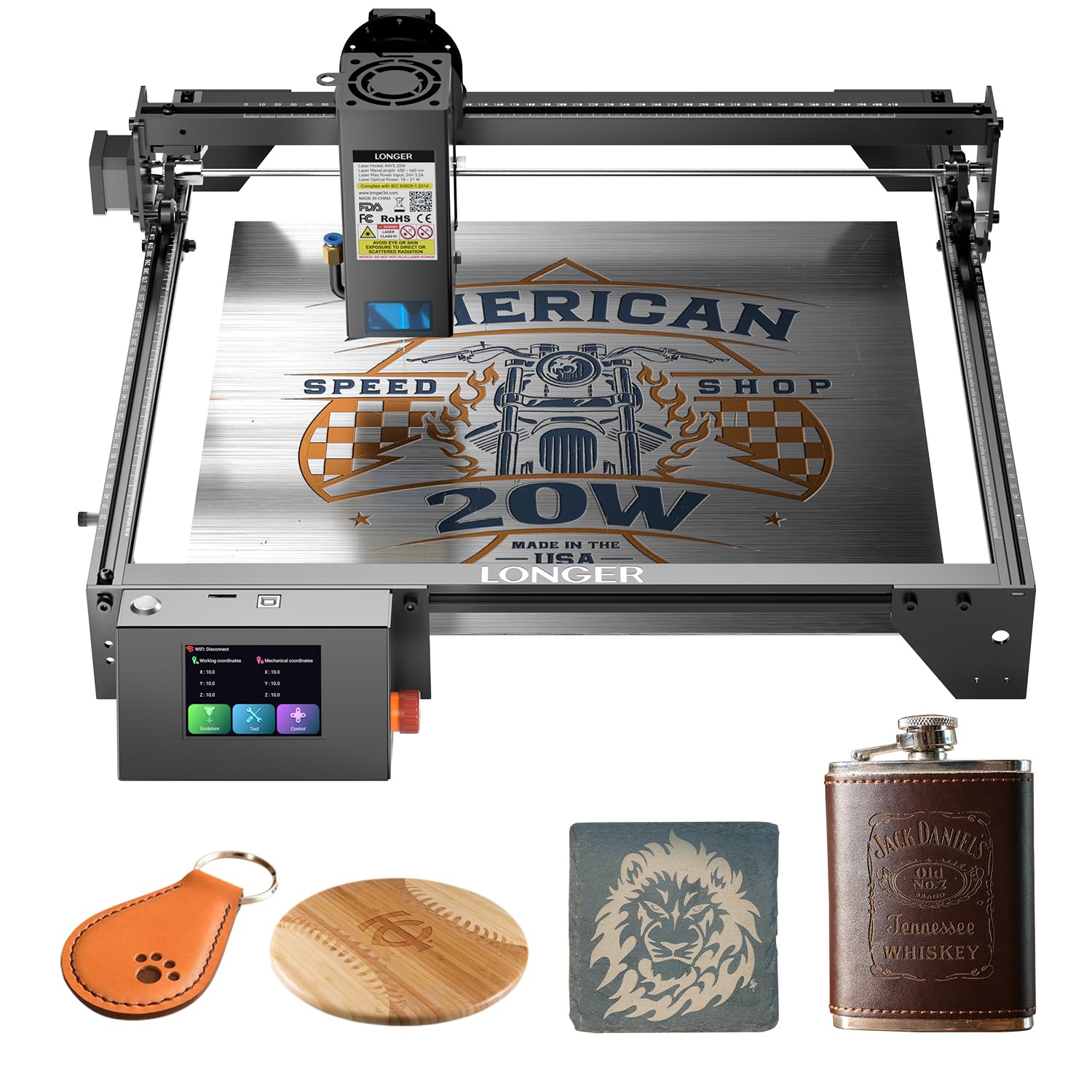
Dual-beam speed at 24,000 mm/min — built for shops that count minutes per job.
Speed is the headline here: advanced dual-beam technology pushes engraving to 24,000 mm/min. For a shop running the same sign design over and over, cutting minutes off each pass adds up across a week. The 20W optical module cuts 0.59″ (15mm) pine wood and 0.31″ (8mm) acrylic in a single pass, and up to 25mm wood and 35mm acrylic with multiple passes. It also cuts 0.002″ (0.05mm) stainless steel.
The board inside is a newly upgraded LONGER 32-bit chipset, and the built-in 256-bit color scale with a 0.08 * 0.1mm focus area gives finer contrast on engraves. An air-assist interface is reserved so you can pair it with a pump of your choice and get cleaner surfaces. It runs 7×24 continuous operation and lets one device control multiple machines at once.
What wins people over here is the value for the money — buyers call it a well-built starter unit that cuts like a hot knife through butter. The honest wrinkle is the instructions, which some find clear and others do not, so budget an evening with a tutorial video before your first job. Open-frame design again means glasses and ventilation are on you.
Production pace: 24,000 mm/min plus multi-machine control makes this the batch runner of the group.
The catch: instructions are hit and miss, and the frame is open rather than sealed.
Choose it if: throughput matters and you are comfortable learning from video rather than a manual.
Pass if: you need a sealed enclosure for a family-shared workspace.
5. Ortur Laser Master 2 Pro S2 10000mW
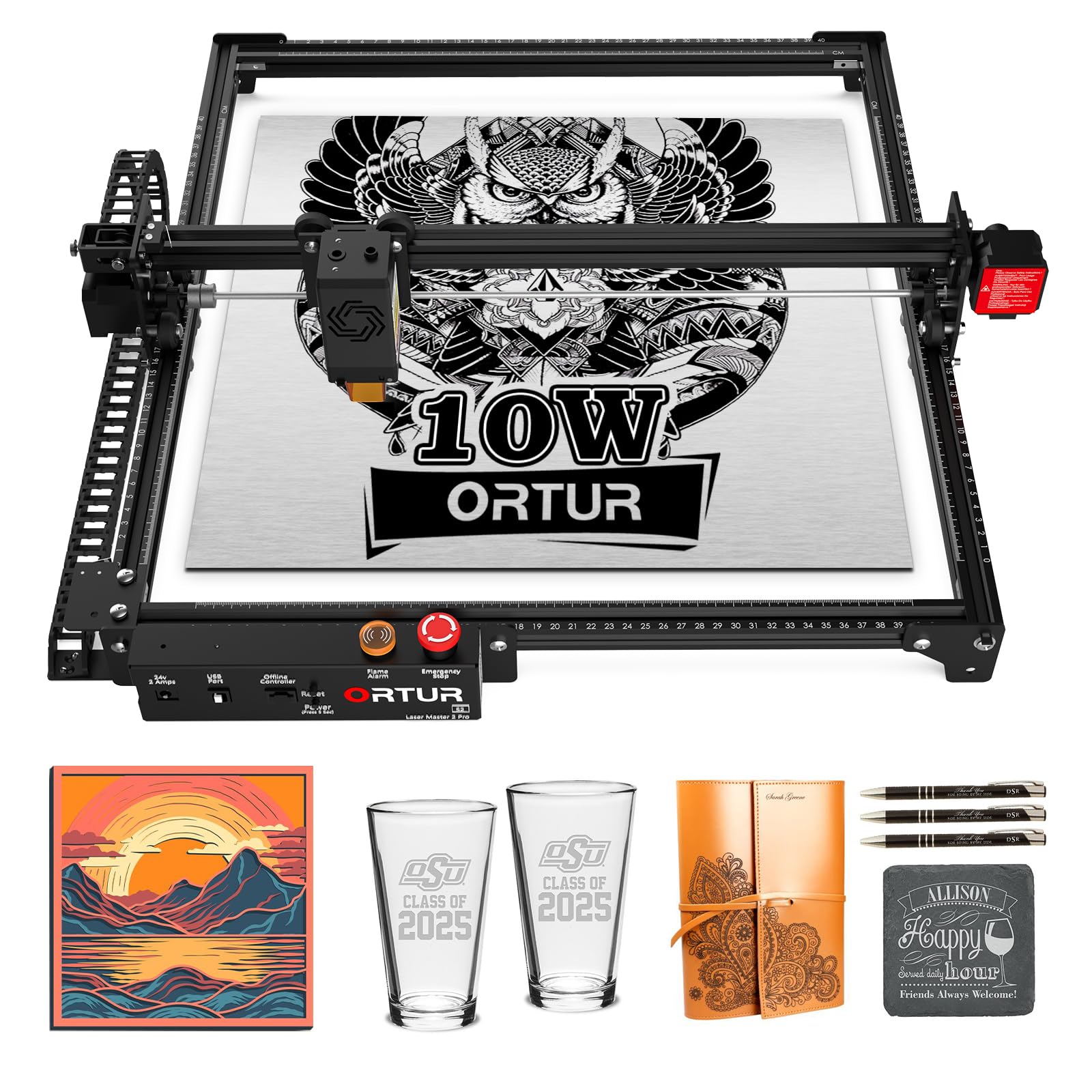
A compressed 0.05mm beam for fine detail, at a speed that beats the Creality Falcon.
If your work leans toward etched portraits and fine line art rather than slab cutting, the compressed spot is what matters. This module squeezes the beam to 0.05mm x 0.1mm for tighter detail, and it engraves at 15000mm/min — noticeably faster than the Creality Falcon 10W, which runs 10,000mm/min. The laser module itself weighs only 235g and uses dual fan cooling to keep heat under control.
The maker rates it to cut 30mm acrylic and 20mm wood, and there is a built-in air-assist interface for cleaner cuts. The engraving area is 390*410mm. Assembly is modular and the company says it takes about 10-15 minutes, with a full metal frame built for repair and part swaps. A protective cover filters out 98% UV light, and safety features include a flame alarm, emergency stop switch, and a cable-disconnect stop.
Owners praise the functionality and build quality, and it is compatible with LaserGRBL and LightBurn plus the company’s own app for simple or professional modes. The honest fit note is the setup — several find it tough going as a first machine. If you have run a laser before, you will be fine. If this is your debut, plan to spend a slow afternoon on it.
Strengths that hold up
- 0.05mm x 0.1mm spot for fine detail
- 15000mm/min engraving speed
- Full metal frame, modular assembly
- Flame alarm and emergency stop included
The honest caveats
- Setup is harder for first-timers
- Open frame needs glasses and airflow
Worth it if: detail etching is your focus and you have some laser experience already.
skip it if: you are buying your first machine and want hand-holding.
6. ATOMSTACK A10 Pro V2 10W Laser Engraver
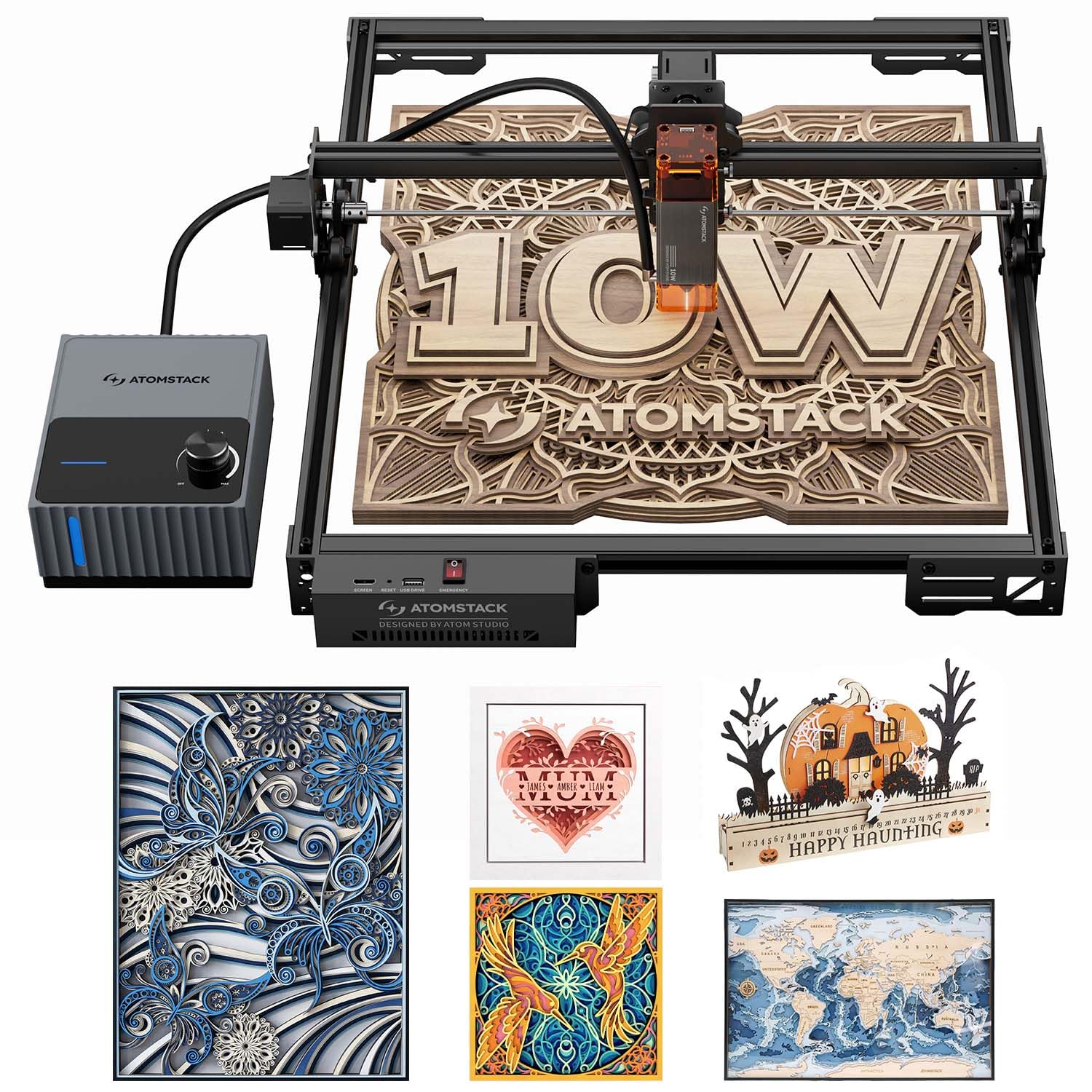
The one that blows smoke away so your pine edges stay pale instead of charred.
Charring is the quiet frustration of wood laser work — you cut through and the edge is brown and gritty. This machine attacks that directly with a 60L/min air pump that blows smoke and debris out of the cut path. By lowering surface temperature, it stops wood from charring and discoloring, so edges come out smooth and clean. A 0.06 x 0.08 mm compressed spot keeps the cut line narrow.
Power sits at 10W, and the engraving area is 410 x 380 mm. It uses double pressure point coupling tech and a built-in screw rod with a long focal length for stability. A removable magnetic laser protective cover and included safety glasses handle the eye side. Connection runs through Type-C and USB, and it works with LightBurn, LaserGRBL, and the company’s own app.
If fast pass speed is your priority, note the limit honestly: this one engraves at 400 mm/s, where the xTool S1 runs 600mm/s. The trade is clean edges over raw pace. Assembly is described as easy and quick, so it suits someone who wants to start cutting the same evening it arrives.
Edge quality: the 60L/min airflow is the differentiator — this is the pick for wood where the cut face will be seen.
The honest limit: 400 mm/s engraving is slower than higher-end modules, so big batch runs take longer.
Suits: the woodworker who cares about clean, pale cut edges and does not need the fastest pass speed.
Not for: production shops where minutes per job decide the profit.
7. AlgoLaser 10W Portable Laser Engraver (Pixi)

Draw on the screen with your finger, place the wood, and engrave.
If a computer has been the thing stopping you, this one removes it. The AlgoOS 2.0 system runs on a 3.5″ touchscreen, so you sketch or upload a design directly on the machine. AlgoSketch captures hand-drawn artwork, AlgoType handles text, and the flow is drag, place, engrave. No assembly is required — it comes from the start ready to run.
At 8.53 pounds it is a genuinely portable unit you can move between rooms or pack to a craft fair. It connects over USB-C, WiFi, or accessory ports, and works with phones and tablets for mobile control. Reverse Engraving gives high-contrast results on acrylic, glass, wood, and leather, with the company recommending colored backers for transparent materials. The lid is a safety door that pauses the laser the moment it lifts, and the machine will not resume until the lid is closed. It is certified as a Class 1 system with a password-protected lock screen and real-time fault alerts.
Reviewers keep praising the build quality and how approachable it feels, and it is widely described as great for beginners. The safety lid (a cover that blocks the beam while it runs) adds confidence. The honest wrinkle: reliability and connectivity draw some mixed feedback, so get it on WiFi and test the connection early, not at a deadline. At 10W it is also a light-duty cutter, better suited to engraving and thin stock than thick boards.
The draws
- 3.5″ touchscreen, no computer needed
- Class 1 certified with auto-pause lid
- 8.53 pounds, genuinely portable
- USB-C, WiFi, or mobile control
The trade-offs
- Reliability notes are mixed
- Connectivity can be finicky
- 10W is light-duty for cutting
Pick it for: a first machine where you want to skip design software and work from a touchscreen.
Look past it if: you plan heavy cutting or need rock-solid connectivity for deadline work.
8. Creality Falcon 10W Laser Engraver
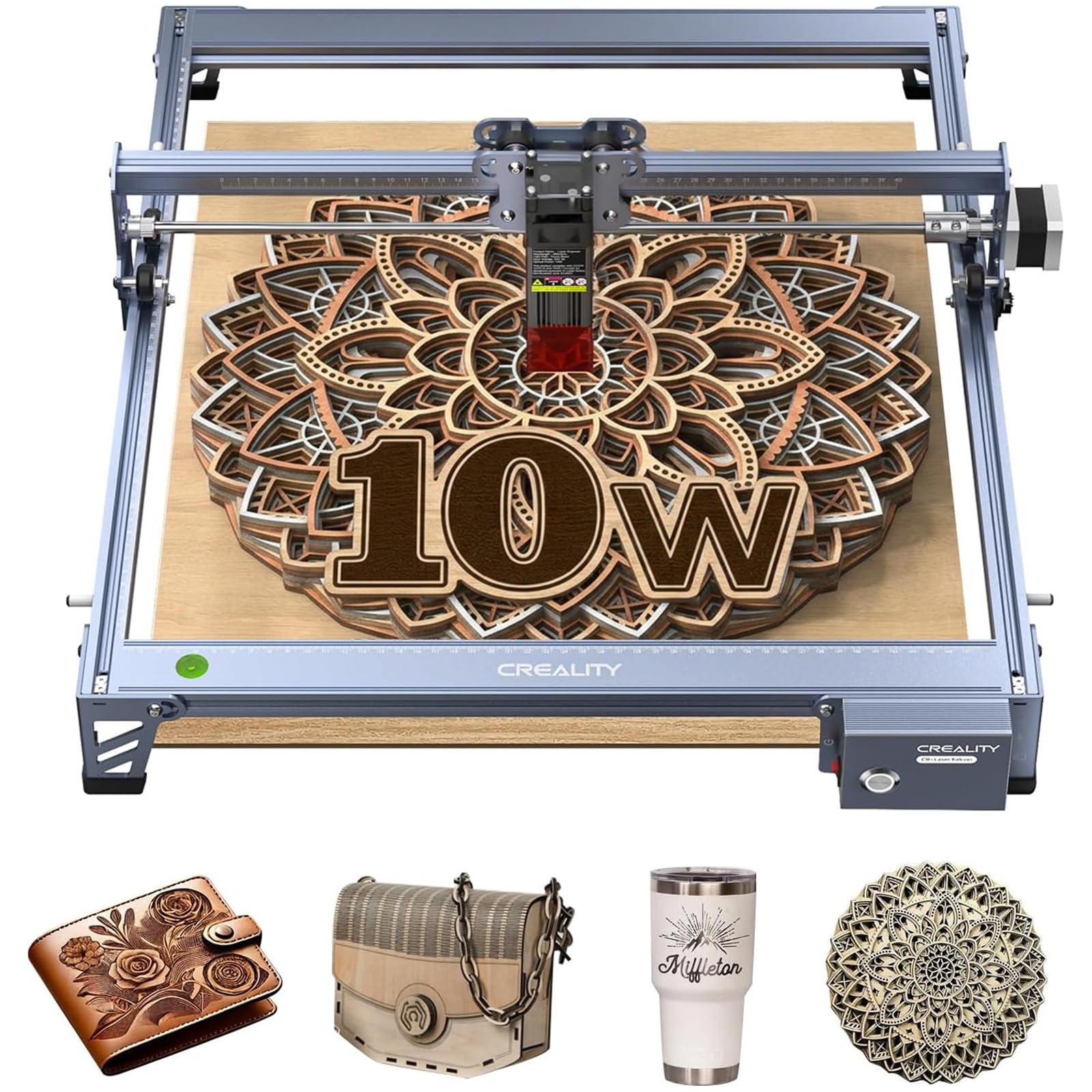
A 7.05-pound frame that slips onto a small bench and cuts 5mm basswood in a pass.
For a first laser that lives on a crowded workbench, size matters as much as power. This one weighs 7.05 pounds — lighter than the AlgoLaser Pixi at 8.53 pounds — so you can shift it around a small shop without help. The 10W output cuts 5mm basswood or 3mm black acrylic in a single pass, which covers most craft and sign blanks.
The working area is 15.7″ × 16.3″, roomy enough for larger designs or several smaller pieces laid out at once. A 0.06 × 0.06mm compressed spot gives intricate patterns and clean lines. The aluminum alloy frame, steel shaft wheel guide rails, and belt tension adjustment keep the head steady across a long job. It runs LightBurn and LaserGRBL, and it supports SD card offline operation so you are not tied to a laptop.
Owners find it fun to use and rate the build and cutting performance well, with one recurring note that it will work through 1/4″ birch plywood in a few passes. Assembly is the split opinion — some find it easy, some confusing — so clear a table and follow one tutorial start to finish. The anti-UV acrylic filter in the laser module blocks 97% of UV rays, and a pair of goggles comes in the box. Open frame, so ventilation is on you.
Value read: a light, capable 10W starter that handles craft wood and small signs without eating your bench.
The catch: assembly instructions split opinion, so allow extra time on day one.
Good fit for: a beginner with a small bench who wants 10W cutting and offline SD card runs.
Less ideal if: you expect to cut thick hardwood from day one.
9. Twotrees TS5 Laser Engraver
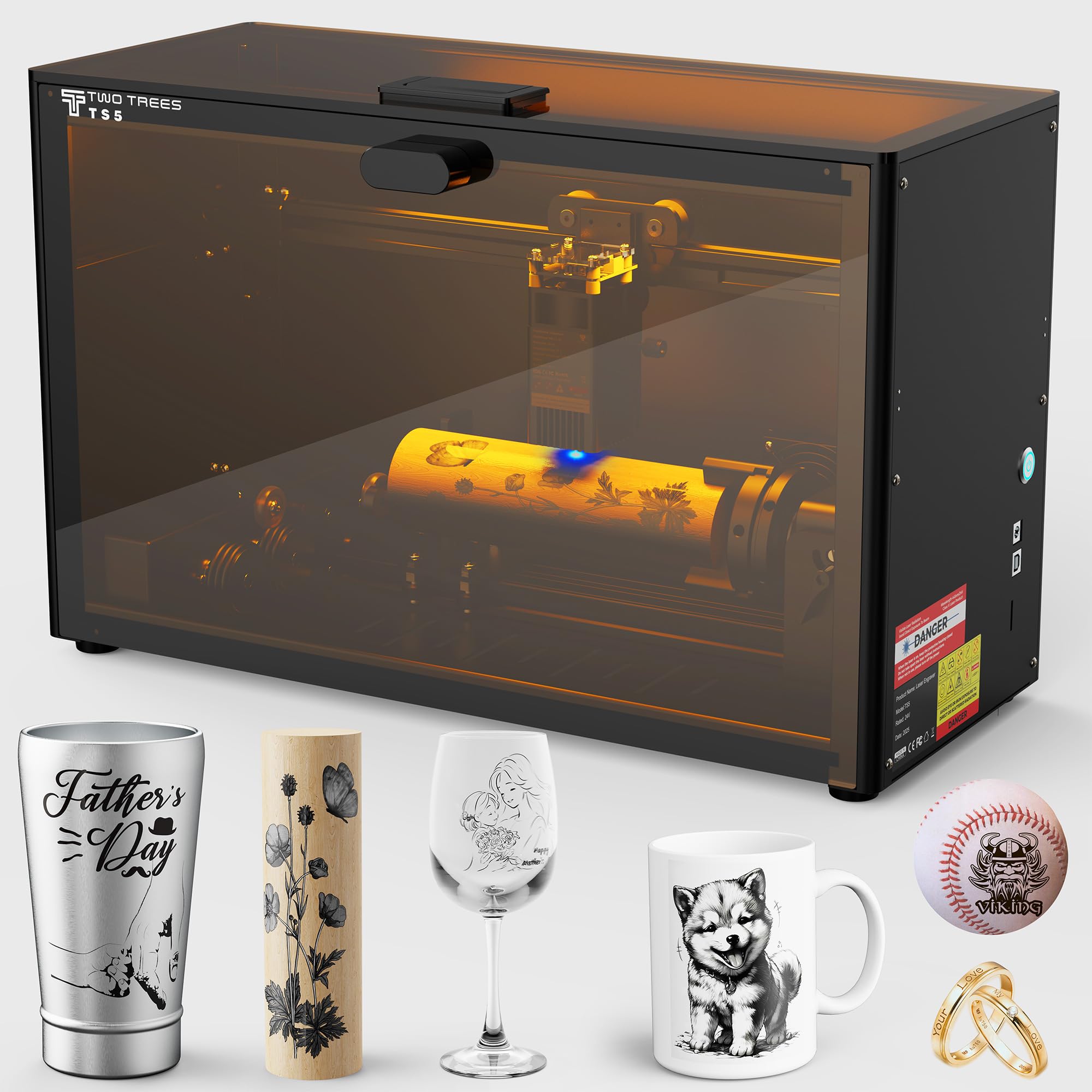
Four rotary attachments turn tumblers, rings, glasses, and golf balls into blank canvases.
Flat boards are only half of woodworking laser work. This one ships with an original 4-in-1 rotary kit: a chuck rotary for water bottles, thermoses, and tumblers; a ring rotary for bands; a roller rotary for wine glasses; and a sphere rotary for baseballs and golf balls. That breadth is unusual, and it makes this the pick for anyone whose projects curve.
The workspace is 9.8″×4.8″×4.8″, sized for tumblers, cups, and gift boxes. An ultra-fine 0.035×0.1mm laser spot delivers 1:1 photo-realistic engraving. It works on wood, leather, craft paper, metal, stone, and glass. The Class 1 enclosure filters 99% of laser light so you skip goggles, blocks smoke and noise, and gives you two amber windows to watch the job safely.
Portability is the second angle — at 9.13 kg it lifts like a small dumbbell, so you can take it to craft fairs or set it up in the backyard. The aerospace-grade aluminum frame is built for stability, and the company says each unit gets seven pre-shipment inspections. The trade-off is the small working area, which will not take a full door sign, and it is the most premium-priced pick here.
What it does well
- 0.035×0.1mm spot for photo-real detail
- 4-in-1 rotary kit for curved objects
- Class 1 enclosure filters 99% of light
- 9.13 kg, easy to carry to events
Set expectations
- 9.8″×4.8″×4.8″ area suits small objects only
- Premium price for the footprint
Right for: tumbler, ring, and glass engravers who need rotary work and a sealed beam that travels.
Wrong for: flat sign work where a large bed is the priority.
10. xTool F1 Ultra 20W Fiber & Diode Dual Laser Engraver

Two 20W lasers, 10,000mm/s, and metal engraving in seconds — the production flagship.
At the top of the lineup sits a machine that solves a problem wood lasers cannot: metal. A 20W fiber laser marks gold, silver, copper, stainless steel, brass, and titanium in seconds, while a separate 20W diode laser handles wood, acrylic, leather, glass, rubber, and fabric. Speeds reach 10,000mm/s. The diode side cuts up to 15mm wood and 12mm black acrylic, and the fiber side handles thin stainless steel at 0.3mm, brass at 0.4mm, and aluminum at 0.2mm.
The working area is 220mm x 220mm, expandable to 220mm x 500mm if you add the auto conveyor, which is sold separately. A 16MP camera system recognizes shapes on the conveyor and fills patterns nonstop for batch runs. Both lasers handle multi-level 3D embossing and deep engraving. The fully enclosed cover filters light, smoke extraction pulls fumes fast, and a fire safety alarm plus emergency stop button round out the safety set. The company’s Artimind AI generates designs from a prompt, and the community library holds over 6,000 free projects.
Buyers report the quality regularly beats their expectations, and the XCS software (the maker’s control app) gets called out as easy to pick up. The honest sizing: value draws mixed reactions because this is the priciest unit in the group, and the learning curve is real. It is also a Class 4 laser (the highest hazard class, so it needs eye and fume protection) with both the diode and infrared output at 20,000mW, so give it respect and a proper workspace. Note the Fiber and Diode units are not the same tool: the fiber is for metal marking, the diode for wood cutting.
Where it leads: dual 20W lasers and 10,000mm/s speed make this the only pick here that engraves metal and cuts wood without swapping machines.
What you accept: the highest outlay in the group, a real learning curve, and Class 4 handling requirements.
Best for: a shop selling metal-marked goods who needs one machine for metal and wood at production speed.
Not needed if: your work stays in wood and craft stock — lower picks cover that fully.
Know the Specs
Optical Power in Watts
Laser power is given in watts (W) or milliwatts (mW), and it is the strength of the beam at the wood, not the power the machine draws from the wall. A 10W module cuts 5mm basswood, a 20W module cuts up to 25mm wood with multiple passes, and a 40W module slices 18mm cherry wood in a single pass. Match the wattage to the thickest board you plan to cut and ignore bigger numbers you will never use.
Working Area and Spot Size
Working area is the flat space the beam can reach, listed in inches or millimeters — the xTool S1 gives 23.93″ x 15.16″, the Twotrees TS5 gives 9.8″×4.8″×4.8″. Spot size is how tight the beam focuses, given as two numbers like 0.06 × 0.06mm. A smaller spot means finer detail, so photo engraving rewards a tight spot while slab cutting rewards raw power.
Safety Class and Enclosure
Laser classes tell you how exposed you are to the beam. A Class 1 system keeps the beam fully enclosed, like the xTool S1 and Twotrees TS5, so you can run it without goggles. A Class 4 machine like the xTool F1 Ultra is powerful enough to need real caution and a controlled workspace. Open-frame machines rely on included safety glasses and good ventilation to keep you safe.
Air Assist and Speed
Air assist is a pump that blows a stream of air at the cut point — the ATOMSTACK A10 Pro V2 pushes 60L/min to clear smoke and cool the wood so edges stay pale. Speed is given in mm/s or mm/min, and it decides throughput on batch work. The xTool S1 engraves at 600mm/s while the ATOMSTACK runs 400 mm/s, so match the speed figure to how many pieces you run per week.
Common Questions
What laser wattage do I need to cut 18mm hardwood?
Can I run an enclosed laser in a spare room at home?
Does a wood laser also engrave metal?
How big a sign can each machine engrave?
What is air assist and do I really need it?
Can these machines engrave round objects like tumblers?
Do I need LightBurn or does the maker’s software work?
How long does assembly take on these lasers?
Is a Class 4 laser safe to use at home?
Can one person run more than one laser at a time?
The Bottom Line
For most woodworkers, the woodworking laser machine winner is the xTool S1 40W because it cuts 18mm cherry wood in a single pass at 600mm/s and seals the beam in a Class 1 enclosure. If you want a 20W cutter with a screen so you can skip the laptop, grab the Longer RAY5 20W. And for rotary work on tumblers and curved pieces, the Twotrees TS5 is the one to reach for — its 4-in-1 rotary kit and 0.035×0.1mm spot cover curved objects that flat-bed machines simply cannot.
If your budget and space allow only one upgrade this year, the S1 remains the strongest all-round pick: it pairs the highest power here with enclosed safety, so you can run it in a real home shop. And if metal is on your project list at all, the xTool F1 Ultra is the one machine that engraves stainless steel, brass, and wood from a single footprint, at speeds the diode-only machines cannot match.
How we choose
We do not accept paid placement. Every pick is matched to a real buyer and a real use-case; we do not hands-on test units.
Sources
Specifications: manufacturer listings and product documentation. Review insights: verified customer reviews, as of November 2026. Pricing: not shown on this page (it changes often); check the current price via the retailer link.
As an Amazon Associate, Tactical Gear Guy earns from qualifying purchases. This does not affect which products we feature.