Specs are compiled from manufacturer listings and verified buyer reviews and can change over time — please confirm the key details on the product page before buying.
Buying a CNC router for your shop is mostly a decision about rigidity, not about brand names. The machine that cuts cleanly has a frame that resists vibration and screws rather than belts or V-slot wheels on every axis. Everything below is sorted by what each machine can actually cut, how big a board it will swallow, and how much setup fights you on day one.
This guide is built by comparing the manufacturers’ published specifications and the patterns across verified customer reviews, so you get each pick’s real strengths and trade-offs instead of marketing spin.
A router with a beefy spindle on a flimsy gantry will chatter before a modest spindle on a stiff frame ever does. That single principle guides every pick in this list of the best woodworking CNC router machine.
Top Picks

How To Choose The Best Woodworking CNC Router Machine
The first thing to settle is what you want to make, because that answer sets your minimum cutting area. Sign blanks, cabinet doors and furniture panels demand a wide bed. Small relief carvings and inlays do not. Extra travel beyond your largest project just adds weight and bench footprint.
Frame stiffness decides your cut quality more than spindle size
Chatter — the shrieking vibration you hear when a bit fights the wood — comes from a frame that flexes. Aluminum extrusion, steel linear tubes and dual Y-axis rails all fight that. A ball-screw drive pushes the gantry with a rotating threaded shaft, which removes the backlash (the tiny slop) that belt drives and V-slot wheels develop over time.
Match spindle power and RPM to your materials
A spindle is just the motor that spins the bit. Wattage tells you how much load it can carry before it bogs down. Speed range tells you whether you can slow down for aluminum or speed up for a clean finish on pine. Machines here range from a 60W unit all the way to 800W trim routers, and the top of that range handles metal work that the smaller ones simply cannot.
Control electronics and software compatibility
GRBL is the open-source firmware most of these machines run, and it works with design software like Fusion 360, Easel, Carveco Maker and VCarve. Check that the machine connects over USB, Wi-Fi or a standalone offline controller, depending on whether your shop PC sits next to the router or across the room.
Side-by-Side Comparison
| Model | Best For | Work Area | Spindle | Drive System | Amazon |
|---|---|---|---|---|---|
| Twotrees TTC450 Pro★ Best Overall | Best overall balance | 460 x 460 x 80 mm | 80W / 775 spindle | Lead screw, NEMA 57 Z-axis | Amazon |
| FoxAlien Masuter ProEasiest Start | Beginners who want quick assembly | 400 x 400 x 60 mm | 60W / swappable clamps | Linear rail Z-axis | Amazon |
| SainSmart Genmitsu 4040-PROExpansion Ready | 4th-axis upgraders | 4040-PRO frame, T-track bed | 42mm / 52mm mounts | Steel HSS linear tubes, lead screw | Amazon |
| LUNYEE 3020 Nova | Cutting aluminum and brass | 3020 compact bed | 800W / 6,000–30,000 RPM | 1204 ball screws, HG-15 rails | Amazon |
| Genmitsu PROVerXL 4030 | Long-session production work | 400 x 300 x 110 mm | Upgradable to Dewalt DWP611 | C-beam, dual Y screw, NEMA 23 | Amazon |
| SainSmart Genmitsu 4040-PRO MAX | Tall stock and thick blanks | 410 x 405 x 77 mm | 710W digital router | X/Z linear guideways | Amazon |
| Genmitsu 4040-PRO MAX with 710W spind | Precision on a mid-size bed | 410 x 405 x 77 mm | 710W digital router | SBR16 X-axis rails, lead screw | Amazon |
| AnoleX 4030-Evo Ultra 2 | Metal cutting with Wi-Fi control | 4030 bed, dual rails | 800W / 8,000–24,000 RPM | HGH-15 dual rails, 1204 ball screws | Amazon |
| FoxAlien XE-PRO | Speed and closed-loop motors | XE-PRO bed, ball screws | 400W / 52, 65, 69mm clamps | 1204 ball screws, dual Z rails | Amazon |
| Twotrees TTC6050 | Large-format panel work | 600 x 500 x 100 mm | 500W spindle / ER11 | C7 ball screws, rails on X/Y/Z | Amazon |
| NymoLabs NBS-6040 | Industrial-style rigidity | 610 × 410 × 120 mm | 710W / 7,000–30,000 RPM | Rails and ball screws on all axes | Amazon |
Detailed Reviews
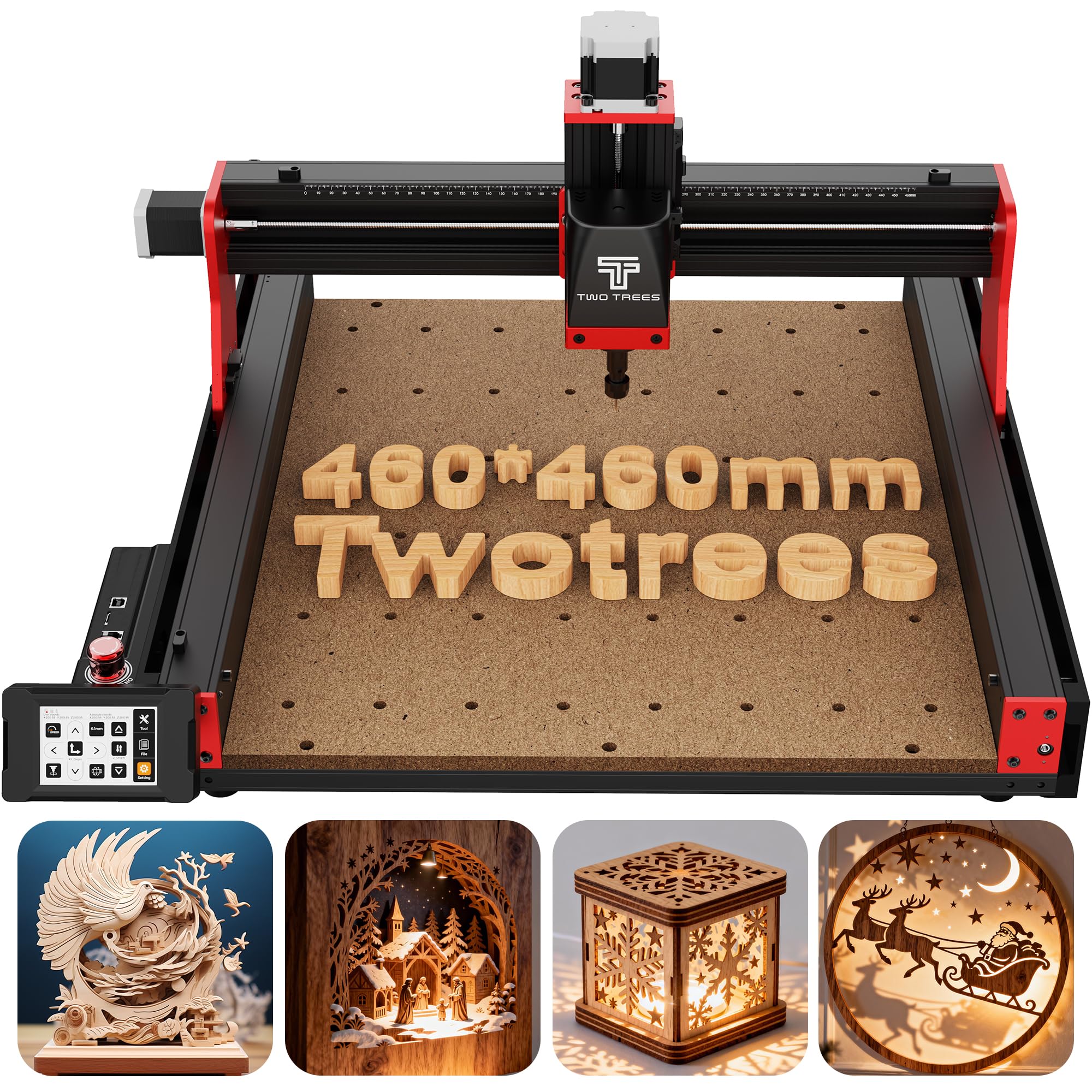
1. Twotrees TTC450 Pro All-Metal CNC Router Machine
Our pick — 4.0+★ from 600+ verified ratings; the strongest balance of quality and price.
A square half-metre bed with a touch screen bolted to the front.
The TTC450 Pro gives you the widest working footprint in this group’s value tier — 460 x 460 x 80 mm — so a full cabinet door panel or a large sign blank sits on the bed without repositioning. That Z travel of 80 mm means you can stack a thicker block, and the 57-series stepper on the Z-axis holds depth to a positioning accuracy of 0.0025 mm, which is the difference between a relief carving that reads cleanly and one that steps.
What wins people over is the build and quality control — it’s the single most-praised trait in this machine’s feedback, and the aluminum-and-stainless frame with dual limit switches on all three axes backs that up. The 3.5-inch IPS capacitive touch screen (a glass screen you tap rather than press) puts jogging and job start right at the machine. Three ports on the control box let you bolt on a 4th-axis rotary module, a laser module, or a 500W spindle down the line.
The honest catch: this is the heaviest at 20.5 kg against the FoxAlien Masuter Pro’s 13 kg, and it runs on 80 watts where that FoxAlien runs 60 watts — meaning more mass to lift onto a bench and more power headroom once it’s there. A few owners hit a rough unit on basic test cuts, so check your machine on arrival rather than a month in. Factor in the CH340 driver install (or the CH341 driver if you’re on Windows 11) before your first job.
What earns the top spot
- 460 x 460 x 80 mm bed swallows large panels and thick stock
- 57-stepper Z-axis with 0.0025 mm positioning accuracy for clean relief work
- Capacitive touch screen plus ports for 4th-axis, laser and 500W spindle upgrades
- 10 cutting tools, 6 clamping plates and a 775 brushed spindle included
Where it asks more of you
- 20.5 kg is a two-person lift onto a bench
- Driver install can trip up Windows 11 users
- 80W spindle softens on harder metals at deep passes
Pick it for: makers who want one machine that can grow into a 4-axis or laser setup without buying a new frame.
Think twice if: you need a light machine you can store on a shelf between sessions.
2. FoxAlien Masuter Pro 3-Axis CNC Router Machine
Pre-wired, pre-assembled, and cutting inside a quarter of an hour.
For a first router, the Masuter Pro removes the part most people dread: wiring. Main parts arrive pre-assembled with the wiring already run to the controller, so setup lands in the 10-15 minute range rather than a lost weekend. The all-aluminum frame and linear-rail Z-axis hold the gantry steady on a 400 x 400 x 60 mm bed — enough for plaques, small signs and parts, and it cuts wood, acrylic, MDF and nylon. Structure is exactly what this machine’s feedback praises hardest; assembly ease follows right behind it.
Two spindle clamps (52mm and 65mm) arrive in the box, and the controller accepts a 60W or 300W spindle plus a 65mm router or 1.5KW spindle upgrade — generous for a starter unit. A 1-year manufacturer warranty covers the frame. The dust-resistant controller box puts the emergency stop and home buttons where your hand falls, which matters when a bit grabs.
Set expectations on power: 60 watts is the lowest spindle here and will bog in hard metal. The learning curve also catches people — plenty find it beginner-friendly, while others find the software side steep. A Y-axis extension kit is available separately if you outgrow 400mm.
Best first machine, with a caveat: the quick assembly and swappable clamps suit a garage woodworker finding their feet. Just plan to lean on the online GRBL tutorials when you move past flat wood cuts.
Right call when: you want your first chips flying this evening, not next month.
Outgrown quickly if: aluminum and brass are your main targets — 60 watts is a wood-first spindle.
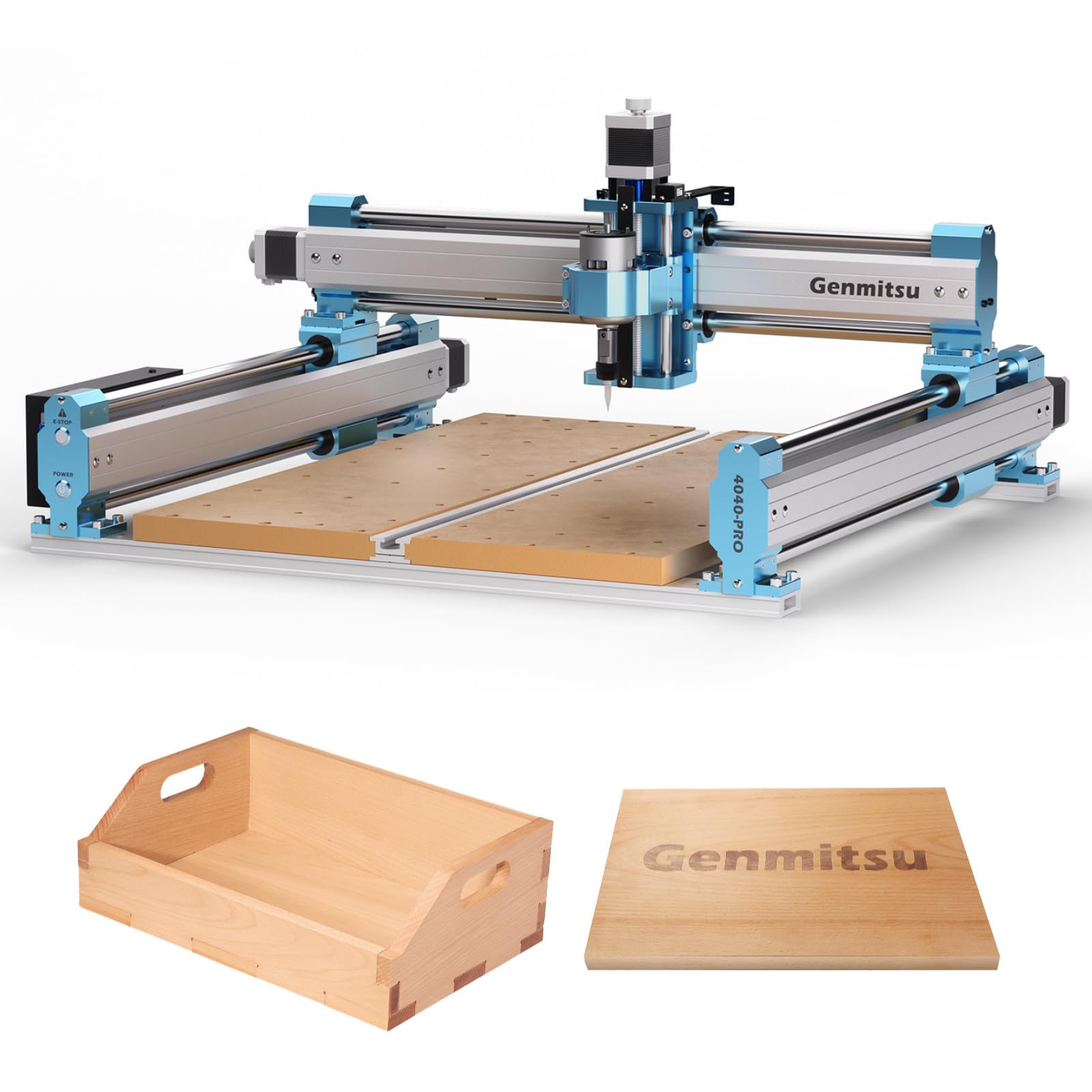
3. SainSmart Genmitsu 4040-PRO CNC Milling Machine
A frame built to be bolted onto, not just used.
The 4040-PRO is for the tinkerer who plans three upgrades before the first cut. Its control box carries an Air Assistance Pump Port and an MPG port (a handwheel for manual jogging), and an updated motherboard is available separately to add wireless control. The 4th-axis rotary module kit bolts on for full 3D rotary carving of cylinders — table legs, tool handles, turned bowls.
Under the bed, 16mm Steel HSS linear tubes and dual Y-axis rails on a full metal frame keep motion tight, and the drive runs on a lead screw rather than wheels. The spoilboard deserves a mention: a central aluminum support bar reinforces the MDF so it doesn’t sag under load, and doubles as a T-slot for clamping fixtures — a genuinely useful detail for anyone running jigs. Silent Toshiba TB6S109 drivers with 32-bit chips smooth out the stepper motion and keep the noise down in a home shop.
Two spindle mounts (42mm and 52mm) are included, with 65mm and 69mm versions sold separately, so spindle choice stays open. It’s a newer listing with limited owner history, which is the trade-off against the more established names here. Budget for the accessories you actually want rather than buying a fully loaded kit.
Choose this if: rotary carving and add-on modules are on your roadmap from day one.
Hold off if: you’d rather buy a finished package with a long track record behind it.
4. LUNYEE 3020 Nova CNC Router Machine
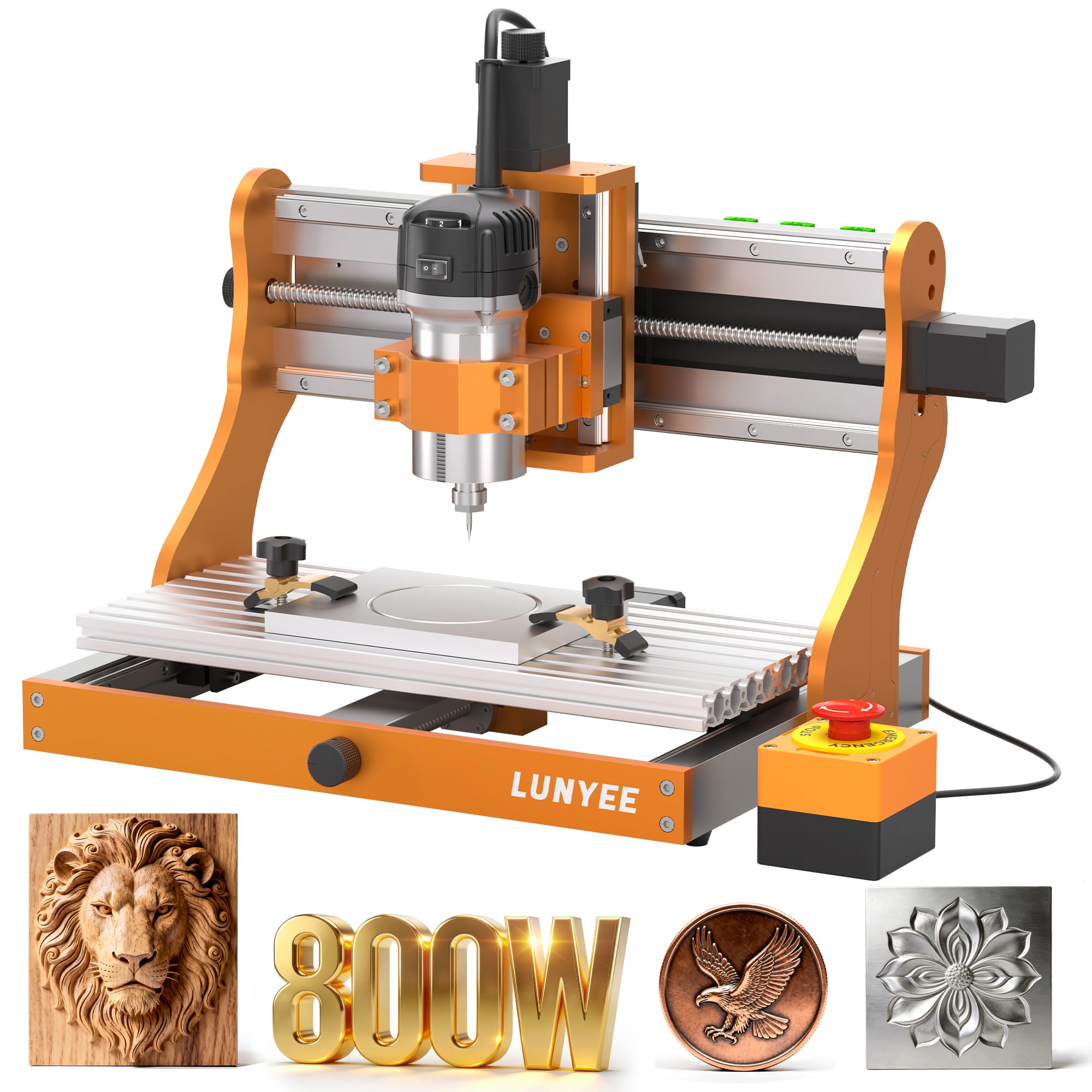
An 800W spindle on ball screws that chews aluminum without flinching.
Cutting metal is where most hobby routers give up, and the 3020 Nova is built for it. An 800W spindle with a 6,000–30,000 RPM range and six speed settings holds constant torque across that band, so you can drop the RPM for aluminum and brass and still keep a clean cut. Each axis runs 1204 ball screws and HG-15 linear guides, which remove backlash — the slop that shows up as a ragged edge on a deep pass. Accuracy is listed at ±0.05mm, and max movement speed reaches 5000mm/min.
The drive assembly alone accounts for most of what owners talk about, with build quality the standout. It arrives fully assembled with wiring pre-connected; installing the Z-axis module and plugging in the power gets you running. GRBL firmware means UGS, Fusion 360, Easel and Candle all work, and an engraving module plus a 20×10 cm CNC vise extend it.
The limit is the bed: this is the smallest working footprint among these picks, a trade-off for the rigidity. A handful of units have gone quiet early, so a careful break-in and a check of your spindle before long jobs pays off.
The metalworking angle: if aluminum, PCB, brass and leather are your materials, the 800W spindle does the heavy lifting here. Woodworkers who need to carve wide cabinet panels should look to the larger beds instead.
Great match for: anyone whose projects are small, dense and metal-heavy.
Wrong tool if: your stock runs long and wide — this bed is compact by design.
5. Genmitsu PROVerXL 4030 CNC Router Machine

C-beam rigidity and an upgrade path that reaches a metre-wide bed.
The PROVerXL 4030 is the pick for someone who cuts regularly and wants a machine that keeps pace. NEMA 23 stepper motors and a beefy C-beam frame with a dual-screw Y-axis and optical Z-axis drive push a 400 x 300 x 110 mm bed, and that 110mm Z clearance lets taller stock and carving blocks sit under the bit. A drop-in adapter for a Dewalt DWP611 trim router is included, so you can add real horsepower whenever you like.
Pre-assembled XYZ modules cut assembly effort, and the box is complete without upcharges — limit switches on all axes, emergency stop, speed control and a Z-probe all ship with it. A three-month Carveco Maker subscription is emailed after purchase, which gets you designing without buying software. It handles wood, MDF, plastics, foams, vinyl and aluminum, and a 24″x24″ or up to 40″x40″ upgrade kit lets the platform grow.
The mixed notes land on assembly and the manual: some find it a smooth build, others find the instructions under-explained. Quality is what the feedback praises most, so the machine itself holds up; give yourself an unhurried afternoon for setup.
Why builders pick it
- 400 x 300 x 110 mm bed with 110mm Z clearance for tall stock
- Dewalt DWP611 router adapter included for a power upgrade
- Complete kit: limit switches, e-stop, speed control, Z-probe
- Upgrade kits reach up to 40″ x 40″ work area
The learning tax
- Instruction manual is thin for beginners
- 31 kg frame takes real bench space and a steady hand to move
Worth it for: the maker who cuts weekly and wants headroom to upgrade to a trim router.
Pass if: you need hand-holding through every software step — the manual assumes some grit.
6. SainSmart Genmitsu 4040-PRO MAX CNC Router

A 100mm pass height that lets tall material sit under the bit.
The PRO MAX answers a specific frustration: stock that won’t slide under the gantry. Its 100mm pass height is over 40% higher than the PRO version, so thicker blanks and taller carving blocks fit without rethinking the job. A 710W digital-display router drives a 410 x 405 x 77 mm work area, and linear guideways on the X and Z axes hold motion steady during fast, high-power passes.
The reinforced spoilboard with its central aluminum support bar keeps the MDF from sagging under load, and doubles as a T-slot for clamping. Reduced vibration is the practical payoff — cleaner edges on hardwood, fewer ruined blanks. Build quality and accuracy are the strong suits in its feedback, and it’s widely read as a capable starter that assembles without drama. It handles common wood types with good precision.
The catch is headroom in a different sense: trim the router and you lose engraving height unless you plan the upgrade, though the extra pass height gives you margin. Also weigh this MAX against the separate Genmitsu 4040-PRO MAX listing — they share the 710W router and work area, so compare ports and rails before you choose.
Built for: furniture parts and thick relief work where standard clearance gets in the way.
Check first if: you plan a router swap — confirm the height margin you keep.
7. Genmitsu 4040-PRO MAX CNC Router with 710W Spindle
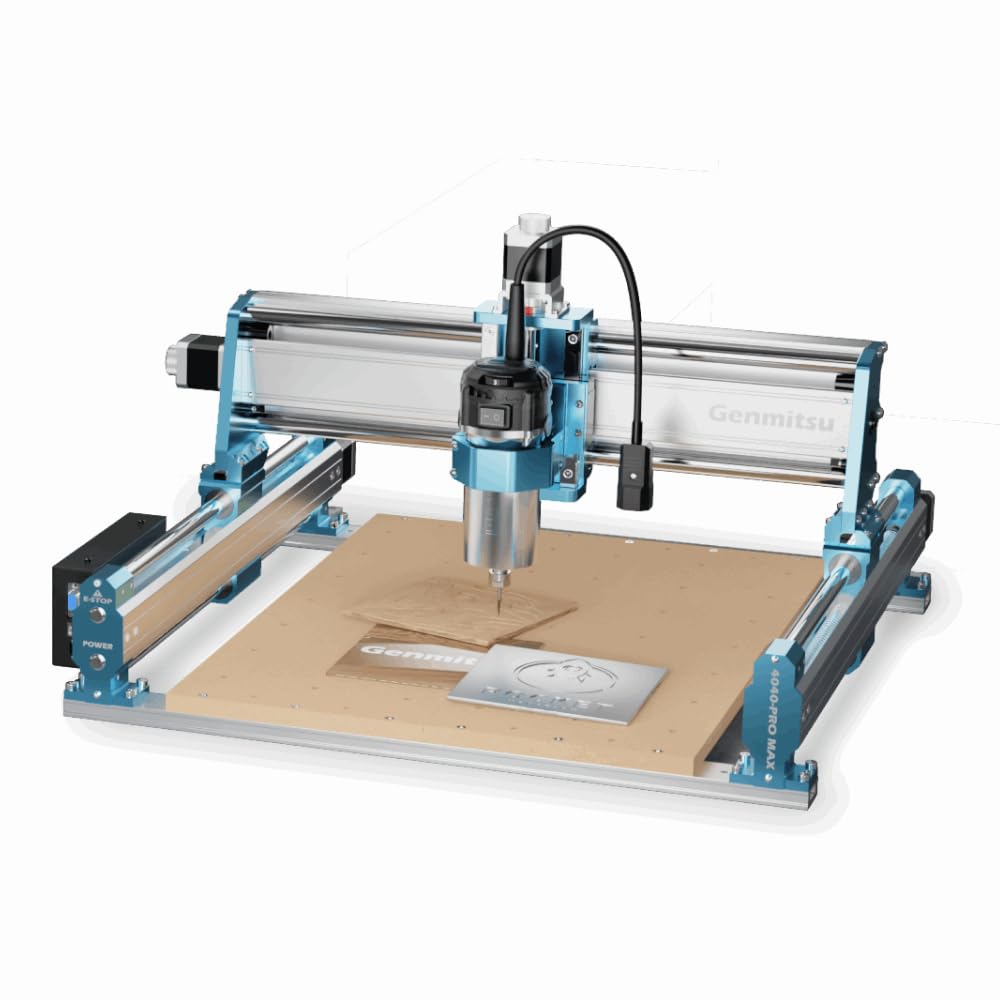
SBR16 rails and a 710W router on a 16.1 by 15.9 inch bed.
This is the sharpest score in the whole group, and the hardware explains why. The X-axis runs on modified SBR16 linear rails over a lead screw, damping the vibration that ruins fine engraving during fast, high-power cutting. The bed measures 16.1″ x 15.9″ x 3.0″ (410 x 405 x 77 mm), and the 710W digital-display compact router carries the cut through wood, metal and acrylic. An integrated dust plate keeps grit off the moving parts, which stretches service life and cuts maintenance.
The spoilboard’s central aluminum support bar reinforces the MDF and doubles as a T-slot for clamping fixtures. An upgraded mainboard supports wireless control with an optional Wi-Fi module, so you can drive the machine from the official app rather than tethering a laptop. The 4040-PRO Y-axis extension kit, 4th-axis rotary module and dust shoe all bolt on later, so the platform grows with your projects.
Here’s the honest math: 16.4 kg of metal on your bench, and a small owner base to draw from compared with the long-running 4030 — a sign it’s a newer arrival rather than a shortcoming. If you want a larger machine, the extension kit is the path rather than buying a second router.
The rail story: SBR16 rails on the X-axis are what separate this from the plain 4040-PRO, and the difference shows on deep passes and hard material. Plan the Wi-Fi module as a separate buy if cable-free control matters to you.
Ideal for: a maker chasing clean edges on a mid-size bed who can live without a huge owner base behind the model.
Not your pick if: you need a proven long track record before you commit.
8. AnoleX 4030-Evo Ultra 2 CNC Router Machine
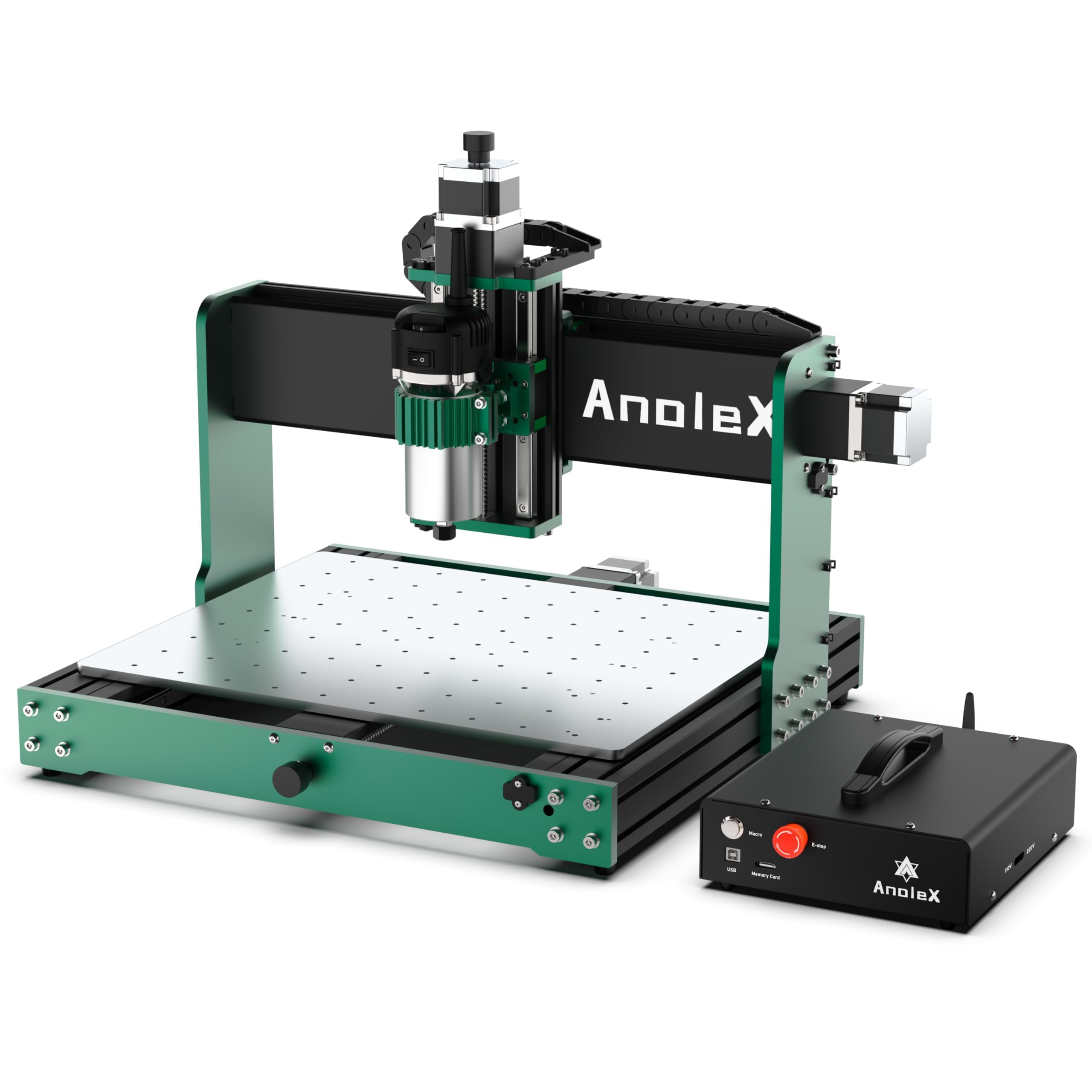
Dual linear rails on every axis, driven by your phone if you like.
The Evo Ultra 2 is engineered like a heavier machine than it is. Every axis carries HGH-15 dual linear rails and 1204 ball screws, with a dual-bearing design at both ends of each screw to hold precision and damp high-frequency vibration — that’s what lets it cut aluminum and brass cleanly. An 800W trim router with an ER11 1/8″ collet offers six speed settings from 8,000–24,000 RPM, repeatability of ±0.005mm, and actual cutting accuracy on 6061 aluminum that reaches ±0.02mm.
The control board runs Grbl_ESP32 firmware on GRBL 1.3a, which opens up laser engraving, a 4th rotary axis, M07/M08 coolant control, closed-loop stepper upgrades and a 3-pin touch probe. NEMA 23 steppers (2.8A, 1.2N/m torque) arrive with closed-loop interfaces so you can swap to closed-loop motors later. A 32-bit MCU with the ESP3D web interface lets a PC, phone or tablet drive it with no USB cable, and a macro button (homing by default, reprogrammable) handles quick commands.
Build quality and easy assembly earn top marks in its feedback. The one wrinkle worth knowing: the 3-pin probe port has drawn mixed reports, so test your probe connection before you depend on it. At 38 kg, this machine wants a dedicated bench, not a folding table.
Where it shines
- HGH-15 dual rails and 1204 ball screws on X, Y and Z
- 800W router, 6 speeds, ±0.005mm repeatability
- Grbl_ESP32 with laser, 4th-axis and coolant support
- Wi-Fi web control from PC, phone or tablet
Loose ends to plan around
- Speed dial is manual even though run/stop is software-controlled
- Probe port compatibility needs verifying on arrival
Suits you if: you want metal-capable rigidity plus cable-free control from a tablet on the bench.
Look elsewhere if: you expect every accessory port to work without checking it first.
9. FoxAlien XE-PRO CNC Router Machine with Ball Screws
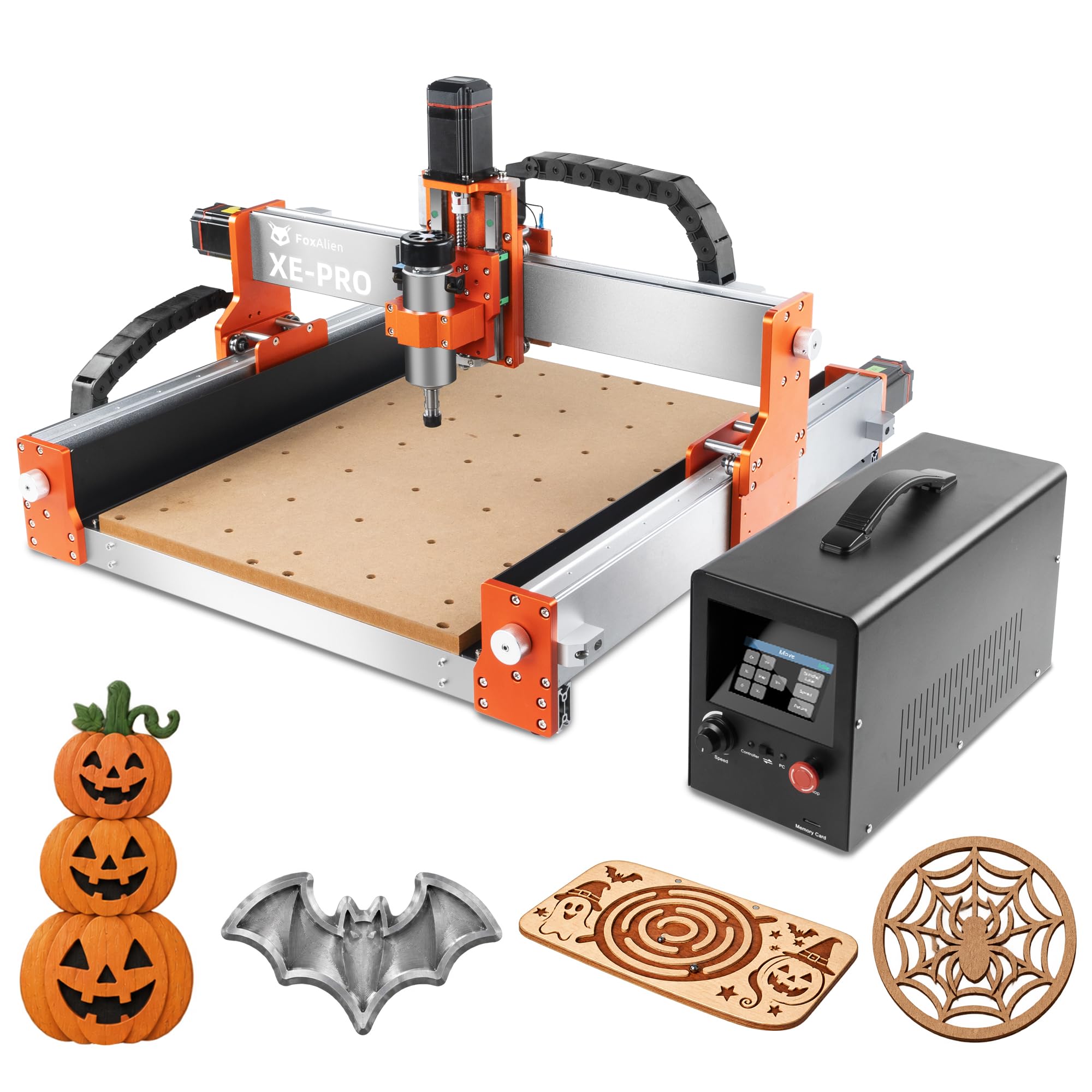
Four closed-loop motors that move fast without the whine.
Speed is the story here. Four NEMA 23 closed-loop stepper motors (motors that self-correct against losing position) push the XE-PRO to a max moving speed of 5000mm/min, which the maker frames as faster and smoother at lower noise than open-loop setups. The 1204 ball screws run across all three axes, with dual linear rails on the Z-axis for rigidity, so the speed doesn’t come at the cost of ragged cuts.
What it does for you: fewer missed steps on long jobs, quicker travel between cuts, and a quieter shop. Three spindle clamps — 52mm, 65mm and 69mm — let you run different spindles or trim routers and FoxAlien engraving modules on the same frame, and a 4th-axis rotary module is supported for cylindrical work. The upgrade path is unusual too: you can convert the X and Y axes to linear rails and push it toward industrial-grade performance later.
Build quality and the machine’s raw performance are what owners praise most, and setup lands in 25-30 minutes thanks to pre-assembled main parts. Two notes: the 400W spindle sits below the 800W units here, so deep metal passes need patience, and reliability reports are mixed enough that a methodical break-in is smart.
Best fit for: a shop that values fast, quiet travel and plans to swap spindles per project.
Compare carefully if: you need maximum spindle wattage — the 400W unit is the modest side here.
10. Twotrees TTC6050 CNC Router Machine 600x500mm
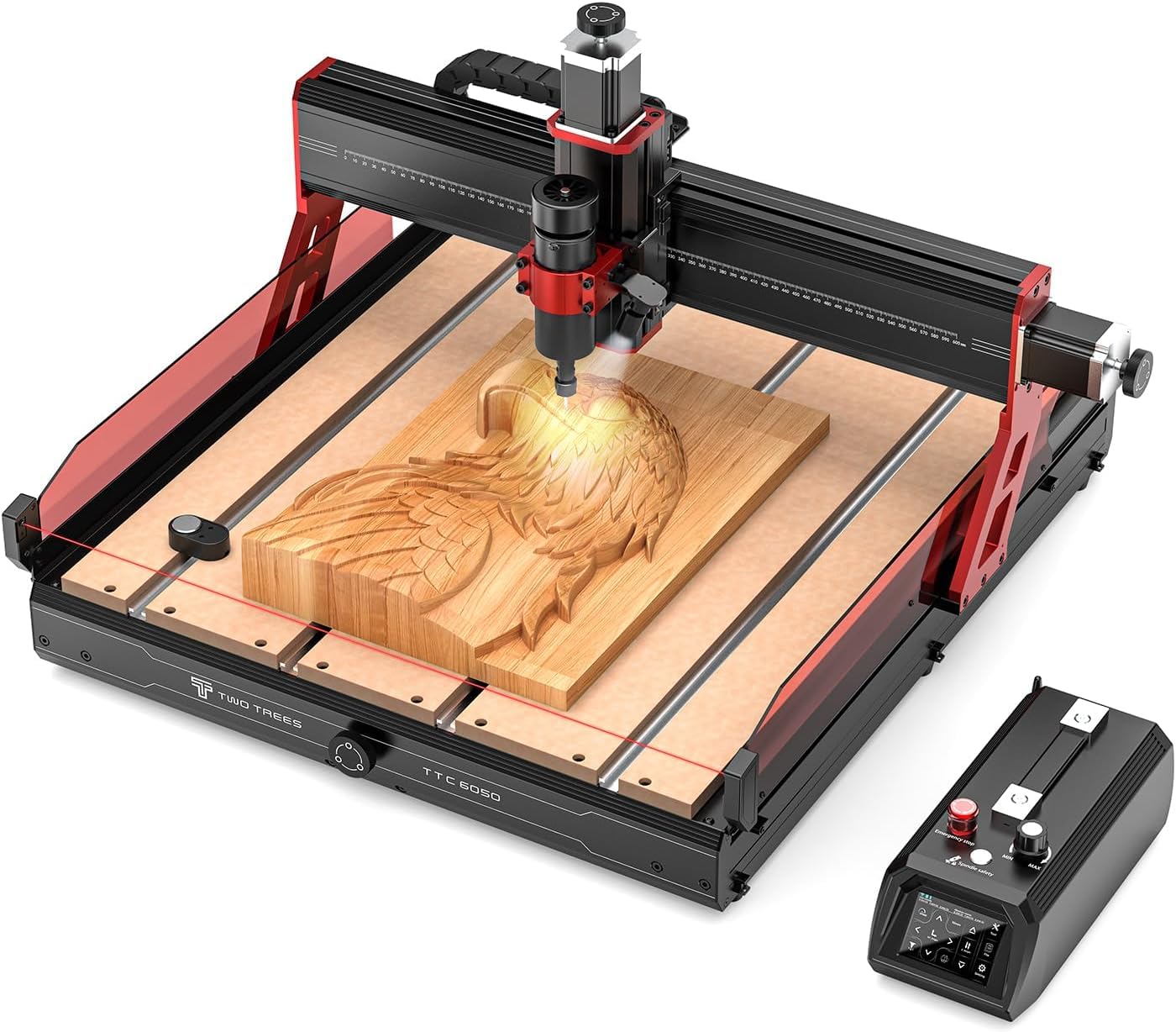
A 600 by 500mm bed for full panels and batch runs.
If your projects run large, the TTC6050 has the widest working travel in this group: 600×500×100mm. That’s room for full cabinet panels, large signage and small-batch production without repositioning stock. C7 ball screws and linear rails on all three axes hold an engraving accuracy of 0.1mm, with a max engraving speed up to 5000mm/min, and 57-series steppers keep motion stable through long jobs. An ER11 collet takes 0.5–7mm tooling and cuts plywood, solid wood, MDF, acrylic, carbon fiber, aluminum, copper and stainless steel.
It’s built to run standing alone. A 3.5-inch resistive touch screen supports stand-alone operation, with emergency stop, auto tool setting, a CNC-laser mode switch, precision calibration and multi-language selection. TF-card, USB and 2.4G Wi-Fi connections let you run carving jobs without a computer tethered. The aluminum frame weighs 35.9KG to suppress vibration, an infrared sensor guards against accidental contact, and a built-in light illuminates the work. A hidden transmission structure shields the ball screws from chips, and dual limit switches on each axis protect against over-travel.
The one adjustment: the 500W spindle is mid-tier for this group, so very hard metals will ask for lighter passes than the 800W machines. Optional air- or water-cooled spindles and a laser module are available if you want more bite later.
The panel-work case: 600×500mm travel plus a stand-alone touch screen makes this a small-shop production machine. The trade-off is a 500W spindle that favors wood and batch work over heavy metal hogging.
Reach for this if: big panels and batch production are your daily bread.
Keep shopping if: your work is dense metal and you need maximum spindle power.
11. NymoLabs NBS-6040 CNC Router Machine

Linear rails and ball screws everywhere, and a spindle that never stalls.
Rigidity is this machine’s whole argument. Linear rails and ball screws run on every axis, hardware typically reserved for much larger machines, which adds real stiffness while keeping the rapid movement the 6040 is known for. The 610 × 410 × 120 mm work area (24.12″ x 16.21″ x 4.80″) handles large parts, and that 120mm Z travel clears thick stock.
The spindle is a NymoLabs custom trim router with soft start and constant-current drive — the RPM ramps from slow to fast without stalling, adjustable from 7,000 to 30,000. An ER11 collet grips 1-8mm, 1/4″ and 1/8″ tooling, and both 1/4″ and 1/8″ collets ship in the box. Control comes from an open-source Grbl v1.1 board with 32-bit chips pushing pulse frequency to 80 KHz, and a 2.8-inch touchscreen offline controller lets you run jobs manually or docked on the controller box. Expansion ports cover a fourth axis, MPG, Z-probe, air pump and lighting.
Modular design means a 20-minute install from pre-assembled parts. Excellent quality and straightforward assembly are the phrases that come up again and again in its feedback, with operation described as industrial-grade. The honest caveat: at this size and stiffness it’s a dedicated-bench machine, and it costs accordingly — this is the premium end of the list.
The engineering payoff
- Rail-and-screw drive on all three axes for serious rigidity
- 710W constant-current spindle, 7,000–30,000 RPM, no stalling
- 2.8-inch offline touchscreen controller for PC-free jobs
- Fourth-axis, MPG, Z-probe and air pump expansion ports
The commitment it asks
- Premium-tier cost puts it at the top of the range
- Bed footprint demands a permanent dedicated bench
The pick for: a serious maker or small shop that wants industrial-style motion without an industrial footprint.
Not the one if: you’re on a starter budget or can only dedicate a folding table.
Know the Specs
Work area and Z travel
Work area is the X, Y and Z distance the bit can travel — the size of the largest block you can mount. A wide X and Y bed handles sign blanks and panels, while a taller Z (like the 110mm on the PROVerXL 4030 or 120mm on the NBS-6040) lets thick stock and carving blocks fit under the gantry. Size your work area to the biggest panel you plan to cut, not the typical one.
Spindle watts and RPM range
The spindle is the motor spinning the bit. Wattage sets how hard you can push before it bogs; low-wattage spindles cut wood fine but strain in metal. The RPM range matters for material — slowing down suits aluminum, while high speeds give a cleaner finish in pine. The machines here span 60W units up to 800W routers with 30,000 RPM tops.
Ball screws versus V-slot wheels
A ball screw is a threaded shaft that pushes the gantry with rolling balls inside a nut, so there’s essentially no slip. V-slot wheels ride a track and can develop play over time. Ball screws and linear rails give you repeatable depth and clean edges on hard material, which is why the rigidity-heavy picks lean on them.
Steppers, closed-loop and control firmware
Stepper motors move the gantry in measured steps. Closed-loop steppers add feedback so the motor corrects if it drifts, which matters on long or fast jobs. GRBL is the firmware most of these run — an open-source control language that works with Fusion 360, Easel, Carveco Maker and VCarve, on Windows, macOS or Linux.
Common Questions
Will a woodworking CNC router machine cut aluminum or brass?
How big a work area do I need for cabinet doors and signs?
Do these machines come assembled?
What software do I need to design and run a job?
What is the difference between a ball screw and a lead screw?
Can I add a laser module or a 4th axis later?
How much bench space and weight should I plan for?
Is a CNC router the same as a laser engraver or a 3D printer?
What should I check on arrival to avoid early problems?
Do I need a powerful computer to run these machines?
Which machine is best for a total beginner on a first project?
The Bottom Line
For most workshops, the woodworking cnc router machine that earns the top spot is the Twotrees TTC450 Pro; its 460 x 460 x 80 mm bed and upgrade ports give you room to grow without buying a new frame. If your projects lean toward metal or you want ball screws from the start, the LUNYEE 3020 Nova with its 800W spindle is the tool to reach for. And for large panel work with a stand-alone touch screen, the Twotrees TTC6050 and its 600×500×100mm travel is the one to put on the bench. Match bed size to your largest panel and spindle wattage to your hardest material, and you get clean edges instead of ruined blanks.
How we choose
We do not accept paid placement. Every pick is matched to a real buyer and a real use-case; we do not hands-on test units.
Sources
Specifications: manufacturer listings and product documentation. Review insights: verified customer reviews, as of November 2026. Pricing: not shown on this page (it changes often); check the current price via the retailer link.
As an Amazon Associate, Tactical Gear Guy earns from qualifying purchases. This does not affect which products we feature.