Specs are compiled from manufacturer listings and verified buyer reviews and can change over time — please confirm the key details on the product page before buying.
You want to stop buying AA batteries every week and you want a spare pack charged and ready before your controller dies mid-match. That’s the whole job of a charging dock. The problem is most docks ship battery packs that don’t fit right, or they trickle-charge so slowly you’re back on AAs anyway. Below are the nine stations that actually solve this, ranked so the strongest fit comes first and the rest fall into place by what they’re best at.
This guide is built by comparing the manufacturers’ published specifications and the patterns across verified customer reviews, so you get each pick’s real strengths and trade-offs instead of marketing spin.
Here’s what separates a great Xbox One Controller Battery Charger from one that sits in a drawer after a month of use.
Top Picks

How To Choose The Best Xbox One Controller Battery Charger
The first thing to get straight is that this isn’t one accessory — it’s two mated together. A charging dock holds your controller upright and feeds power into a rechargeable battery pack you install in place of AAs. Buy a dock whose pack fits your controller badly and you’ll fight the battery door every time you swap it. Get the pairing right and you stop thinking about batteries entirely.
Match the pack to your controller’s battery door
An Xbox One controller and a Series X|S controller use different battery compartments, so a pack built for one won’t seal properly in the other. The good multi-packs ship 4 battery covers — two labeled for Xbox One/X/S/Elite and two for Series X|S — so you’re covered whichever console you’re on. Check the listing names your exact controller model before you buy.
Read the capacity in mWh, not the pack’s size
Capacity is measured in mWh (milliwatt-hours, the total energy the pack stores), and it’s the closest thing to a play-time predictor. The packs here range from 1100 mAh up to 6880mWh, and higher numbers generally mean longer sessions between charges. A 6200mWh pack holds notably more stored energy than a 4800mWh one, so it should keep you gaming longer before it needs the dock.
Look for the four safety cutoffs
A dock that sits on a shelf all night needs protection built in. The better units list overcharge, over-current, overvoltage, overheating, and short-circuit protection — plain-English circuit breakers that stop the charger feeding power once the pack is full or something goes wrong. Almost every pick here names these, so treat a dock that doesn’t as a warning sign.
Decide how many controllers you actually charge
A solo stand handles one controller; a dual dock tops up two at once; the biggest 4-in-1 units charge two controllers and two loose battery packs together. If friends come over for split-screen, dual slots save the mid-session scramble. If you play solo, a solo stand does the job without taking up shelf space.
Side-by-Side Comparison
| Model | Best For | Battery Capacity | Play Time Per Charge | Packs Included | Amazon |
|---|---|---|---|---|---|
| DINOSTRIKE 4X 6200mWh Station★ Best Overall | Most gamers | 6200 mWh | 15–20 hours | 4 | Amazon |
| PowerA Solo Charging StandBest Solo Stand | Single-controller setups | 1100 mAh | — | 1 | Amazon |
| KEKUCULL Dual DockDual Dock Pick | Two-controller households | 1100 mAh | up to 15 hours | 2 | Amazon |
| 8BitDo Charging Dock | Desk display | 1100 mAh | — | 1 | Amazon |
| RJAD 2x4800mWh Pack | Long solo sessions | 4800 mWh | 28–30 hours | 2 | Amazon |
| Froncha 2x6200mWh RGB Station | RGB on a budget | 6200 mWh | 25–30 hours | 2 | Amazon |
| OIVO 4x5580mWh Station | Households with several controllers | 5580 mWh | 25–30 hours | 4 | Amazon |
| DINOSTRIKE 2x5520mWh Robot Dock | Gifting | 5520 mWh | 18–25 hours | 2 | Amazon |
| Froncha 4-in-1 4x6880mWh Dock | Biggest battery reserve | 6880 mWh | 18–25 hours | 4 | Amazon |
Detailed Reviews
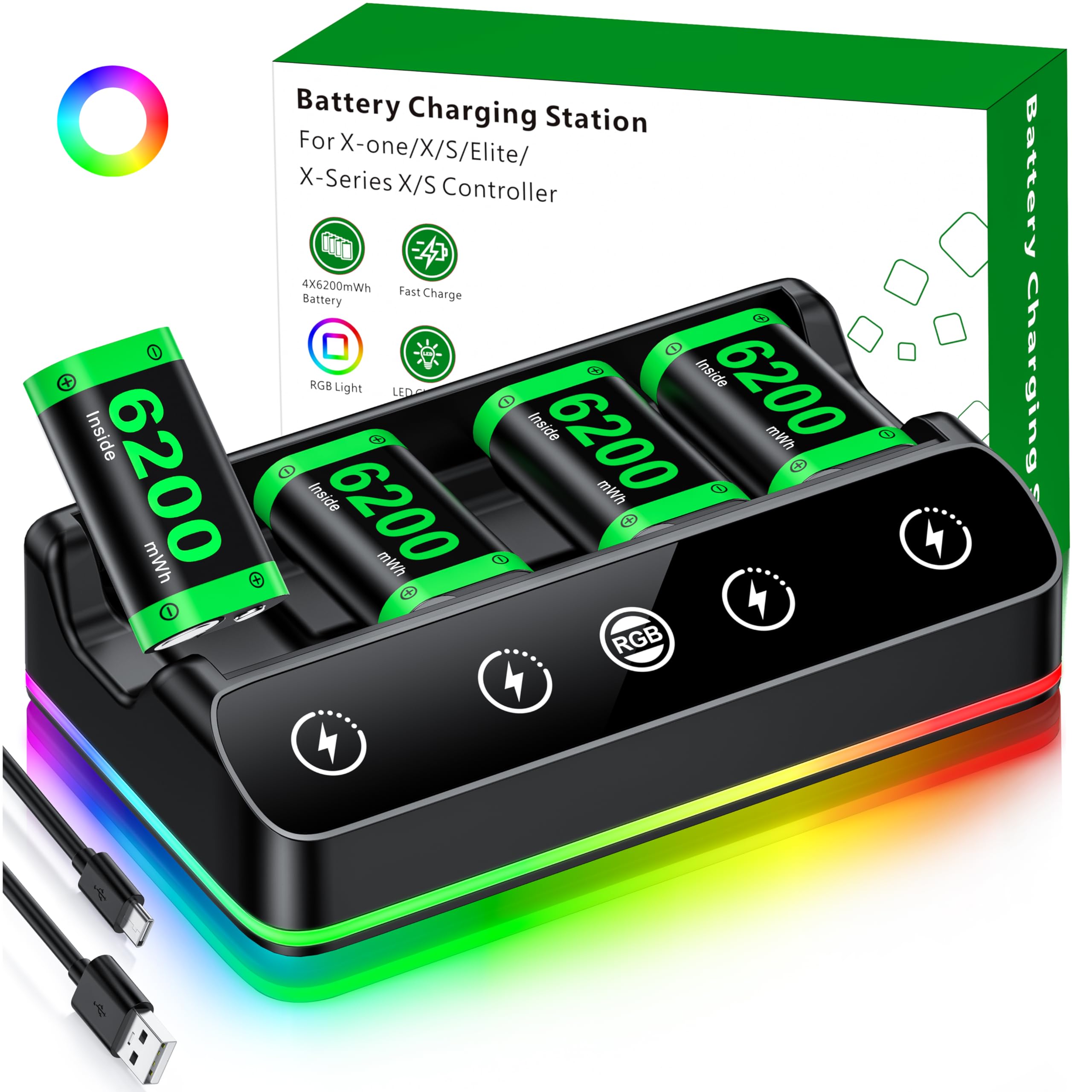
1. DINOSTRIKE 4X 6200mWh Battery Pack Charging Station
Our pick — 4.5+★ from 600+ verified ratings; the strongest balance of quality and price.
Four spare packs in the box means you never sit out a round waiting on a charge.
Most docks give you one or two packs and leave you queuing for the charger. This DINOSTRIKE kit ships four 6200mWh rechargeable packs — mWh being stored energy, so each one runs your controller for a listed 15–20 hours per charge. Two packs sit in the dock while the other two live in a controller, and the next swap is instant. For a household that games together, that rotation is the entire point.
It’s the capacity advantage over the smaller solo stands that makes this the pick for most people. Where the PowerA stand’s pack is listed at 1100 mAh, this one carries 6200mWh per pack — a much bigger reserve between charges. You also get an extended 3.28ft Type-C cable that plugs into a console USB port, a PC, or a wall adapter, so you’re not hunting for a special plug.
You get a light show while you charge, with 7 adjustable LED modes (breathing, running, and static single-colour among them) and a button that switches the lighting off if you’d rather not have it glow. Red means charging, green means done. The bottom has a silicone pad to stop it sliding. The honest trade-off: the lighting is a gimmick you may turn off within a week, and at 4.25 x 7.55 x 1.57 inches the dock is a dedicated shelf spot, not a pocket portable.
Why It Earns The Top Spot
- Four 6200mWh packs in the box — a spare always charged and waiting
- Listed 15–20 hours of play per pack, more stored energy than the 4800mWh packs
- Full charge in a listed 4–5 hours, on a 3.28ft Type-C cable
- Seven LED modes with a 3-second on/off for the ambient light
What To Weigh First
- RGB lighting won’t matter to everyone — a feature you can just leave off
- Dock is a shelf fixture, not something you’ll carry room to room
Reach for this if: you’d rather keep a rotation of charged packs than plug in a dead controller and wait.
Look elsewhere if: you want a single controller charged on a stand and nothing more.
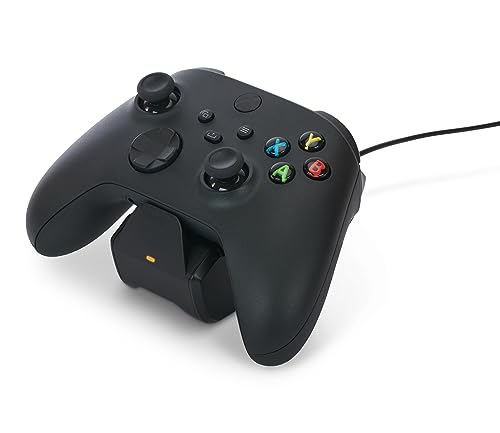
2. PowerA Solo Charging Stand for Xbox Series X|S – Black
One controller, one stand, and a set-and-forget drop-in charge that takes under a minute to set up.
If you own one controller and just want it topped up after each session, this solo stand does the job without asking for shelf real estate. You get a 1100 mAh rechargeable pack (that’s the stored energy in the pack), two battery doors so it fits your controller’s compartment, and a 3.3ft USB cable. Drop the controller on the stand and it starts feeding power. Owners consistently flag the sub-minute setup and the reliable top-up to full charge.
Where it falls behind the DINOSTRIKE above is capacity and amperage. The PowerA charges at 0.5 A, while the KEKUCULL dual dock pulls 2 A — a much faster feed from a dedicated dock. So this is the pick for a casual gamer who charges once a day, not someone cycling multiple controllers through a marathon session. It’s officially licensed by Xbox, though, and carries a two-year limited warranty, which is the strongest coverage of the bunch.
The recurring gripe is fit on the battery door. Some controllers accept the pack snugly, others need a firmer push to seat it, and the reliability gets mixed feedback overall. Check which controller model you own and confirm the door matches — the two included doors cover the common Xbox variants. For a single-controller household that wants the licensed badge and a warranty behind it, this is a clean, low-fuss choice.
Best for the solo setup: one controller, one drop-in stand, and a two-year warranty behind it.
The catch: 0.5 A charging is slow next to the 2 A dual docks, and the battery door fit varies by controller model.
Solid pick when: you want the licensed name and the longest warranty in the lineup.
Pass on it when: you need to charge two controllers at once or a bigger reserve than 1100 mAh.
3. KEKUCULL Dual Dock Charging Station (White)
Two controllers, two battery slots, and independent status lights so you can see which one is done.
Split-screen nights live or die on whether both pads have juice. This KEKUCULL dock holds two controllers at once, each with its own 1100 mAh rechargeable pack and a dedicated charging indicator on either side. The 2 A amperage is the headline — a much faster feed than the 0.5 A PowerA stand, so both packs top up quickly while the game sits paused.
It ships with four battery covers split across the two controller generations: two for Series X/S and two for Xbox One/One X/One S. The high-fit design means you just set a controller on the cradle and it starts charging — no fiddling with a cable each time. Built-in protections cover short circuit, overcharge, overvoltage, and overheat, so overnight charging is less of a worry.
The one thing to know going in is that play time per pack is listed at up to 15 hours, which trails the 25–30-hour packs on the bigger docks. It’s the trade for the compact dual-slot design and the fast 2 A feed. If you mostly game in two-to-three-hour sittings and want both pads ready every evening, that runtime is more than enough, and the dual-slot convenience is the reason to pick it over a solo stand.
Fast dual charging: 2 A feeding two packs at once, with independent status lights for each controller.
The trade-off: up to 15 hours per pack is shorter than the higher-capacity docks, so heavy marathon players may want more reserve.
Good fit for: two-controller households that want both pads ready fast every night.
Better to skip if: you want the longest possible single-charge session.
4. 8BitDo Charging Dock for Xbox Wireless Controllers (White)

A dock that looks like it belongs beside your console instead of bolted onto it.
8BitDo built this to sit on a desk and look intentional, and that’s the reason to buy it. The magnetic charging anchors the controller so it drops into place with a light pull rather than a fiddly cradle. You get a 1100 mAh rechargeable pack (stored energy in the pack), two battery doors, and a storage compartment in the back for the spare door or a cable. The amber light runs while charging and switches to a soft white when full — though some find the white casts a touch warm rather than true white.
It’s officially licensed by Xbox and works with both Series X|S and Xbox One wireless controllers. Among the displays here, it’s the one that treats the dock as furniture. What it doesn’t do is keep a reserve of spare packs ready, so you’re reliant on the single pack cycling through the dock. Owners single out the controller-to-stand fit: the magnetic seat holds without wobble and the dock stays put on the desk.
Where it earns its spot is the combination of the magnetic seat and the tidy storage — a detail you’ll appreciate the first time you misplace a battery door. Its functional side draws mixed feedback, largely around the subtle glow rather than any charging failure. If your setup is as much about how it looks as how it performs, this is the sharpest-looking option on the shelf.
The desk piece: magnetic seat plus a rear storage compartment make this the tidiest dock to live with day to day.
Worth knowing: the “white” full-charge light reads a little warm, and one pack means you can’t stockpile spares.
Pick this one for: a setup where the dock is part of the décor and magnetic seating matters.
Skip the look, want reserve: you’d rather have a handful of charged packs than one cycling pack.
5. RJAD 2x4800mWh Battery Pack with Charging Station

The pack rated for 28–30 hours a charge, which is the longest listed runtime in this lineup.
If you’re the type who games in long weekend stretches and hates seeing the low-battery warning mid-raid, this RJAD pair is built for you. Each 4800mWh pack is listed at 28–30 hours of continuous play — comfortably beyond the 4X DINOSTRIKE’s 15–20 hours. Two packs ship in the kit, so one charges while the other plays, and a full top-up takes just 3 hours.
You get three ways to charge: seat the pack on the station, charge it while still inside the controller via the Type-C cable, or charge the pack loose. Three-colour indicators spell out the state at a glance — grey for standby, red for charging, green for full. Four battery covers split across Series X/S and Xbox One variants, and intelligent protection guards against overcharge, overvoltage, over-current, overheat, and short circuit.
The packs are also rated for 2000+ recharge cycles, so they outlast a long run of disposables. The honest caveat: charging performance wins people over, but battery life draws mixed feedback, so the 28–30-hour figure is the ceiling on a fresh pack rather than a guarantee across years of use. Treat the runtime as best-case and the 2000-cycle claim as the durability story, and it’s a very sensible long-session pick.
Where It Wins
- Listed 28–30 hours per 4800mWh pack — the longest runtime here
- 3-hour full charge, so the spare is ready when you are
- Three charging routes: dock, in-controller cable, or loose pack
Honest Limits
- Battery life gets mixed feedback — treat 28–30 hours as a fresh-pack figure
- Two packs only, so no big rotation like the four-pack kits
Made for marathon sessions: 28–30 hours a charge, with a spare topping up in 3 hours.
Only two packs: if you want a four-battery rotation, look at the bigger kits.
6. Froncha 2x6200mWh RGB Charging Station
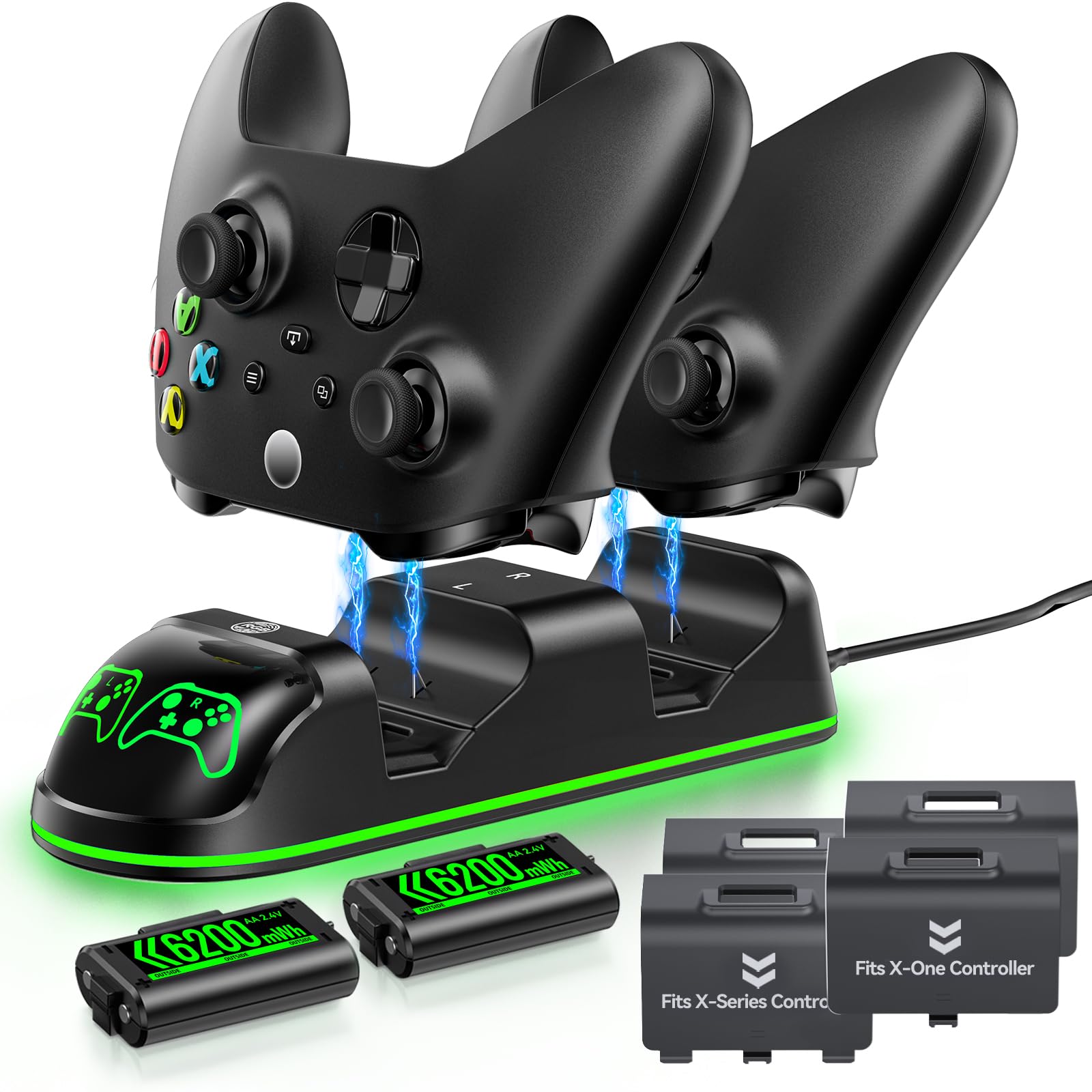
6200mWh packs, 25–30 hours a charge, and nine lighting modes on a mid-range stand.
Here’s a station that does the big-capacity job without the biggest price tag. Each of the two 6200mWh packs is rated for 25–30 hours of play and fully charges in 3–3.5 hours. The batteries also claim up to 3000 recharge cycles, so replacements stay a distant concern.
The pickup over the plain docks is the lighting. You get nine total modes — seven single colours plus two multi-colour cycling options — controlled by a single touch switch, with a long-press on/off so you can kill the glow without unplugging. It also auto-adjusts output current and guards against overcharge, over-current, overvoltage, and short circuit, so overnight charging is covered. When nothing needs charging, the cradle is a display stand for two controllers.
What draws the sharpest praise is the value: big 6200mWh capacity and nine RGB modes at the mid-range price. The thing to watch is battery life, which gets mixed feedback despite the strong spec sheet, so don’t bank on 3000 cycles in real service without treating the packs kindly. For a gamer who wants the lighting atmosphere and a serious reserve without paying the most, this is the value angle.
Big capacity, mid-tier feel: two 6200mWh packs at 25–30 hours each, with nine lighting modes on a touch switch.
Worth flagging: battery life carries mixed feedback, so the 3000-cycle claim is best treated as a ceiling rather than a promise.
Suits you if: you want the RGB look with serious capacity and won’t pay premium-tier money.
Skip if: longevity is your only metric and you want the most proven battery.
7. OIVO 4x5580mWh Battery Charger Station
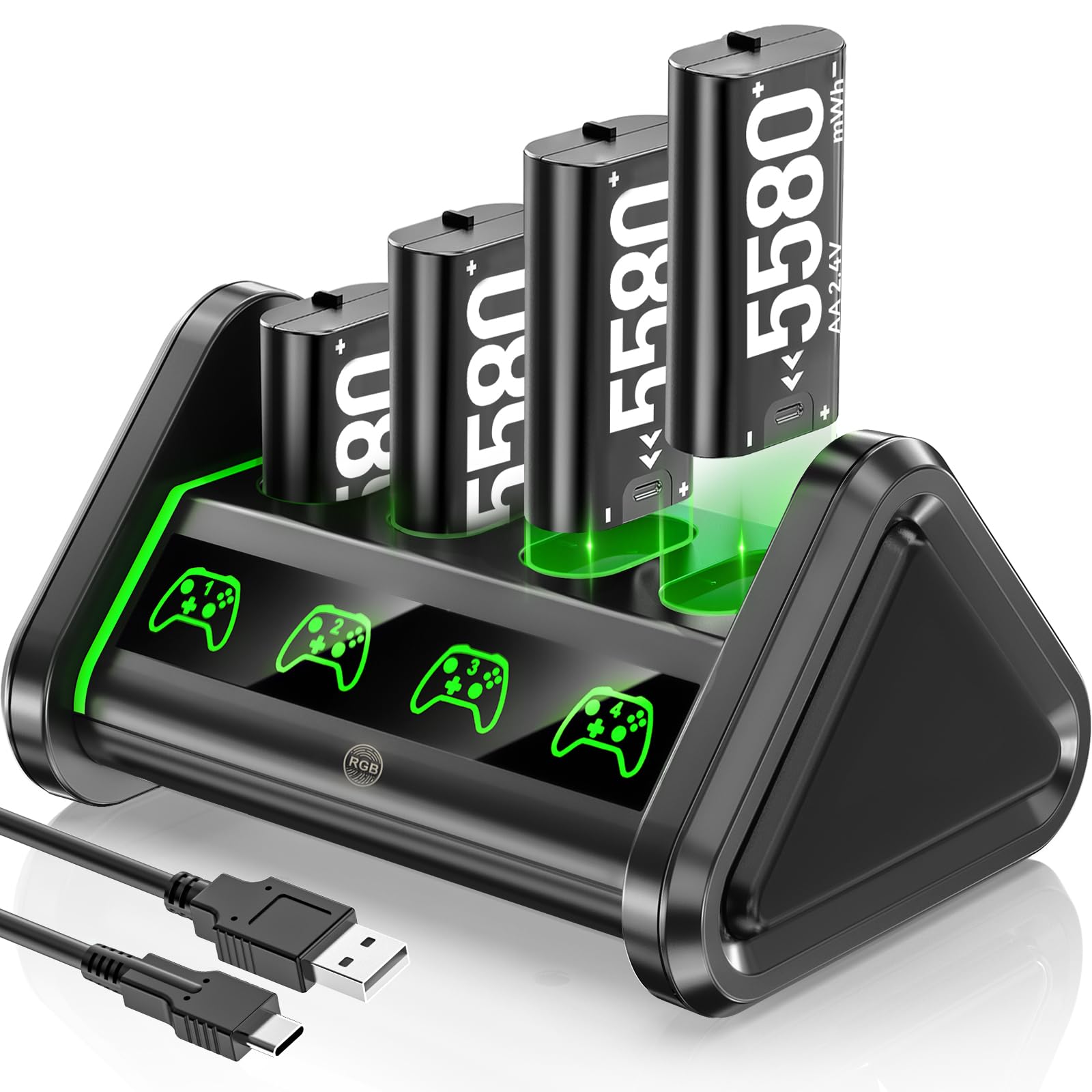
Four 5580mWh packs charged together — the workhorse for a house full of controllers.
This is the dock you buy when you’ve got three or four controllers floating around the living room. OIVO ships four 5580mWh packs and charges them simultaneously, so a rotation of spares is always topped up. Each pack is rated for 25–30 hours a charge with a 3–3.5-hour refill, and the whole station runs off an 80cm USB-C cable. For a family that fights over the one controller with a charge, this solves that completely.
Build quality is what owners praise most by a wide margin, followed by the station’s long-term dependability. The four-point safety system (overheating, over-current, short-circuit protection) means you can leave it charging overnight without a second thought. There’s an on/off switch, clear LED indicators, and non-slip pads to keep the station anchored.
The one wrinkle to plan around is compatibility. It works across the Xbox One and Series X|S families, though some controllers fit better than others, and battery life lands as mixed feedback — a fresh pack runs long, but aging packs can fall short. Because this listing carries by far the deepest review history in the lineup, that mix is well documented rather than a surprise. Check your controller model against the compatibility list before committing, and you’ll get a durable multi-pack workhorse.
Why Households Like It
- Four 5580mWh packs, all four charged at once
- Build quality is the most-praised strength — it feels durable
- 25–30-hour rated packs with a 3–3.5-hour refill
What To Check First
- Compatibility is model-sensitive — confirm your controller fits
- Battery life is mixed, so the rated hours are a fresh-pack figure
Right for a busy household: four big-capacity packs charged together, with build quality that holds up.
Verify your model: compatibility varies, so match your controller before you buy.
8. DINOSTRIKE 2x5520mWh Charging Station with Robot Dock
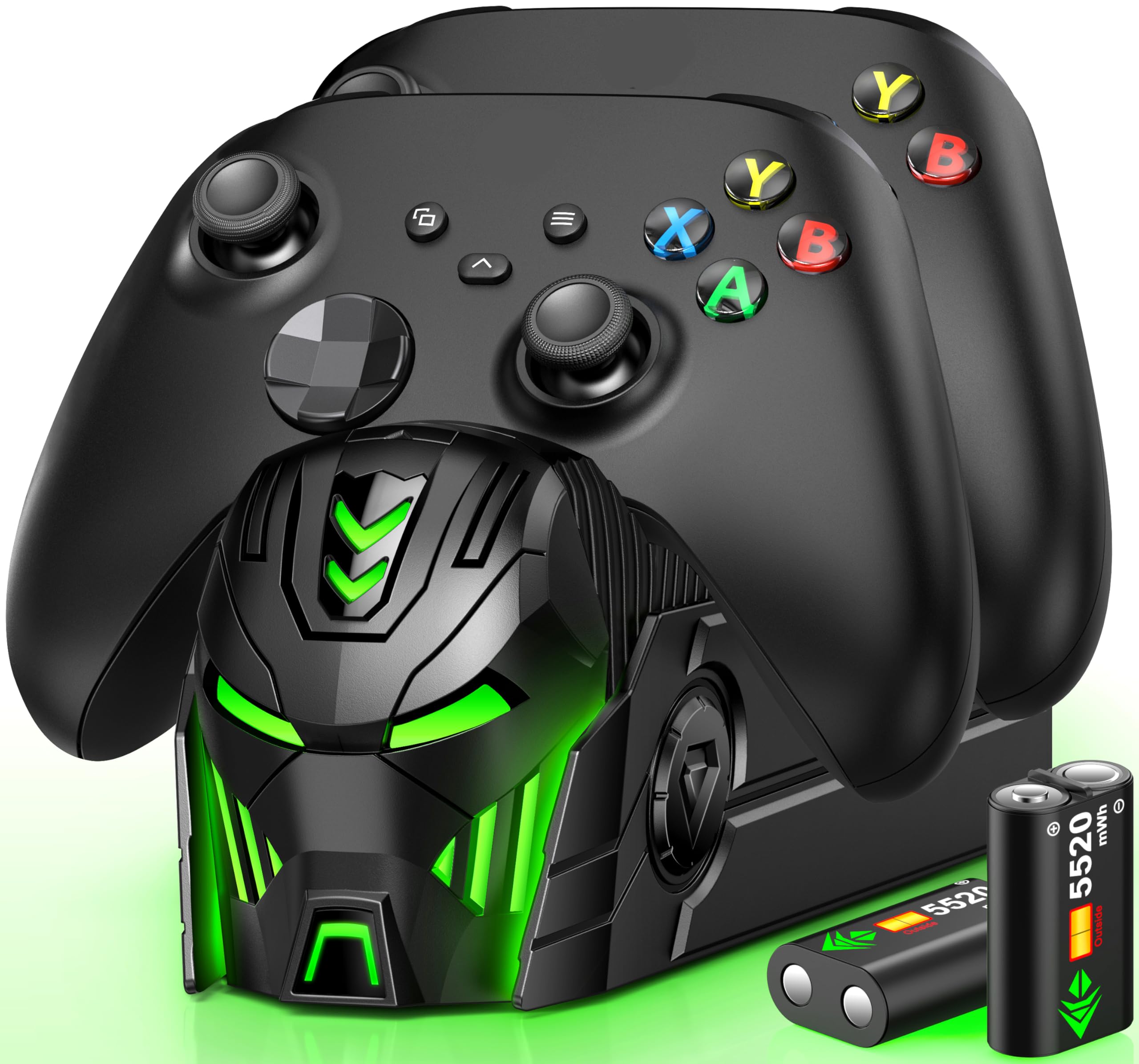
A dock shaped like a robot helmet that looks its best with the lights off.
Some docks are meant to disappear; this one is meant to be noticed. The front of the DINOSTRIKE station is a robot-helmet shape, and owners say it looks sharp in a dark room. Under the styling it’s a proper two-controller dock: two 5520mWh packs rated for 18–25 hours of play, a 4-hour full charge, and a recharge rate of up to 2000 times. A button on top turns the LED lights off without interrupting the charging.
It’s named the gift pick for a reason — the look plus four battery covers and a clean bundle make it easy to hand over to a gamer. The bottom compartment stores spare packs so you don’t lose them, and status lights glow red while charging and green when full. Overcharge, over-current, overheating, and short-circuit protection keep the overnight charging worry low.
Where it slots in a step below the top DINOSTRIKE kit is capacity and pack count — 5520mWh across two packs against four 6200mWh packs. That’s fine if you’re charging for one or two players and don’t need a four-battery rotation. Owners rate it reliable and quick to charge with good battery life, so the gift holds up as a functional dock, not just a novelty.
The fun one: robot-helmet styling, glow-in-the-dark appeal, and a battery compartment that keeps spares together.
What it isn’t: the four-pack reserve of the top pick — two 5520mWh packs only.
A gift that works: looks good on a shelf and charges two controllers reliably at 18–25 hours a pack.
Not the reserve king: two packs, not four, so a big rotation will want more.
9. Froncha 4-in-1 Charger with 4x6880mWh Battery Packs
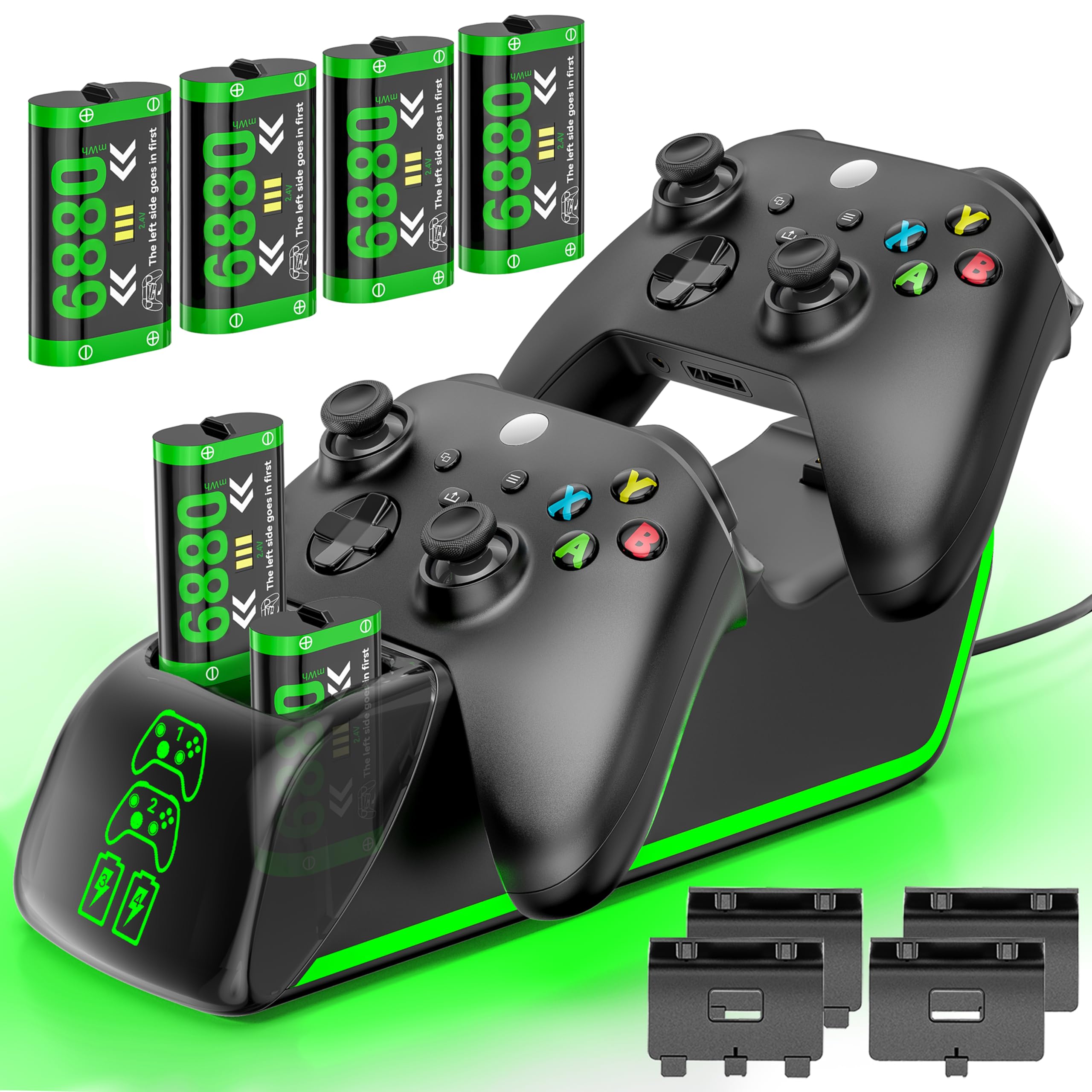
The largest packs in the lineup, four of them, and a dock that charges two controllers and two spares at once.
At 6880mWh per pack, these are the biggest batteries on this list — more stored energy than the 6200mWh and 5580mWh packs on the other docks. Four of them ship in the kit, and the station’s four slots let you charge two controllers and two loose batteries together or one at a time. Each pack is rated for 18–25 hours of play and refills in 3–4 hours, so the largest reserve pairs with a fairly quick top-up.
The 4.9ft USB-C cable is the longest here, giving you more reach to a wall adapter, and the LED indicators show red while charging and green when full. You can also press the button to cut the charging function separately, so the dock can sit as a display without feeding power. The board carries overheating and short-circuit protection, and the packs claim up to 3000+ recharge cycles.
The kit bundles two battery covers for Series X|S and two for Xbox One X|S/Elite, so it covers both controller generations from the start. It’s the premium pick because it throws the most capacity and the most charge slots at the problem; if you’ve got a large household or a serious multi-controller setup, this is the reserve-maximum. If you game solo, the extra packs are more than you’ll ever cycle through.
The Reserve Maximum
- 4x 6880mWh packs — the largest capacity here
- Charge 2 controllers and 2 spare packs simultaneously
- Longest cable in the lineup at 4.9ft USB-C
Is It Overkill
- Premium pick — more capacity and slots than a solo gamer needs
- Four packs to keep track of if you’re the only player
The most reserve you can buy here: 6880mWh packs, four of them, with 4-in-1 charging slots.
More than a solo gamer needs: if you play alone, the four-pack setup is overkill.
Know the Specs
mWh capacity (stored energy)
Milliwatt-hours measure how much energy a pack stores — bigger numbers usually mean longer play between charges. In this lineup, packs run from 1100 mAh up to 6880mWh, and a 6880mWh pack holds more stored energy than a 4800mWh one. Match capacity to how long your typical session runs; marathon players want the bigger packs, casual gamers are fine with smaller ones.
Charge amperage
Amperage (measured in A) describes how fast power flows into the pack. A 2 A dual dock feeds power faster than a 0.5 A solo stand, so it tops up a controller in less time. If you cycle a controller back onto the dock between sessions, faster amperage keeps the spare ready; if you charge once overnight, the difference matters less.
Play time per charge
This is the manufacturer’s rated runtime on a full pack, listed here anywhere from 15 to 30 hours. Higher-rated packs mean fewer trips to the dock, but treat the figure as a fresh-pack best case — real numbers ease off as a battery ages. Runtime and capacity usually rise together, so compare both when you shop.
Charge protection features
Overcharge, over-current, overvoltage, overheating, and short-circuit protection are built-in cutoffs that stop the charger feeding power once the pack is full or something goes wrong. If a dock is going to sit plugged in overnight on a shelf, these protections are what let you leave it unattended. Nearly every pick here lists them — a dock that doesn’t is a red flag.
Common Questions
Will these charging stations work with both Xbox One and Series X|S controllers?
How long does a rechargeable pack last on a full charge?
Do I need to remove the battery to charge it, or can it stay in the controller?
Can I leave the charger plugged in overnight safely?
Do these battery packs affect controller weight or feel?
How many times can a rechargeable pack be charged before it wears out?
What is the difference between a single and dual charging station?
Can I buy replacement battery packs separately, or do I need a whole new station?
Do the LED indicator lights tell me when a controller is fully charged?
Will a faster-amperage charger damage my controller or batteries?
The Bottom Line
If you want one station that keeps a spare charged and ready, the DINOSTRIKE 4X 6200mWh kit earns the top slot on the strength of four packs and a solid 6200mWh reserve per pack. For the longest single-charge runtime, reach for the RJAD 2x4800mWh set and its rated 28–30 hours per pack. And if you’ve got a whole household of controllers to keep fed, the OIVO 4-pack — backed by the deepest pool of owner feedback here at 4.5+ stars across thousands of ratings — is the durable multi-controller workhorse.
How we choose
We do not accept paid placement. Every pick is matched to a real buyer and a real use-case; we do not hands-on test units.
Sources
Specifications: manufacturer listings and product documentation. Review insights: verified customer reviews, as of November 2026. Pricing: not shown on this page (it changes often); check the current price via the retailer link.
As an Amazon Associate, Tactical Gear Guy earns from qualifying purchases. This does not affect which products we feature.