Specs are compiled from manufacturer listings and verified buyer reviews and can change over time — please confirm the key details on the product page before buying.
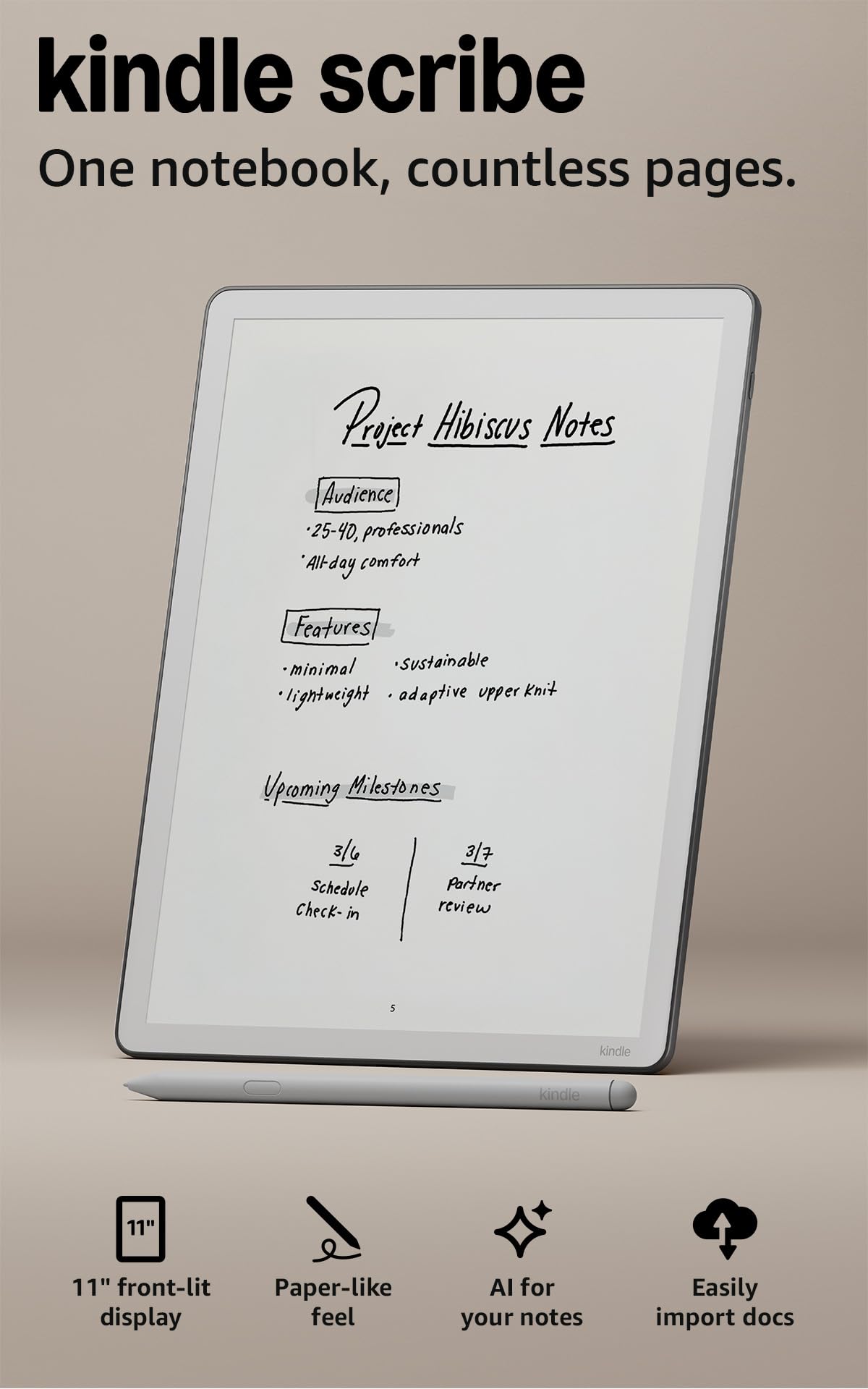
Want a screen that feels like a real notebook under your hand? Start with the Amazon Kindle Scribe 32GB. It is the crowd favorite at 4.0+ stars, and its 11-inch glare-free display is the largest here. The picks below are sorted by what you actually do with them: taking meeting notes, marking up PDFs, or reading before bed.
This guide is built by comparing the manufacturers’ published specifications and the patterns across verified customer reviews, so you get each pick’s real strengths and trade-offs instead of marketing spin.
The confusion here is simple: e-ink notepads, LCD note tablets, and refurbished Kindles all get sold as the same thing. This breakdown of a writing tablet for adults separates them by pen feel, screen type and storage.
Top Picks


How To Choose The Best Writing Tablet for Adults
The fastest way to narrow the field is to decide what your hand touches most: a paper-like e-ink surface, or a glass LCD screen with a drawing-style pen. That single choice removes half the list.
Screen type decides the feel
An e-ink display (electronic ink that looks like printed paper) has almost no glow and no refresh flicker, so your eyes stay comfortable during a long meeting. A standard LCD tablet looks brighter and can show color, but the writing surface is glass with a textured coating on top.
Pen pressure and charging
Pressure levels describe how finely the pen reads how hard you press. Higher numbers mean your thin lines stay thin and your heavy lines get bold. Just as important, check whether the pen needs charging — some are powered by the screen itself and never need a cable.
Storage, export, and where your notes go
Storage in GB tells you how many notebooks, PDFs and books live on the device at once. But the bigger daily question is export: can you get a page out to PDF, email, or a cloud folder without plugging in?
Side-by-Side Comparison
| Model | Best For | Display | Resolution | Storage | Amazon |
|---|---|---|---|---|---|
| Amazon Kindle Scribe 32GB★ Best Overall | Reading and notes in one device | 11 in front-lit | — | 32 GB | Amazon |
| Like-New Amazon Kindle Scribe 32GBBest Value | Saving on a refurbished Kindle | 10.2 in, 300 ppi | 300 ppi | 32 GB | Amazon |
| Kloudnote Slim 10.3″Thinnest Pick | Thin, focused e-ink note taking | 10.3 in E-Ink | 1404×1872 (227 ppi) | 64 GB | Amazon |
| XPPen 3 in 1 Color Digital Notebook | Color notes on an Android tablet | 10.95 in LCD, 90Hz | 1920×1200 | 128 GB | Amazon |
| Huion Ink EB1011 | Long battery and PDF markup | 10.3 in E-Ink | 1404×1872 (227 PPI) | 64 GB | Amazon |
| reMarkable Paper Pure | Distraction-free writing only | 10.3 in E-Ink | — | — | Amazon |
| Penstar eNote Pro B/W | Bundled set with heavy storage | 10.3 in E-Ink | — | 128 GB | Amazon |
| reMarkable 2 | Long-term paper habit, full kit | 10.3 in E-Ink | — | — | Amazon |
Detailed Reviews
1. Kindle Scribe 32GB
Our pick — 4.0+★ from 500+ verified ratings; the strongest balance of quality and price.
One device for the novel at night and the meeting notes by day.
Where most writing tablets make you pick between reading and note-taking, this one refuses the trade. The 11-inch glare-free display is the largest here, and it carries a front light so you can write in a dim room without a lamp. At 5.4mm thin and 400g, it sits in a bag like a slim hardcover book.
The pen never needs charging, and it has a built-in eraser plus a shortcut button for the highlighter. Owners consistently describe the surface as the closest thing to paper in this group. Battery life runs to weeks of reading and writing on one charge.
The honest catch is speed and value: some buyers find the interface slower than they expected, and the note tools are built for reading-first people. If you need a full Android app store or heavy duty drawing pressure control, this is not that device. For everyone else, it is the safest all-round pick.
What earns the top spot
- 11-inch glare-free display with automatic brightness and adjustable warmth.
- Pen included, needs no charging, has an eraser and shortcut button.
- AI tools find information in your notes, summarize them, and convert handwriting to text.
Where it asks you to compromise
- Some owners find page turns and menus less snappy than a phone.
- It is purpose-built for reading and writing — not a general app tablet.
Settle on this one if: you read books and take notes in the same chair and want one thin device for both.
Pass if: color notes or a full app store are on your must-have list.
2. Like-New Amazon Kindle Scribe (32GB) with Premium Pen
The same Scribe screen, refurbished and checked, for a lighter outlay.
This is the previous-generation Scribe, cleaned up and certified by Amazon, and it comes with the same limited warranty as a new device. You get a 10.2-inch glare-free screen at 300 ppi — that ppi number measures pixel density, and at 300 every letter of a PDF stays crisp. Compared with the Kloudnote’s 227 ppi, this screen is measurably sharper.
Functionality is what owners bring up most, and it lines up: this replaces a stack of notebooks with one device built for writing, reading and thinking, with no notifications pulling at you. The Premium Pen works on arrival with no setup and no charging, and Active Canvas opens space in a book’s margin the moment you start writing.
The trade-off is small and specific: responsiveness gets mixed reactions, so you may notice a beat before a page turns. If you can accept the older 10.2-inch screen, this is the same core experience as the newest model for a friendlier outlay.
Screen and pen read: a 300 ppi front-lit panel that reviewers keep describing as paper under the pen, paired with a Marker that needs no charging.
What to weigh: battery life draws mixed notes and page turns are not instant — fine for notes and novels, less fun if you flip through pages fast.
Go refurbished if: you want the Scribe experience and do not need the largest screen.
Think twice if: knowing it may arrive in a plain Amazon-branded box bothers you.
3. Kloudnote Slim 10.3″ Digital Notebook
At 5.3mm thin and 390g, it disappears into a laptop sleeve.
The panel here is a 10.3-inch e-ink glass screen at 1404×1872 — that works out to 227 ppi, so text and strokes read soft rather than razor sharp next to the 300 ppi Kindle above. Where it pulls ahead is storage: 64GB against the Kindle Scribe’s 32GB, roughly double the room for notebooks and files.
Inside sits a 1.8GHz A55 quad-core processor with 2GB of RAM, and the 3000mAh battery is rated for up to 40 hours of work time. The XPPen carries an 8000mAh cell by comparison, so battery endurance here is the one figure to keep in mind. There are 39 note templates, handwriting-to-text conversion, a 500MB Kloudnote cloud allowance, and support for OneDrive and Dropbox.
The real question is the software: this is a newer release with a smaller track record, and its own AppStore only carries common apps — anything else has to be sideloaded or requested by email. Buy it for the thin profile and big storage, and treat the app library as a work in progress.
Why it earns a slot: a genuinely pocketable 5.3mm body with 64GB on board and 39 templates to start from.
The honest caveat: the thinner ppi and a 3000mAh battery mean this is a focused note pad, not an all-day media device.
Match for you if: weight and thinness matter more than a huge app catalogue.
Skip the match if: Google Play access is essential — the built-in store is limited.
4. XPPen 3 in 1 Color Digital Notebook 10.95″

Three color modes on one screen, switched with a single button press.
An X-key flips this 10.95-inch screen between Monochrome LCD, Light Color and Nature Color, so you can go paper-white for drafting and full color for charts. The AG nano-etched glass uses TCL NXTpaper 3.0 and cuts up to 95% of ambient light interference, and the 90Hz refresh rate keeps page turns smooth. It also shows 16.7 million colors.
The pen is the headline for artists: the X3 Pro Pencil 2 reads 16384 pressure levels, so a light sketch line and a heavy underline come out visibly different. It attaches magnetically, has a shortcut key, and needs no battery. Inside, Android 14 with Google Play, 6GB of RAM, 128GB of storage, an 8000mAh battery with a 20W charger, and a 13-megapixel front camera for meetings.
Storage and memory are where it separates from the Kloudnote: 128GB against that device’s 64GB, and 6GB of RAM against 2GB. What owners note is the screen texture — the older model’s writing feel is described as nearly frictionless under the pen. Be clear it is an LCD tablet with a paper-like coating, not e-ink.
The color advantage: three switchable display modes plus 95% ambient light reduction, so outdoor drafts stay readable.
The viewing-angle quirk: the etched glass is designed for head-on viewing, so glancing from a steep side angle dims and washes the image.
Built for: note-takers who want color diagrams and a full Android app store in one device.
Not for: anyone set on true e-ink — the LCD panel and narrow viewing angle are a different experience.
5. Huion Ink EB1011 E Ink Tablet 10.3″
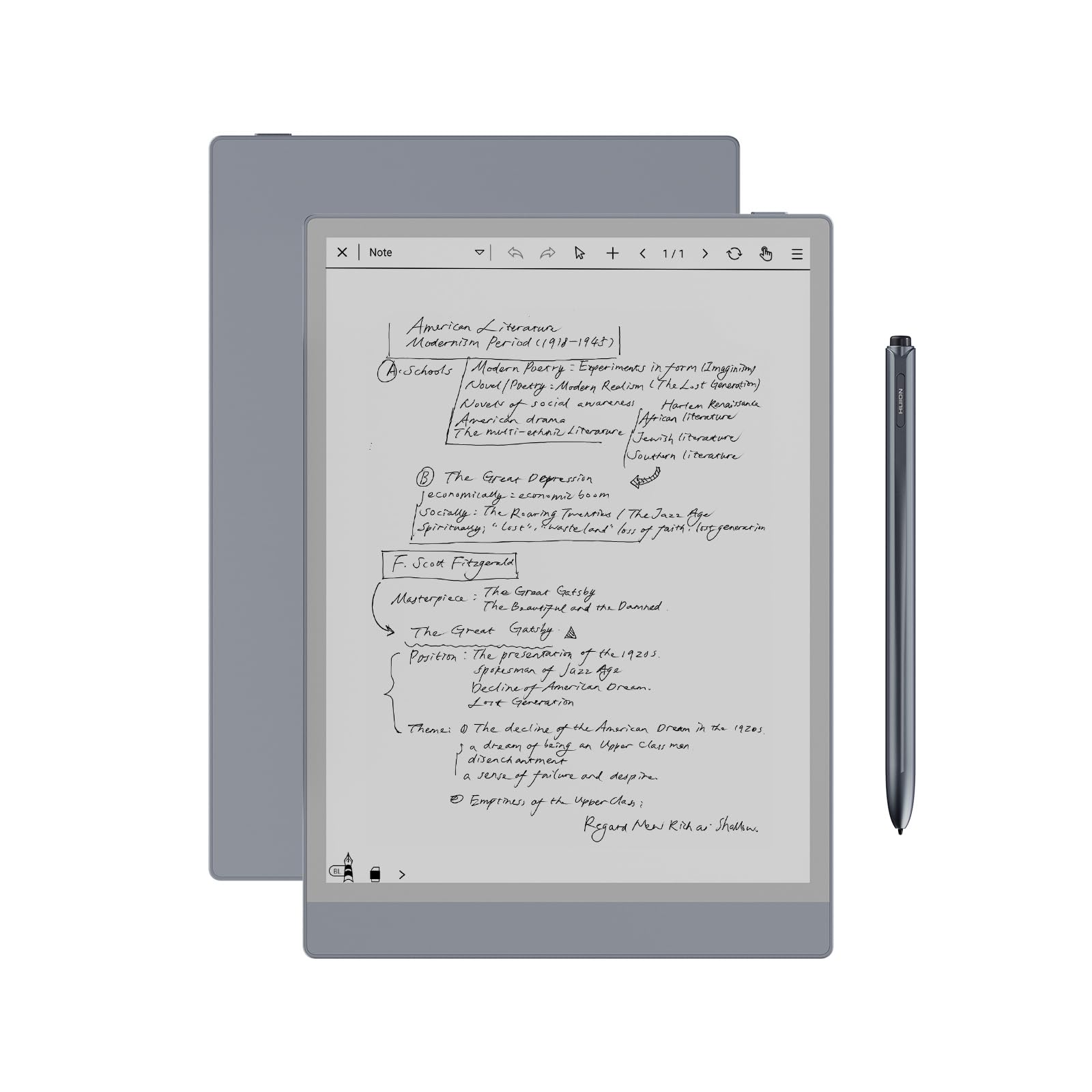
A 4650mAh cell rated at up to 12 days between charges.
The 4650mAh cell is listed as up to 12 days of use. Pair that with a 10.3-inch panel at 1404×1872 (227 PPI) under fully laminated anti-glare glass, and you get a screen that kills reflections instead of bouncing a lamp back at you.
The stylus is battery-free with 8192 pressure levels and a felt tip that adds real friction, plus a tail eraser for quick fixes. Storage is 64GB, expandable up to 2TB, running Android 11 with app store access. Build quality is the through-line in the reviews — owners keep coming back to how solid it feels, and the included PU leather case adds 360° protection with a built-in stand and a stylus slot.
Two honest notes. Drawing is not its strength — writing performance splits opinion, with part of the crowd saying it is not a drawing tablet. And it weighs 0.99 pounds at 0.25 inches thin, which is portable but not the lightest in this group.
Battery and screen: a 12-day rating under a laminated anti-glare panel, with dual-color front light modes for day, night and bed.
Split verdict: reading, note-taking and PDF markup shine; the Bluetooth link has been finicky for some, so test pairing early.
Reach for it when: you want a long-lasting e-ink pad with real screen storage room and an included case.
Leave it if: digital drawing is the goal — the nibs suit writing and annotation, not illustration.
6. reMarkable Paper Pure Digital Notebook with Marker

Ink lands in 21 milliseconds.
The third-generation 10.3-inch display is whiter with more contrast than earlier reMarkable panels, and the 21 ms ink latency is the spec that makes handwriting feel instant. It weighs 360 g, which is the lightest 10.3-inch model on this list. There are dozens of note-taking templates and an uncluttered screen with nothing to distract you.
Software covers the everyday: turn handwriting into text, mark up documents, sketch, and file everything with tags and folders. The reMarkable apps and plugins bring in web articles, PDFs and files from Google Drive, Dropbox and Microsoft Word, and you can send a finished page out by email from the tablet.
It is deliberately the most single-purpose device here — this is a notebook that happens to hold documents, not a media tablet. Build quality is what holds up in owner feedback, and buyers broadly feel it justifies its standing. Go elsewhere if you want an app store or color.
The drawing board: contrast is up, the 21 ms stroke delivers the fastest pen response here, and the 360 g body is the lightest 10.3-inch pick.
What you give up: no color, no app store, and heavy documents live off-device rather than on it — pure is the point.
Son of a pen-and-paper habit: pick this if you think best on blank pages and want the screen to stay quiet.
Look elsewhere if: you want an e-reader library or third-party apps baked in.
7. Penstar eNote Pro B/W E-Ink Digital Notebook

128GB and 6500mAh, shipped with a folio and 10 spare nibs.
The standout numbers come first: 128GB of storage — the most on this list — and a 6500mAh cell that owners describe as lasting days without a charge. The 8192 pressure levels keep lines precise, and owners describe the lag as invisible.
Working tools are built around two screens: split a book and a notebook side by side and read while you annotate. Real-time AI voice-to-text converts speech as you talk, handwriting converts to typed text, and notes can be summarized and filed with folders and tags. The bundle includes the B6 stylus, an extra 10-nib kit, a magnetic folio cover and a charging cable — nothing else to buy.
What rubs is the interface: usability splits opinion, with part of the audience finding it simple and part finding it takes adjusting. Performance also draws the most negative pushback of any aspect here. It is a capable, well-stocked package — just expect a learning curve.
Storage and stamina: 128GB on board and a 6500mAh battery make this the long-haul option for document-heavy work.
The honest read: interface polish and speed are the weak spots, so budget an evening to learn the menus.
Fits like a glove for: anyone who wants a complete kit — pen, nibs, folio — with maximum storage.
Not the match if: you expect a refined, instant interface from day one.
8. reMarkable 2 with Marker Plus and Black Leather Book Folio

At 4.7mm thick, it is the thinnest paper tablet in the lineup.
This bundle reads like a stationery set: the reMarkable 2 with its 10.3-inch black-and-white display, Marker Plus with a built-in eraser, 9 spare nibs, a black leather folio and a USB-A to C cable. The body measures 4.7mm thick and weighs 684 g with the kit. Everything you need to write on day one is in the box.
On the software side, notes and documents sort into folders and tags, you can write straight onto PDFs, and handwriting converts to typed text. Files move in and out via the reMarkable apps and cloud services such as Google Drive, Dropbox and Microsoft OneDrive, and Microsoft Word and PowerPoint documents can be transferred to draft or review by hand. A 100-day free trial of the Connect sync service comes with new purchases.
The thing to plan around is functionality: it works well initially, and some units have stopped working at critical times, which is the one thing to weigh before relying on it for a deadline. Snag it when the leather folio and pen-with-eraser bundle are what you actually want.
Kit quality: a paper-feel 10.3-inch screen with a leather folio and 9 spare nibs included.
Weigh before buying: reliability reports are mixed, so keep backups of anything you cannot afford to lose.
The one for: writers and reviewers who want a complete leather-bound setup from the first day.
The one to skip for: mission-critical workflows where a device failure would cost you a deadline.
Know the Specs
ppi and resolution
ppi stands for pixels per inch — how densely the display packs detail. Higher ppi keeps small handwriting and tiny PDF footnotes legible. A 300 ppi panel reads noticeably sharper than a 227 ppi one, so check this number if you write small.
Pressure levels
Pressure levels describe how finely the pen reads how hard you press. At 8192 or 16384 levels, the line weight changes the way a fountain pen changes under force. At lower levels heavier strokes register but the range feels coarser.
Battery capacity in mAh
mAh is a measure of how much charge the battery holds. E-ink screens sip power because they only use current when the image changes, which is why some tablets run weeks. An 8000mAh cell and a 3000mAh cell behave very differently on a busy drafting day.
Storage and export
Storage in GB decides how many notebooks, PDFs and books sit on the device. Export matters just as much — if a page only leaves the tablet by cable, you will feel it. Cloud folder support and email export make the difference on shared work.
Common Questions
Does a writing tablet for adults need a screen protector for the pen tip?
Can I write on PDFs and save the marked-up file?
Is e-ink better than an LCD tablet for handwriting?
Do the stylus pens need charging?
How much storage do I actually need for notes?
Will handwriting-to-text conversion work with my writing style?
Can I get my notes onto my phone or laptop?
Is a refurbished Kindle Scribe a safe buy compared with a new one?
Do these tablets work in bright sunlight?
How long will the battery last on a full charge?
The Bottom Line
For most adults, the writing tablet for adults pick is the Amazon Kindle Scribe 32GB. It pairs the largest 11-inch glare-free display here with a pen that never needs charging, so you can read a book and then jot a note in one thin body. Need more storage and a full app store? The XPPen 3 in 1 Color Digital Notebook gives you 128GB and Android 14 (Google’s app platform, so you can install apps). For a pure, distraction-free paper feel, reach for the reMarkable Paper Pure.
How we choose
We do not accept paid placement. Every pick is matched to a real buyer and a real use-case; we do not hands-on test units.
Sources
Specifications: manufacturer listings and product documentation. Review insights: verified customer reviews, as of November 2026. Pricing: not shown on this page (it changes often); check the current price via the retailer link.
As an Amazon Associate, Tactical Gear Guy earns from qualifying purchases. This does not affect which products we feature.