Specs are compiled from manufacturer listings and verified buyer reviews and can change over time — please confirm the key details on the product page before buying.
If you are shopping for a CoreXY 3D printer, the short answer is this: buy one where the toolhead moves in two directions and the bed only drops down a level. That single design choice is why these machines hold accuracy at speed while a bed that slides back and forth tends to wobble. Below you will find eleven real CoreXY machines, sorted by what each one actually does well.
This guide is built by comparing the manufacturers’ published specifications and the patterns across verified customer reviews, so you get each pick’s real strengths and trade-offs instead of marketing spin.
Some of these printers chase multi-color work, some chase exotic high-temperature filaments, and one arrives as a kit you assemble yourself. I explain which one fits your bench, your budget, and your patience in this breakdown of the corexy 3d printer market.
Top Picks


How To Choose The Best CoreXY 3D Printer
Most first-time buyers assume the print speed number is the whole story. It is not. Speed in millimeters per second (mm/s — how far the nozzle travels in one second) only matters if the frame can hold accuracy while it happens. That is exactly the problem CoreXY solves, and it is why this shelf is worth paying attention to.
Start with the motion system, not the speed figure
On a CoreXY machine, the nozzle moves across the top while the build plate only steps down a fraction between layers. A printer where the plate slides front-to-back has to drag the weight of your print with it, which is why tall parts can shift. When you read a listing, look for the words “CoreXY structure” or “CoreXY motion system” — not merely a high speed claim.
Then decide if you need multi-color or high-temp materials
Multi-color and engineering filaments pull you in two different directions. A four-color machine feeds several spools into one nozzle or uses several toolheads, which matters for props, gifts, and cosplay. A heated chamber and a high-temperature hotend matter for ABS, PC, and nylon, because those plastics warp as they cool. Very few machines in this group do both well at once.
The build volume number is the one you will regret underestimating
Print volume is written as three dimensions in millimeters — length, width, and height. A helmet or a large prototype needs the biggest footprint you can fit on your bench, while a compact machine saves desk space. Measure your shelf before you fall for a spec sheet.
Side-by-Side Comparison
| Model | Best For | Build Volume | Max Speed | Hotend / Chamber | Amazon |
|---|---|---|---|---|---|
| Snapmaker U1★ Best Overall | Fast four-color printing with almost no wasted filament | 270 × 270 × 270 mm | 500 mm/s | Four toolheads | Amazon |
| ELEGOO Centauri Carbon 2 ComboVolume Champion | Beginners who want four colors without fiddling | — | 500 mm/s | CANVAS 4-color system | Amazon |
| FLASHFORGE 5M ProDesk-Sized Speed | Quiet, filtered printing in a shared room | — | 600 mm/s | 280℃ / HEPA13 filter | Amazon |
| FLASHFORGE AD5M Pro | Ten-minute setup and 3-second nozzle swaps | 220 × 220 × 220 mm | 600 mm/s | 280℃ / enclosed | Amazon |
| Creality K2 SE 4C | Four colors in a compact footprint | — | 500 mm/s | CoreXY, auto-leveling | Amazon |
| Creality K1C | Carbon-fiber filaments on a tight bench | — | 600 mm/s | 300℃ / activated carbon | Amazon |
| Anycubic Kobra S1 Max | Big helmets and engineering plastics | 350 × 350 × 350 mm | 600 mm/s | 350℃ / 65℃ chamber | Amazon |
| QIDI Q2 | PPS-CF and other extreme-temperature work | — | 600 mm/s | 370℃ / 65℃ chamber | Amazon |
| FLASHFORGE Creator 5 Pro | Color-pure multi-material jobs at high throughput | 256 mm³ | 600 mm/s | 65℃ chamber / HEPA13 | Amazon |
| SainSmart WonderMaker ZR | Large four-color prints on a value budget | 300 × 300 × 300 mm | 600 mm/s | 300℃ hardened steel | Amazon |
| Prusa CORE One+ Kit | Offline, build-it-yourself workshop machine | — | — | 55℃ chamber | Amazon |
Detailed Reviews
1. Snapmaker U1 3D Printer, 4-Toolhead with 5s Toolchanger
Our pick — 4.5+★ from 250+ verified ratings; the strongest balance of quality and price.
Four toolheads that swap in five seconds — and colors that never get purged.
Four-color printing usually means one nozzle that keeps flushing a spool down the drain between colors. The Snapmaker U1 skips that entirely. It carries four separate toolheads with filament preloaded and preheated, and the SnapSwap system swaps between them in about 5 seconds instead of roughly 2 minutes. Snapmaker states the locking mechanism has been validated through over 1,000,000 swaps, so tool-change wear is not the failure point to worry about.
You get a 270 × 270 × 270 mm build volume, and the motion system moves at up to 500 mm/s on carbon fiber X-axis rails (the rails that carry the print head side to side). That is slower than the 600 mm/s claimed by the FLASHFORGE 5M Pro, but the trade here is material waste rather than raw top speed. Snapmaker claims filament savings of up to 5X versus purge-based systems, which flush the old color out of a shared nozzle before switching. You can run rigid and flexible materials in one job — TPU (a rubber-like filament) in two different Shore hardness ratings (a scale for how soft or hard a material is), water-soluble supports, or engineering plastics — with no manual intervention.
Setup is where this machine wins people over. It ships essentially built, and the automatic toolhead offset calibration and vibration compensation handle the fussy parts for you. There is a 3.5-inch touchscreen, remote app control, AI print monitoring, and Snapmaker Orca slicing software with a built-in model library.
What earns its place at the top
- Tool changing in about 5 seconds against roughly 2 minutes on conventional filament switching, which adds up across a long multi-color print.
- Genuine multi-material jobs — flexible and rigid plastics in the same print, soluble supports included.
- Automatic calibration means little manual tuning out of the crate.
Where it asks something back
- At 57.9 pounds it is a two-person lift onto the bench, versus 27.3 pounds for the Creality K1C.
- Its footprint of 22.6 × 13 × 14.2 inches eats noticeably more desk than the 13.97 × 13.97 × 18.89-inch K1C.
- If you only ever print single-color functional parts, the four-head hardware is capacity you will not use.
Worth it for: makers and small shops turning out multicolor props, articulated models, and mixed-material prototypes who are tired of throwing purge plastic in the bin.
Think twice if: your bench is already crowded or you print almost exclusively in one color — the four-head system is priced for the people who use it.
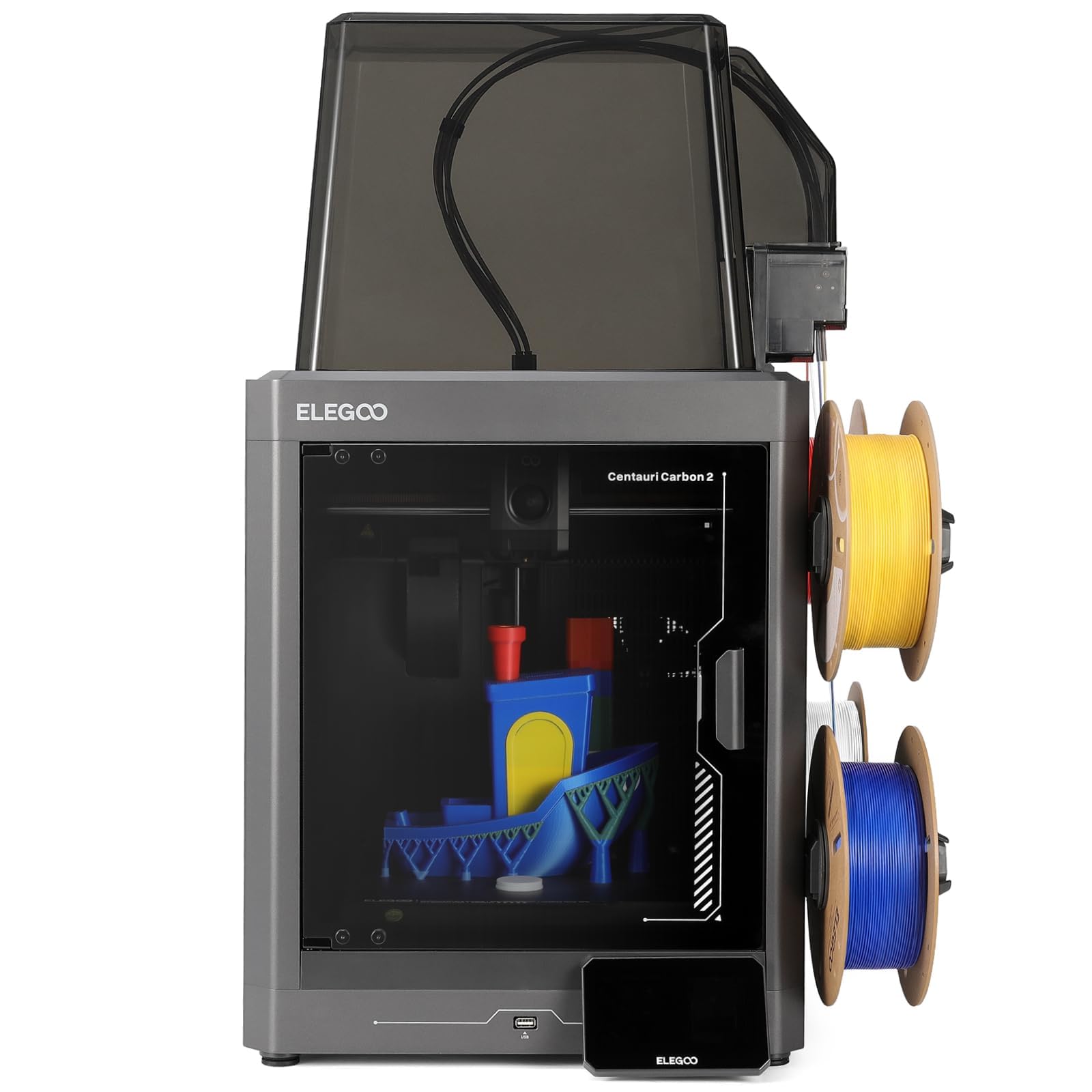
2. ELEGOO Centauri Carbon 2 Combo 3D Printer
Load it, tap print, walk away — and colors switch without you standing there.
What you get here is a fully automated setup. Calibration runs itself, filament detection watches the CANVAS system, and the machine refills and untangles without a nudge. You load spools, tap print, and leave. The aluminum frame and CoreXY layout reach up to 500 mm/s with 20,000 mm/s² acceleration, and active vibration compensation keeps the surface finish smooth after the speed does its job.
Owner reviews repeat the same points more consistently than for any other machine here. Getting started takes most people about 30 minutes, prints come out clean straight from the crate, and projects finish in under 2 hours rather than an afternoon. Speed and setup are the two things people keep coming back to. It is the most-reviewed machine in this lineup by a wide margin.
Material range is wider than the plastics on the sticker suggest — the temperature control carries it into engineering-grade filaments, not just PLA. That tracks with a machine more owners have bought and lived with than any other pick here.
The honest trade-off: longevity is the one note that comes up repeatedly in owner feedback. Some long-term units have not held up as well as the first-month experience suggests. Treat this as a machine that earns its keep through easy, fast multicolor output rather than one you hand down.
Grab this one: if you want four-color printing to be a two-tap routine rather than a hobby in itself.
Know going in: the automation is real, but the long-term wear picture is less settled than the day-one experience.
3. FLASHFORGE 5M Pro 3D Printer
A sealed box that turns down the noise and cleans the air it pushes out.
This is the machine for a home office or a classroom where the printer runs while people are in the room. The AD5M Pro is fully enclosed, and the dual filtration system pairs a HEPA13 filter with activated carbon. Flashforge claims it blocks 99% of particulate matter and VOCs (volatile organic compounds — the fumes that off-gas when plastic melts), the figure that matters when the printer sits beside your desk.
It reaches 600 mm/s, and its 50 dB rating in standard mode (a measure of sound level) is the loudest-quiet figure here — the Creality K1C in this list drops to 45 dB in silent mode, so if noise is your deciding spec, that one edges this one out. Otherwise there is a low-speed silent mode built in for hours when you cannot tolerate a whirring box.
Setup is genuinely easy: one-click auto-leveling measures the bed and calculates its own offsets, so there is no manual Z-axis calibration to learn. The 280℃ direct-drive extruder ships with quick-detachable nozzles in 0.25, 0.4, 0.6, and 0.8 mm sizes, and it handles TPU, ASA, PLA, ABS, PETG, and the carbon-fiber variants of PLA and PETG. The Orca-Flashforge slicer and the Flash Maker app let you check progress from anywhere.
What beginners report: the first-layer reliability is the consensus high point — the machine tends to just work. Clogging is the recurring practical gripe, and connectivity is the weak link, so plan to move files by hand if the app misbehaves.
Made for: households and classrooms that need fume filtration as much as they need speed.
Move along if: you are chasing the absolute quietest machine or you need wireless reliability above all else.
4. FLASHFORGE AD5M Pro 3D Printer

Ten minutes from box to first print, and nozzle sizes that change in three seconds.
Two numbers define this machine. The first is the 10-minute quick start — automatic bed leveling means there is no tramming ritual before your first layer. The second is the 3-second nozzle swap, which lets you move between detailed and fast modes without tools or a heat-wrench wrestling match.
The build area is a 220 × 220 × 220 mm cube. That is a real constraint: your helmet-scale projects need the 350 × 350 × 350 mm footprint of the Anycubic Kobra S1 Max instead. Within its cube, the rigid CoreXY frame still pushes 600 mm/s with vibration compensation keeping layers clean.
What it does well is the everyday job. The direct-drive extruder handles flexible TPU without the feeding drama that plagues some bowden setups, and the enclosed chamber keeps temperatures stable for PLA, ABS, PETG, ASA, and carbon-fiber filaments. A built-in camera, the Maker app, and Orca slicer cover the remote monitoring angle. Add filament runout detection, power-loss recovery, and auto-shutdown, and it is a hard machine to leave in a bad state.
Strong on
- Setup speed — plug it in, level it, print, in the time it takes to make coffee.
- Nozzle changes in 3 seconds across multiple sizes keep fine-detail and fast-draft work in one machine.
- Enclosed chamber with dual-layer filtration for dust and smoke.
Short on
- The 220 × 220 × 220 mm cube rules out large one-piece prints.
- Connectivity is the recurring sore spot — some units pair with a computer without trouble, others do not.
Best fit: the desk-scale maker who wants a sealed, self-leveling box and does not need a huge print area.
Look elsewhere if: your wishlist includes helmets, full-size props, or anything larger than the cube allows.
5. Creality K2 SE 4C 3D Printer
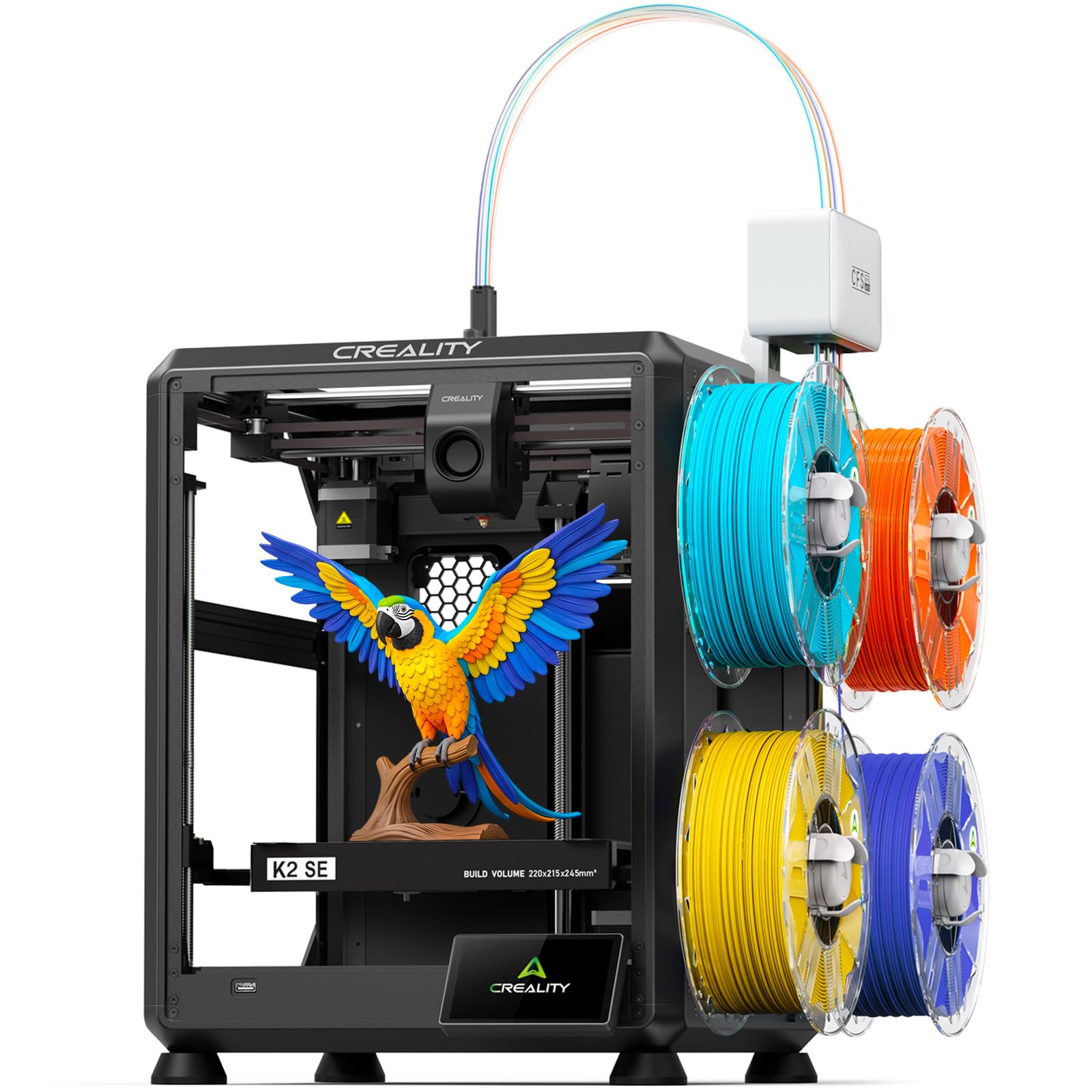
Four colors in a box that takes up meaningful less room than most multicolor rigs.
Creality states this machine occupies 37% less space than traditional multicolor systems, and it ships assembled with no upgrade kit to install before your first print. The 4-color system comes ready to go for toys, cosplay props, decor, and educational models.
Performance is a 500 mm/s CoreXY motion system with 20,000 mm/s² acceleration and an all-metal frame that keeps vibration down. Its intelligent auto-leveling probes only the area you are actually printing in, which cuts setup time and confirms the first layer faster than a full-bed sweep. Bear in mind that this machine reaches 500 mm/s, where the FLASHFORGE 5M Pro in this same group claims 600 mm/s.
Protective features earn their keep on overnight runs: filament runout sensing, tangle detection, power-loss recovery, and skip partial failure all help stop a long print from becoming a wasted spool. For the advanced crowd there is Creality OS with Fluidd UI, root access, and offline USB printing. PLA, PETG, and breakaway support material are all on the menu.
What lands: out-of-the-box print quality is the consistent win — parts come off clean without a tuning session.
What to expect: auto-leveling is the split opinion here; it works reliably for many and needs occasional attention for others. Noise is described as both quiet and loud, depending on who is listening.
Pick it for: a home office or makerspace where the bench is tight and four colors need to arrive pre-wired.
Skip it for: a silent bedroom setup or an engineering-material workshop — this machine is built around consumer plastics.
6. Creality K1C 3D Printer

The compact, sealed machine you buy when carbon-fiber filament is the point.
At 27.3 pounds and 13.97 × 13.97 × 18.89 inches, this is the lightest, tightest machine on this list. That makes it the natural pick for a shelf or a small desk. It also makes it a very different proposition from the 57.9-pound Snapmaker U1 — roughly half the weight and far less bench to find.
The defining hardware is the clog-free direct extruder, reinforced with a bolster spring and ball plunger for a grip that Creality says will not slacken off. Add the tri-metal “Unicorn” nozzle, whose steel tip is fused to a titanium alloy heatbreak, and you get a hotend rated to 300℃ that feeds carbon-fiber reinforced filament like PLA-CF, PA-CF, and PET-CF without chewing through hardware. An enclosed chamber helps hold temperature, and activated carbon bags handle odor and particles.
Speed hits 600 mm/s with 20,000 mm/s² acceleration, and the printhead fan weight is dynamically balanced to reduce the wobble that creates ringing and ghosting. An AI camera ships as standard for monitoring and time-lapses. Silent mode cuts the noise to 45 dB, which is quieter than the FLASHFORGE 5M Pro’s 50 dB — a real advantage if the printer lives near where you sleep or work.
The win: print quality and speed are the two things that keep owners happy, and setup is quick enough for a first machine.
The honest caveat: extruder durability and connectivity are the two spots where feedback divides. Treat the extruder gently and expect to use the app sparingly.
Reach for it: if you plan to run carbon-fiber-filled plastics and have limited bench space to work with.
Pass on it: if you need a bigger print area or four colors — this one is deliberately compact and single-material.
7. Anycubic Kobra S1 Max 3D Printer
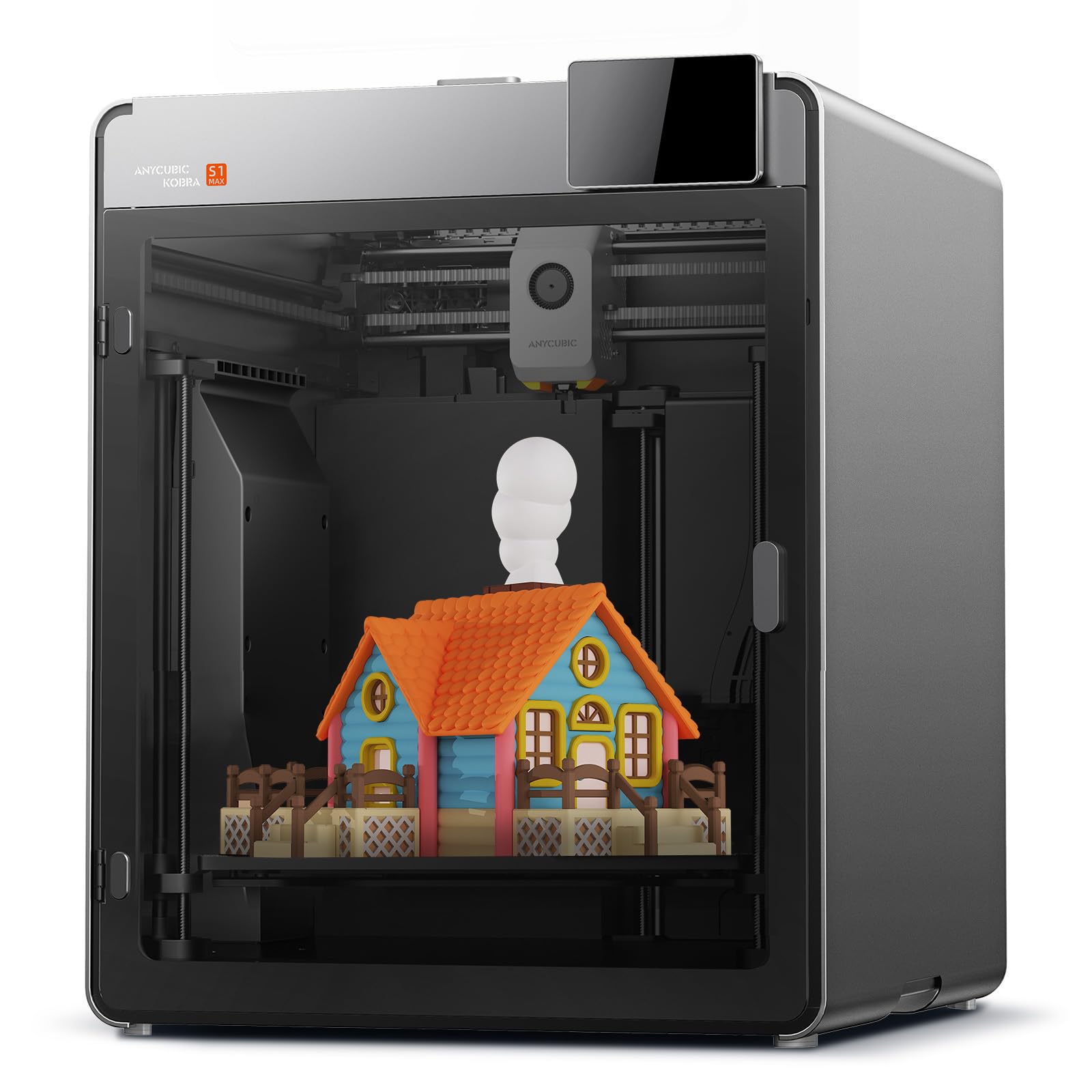
A three-hundred-fifty-millimeter cube for helmets, footwear, and full-size prototypes.
Start with the footprint of the print area itself. The 350 × 350 × 350 mm build volume is the largest here, which puts it ahead of the 300 × 300 × 300 mm SainSmart ZR in this list. Helmets, footwear, and large functional prototypes fit with fewer workarounds.
The enclosure is the other headline. A 350℃ hotend, a 120℃ heated bed, and a 65℃ heated chamber combine to handle the fussiest engineering filaments: ABS, ASA, PC, PA, PA6-CF, PC-CF/GF, and PET-CF. That heated chamber is the difference between nylon that warps off the plate and nylon that stays flat. A titanium alloy throat tube insulates heat to help prevent clogs, paired with a hardened steel nozzle built for abrasive filament.
The CoreXY motion system reaches 600 mm/s with vibration compensation reducing ringing. A 720P camera runs an AI vision algorithm that watches for spaghetti failures and foreign objects during long overnight prints. Multi-color is an upgrade path rather than a built-in option: one ACE 2 Pro gives you 4 colors, and up to four units expand it to 16.
Size you can plan around: this is a machine you buy when the print has to fit the plate on the first try. It is heavy at 69.3 pounds, so plan a permanent home for it.
Suits: anyone printing large engineering parts and props who needs chamber heat, not just a big plate.
Not for: someone who needs four colors on day one or a machine that hops between benches.
8. QIDI Q2 3D Printer
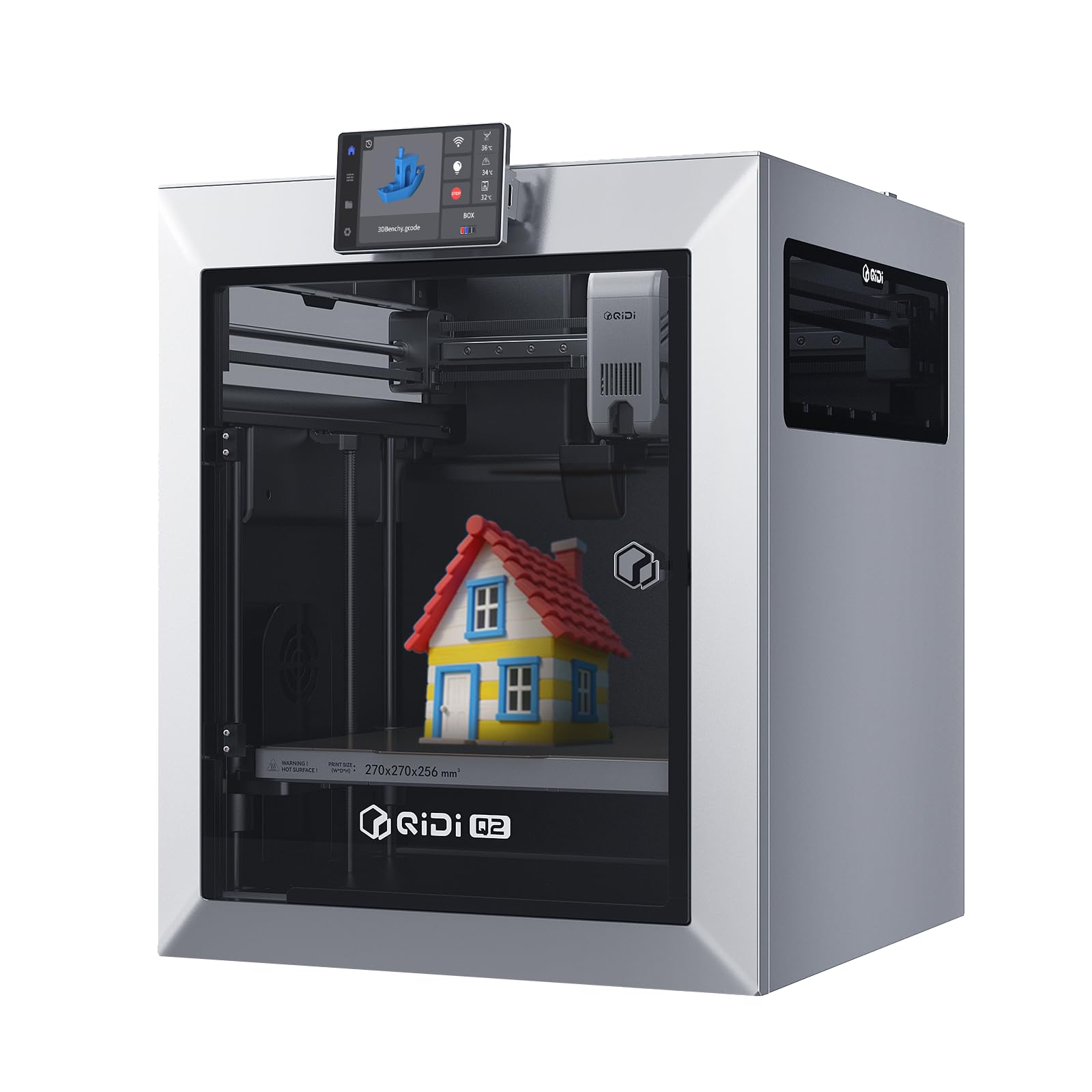
Three hundred seventy degrees is the highest hotend rating here — and it open up PPS-CF.
PPS-CF is one of the toughest filaments you can feed a desktop printer, and it needs serious heat. The Q2’s 370℃ nozzle is the hottest hotend on this list, above the Anycubic Kobra S1 Max at 350℃. The second-generation PTC heated chamber reaches 65℃ to keep warping down and layer adhesion strong.
Two design choices separate this from the crowd. The nozzle itself acts as the leveling sensor, giving first-layer accuracy that is unaffected by the bed surface. And the full-metal CoreXY structure with precision linear rails reaches 600 mm/s while the upgraded 1.5GT synchronous belt reduces vibration artifacts (the faint surface chatter that shows up as visible marks on the finished part).
Multi-color runs up to 16 colors with QIDI BOX, paired with dry-while-print tech that keeps filament dry during the job — helpful for nylon and other moisture-sensitive engineering plastics. A triple filtration system of G3 pre-filter, H12 HEPA, and activated carbon rounds out the package. It supports PLA, ABS, PETG, TPU, PA, PC, and carbon and glass-fiber composites.
Reasons to buy
- 370℃ nozzle opens up PPS-CF and other high-temp composites.
- Nozzle-as-sensor leveling removes the bed-surface variable from first layers.
- 16-color expansion path with dry-while-print for sensitive nylon work.
Reasons for pause
- Build quality reads as a split opinion — some find a solid machine, others find plastic and light.
- 16-color work means buying the QIDI BOX system as an add-on rather than getting it in the box.
Buy it for: advanced-material printing where temperature ceiling is the deciding spec.
Look elsewhere for: a machine that needs to feel premium in hand — the hardware truth leans practical rather than polished.
9. FLASHFORGE Creator 5 Pro Industrial 3D Printer

Four sealed toolheads, so no color gets bled into another while you print.
Where most multicolor systems chase waste by swapping filament through one nozzle, the Creator 5 Pro uses four completely independent toolheads. Color changes happen by swapping nozzles, with no purging between them. That design eliminates cross-contamination and makes each color come out pure — critical on jobs where white and red meet on the same part.
The chamber is the other half of the story. Active heating maintains a stable temperature up to 65℃, and the “outside-in” cooling mode pushes chamber air from the outside to prevent drafts while protecting against nozzle clogs. A fully sealed enclosure plus a HEPA13 recirculation filter captures volatile particles and odors, which is what makes a machine of this class viable in a classroom or an office.
The printing stance is industrial: 600 mm/s speed with 30,000 mm/s² acceleration, a rigid all-metal CoreXY frame, and automatic platform leveling combined with toolhead offset calibration. Nozzle changes are tool-less and rated under 30 seconds. A 4-inch full-color touchscreen handles control, and a flexible PEI magnetic plate makes part removal simple.
Where the money goes: purity and throughput — you are paying for the four-head design and the sealed chamber more than for the touchscreen or the app.
What is missing: this is a one-job-at-a-time machine; the build volume is 256 mm³ and any workflow larger than that needs a second unit or a bigger box.
Reach for this if: multicolor needs to arrive on the print with real purity and you are running high-throughput jobs.
Think twice if: your prints are large enough that the 256 mm³ chamber becomes a limit on day one.
10. SainSmart x WonderMaker ZR CoreXY Multicolor 3D Printer
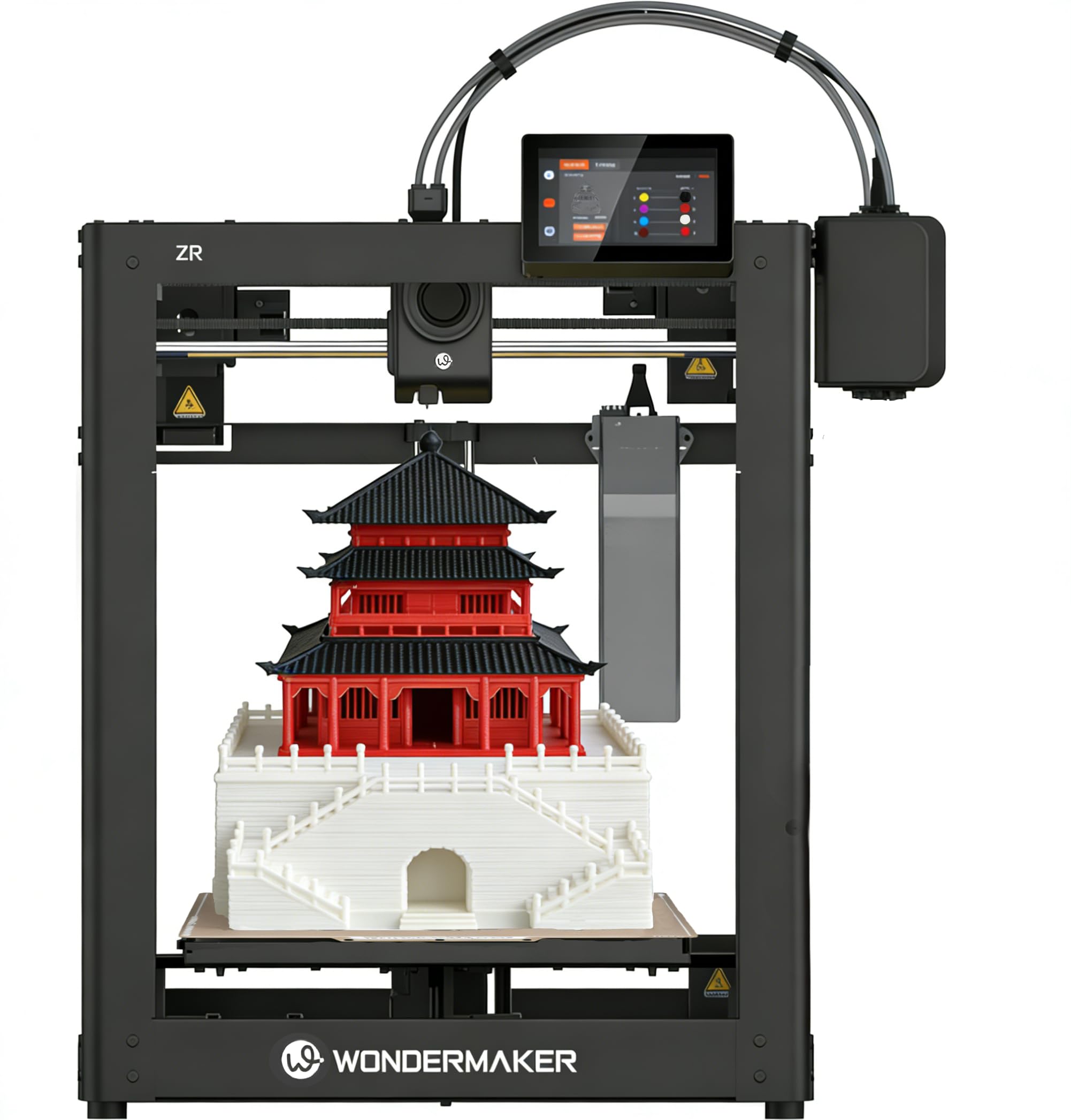
A 300-millimeter cube with four colors built in — for less money than most in this group.
You get 300 mm on each axis, 600 mm/s, and four colors from the crate. The 300 × 300 × 300 mm build volume puts it ahead of the 270 × 270 × 270 mm Snapmaker U1, and the MIFS filament system (a multi-spool loader) loads all four spools with smart jam detection and auto-reloading, so you are not hand-threading between colors.
Under the hood: Klipper firmware, a 5-inch touchscreen, Wi-Fi, and centralized management that lets you monitor multiple ZR printers from one dashboard. The ORCA-based slicer takes the correct ZR profile, and there is a step-by-step printed manual in the box. Automatic bed leveling, real-time flow calibration, and a double-sided PEI plate all help the first layer stick and stay flat.
Hardware specs are respectable: 20,000 mm/s² acceleration, a 32 mm³/s flow rate, a 300℃ hardened steel nozzle, dual-gear extruder, and dual-fan cooling. The all-metal CoreXY structure supports PLA, PETG, TPU, PEBA, ABS, and compatible composites.
What works: print speed and part quality are the strengths — this machine finishes prints at 600 mm/s and holds the detail.
The real caveat: support is the recurring story. The manual is thorough, but when something goes wrong the online support side needs improvement. Treat this as a machine for a tinkerer who can solve problems themselves, not for someone who wants to call a number and be walked through it.
Suits: a confident beginner or a hobbyist who wants a big four-color footprint without the premium price.
skip it if: you want a low-risk, hand-held-through-it purchase — the support side is where this one gives ground.
11. Original Prusa CORE One+ DIY Enclosed Kit

You build it yourself, by hand, with tools — and then you own it.
The CORE One+ arrives as a kit. Prusa ships a detailed photographic guide, 1:1 scale hardware templates for easy part identification, and a completely solder-free assembly. Prusa says build times vary by experience, but most users finish the assembly in 15–20 hours. You end up with a machine you understand rather than one you merely operate.
The frame is all steel, which is the reason this machine can push high speed without losing detail. The enclosed chamber is actively controlled and reaches 55℃, and the automatic top vent regulates airflow so carbon fiber, nylon, ASA, and PC-blend print well while PLA and PETG stay crisp. A redesigned flex loading system and bayonet spool holder keep spool swaps quick.
The offline angle is the differentiator. The system runs the printer locally, and the Wi-Fi module is removable for a machine that simply will not send your designs to a cloud. For a school or a business with confidential prototypes, that is the selling point. The Prusa ecosystem adds over one million models on Printables.com to feed into the machine.
What makes it special
- Hardware you assemble yourself — solder-free, with a photographic guide and 1:1 templates.
- Fully offline capable with a removable Wi-Fi module and local processing.
- All-steel exoskeleton for stability at high speed.
What to brace for
- 15–20 hours of assembly is the entry price, before you print anything.
- Assembly is the recurring frustration point — this kit is not for someone who wants to plug in and print.
Buy it if: knowing your machine inside and out — and keeping your files off the cloud — is part of the point.
Avoid it if: 15–20 hours of assembly sounds like a chore rather than a weekend project.
Know the Specs
CoreXY Motion System
On a CoreXY machine the toolhead does the fast travel while the bed only steps down a fraction per layer. That is why corners stay sharp and tall parts do not shift as the print grows. A printer where the bed slides forward and back drags the weight of the part with it — which is a design choice that shows up as wobble on a tall print.
Build Volume in Millimeters
Print volume is written as three numbers — length, width, and height in millimeters. A 350 × 350 × 350 mm machine accommodates a helmet in one piece; a 220 × 220 × 220 mm machine does not. Measure the shelf you intend to put it on, because these numbers also hint at the machine’s footprint.
Hotend Temperature and Heated Chambers
The hotend rating in degrees Celsius tells you which plastics the machine can melt. 300℃ handles PLA-CF and PA-CF; a 370℃ hotend reaches further into PPS-CF. A heated chamber rating matters separately: the chamber temperature keeps the air around a print warm enough that ABS, PC, and nylon cool slowly and do not warp off the plate.
Filament Purge Versus Tool Changing
Multi-color works two ways. Purge systems flush one nozzle between colors, wasting a little filament each change. Tool-change systems swap entire nozzle-and-spool assemblies, with no purge material thrown away. Tool-changing is faster per switch and wastes less, though the hardware is more complex.
Common Questions
Is CoreXY actually faster than a standard bedslinger?
Do I need a heated chamber for ABS and nylon?
What is the difference between a purge-based multicolor system and a tool changer?
Can I print carbon-fiber filament on a CoreXY printer without breaking it?
How much desk space does a CoreXY printer really take up?
Is a DIY kit like the Prusa CORE One+ worth the assembly time?
Will a four-color printer work with just one spool loaded?
How loud is a CoreXY printer in a home office?
Do I need a filtration system if the printer runs indoors?
What build volume do I need for a full-size helmet?
The Bottom Line
For most people, the corexy 3d printer worth starting with is the Snapmaker U1 because its four toolheads swap in about 5 seconds and it prints multicolor jobs without purging filament down the drain. If color purity and high-throughput work matter more than a compact frame, grab the FLASHFORGE Creator 5 Pro. And for anyone printing large engineering parts that need chamber heat, the Anycubic Kobra S1 Max and its 350 x 350 x 350 mm volume is the one to reach for.
One last thing worth knowing: the ELEGOO Centauri Carbon 2 Combo is the machine most owners in this lineup have lived with and the one whose automation keeps new buyers printing fastest. If you want the shortest path from box to finished multicolor print, that is the pick to trust.
How we choose
We do not accept paid placement. Every pick is matched to a real buyer and a real use-case; we do not hands-on test units.
Sources
Specifications: manufacturer listings and product documentation. Review insights: verified customer reviews, as of November 2026. Pricing: not shown on this page (it changes often); check the current price via the retailer link.
As an Amazon Associate, Tactical Gear Guy earns from qualifying purchases. This does not affect which products we feature.